It is currently Fri Oct 02, 2026 8:10 am


All times are UTC - 5 hours [ DST ]


Post new topic Reply to topic  [ 259 posts ]  Go to page Previous  1 ... 3, 4, 5, 6, 7, 8, 9 ... 13  Next
Author Message
 Post subject: Re: Lurifax73 Blender Art
PostPosted: Fri Jul 25, 2014 5:02 am  (#101) 
Offline
GimpChat Member
User avatar

Joined: Jan 20, 2013
Posts: 590
Lurifax73 wrote:

Lurifax, please, could you teach me how to do this? I am studying the Blender manual and I would like to learn a little more. A small tutorial would be very helpful.

_________________
Image


Top
 Post subject: Re: Lurifax73 Blender Art
PostPosted: Fri Jul 25, 2014 10:02 am  (#102) 
Offline
GimpChat Member
User avatar

Joined: Feb 14, 2013
Posts: 462
Location: Stockholm
Hello Carlos Diniz.

Here is a easy tutorials how to do this. Be sure you running on same version as the tutorial (Blender 2.71)
http://blenderdiplom.com/en/tutorials/all-tutorials/560-tutorial-volumetric-logo-reveal-in-cycles.html

_________________
Late 2017 iMac Retina 4K 21,5 inch Mac OS High Sierra version 10.13.4
3,6 GHz Intel Core i7
16 GB Ram 2400 MHz DDR4
Graphic card Radeon Pro 560 4096 MB
Affinity Photo and Affinity Designers.


Top
 Post subject: Re: Lurifax Blender Art
PostPosted: Fri Jul 25, 2014 3:49 pm  (#103) 
Offline
GimpChat Member
User avatar

Joined: Feb 14, 2013
Posts: 462
Location: Stockholm
Blender Domino. Rendered with Blender Internal and not Cycle

https://www.youtube.com/embed/kBt8y7q3IbQ?rel=0

_________________
Late 2017 iMac Retina 4K 21,5 inch Mac OS High Sierra version 10.13.4
3,6 GHz Intel Core i7
16 GB Ram 2400 MHz DDR4
Graphic card Radeon Pro 560 4096 MB
Affinity Photo and Affinity Designers.


Last edited by Lurifax73 on Wed Jun 13, 2018 5:18 am, edited 1 time in total.

Top
 Post subject: Re: Lurifax Blender Art
PostPosted: Fri Jul 25, 2014 5:09 pm  (#104) 
Offline
GimpChat Member
User avatar

Joined: Mar 10, 2014
Posts: 845
Inside http://www.blendswap.com you can get really cool materials for your satisfaction and its free.


I downloaded 2 material Syntetic Red Plastic and Metal Milled Aluminium. I drag the files in to my blend file store.
------------

I have problems
1. my version of Blend is 2.68 and I need to update to min 2.70 better 2,71 to dowload the 2 new material
2. I forget how to do :oops: can you help me? Thank in advance

Top
 Post subject: Re: Lurifax Blender Art
PostPosted: Sat Jul 26, 2014 12:45 am  (#105) 
Offline
GimpChat Member
User avatar

Joined: Feb 14, 2013
Posts: 462
Location: Stockholm
BlendSwaps materials don't need the latest version of Blender.
Here you can upgrade to 2.71. http://www.blender.org/download/

_________________
Late 2017 iMac Retina 4K 21,5 inch Mac OS High Sierra version 10.13.4
3,6 GHz Intel Core i7
16 GB Ram 2400 MHz DDR4
Graphic card Radeon Pro 560 4096 MB
Affinity Photo and Affinity Designers.


Top
 Post subject: Re: Lurifax Blender Art
PostPosted: Sat Jul 26, 2014 7:32 am  (#106) 
Offline
GimpChat Member
User avatar

Joined: Feb 14, 2013
Posts: 462
Location: Stockholm
ofnuts.
I think it's better if I use my own thread, so I move my Wright Cyclone project to this thread.

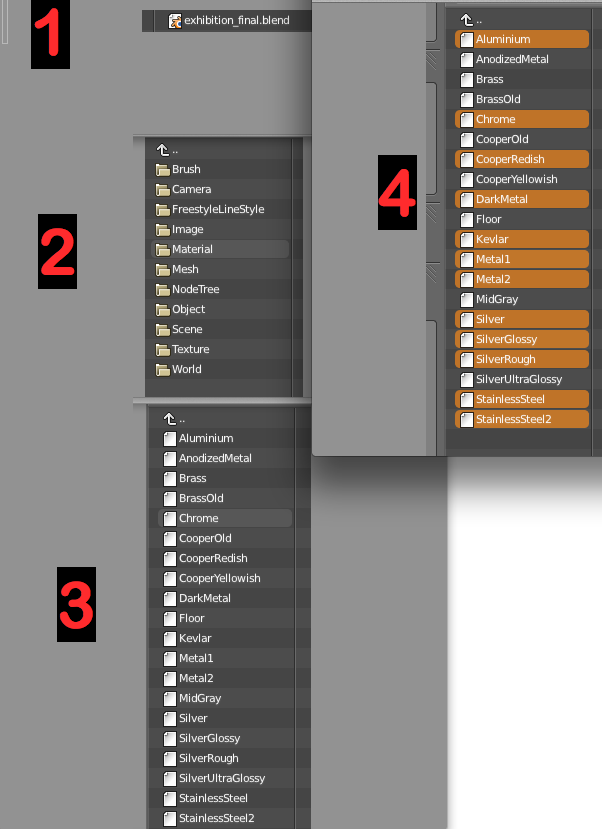
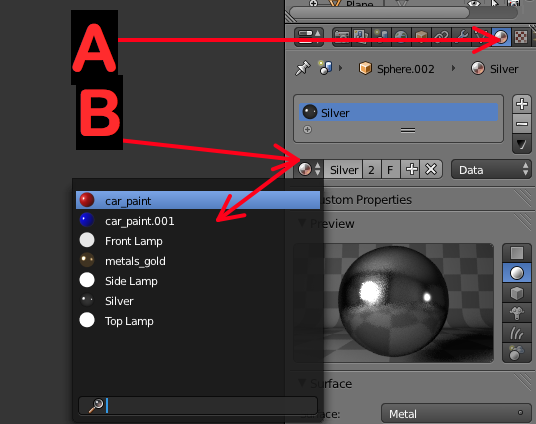
Here is a small tutorial how to import material in to the project you working on.
1.
under File- Append (1) you look for the material blend file. When you have open up that file this window pop up ( 2 ) You select Material and this window pop up (3) You select all materials you going to us on the project.


Image
Open upp Blender material (A) and press this button (B) and you have all your imported material there.
Image

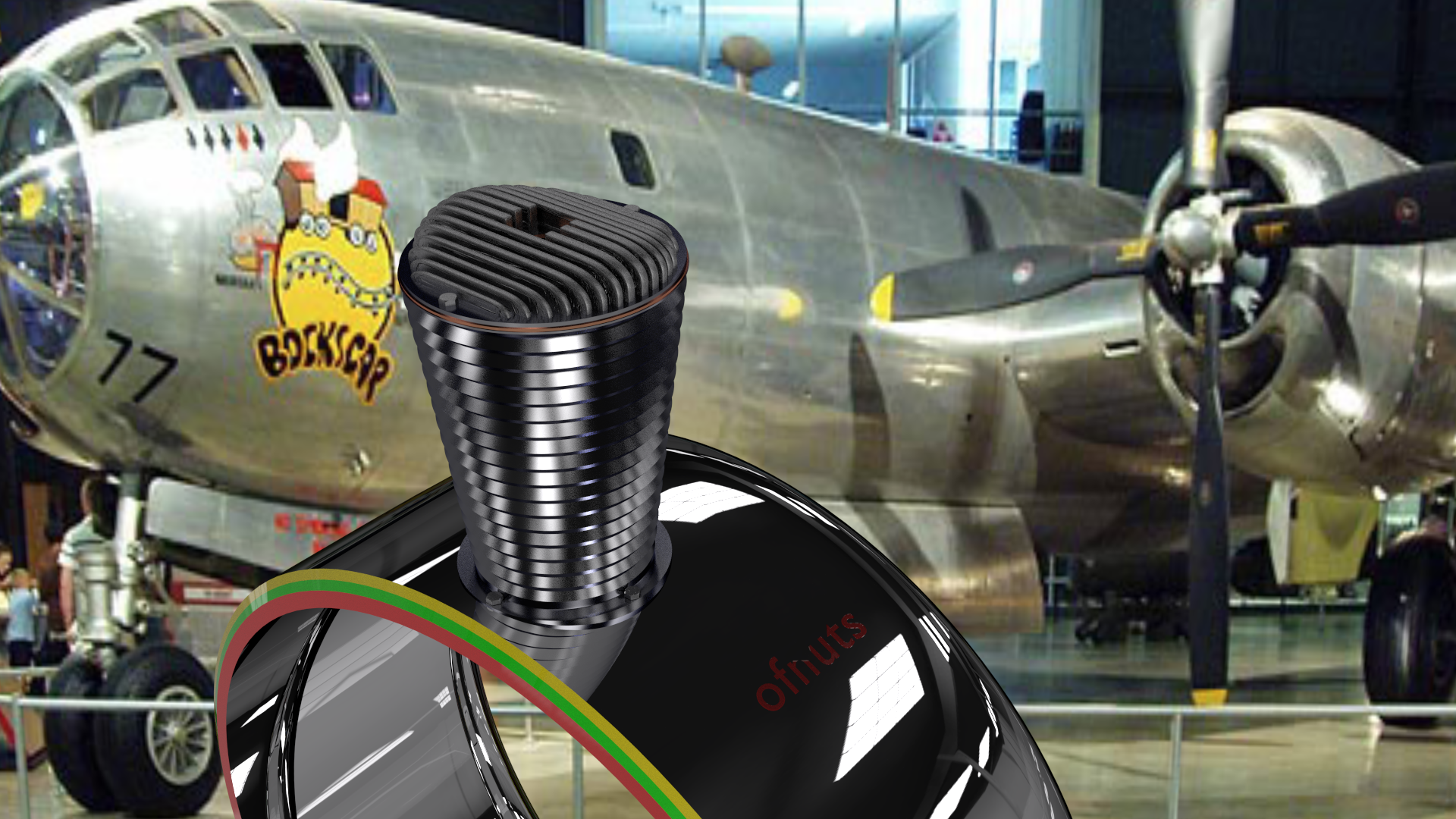
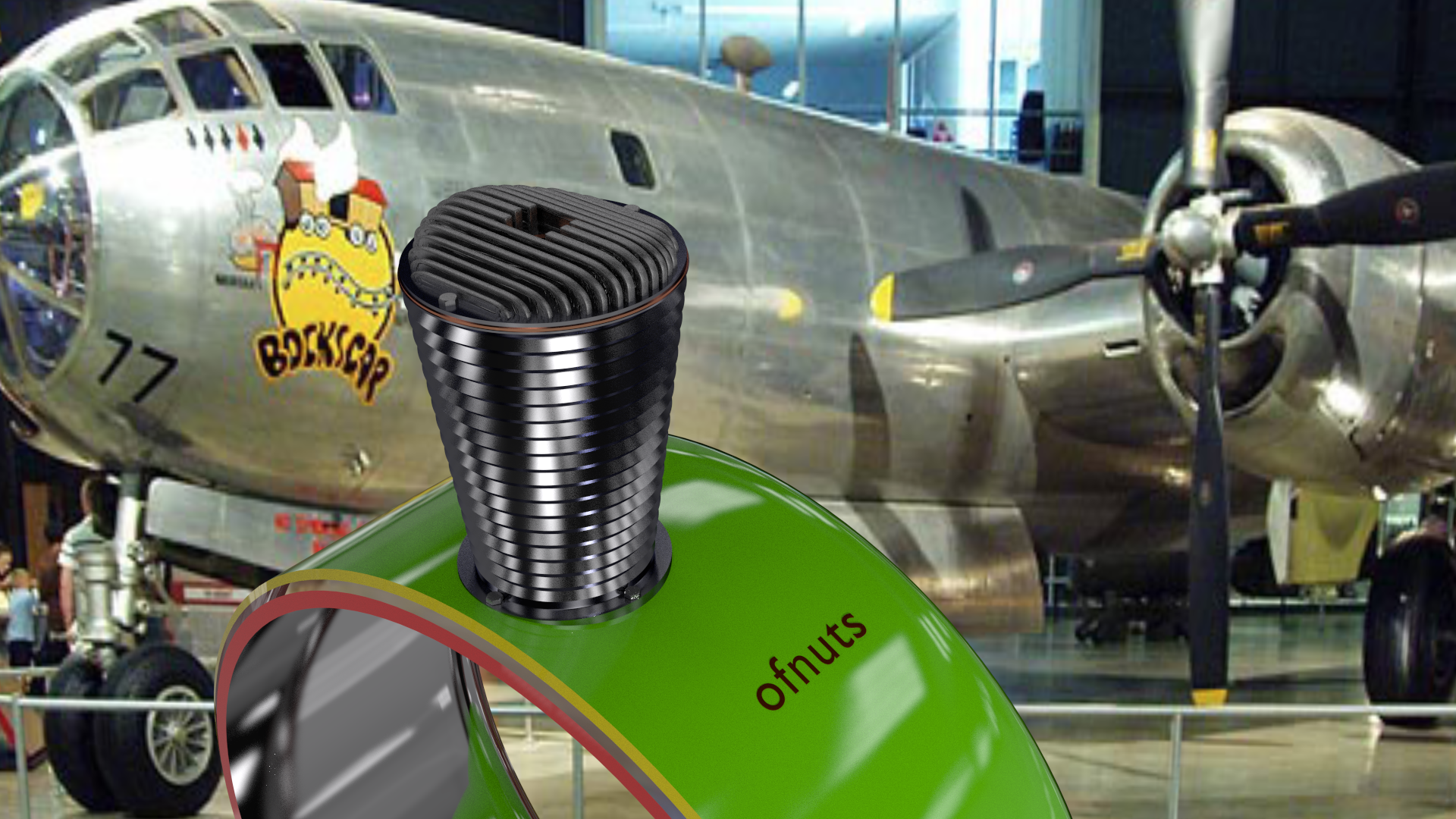
Here is 2 starting models of a star engine.

Image

Image

If you prefer other background images let me have one.
Lurifax.

_________________
Late 2017 iMac Retina 4K 21,5 inch Mac OS High Sierra version 10.13.4
3,6 GHz Intel Core i7
16 GB Ram 2400 MHz DDR4
Graphic card Radeon Pro 560 4096 MB
Affinity Photo and Affinity Designers.


Top
 Post subject: Re: Lurifax Blender Art
PostPosted: Sat Jul 26, 2014 7:51 am  (#107) 
Offline
GimpChat Member
User avatar

Joined: Jan 20, 2013
Posts: 590
Thanks Lurifax.
Marcello, I have registered in Blendswap, but I could not do because I have not received confirmation email.

_________________
Image


Top
 Post subject: Re: Lurifax Blender Art
PostPosted: Sat Jul 26, 2014 3:48 pm  (#108) 
Offline
GimpChat Member
User avatar

Joined: Feb 14, 2013
Posts: 462
Location: Stockholm
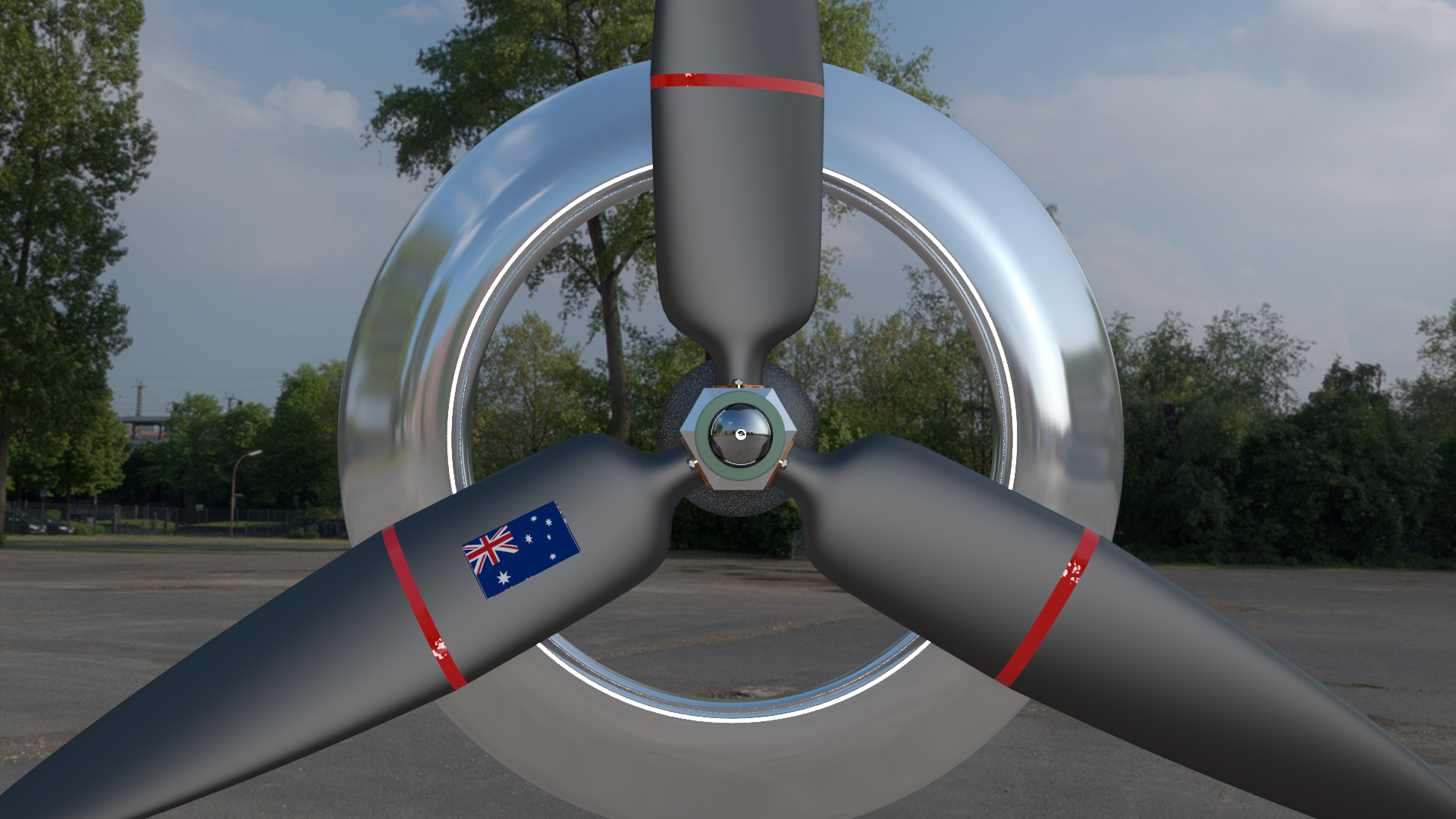
Propeller.

Image

_________________
Late 2017 iMac Retina 4K 21,5 inch Mac OS High Sierra version 10.13.4
3,6 GHz Intel Core i7
16 GB Ram 2400 MHz DDR4
Graphic card Radeon Pro 560 4096 MB
Affinity Photo and Affinity Designers.


Top
 Post subject: Re: Lurifax Blender Art
PostPosted: Tue Jul 29, 2014 9:05 am  (#109) 
Offline
GimpChat Member
User avatar

Joined: Feb 14, 2013
Posts: 462
Location: Stockholm
ofnuts. Do you have any photos, or name on that airplane "351 US AIR FORCE" you showed me in another thread few weeks ago" Separate A380 from background image"
I need some photos showing where landing gear and wings are located. I can get them from internet if I know the name on that airplane.


Image

Thanks in advance

Lurifax.

_________________
Late 2017 iMac Retina 4K 21,5 inch Mac OS High Sierra version 10.13.4
3,6 GHz Intel Core i7
16 GB Ram 2400 MHz DDR4
Graphic card Radeon Pro 560 4096 MB
Affinity Photo and Affinity Designers.


Top
 Post subject: Re: Lurifax Blender Art
PostPosted: Fri Aug 01, 2014 12:28 am  (#110) 
Offline
GimpChat Member
User avatar

Joined: Feb 14, 2013
Posts: 462
Location: Stockholm
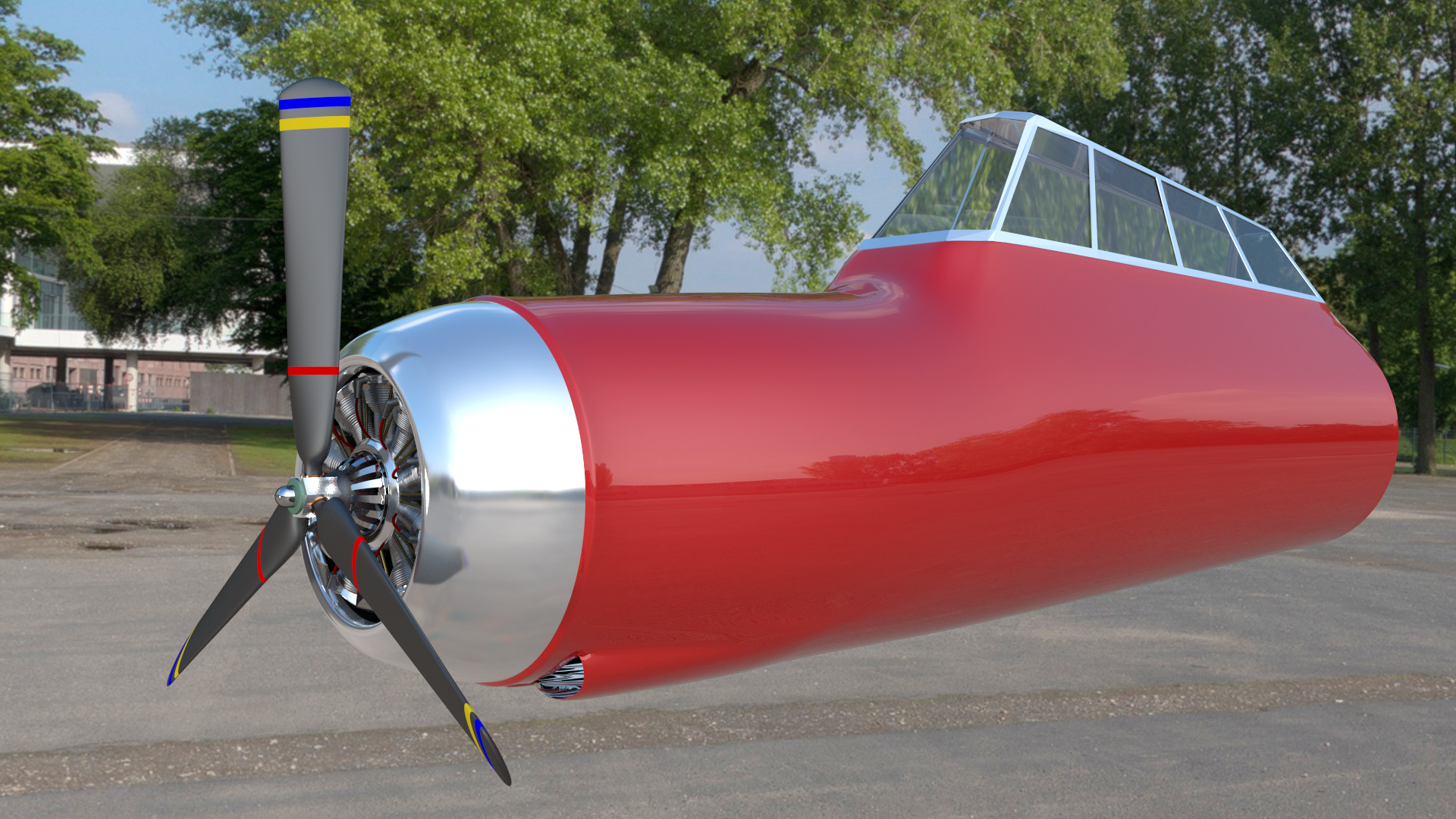
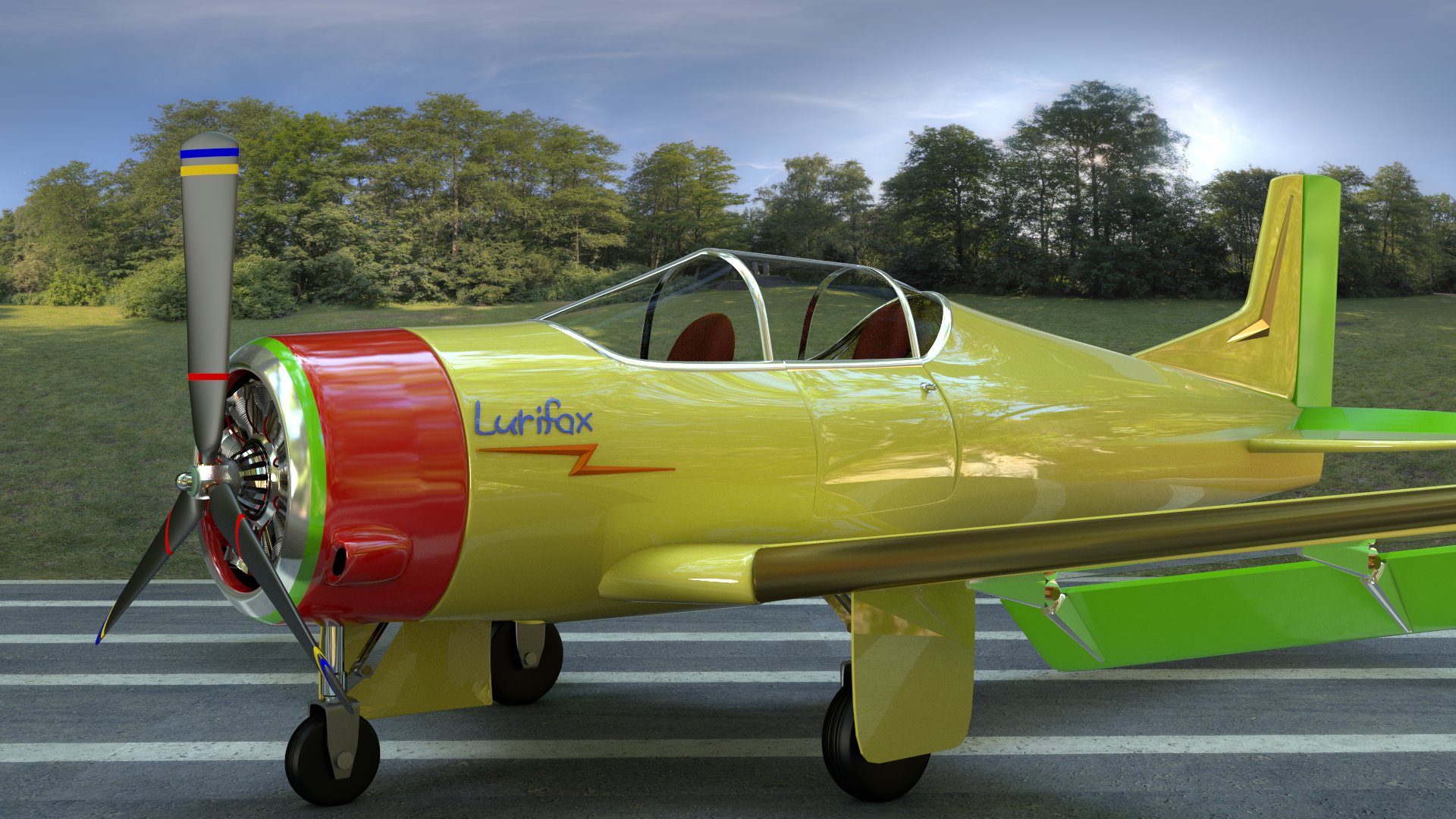
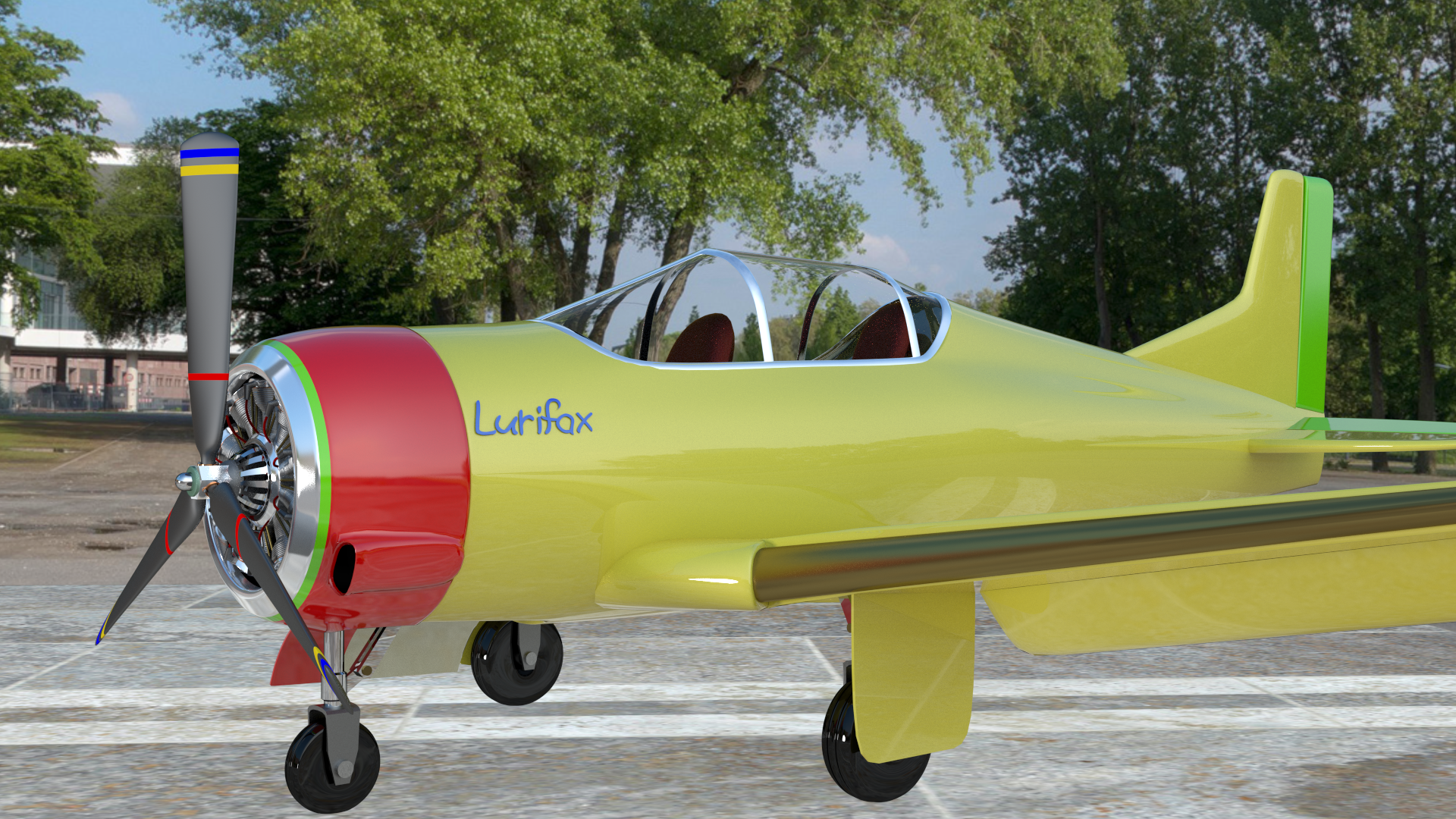
Here comes the last Blender image on Air Force T 28 with Wright Cyclone Star engine.
Image

_________________
Late 2017 iMac Retina 4K 21,5 inch Mac OS High Sierra version 10.13.4
3,6 GHz Intel Core i7
16 GB Ram 2400 MHz DDR4
Graphic card Radeon Pro 560 4096 MB
Affinity Photo and Affinity Designers.


Top
 Post subject: Re: Lurifax Blender Art
PostPosted: Sat Aug 02, 2014 1:13 pm  (#111) 
Offline
GimpChat Member
User avatar

Joined: Apr 08, 2010
Posts: 5420
Location: Northwest Ohio
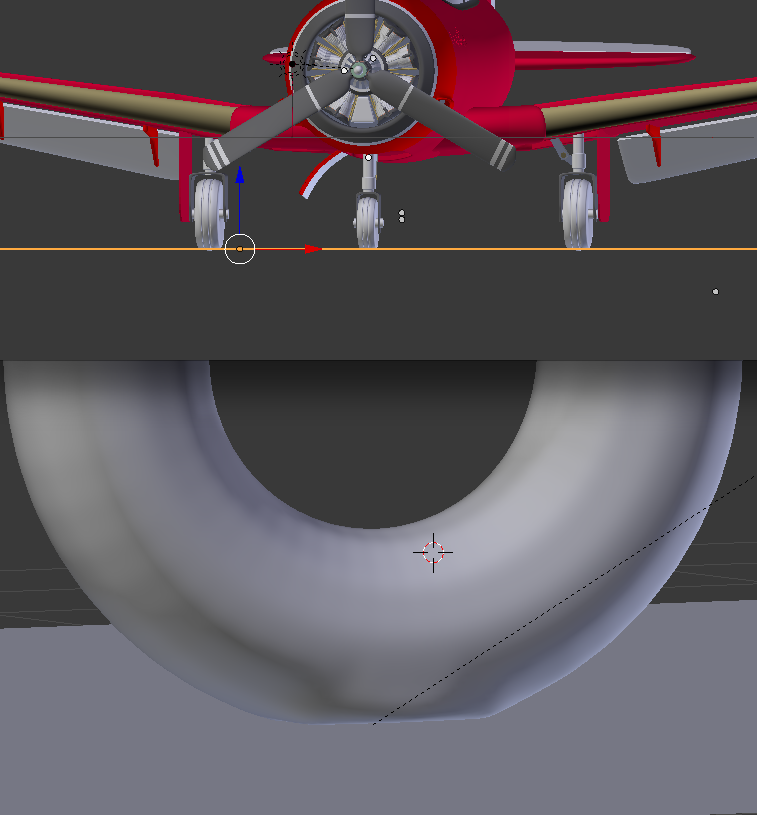
beautiful job, however I think the wheels don't look quite like they are truly on the ground...perhaps the area where they touch the ground should be a teeny bit flatter. I think the weight of the plane would create that in real life.


Top
 Post subject: Re: Lurifax Blender Art
PostPosted: Sat Aug 02, 2014 3:42 pm  (#112) 
Offline
GimpChat Member
User avatar

Joined: Feb 14, 2013
Posts: 462
Location: Stockholm
Thank you 2-ton.
I always look so the floor stick on to the wheels before I render . All wheels sinking because of the weight of the airplane, so I should have made my tyres little bit flat underneath, but I was lazy.
Sorry for that.

Image

_________________
Late 2017 iMac Retina 4K 21,5 inch Mac OS High Sierra version 10.13.4
3,6 GHz Intel Core i7
16 GB Ram 2400 MHz DDR4
Graphic card Radeon Pro 560 4096 MB
Affinity Photo and Affinity Designers.


Top
 Post subject: Re: Lurifax Blender Art
PostPosted: Sat Aug 02, 2014 3:53 pm  (#113) 
Offline
GimpChat Member
User avatar

Joined: Apr 08, 2010
Posts: 5420
Location: Northwest Ohio
lol, your mastery of Blender amazes me!


Top
 Post subject: Re: Lurifax Blender Art
PostPosted: Sun Aug 03, 2014 6:04 am  (#114) 
Offline
GimpChat Member
User avatar

Joined: Feb 14, 2013
Posts: 462
Location: Stockholm
I add a shadow under the wheels so it looks more real, and I add a door in to cockpit.

Image

_________________
Late 2017 iMac Retina 4K 21,5 inch Mac OS High Sierra version 10.13.4
3,6 GHz Intel Core i7
16 GB Ram 2400 MHz DDR4
Graphic card Radeon Pro 560 4096 MB
Affinity Photo and Affinity Designers.


Last edited by Lurifax73 on Wed Aug 06, 2014 12:57 am, edited 1 time in total.

Top
 Post subject: Re: Lurifax Blender Art
PostPosted: Sun Aug 03, 2014 9:29 pm  (#115) 
Offline
GimpChat Member
User avatar

Joined: Apr 08, 2010
Posts: 5420
Location: Northwest Ohio
Wow, that makes it look so real, like it is really sitting on the tarmac! If I didn't know better, would swear this was a photogramp. really.


Top
 Post subject: Re: Lurifax Blender Art
PostPosted: Mon Aug 04, 2014 12:25 am  (#116) 
Offline
GimpChat Member
User avatar

Joined: Feb 14, 2013
Posts: 462
Location: Stockholm
Thanks again 2-ton.

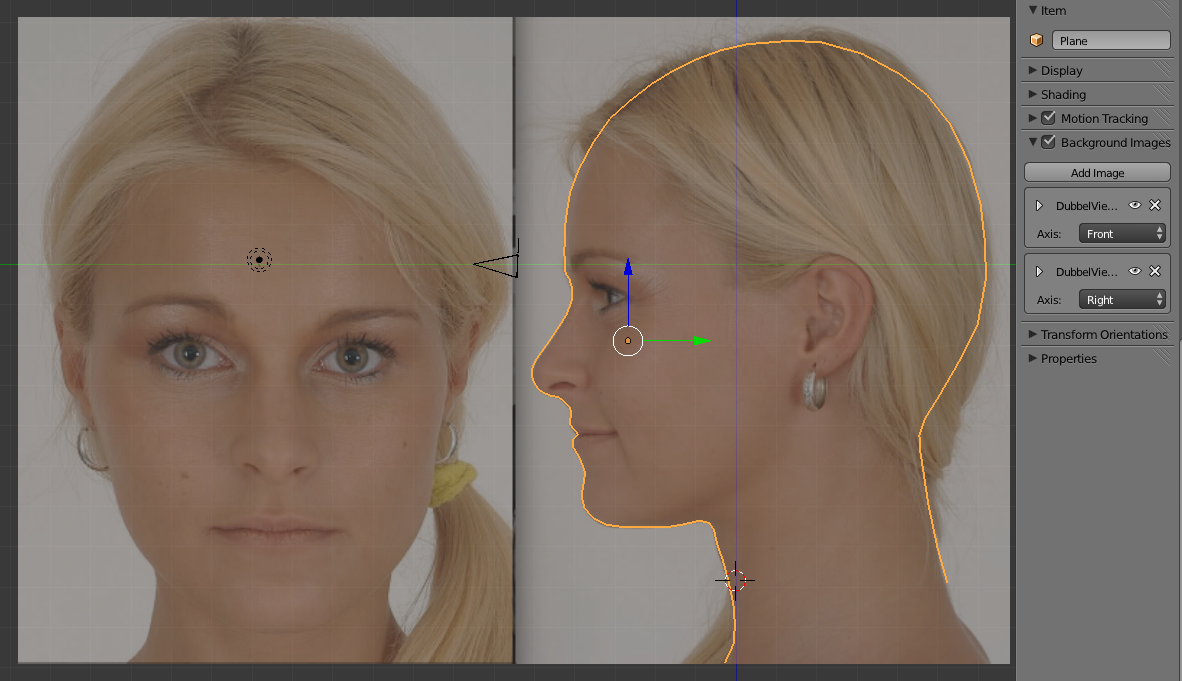
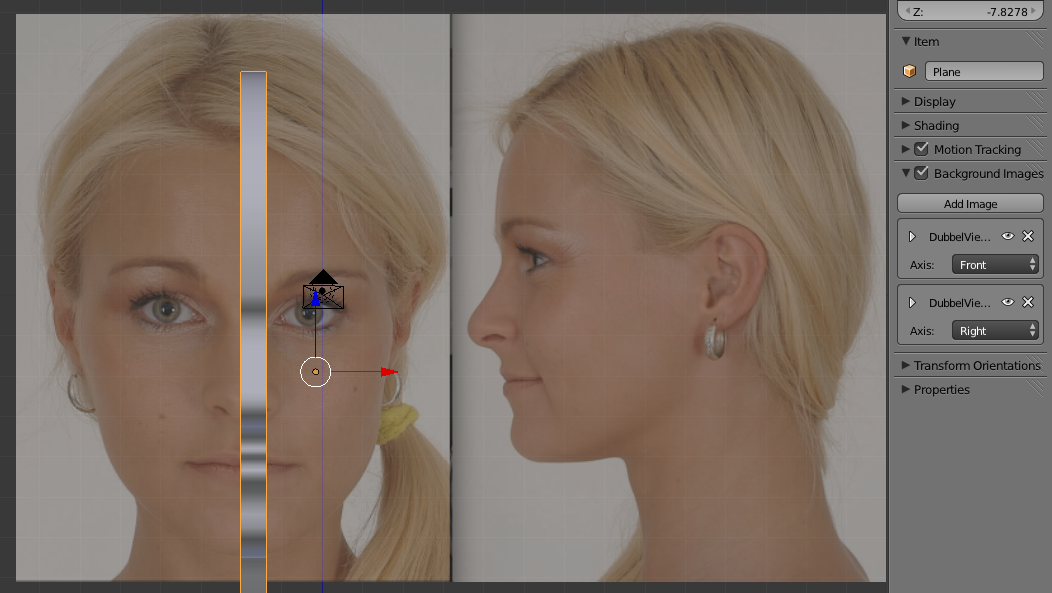
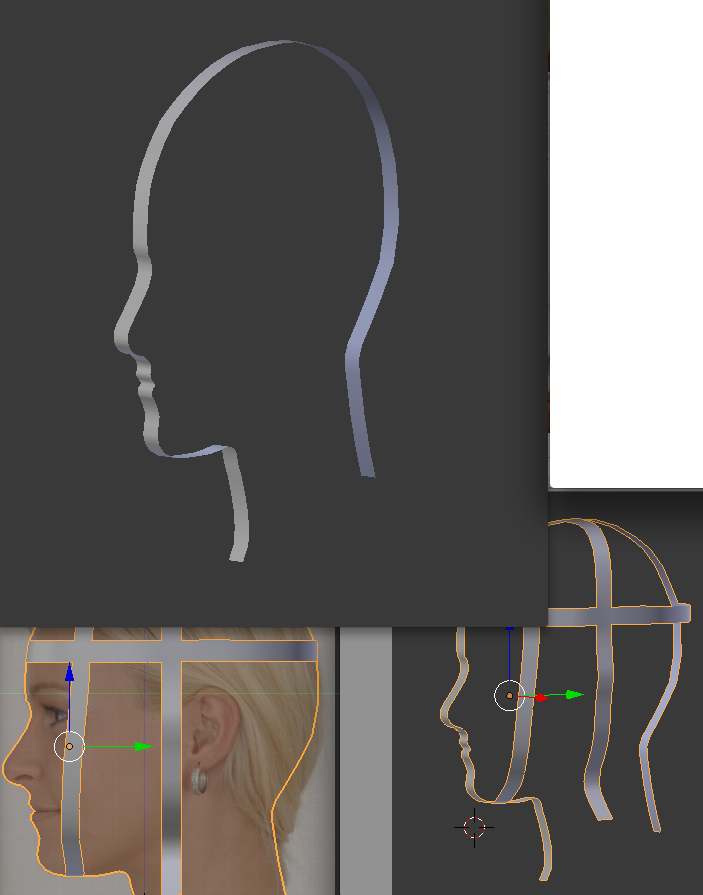
Today I start to create a Girl "Molly" head.

Image

Image

Image

_________________
Late 2017 iMac Retina 4K 21,5 inch Mac OS High Sierra version 10.13.4
3,6 GHz Intel Core i7
16 GB Ram 2400 MHz DDR4
Graphic card Radeon Pro 560 4096 MB
Affinity Photo and Affinity Designers.


Top
 Post subject: Re: Lurifax Blender Art
PostPosted: Wed Aug 06, 2014 1:04 am  (#117) 
Offline
GimpChat Member
User avatar

Joined: Feb 14, 2013
Posts: 462
Location: Stockholm
One other Blenderanimation.

Sorry Dublette

_________________
Late 2017 iMac Retina 4K 21,5 inch Mac OS High Sierra version 10.13.4
3,6 GHz Intel Core i7
16 GB Ram 2400 MHz DDR4
Graphic card Radeon Pro 560 4096 MB
Affinity Photo and Affinity Designers.


Last edited by Lurifax73 on Mon Jun 11, 2018 4:40 pm, edited 2 times in total.

Top
 Post subject: Re: Lurifax Blender Art
PostPosted: Sat Aug 09, 2014 11:34 pm  (#118) 
Offline
GimpChat Member
User avatar

Joined: Feb 14, 2013
Posts: 462
Location: Stockholm
Handwritten Signature.

Handvritten text

_________________
Late 2017 iMac Retina 4K 21,5 inch Mac OS High Sierra version 10.13.4
3,6 GHz Intel Core i7
16 GB Ram 2400 MHz DDR4
Graphic card Radeon Pro 560 4096 MB
Affinity Photo and Affinity Designers.


Last edited by Lurifax73 on Mon Jun 11, 2018 3:10 pm, edited 1 time in total.

Top
 Post subject: Re: Lurifax Blender Art
PostPosted: Sun Aug 17, 2014 2:48 am  (#119) 
Offline
GimpChat Member
User avatar

Joined: Feb 14, 2013
Posts: 462
Location: Stockholm
One other Blender project.

Wood shopping

_________________
Late 2017 iMac Retina 4K 21,5 inch Mac OS High Sierra version 10.13.4
3,6 GHz Intel Core i7
16 GB Ram 2400 MHz DDR4
Graphic card Radeon Pro 560 4096 MB
Affinity Photo and Affinity Designers.


Last edited by Lurifax73 on Mon Jun 11, 2018 4:22 pm, edited 2 times in total.

Top
 Post subject: Re: Lurifax Blender Art
PostPosted: Sun Aug 17, 2014 10:03 am  (#120) 
Offline
GimpChat Member
User avatar

Joined: Feb 14, 2013
Posts: 462
Location: Stockholm
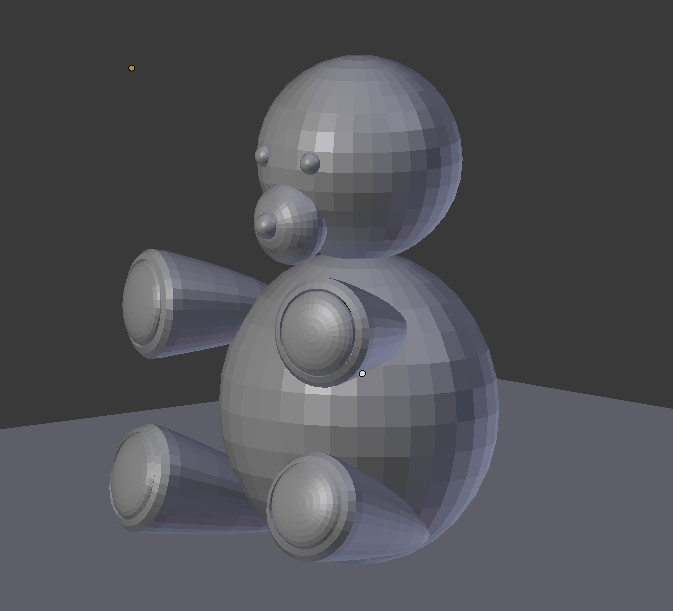
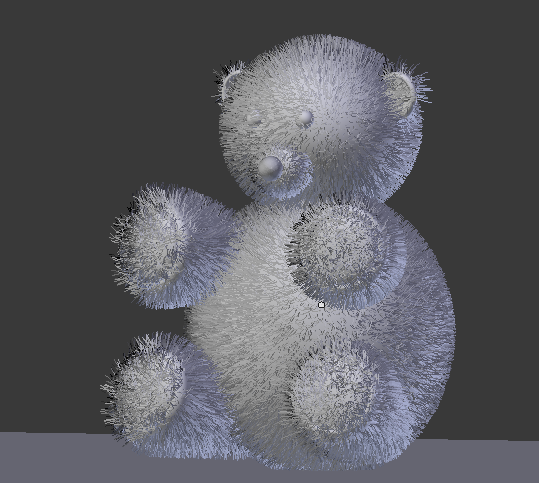
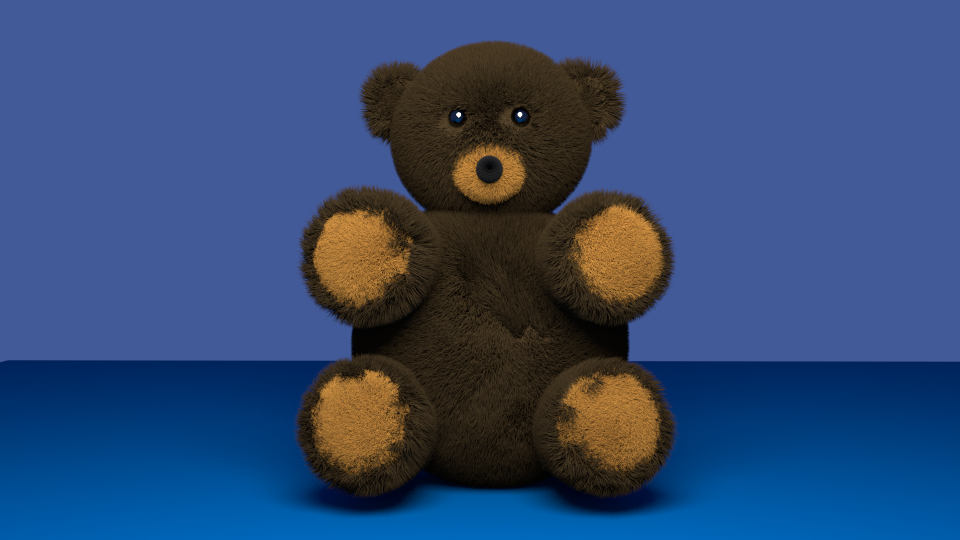
Blender made Teddy Bear.

Image

Image

Image

_________________
Late 2017 iMac Retina 4K 21,5 inch Mac OS High Sierra version 10.13.4
3,6 GHz Intel Core i7
16 GB Ram 2400 MHz DDR4
Graphic card Radeon Pro 560 4096 MB
Affinity Photo and Affinity Designers.


Top
Post new topic Reply to topic  [ 259 posts ]  Go to page Previous  1 ... 3, 4, 5, 6, 7, 8, 9 ... 13  Next

All times are UTC - 5 hours [ DST ]


* Login  


Powered by phpBB3 © phpBB Group