It is currently Wed Nov 18, 2026 3:23 pm


All times are UTC - 5 hours [ DST ]


Post new topic Reply to topic  [ 69 posts ]  Go to page Previous  1, 2, 3, 4  Next
Author Message
 Post subject: Re: Create a Spherical Emap from a Gradient for the Bevel Reflect Logo
PostPosted: Thu Aug 28, 2014 2:36 am  (#41) 
Offline
Administrator
User avatar

Joined: Aug 10, 2012
Posts: 14277
Location: Native to NYC living in Arizona, Gimp 2.8 - 3.0, Win 11 PC.
Ella Louise wrote:
[ Image ]

My first try.

Nice Ella! :jumpclap
What emap did you use to make this?

_________________
Image
"A wise man learns more from a foolish question than a fool can learn from a wise answer"
Image


Top
 Post subject: Re: Create a Spherical Emap from a Gradient for the Bevel Reflect Logo
PostPosted: Thu Aug 28, 2014 3:32 am  (#42) 
Offline
GimpChat Member
User avatar

Joined: May 17, 2014
Posts: 1575
Thanks Wallace.
I used the first African lily Emap.
Don’t know if it’s exactly the same. Made a little mistake :oops: and had to make it again before I could post it here.

_________________
Ella's gallery - YouTube


Top
 Post subject: Re: Create a Spherical Emap from a Gradient for the Bevel Reflect Logo
PostPosted: Thu Aug 28, 2014 4:31 am  (#43) 
Offline
GimpChat Member
User avatar

Joined: Dec 08, 2013
Posts: 1088
:bigthup Ella Louise :)
I changed the gradient on your 2nd sphere to a metallic one. Try it out

1 select the sphere layer
2 select any gradient (to experiment)
3 colors>map>gradient-map (if you do not like result the CTRL+Z and start from 2)
4 save it and run BRL, selecting the map you saved.


Attachments:
BRL-african.lily.1a2CH.png
BRL-african.lily.1a2CH.png [ 231.77 KiB | Viewed 12590 times ]

_________________
Image


Last edited by SysTemX on Thu Aug 28, 2014 4:33 am, edited 1 time in total.
Top
 Post subject: Re: Create a Spherical Emap from a Gradient for the Bevel Reflect Logo
PostPosted: Thu Aug 28, 2014 4:32 am  (#44) 
Offline
GimpChat Member
User avatar

Joined: Dec 08, 2013
Posts: 1088
Image:)


Attachments:
SEM-CrocEye.png
SEM-CrocEye.png [ 2.14 KiB | Viewed 12590 times ]

_________________
Image
Top
 Post subject: Re: Create a Spherical Emap from a Gradient for the Bevel Reflect Logo
PostPosted: Thu Aug 28, 2014 10:29 am  (#45) 
Offline
GimpChat Member
User avatar

Joined: Mar 10, 2014
Posts: 845
SysTemX - Following your instructions Gradient 03_StoneMarble008 plus Gimpressionist (preset rice) and working on levels - Font Asia Extended
here is the result
Image


Top
 Post subject: Re: Create a Spherical Emap from a Gradient for the Bevel Reflect Logo
PostPosted: Thu Aug 28, 2014 2:20 pm  (#46) 
Offline
GimpChat Member
User avatar

Joined: Dec 08, 2013
Posts: 1088
Very nice Marcello. I will try that myself. Thanks.

_________________
Image


Top
 Post subject: Re: Create a Spherical Emap from a Gradient for the Bevel Reflect Logo
PostPosted: Thu Aug 28, 2014 8:48 pm  (#47) 
Offline
GimpChat Member
User avatar

Joined: Dec 08, 2013
Posts: 1088
:hehe


Attachments:
WALLACE.png
WALLACE.png [ 397.48 KiB | Viewed 12556 times ]

_________________
Image
Top
 Post subject: Re: Create a Spherical Emap from a Gradient for the Bevel Reflect Logo
PostPosted: Thu Aug 28, 2014 11:13 pm  (#48) 
Offline
Administrator
User avatar

Joined: Aug 10, 2012
Posts: 14277
Location: Native to NYC living in Arizona, Gimp 2.8 - 3.0, Win 11 PC.
SysTemX wrote:
:hehe

:jumpclap

_________________
Image
"A wise man learns more from a foolish question than a fool can learn from a wise answer"
Image


Top
 Post subject: Re: Create a Spherical Emap from a Gradient for the Bevel Reflect Logo
PostPosted: Fri Aug 29, 2014 3:55 am  (#49) 
Offline
GimpChat Member
User avatar

Joined: May 17, 2014
Posts: 1575
Despite your good explanation, I still don’t understand all of the BRL in Gimp :hoh , sorry SysTemX :D
But here’s my result.

Image

_________________
Ella's gallery - YouTube


Top
 Post subject: Re: Create a Spherical Emap from a Gradient for the Bevel Reflect Logo
PostPosted: Fri Aug 29, 2014 8:50 am  (#50) 
Offline
GimpChat Member
User avatar

Joined: Mar 10, 2014
Posts: 845
Ella - I like your output!


Top
 Post subject: Re: Create a Spherical Emap from a Gradient for the Bevel Reflect Logo
PostPosted: Sat Aug 30, 2014 8:48 am  (#51) 
Offline
GimpChat Member
User avatar

Joined: May 17, 2014
Posts: 1575
Thank you, Marcello :)

_________________
Ella's gallery - YouTube


Top
 Post subject: Re: Create a Spherical Emap from a Gradient for the Bevel Reflect Logo
PostPosted: Tue Sep 02, 2014 1:11 am  (#52) 
Offline
GimpChat Member
User avatar

Joined: Dec 08, 2013
Posts: 1088
Ella Louise wrote:
Despite your good explanation, I still don’t understand all of the BRL in Gimp :hoh , sorry SysTemX :D
But here’s my result.

[ Image ]

:) Looking good there Ella Louise. :bigthup

_________________
Image


Top
 Post subject: Re: Create a Spherical Emap from a Gradient for the Bevel Reflect Logo
PostPosted: Sat Sep 06, 2014 10:31 am  (#53) 
Offline
GimpChat Member
User avatar

Joined: May 17, 2014
Posts: 1575
Thanks SysTemX :tyspin

_________________
Ella's gallery - YouTube


Top
 Post subject: Re: Create a Spherical Emap from a Gradient for the Bevel Reflect Logo
PostPosted: Sat Sep 06, 2014 5:06 pm  (#54) 
Offline
GimpChat Member
User avatar

Joined: Nov 15, 2012
Posts: 949
Location: Mesa, AZ
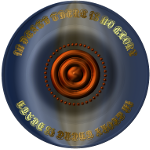
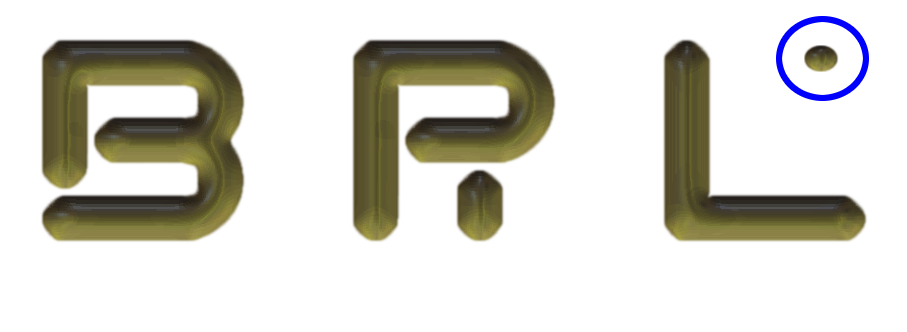
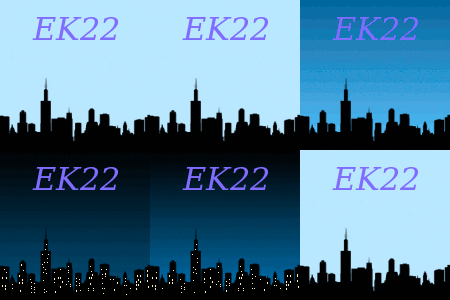
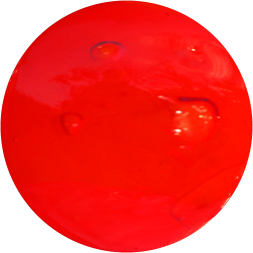
I finally got around to doing a spin on this. My first result, I followed instructions to a T and came up with this. It's not bad; could probably be less pixelated if I play with it some. The sphere represents the map I used.

Image

So for gits and shiggles I tried the same gradient stroke, only I used map to sphere and played with the offsets a little.

Image

And for the hattrick, I still used the same gradient, but only used the bottom quarter or so in the map to sphere; came up with a much smoother map this way.

Image

_________________
Image

I now have a Tumblr, check it out!


Top
 Post subject: Re: Create a Spherical Emap from a Gradient for the Bevel Reflect Logo
PostPosted: Sat Sep 06, 2014 6:42 pm  (#55) 
Offline
Administrator
User avatar

Joined: Aug 10, 2012
Posts: 14277
Location: Native to NYC living in Arizona, Gimp 2.8 - 3.0, Win 11 PC.
ek22 wrote:
And for the hattrick, I still used the same gradient, but only used the bottom quarter or so in the map to sphere; came up with a much smoother map this way.

I can see a clear difference in how the map worked on the text with this emap.
Nice and smooth. :bigthup

_________________
Image
"A wise man learns more from a foolish question than a fool can learn from a wise answer"
Image


Top
 Post subject: Re: Create a Spherical Emap from a Gradient for the Bevel Reflect Logo
PostPosted: Tue Dec 01, 2015 1:17 pm  (#56) 
Offline
GimpChat Member

Joined: Aug 27, 2010
Posts: 491
Not much time for GIMP recently :gaah

Had a few minutes to see how ridiculous this would look.

Image

Image


Top
 Post subject: Re: Create a Spherical Emap from a Gradient for the Bevel Reflect Logo
PostPosted: Mon Feb 12, 2018 1:47 pm  (#57) 
Offline
GimpChat Member
User avatar

Joined: Apr 07, 2010
Posts: 14182
I really like that Mike, what is the font?

_________________
Image


Top
 Post subject: Re: Create a Spherical Emap from a Gradient for the Bevel Reflect Logo
PostPosted: Sat Feb 17, 2018 6:16 pm  (#58) 
Offline
GimpChat Member

Joined: Aug 27, 2010
Posts: 491
molly wrote:
I really like that Mike, what is the font?


It's been so long I had to look it up. :hehe

https://www.dafont.com/flubber.font


Top
 Post subject: Re: Create a Spherical Emap from a Gradient for the Bevel Reflect Logo
PostPosted: Thu Jun 10, 2021 4:11 am  (#59) 
Offline
GimpChat Member
User avatar

Joined: May 24, 2021
Posts: 859
Location: SEA - South East Asia
Just an Update for the links to get the different scripts and plug ins as the gimpscripts' website does not do anymore GIMP things...

RobA's Sample a Gradient Along a Path
https://web.archive.org/web/20170614020 ... ng-a-path/

GnuTux's Bevel Reflect Logo
https://web.archive.org/web/20170606135 ... lect-logo/

ML Bevel Reflect V2
https://web.archive.org/web/20170614051 ... l-reflect/

GnuTux's Script-Fu Scrolling Interface
GIMP 2.8.10 and << https://web.archive.org/web/20170615014 ... interface/
GIMP 2.8.14 and >> viewtopic.php?f=9&t=10983

dinasset's Globe View of an Image
https://web.archive.org/web/20170803172 ... lobe-view/

SysTemX wrote:
Create a Spherical Emap from a Gradient for the Bevel Reflect Logo

[ Image ]
[ Image ]

You will need these scripts:

RobA's Sample a Gradient Along a Path

GnuTux's Bevel Reflect Logo

ML Bevel Reflect V2

GnuTux's Script-Fu Scrolling Interface

dinasset's Globe View of an Image

  1. Load into GIMP an image containing the colors you would like in your final BRL image.

    [ Image ]

  2. Create a path along the zone containing the colors you want. (using Path Tool)

    [ Image ]

  3. In the GRADIENTS DIALOG, right click on any gradient in the list. From the popup menu select GRADIENT FROM PATH. Name the Gradient for your needs and click ok.

    [ Image ]

    [ Image ]

  4. Locate your new gradient in the GRADIENT dialog list and double click on it. You can edit the gradient or leave it as is. I rarely edit.

    [ Image ]

  5. In the tool box, select the GRADIENT TOOL and set to CONICAL (sym)

  6. Create a new layer

  7. Drag the GRADIENT PAINT CURSOR from the centre of the layer to the bottom right (going off page a little.)

    [ Image ]

  8. If you are unhappy with the result, CTRL+Z and repeat from #7 at a slightly different angle until happy.

  9. Select SCRIPTFU>MAP> GLOBEVIEW-OF-IMAGE and click OK.

  10. In the new image that it created, click the eye of the bottom layer so that it is not visible (do not delete) and then select the top layer.

  11. Auto crop the image.

  12. Go to IMAGE>CANVAS-SIZE, close the chain and increase the width by 5. Click CENTRE and click OK.

  13. Export the image as a .png file and close it. Close the remaining image without saving it.

  14. Open FILE>CREATE-NEW>LOGOS-(GIMPCHAT.COM)>BEVEL-REFLECT-LOGO

  15. Input your text, select ROUND-BEVEL-2.

  16. For your SPHERICAL EMAP browse to the map you just created.

  17. Click ok. IF YOU SHRINK GIMP DOWN THE RENDER SPEED CAN INCREASE DRAMATICALLY.

That's it. Normally under three minutes from start to end.

Hints: Blurring, Iwarp, Clouding etc. all produce interesting variations.

I save my Gradient paints as GraPai-name
Spheres as SEM-name
BRLs as BRL-name
My indexing system.

To shift the shading, simply rotate the sphere and save under a new name, then create a new BRL.

Change the color of the map simply use any of the items in COLOR>MAP menu. Palettes work also.

Try creating GRADIENTS from Palettes. Very unique effects.

Overlay the sphere with a Pattern.

To experiment is to be unique; use your imagination.

_________________
Patrice


Top
 Post subject: Re: Create a Spherical Emap from a Gradient for the Bevel Reflect Logo
PostPosted: Thu Jun 10, 2021 5:01 am  (#60) 
Offline
GimpChat Member

Joined: Apr 09, 2018
Posts: 1888
Location: France
For dinasset's Globe View of an Image,on GC:
viewtopic.php?p=235012#p235012

_________________
Les parfums, les couleurs et les sons se répondent.Baudelaire (Les fleurs du mal)
2.10.36/(Samj) Gimp 2.10.38 OS Windows 10 Home 64 bits


Top
Post new topic Reply to topic  [ 69 posts ]  Go to page Previous  1, 2, 3, 4  Next

All times are UTC - 5 hours [ DST ]


* Login  


Powered by phpBB3 © phpBB Group