It is currently Thu Nov 12, 2026 5:06 pm


All times are UTC - 5 hours [ DST ]


Post new topic This topic is locked, you cannot edit posts or make further replies.  [ 212 posts ]  Go to page Previous  1, 2, 3, 4, 5, 6 ... 11  Next
Author Message
 Post subject: Re: Gimp 2.7.2 for Windows compiled by Partha
PostPosted: Wed Mar 16, 2011 1:08 am  (#41) 
Offline
Global Moderator
User avatar

Joined: May 16, 2010
Posts: 16261
What i had to do was re-edit my path so it was at the very beginning of the path list. :)
Then Gimp-2.7.2 loaded within seconds.

Of course i have not added all my goodies yet :lol
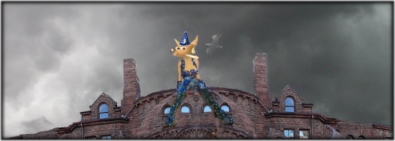
My new Splash Screen for 2.7.2 - Also going to be used for 2.8 when it comes out.
Image

Another Note:
If you want to add new plug-ins or scripts don't add them to the user docs/gimp-2.7/ sub-directory - it doesn't like that for some reason.After you first fire it up go to pref/folders/and add the path in those to new add-ons.
That's worked for me so far - Adding new scripts to the sub-directory folder causes script-fu exe to crash.
I ran a path to 2.6 scripts/2.6 patterns/and i created a new folder for strictly python files in the user/gimp-2.6 folder named gimp-2.7.2-python-files, then i ran a path to it.I needed to have ShellOut :lol

One thing that is terrible though is no GMIC! - but seeings how i still have 2.6.11 running it's no big deal.Still would be nice to see a 2.7.2 plug-in created for it though.No resynth either which also needs compiling.

Some plug-ins i'd like to see compiled for it are
Separator
Texturize
Resynth
GMIC
WebExport
RIOT

It would be awesome to have those added. :)

_________________
Image


Top
 Post subject: Re: Gimp 2.7.2 for Windows compiled by Partha
PostPosted: Wed Mar 16, 2011 5:44 am  (#42) 
Offline
GimpChat Member

Joined: Mar 14, 2011
Posts: 998
PhotoComix wrote:
Thank the screenshoot helped i see what is wrong but i don't see how to fix

look mine

Attachment:
gimp 1.png


your has a follow up (" C:/Win.." and something else that i can't see) that is missed on mine

that because as i tried to explainj i had no any "Path" entry there to edit...in the screenshoot i can't show all the content but as you may see is not one of the first entry

Attachment:
gimp2.png


PhotoComix,

I see exactly where it went wrong. :)

You unzipped gimp-2.7.2 to C:\Program Files (x86)\gimp-2.7.2. However, all the paths in the Gimp I supplied are geared towards C:\Program Files\gimp-2.7.2. If you have to unpack to c:\Program Files (x86) then you will have to make a couple of other changes in in the interpreters supplied.

Also, you have the PATH system variable. Windows won't function without it. :)

Let me know if I can help further. Can you unpack to C:\Program Files?

Thanks,
Partha


the closest may be the first ,CLASSPATH but for a computer "CLASSPATH" and "path" may indicate something very different, and the CLASSPATH seems for Java

i don't know how to copy all the list of enviromental variables (if somebody knows i will post ) but i may assure that is nothing there called "Path"
(maybe because my is a HP laptop and always HP mess in the OS)

now since i have no any "Path" to edit i suppose i must create a new one
..the start is "C:\Program Files (x86)\gimp-2.7.2\bin;" then what should be after the";" ?


Top
 Post subject: Re: Gimp 2.7.2 for Windows compiled by Partha
PostPosted: Wed Mar 16, 2011 5:50 am  (#43) 
Offline
GimpChat Member

Joined: Mar 14, 2011
Posts: 998
PhotoComix wrote:
Rod wrote:
PC that is just a carry on for another path to another program.
the exact path is - C:\Program Files\gimp-2.7.2\bin; just how it looks in the image with a ; (semi-colon) at the end to end that path and it begins a new one.


Yes now i understand that the semicolon are a separator.

anyway still no joy...did you saw my screenshoot,? what is wrong with my path?

and i have the same problem on 2 very different co0mputer a desktop ( xp 32 bit ) and a laptop (7 64 bit )

PhotoComix,

What is wrong with your path is that you missing the path. :) I am not sure how your computer is functioning without it. Anyway, here is my path statement:

C:\Program Files\gimp-2.7.2\bin;C:\Program Files (x86)\NVIDIA Corporation\PhysX\Common;C:\gtk\bin;C:\Mingw64\bin;c:\msys\opt\bin;c:\php;c:\Python27;C:\Program Files\ImageMagick-6.6.2-Q16;C:\Perl64\site\bin;C:\Perl64\bin;%SystemRoot%\system32;%SystemRoot%;%SystemRoot%\System32\Wbem;%SYSTEMROOT%\System32\WindowsPowerShell\v1.0\;C:\Program Files (x86)\TortoiseHg\;c:\Program Files\gimp 2.7\bin;C:\Program Files\MySQL\MySQL Server 5.5\bin

Also, I am using an HP Laptop dv8t. Hope this helps. I can help later in the day. Please feel free to send me an email if you want to take the discussion offline. I will be more than happy to get this fixed for you.

Thanks,
Partha


Top
 Post subject: Re: Gimp 2.7.2 for Windows compiled by Partha
PostPosted: Wed Mar 16, 2011 7:21 am  (#44) 
Offline
GimpChat Member
User avatar

Joined: Jun 24, 2010
Posts: 504
Location: Western Vic Australia
Partha, I did not see this post until just now. I installed 2.7.2 earlier this evening without problems (did path statement and copied dll's to plugins) . It starts without errors. runs but I have probs with the tool docks and still some funnies with my wacom cte 640 tablet). I gave further feedback on Partha's Place (John V). Thank You very much for your work here.

Edit Win 7 64 bits duo core

_________________
Image


Top
 Post subject: Re: Gimp 2.7.2 for Windows compiled by Partha
PostPosted: Wed Mar 16, 2011 7:47 am  (#45) 
Offline
Global Moderator
User avatar

Joined: May 16, 2010
Posts: 16261
wbool63 wrote:
Partha, I did not see this post until just now. I installed 2.7.2 earlier this evening without problems (did path statement and copied dll's to plugins) .

You shouldn't have to move any of the DLL files.
Though i am running Windows XP , Windows 7 64 bit should be the same as it's not an install.
You should only have to add the path variable and then Gimp-2.7.2 should fire and run correctly.
Quote:
It starts without errors. runs but I have probs with the tool docks

I was having some problems earlier with seeing the patterns, gradients, and brushes but after setting them to view as list they now show up if i hover above them (strange).Must be a bug somewhere.I am not sure how to fix that.Probably just a bug in the code i imagine.As it is a development version from GIT.

It's nice to be able to check it out in Windows though. :)

Partha any thought on compiling other plug-ins for this version?

_________________
Image


Top
 Post subject: Re: Gimp 2.7.2 for Windows compiled by Partha
PostPosted: Wed Mar 16, 2011 7:52 am  (#46) 
Offline
GimpChat Member
User avatar

Joined: Sep 24, 2010
Posts: 12856
Now you understand no one in Windows will ever participate in betas. Jeeze. lol

Just don't understand why compiling in Linux is child's play compared to Windows OS. Oh well. I'll wait til 2.8. :)

_________________
Lyle

Psalm 109:8

Image


Top
 Post subject: Re: Gimp 2.7.2 for Windows compiled by Partha
PostPosted: Wed Mar 16, 2011 8:28 am  (#47) 
Offline
Global Moderator
User avatar

Joined: May 16, 2010
Posts: 16261
I agree windows needs a system wide library.Oh what a help that would be! :)

I can dream

_________________
Image


Top
 Post subject: Re: Gimp 2.7.2 for Windows compiled by Partha
PostPosted: Wed Mar 16, 2011 10:17 am  (#48) 
Offline
GimpChat Member

Joined: Apr 12, 2010
Posts: 5870
now i am a bit worried somehow i deleted the first entry in the enviromental variable (i don't know how happened i may only suppose that even if i click on Skype to accept a call, the focus was for some reason on the delete button...anyway to get deleted was the CLASSPATH, that started with a path for java, no idea of what was after the first semicolon

till now everything still work including java, but maybe only because i didn't switch off the PC, i am a bit worried to what may happen after restarting

there is any way to recover a deleted path ?

Back to gimp 2.7.2 i really can't understand why i have the same problem on 2 different computers and with 2 different OS

And in xp THERE IS a "Path" entry so i could follow exactly your instrution, but no joy still the same dll are reported as missed even if i may see well all them in the bin folder

Not sure if the case to continue the discussion by PM:
till now i seem the only one to have unresolved problems, but you never know maybe other may smash on same obstacles and if a solution came may help others

_________________
My 3D Gallery on Deviantart http://photocomix2.deviantart.com/
Main gallery http://www.flickriver.com/photos/photocomix-mandala/
Mandala and simmetry http://www.flickriver.com/photos/photocomix_mandala/

Image

Mrs Wilbress


Top
 Post subject: Re: Gimp 2.7.2 for Windows compiled by Partha
PostPosted: Wed Mar 16, 2011 11:51 am  (#49) 
Offline
GimpChat Member

Joined: Jul 11, 2010
Posts: 349
@PC

What I sent you is correct. What you see in the other line is just actual translation, i.e.
%system root% = C:\windows\

These basic paths should be their. When a program looks for a system file, the path directs the program where to look. I think you would have problems with other programs if it is not present.

When you install programs, some of them add their own pointer to the Path. For example, in the longer path that partha sent, nvidea add its own path.

When a windows program looks for a file, if it doesn't find it in its directory, it that looks in every directory listed in the path statement.


Top
 Post subject: Re: Gimp 2.7.2 for Windows compiled by Partha
PostPosted: Wed Mar 16, 2011 3:12 pm  (#50) 
Offline
GimpChat Member

Joined: Apr 12, 2010
Posts: 5870
thank Bilbo i am going to copy what you posted
I didn't switch off my PC from yesterday because i am sure of very bad surprise when restarting, no idea why in my PC "Path" was called CLASSPATH but i almost sure that there is a corrispondence, i read only the beginning of my "CLASSPATH" but that part looked very similar to what you posted

well going to try to fix now...hum..maybe after dinner...but anyway very soon

_________________
My 3D Gallery on Deviantart http://photocomix2.deviantart.com/
Main gallery http://www.flickriver.com/photos/photocomix-mandala/
Mandala and simmetry http://www.flickriver.com/photos/photocomix_mandala/

Image

Mrs Wilbress


Top
 Post subject: Re: Gimp 2.7.2 for Windows compiled by Partha
PostPosted: Wed Mar 16, 2011 4:43 pm  (#51) 
Offline
GimpChat Member

Joined: Mar 14, 2011
Posts: 998
Rod wrote:
wbool63 wrote:
Partha, I did not see this post until just now. I installed 2.7.2 earlier this evening without problems (did path statement and copied dll's to plugins) .

You shouldn't have to move any of the DLL files.
Though i am running Windows XP , Windows 7 64 bit should be the same as it's not an install.
You should only have to add the path variable and then Gimp-2.7.2 should fire and run correctly.
Quote:
It starts without errors. runs but I have probs with the tool docks

I was having some problems earlier with seeing the patterns, gradients, and brushes but after setting them to view as list they now show up if i hover above them (strange).Must be a bug somewhere.I am not sure how to fix that.Probably just a bug in the code i imagine.As it is a development version from GIT.

It's nice to be able to check it out in Windows though. :)

Partha any thought on compiling other plug-ins for this version?


I see that you have shown an interest in G'mic. Something strange (at least to me) is going on there. There are strange dependencies that shouldn't be needed for Windows. Anyway, it didn't compile for 64-bit. I will look into compiling for 32-bit. I will do the same for synthesizer. In the meantime, my favorites wavelet family of plugins is on my website. :)

Give me till the weekend though. These things have a way of multiplying.

And, Rod, I have not forgotten your request, I will make my tree and notes available soon. Need to catch my breadth and package it all up.

Thanks,
Partha


Top
 Post subject: Re: Gimp 2.7.2 for Windows compiled by Partha
PostPosted: Wed Mar 16, 2011 4:45 pm  (#52) 
Offline
GimpChat Member

Joined: Mar 14, 2011
Posts: 998
Rod wrote:
PC i also found that you can have both installed together side by side if you un-install 2.6.11
Then install 2.7.2 - then re-install 2.6.11. :)

I also have themes working on both now.

This is really good to know!! You will notice that if you try to install the official Gimp 2.7.1 it uninstalls all previous versions.

Thanks,
Partha


Top
 Post subject: Re: Gimp 2.7.2 for Windows compiled by Partha
PostPosted: Wed Mar 16, 2011 4:48 pm  (#53) 
Offline
GimpChat Member

Joined: Mar 14, 2011
Posts: 998
wbool63 wrote:
Partha, I did not see this post until just now. I installed 2.7.2 earlier this evening without problems (did path statement and copied dll's to plugins) . It starts without errors. runs but I have probs with the tool docks and still some funnies with my wacom cte 640 tablet). I gave further feedback on Partha's Place (John V). Thank You very much for your work here.

Edit Win 7 64 bits duo core

Wbool63,

Thanks for the feedback hope you continue to try it out so that Gimp can be more Windows friendly. As for the tablet, I think this is a Gimp issue for a while and not necessarily this build.

Thanks,
Partha


Top
 Post subject: Re: Gimp 2.7.2 for Windows compiled by Partha
PostPosted: Wed Mar 16, 2011 4:53 pm  (#54) 
Offline
GimpChat Member

Joined: Mar 14, 2011
Posts: 998
PhotoComix wrote:
now i am a bit worried somehow i deleted the first entry in the enviromental variable (i don't know how happened i may only suppose that even if i click on Skype to accept a call, the focus was for some reason on the delete button...anyway to get deleted was the CLASSPATH, that started with a path for java, no idea of what was after the first semicolon

till now everything still work including java, but maybe only because i didn't switch off the PC, i am a bit worried to what may happen after restarting

there is any way to recover a deleted path ?

Back to gimp 2.7.2 i really can't understand why i have the same problem on 2 different computers and with 2 different OS

And in xp THERE IS a "Path" entry so i could follow exactly your instrution, but no joy still the same dll are reported as missed even if i may see well all them in the bin folder

Not sure if the case to continue the discussion by PM:
till now i seem the only one to have unresolved problems, but you never know maybe other may smash on same obstacles and if a solution came may help others

PC,

CLASSPATH is the path required for Java programs to find their class(es). You should not have to mess with it to get Gimp working.

I really want to make this work for you. So, please let me know what else I can do. I think I posted pretty clear directions here and on my webpage. I also posted my PATH statement to show you how it is on my HP PC.

Again, we can get this working on your machine. After all I do want you to see the large Gimpressionist Window on your own machine.

Thanks,
Partha


Top
 Post subject: Re: Gimp 2.7.2 for Windows compiled by Partha
PostPosted: Wed Mar 16, 2011 7:28 pm  (#55) 
Offline
GimpChat Member

Joined: Apr 12, 2010
Posts: 5870
Thank partha i didn't try to mess with paths..it was something more goofy i clicked just to skip a track in the music player without noticing the focus was shifted on something else

going now to fix the deleted path (good to know was only for java ) and try again

I read well your instrution and i followed step by ste
anyway now i will try again and making a video grab of what i'm doing
So in case doesn't work will be easier help to trace my error

_________________
My 3D Gallery on Deviantart http://photocomix2.deviantart.com/
Main gallery http://www.flickriver.com/photos/photocomix-mandala/
Mandala and simmetry http://www.flickriver.com/photos/photocomix_mandala/

Image

Mrs Wilbress


Top
 Post subject: Re: Gimp 2.7.2 for Windows compiled by Partha
PostPosted: Wed Mar 16, 2011 9:31 pm  (#56) 
Offline
GimpChat Member

Joined: Mar 14, 2011
Posts: 998
PhotoComix wrote:
Thank partha i didn't try to mess with paths..it was something more goofy i clicked just to skip a track in the music player without noticing the focus was shifted on something else

going now to fix the deleted path (good to know was only for java ) and try again

I read well your instrution and i followed step by ste
anyway now i will try again and making a video grab of what i'm doing
So in case doesn't work will be easier help to trace my error


Sounds good! I think between bilbo9955, Rod, and me, we can fix your system so that you get Gimp working!

Partha


Top
 Post subject: Re: Gimp 2.7.2 for Windows compiled by Partha
PostPosted: Wed Mar 16, 2011 9:49 pm  (#57) 
Offline
GimpChat Member

Joined: Apr 12, 2010
Posts: 5870
yeah...before i delayed to cook something now after eating i feel sleepy ( maybe feel sleepy is not too strange since here is 03.45 AM )

well i try to see if a cafe helps, if not i may postpone till tomorrow

_________________
My 3D Gallery on Deviantart http://photocomix2.deviantart.com/
Main gallery http://www.flickriver.com/photos/photocomix-mandala/
Mandala and simmetry http://www.flickriver.com/photos/photocomix_mandala/

Image

Mrs Wilbress


Top
 Post subject: Re: Gimp 2.7.2 for Windows compiled by Partha
PostPosted: Wed Mar 16, 2011 9:53 pm  (#58) 
Offline
Global Moderator
User avatar

Joined: May 16, 2010
Posts: 16261
I am willing to help in any way i can PC. Exactly which system platform are you running again?
NT and XP correct?
Quote:
And, Rod, I have not forgotten your request, I will make my tree and notes available soon. Need to catch my breadth and package it all up.

Partha i am looking forward to the package - i will hit your website soon for the wavelet plug-ins, and thanks.

Looking forward also to have GMIC compiled if you need help holler at me.

_________________
Image


Top
 Post subject: Re: Gimp 2.7.2 for Windows compiled by Partha
PostPosted: Wed Mar 16, 2011 10:05 pm  (#59) 
Offline
GimpChat Member
User avatar

Joined: Jun 24, 2010
Posts: 504
Location: Western Vic Australia
PhotoComix wrote:
now i am a bit worried somehow ..............
.......
And in xp THERE IS a "Path" entry so i could follow exactly your instrution, but no joy still the same dll are reported as missed even if i may see well all them in the bin folder

.........

PC You have probably already fixed this , but just in case . The Dll's are showing in the gimp-2.7.2/bin file and I copied those to gimp-2.7.2/lib/gimp/2.0/plug-ins
refer to http://www.frihost.com/forums/vt-60366.html for missing Dll's
My problem was first libgimpui.dll missing then when I put that one in the gimp-2.7.2/lib/gimp/2.0/plug-ins the next one one showed as missing , so I simply copied the lot and fixed the missing dll's problem.

Sorry I could not reply earlier, the ISP was down

_________________
Image


Top
 Post subject: Re: Gimp 2.7.2 for Windows compiled by Partha
PostPosted: Thu Mar 17, 2011 1:58 am  (#60) 
Offline
GimpChat Member

Joined: Apr 12, 2010
Posts: 5870
caffe didn't worked well...the left part of my brain that connected with rational thinking went totally asleep while the other more artistic and emotive is fully awake, and now is 8.00 AM

So i think i will better wait before do something rational with my PC

@
ROD
Quote:
Looking forward also to have GMIC compiled if you need help holler at me.

about gmic should work fine with gimp 2.7.2 if you have problem let David know

_________________
My 3D Gallery on Deviantart http://photocomix2.deviantart.com/
Main gallery http://www.flickriver.com/photos/photocomix-mandala/
Mandala and simmetry http://www.flickriver.com/photos/photocomix_mandala/

Image

Mrs Wilbress


Top
Post new topic This topic is locked, you cannot edit posts or make further replies.  [ 212 posts ]  Go to page Previous  1, 2, 3, 4, 5, 6 ... 11  Next

All times are UTC - 5 hours [ DST ]


* Login  


Powered by phpBB3 © phpBB Group