It is currently Sun Aug 23, 2026 11:42 am


All times are UTC - 5 hours [ DST ]


Post new topic Reply to topic  [ 34 posts ]  Go to page Previous  1, 2
Author Message
 Post subject: Re: Chrominium Script.. how does it work?
PostPosted: Sat Jan 17, 2015 4:04 pm  (#21) 
Offline
GimpChat Member
User avatar

Joined: Jul 06, 2013
Posts: 2662
Location: California
Issabella wrote:
Remove the one you have just in case and install this one in zip.


Thanks Issabella.


Top
 Post subject: Re: Chrominium Script.. how does it work?
PostPosted: Sat Jan 17, 2015 4:23 pm  (#22) 
Offline
GimpChat Member
User avatar

Joined: Jul 06, 2013
Posts: 2662
Location: California
Here's what I got when I just made an oval with the elipse tool and ran chrominium through it:

Image

I would assume that's how it works.

Now the question becomes, how does it work on an image? That's the part I don't get.


Top
 Post subject: Re: Chrominium Script.. how does it work?
PostPosted: Sat Jan 17, 2015 5:37 pm  (#23) 
Offline
Administrator
User avatar

Joined: Aug 10, 2012
Posts: 14166
Location: Native to NYC living in Arizona, Gimp 2.8 - 3.0, Win 11 PC.
mackenzieh wrote:
Here's what I got when I just made an oval with the elipse tool and ran chrominium through it:

[ Image ]

I would assume that's how it works.

Now the question becomes, how does it work on an image? That's the part I don't get.

It works by making Alpha selections from the layer you run it on. If the image or shape is on a transparent layer, it will be selected as the object that the script will affect. If the layer's alpha channel is full, the script will select the entire layer. This is why you were getting squares from the script.

_________________
Image
"A wise man learns more from a foolish question than a fool can learn from a wise answer"
Image


Top
 Post subject: Re: Chrominium Script.. how does it work?
PostPosted: Sat Jan 17, 2015 5:54 pm  (#24) 
Offline
GimpChat Member
User avatar

Joined: Jul 06, 2013
Posts: 2662
Location: California
Wallace wrote:
mackenzieh wrote:
Here's what I got when I just made an oval with the elipse tool and ran chrominium through it:

[ Image ]

I would assume that's how it works.

Now the question becomes, how does it work on an image? That's the part I don't get.

It works by making Alpha selections from the layer you run it on. If the image or shape is on a transparent layer, it will be selected as the object that the script will affect. If the layer's alpha channel is full, the script will select the entire layer. This is why you were getting squares from the script.


Oh, okay. I get it now. Thanks Wallace. :)


Top
 Post subject: Re: Chrominium Script.. how does it work?
PostPosted: Sat Jan 17, 2015 6:13 pm  (#25) 
Offline
Retired Staff
User avatar

Joined: May 22, 2008
Posts: 6946
Location: Somewhere in GIMP
I've carried this script along for several years. GnuTux fixed it for Gimp v2.4 and it's still working for me. It was one of my favorite scripts for making gold text. I deleted all of the layers except for the top one, made a new layer at the top and filled it with yellow. Used layer modes for the gold ... choosing the one I liked best.

Image

_________________
Image
World War IV will be fought with sticks and stones. - Albert Einstein


Top
 Post subject: Re: Chrominium Script.. how does it work?
PostPosted: Sat Jan 17, 2015 6:55 pm  (#26) 
Offline
Script Coder
User avatar

Joined: Dec 27, 2014
Posts: 508
@mackenzieh
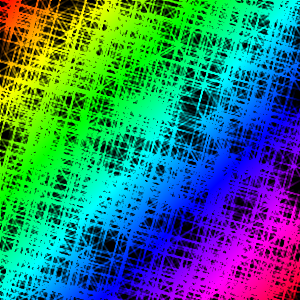
The "textures" you were admiring are, I'm afraid, just an artefact .. a side-effect of the way the script produces the sparkles. If you create a blank transparent image (File>New plus Advanced option>Fill with transparency) and then run Filters>Alpha to logo>Chrominium on that null image you get something like this:

Image

The alpha-to-logo simply has no contours to work upon, so no "chrome" effect is produced and all that is output is just the sparkles (generated by GIMP's sparkle plug-in). It is the interlacing and crossing of those sparkles which gives the appearance of a texture.


Top
 Post subject: Re: Chrominium Script.. how does it work?
PostPosted: Thu Jan 05, 2017 6:56 pm  (#27) 
Offline
GimpChat Member
User avatar

Joined: Jul 06, 2013
Posts: 2662
Location: California
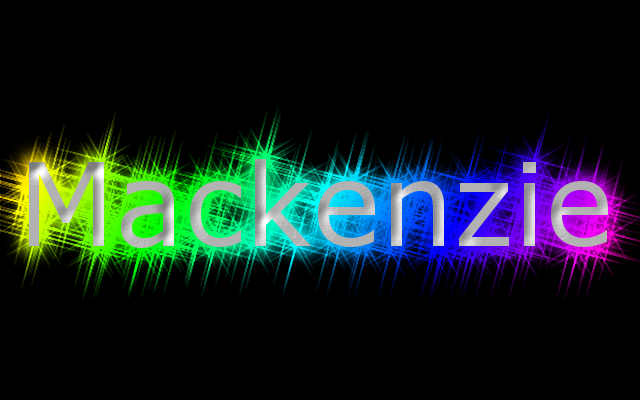
This is what I get when I use the Chrominum script. Located here: Filters>Alpha to Logo
Image

Unfortunately, The text itself doesn't have a chrome look to it. I am currently using the the most recent version of gimp.. 64 Bit Windows 7.

The first one is version 1
Here's the 2nd version:
Image

With this version, I had to deleted the layer named Background #1. I shouldn't have to delete a layer. Is there a way around this?


Top
 Post subject: Re: Chrominium Script.. how does it work?
PostPosted: Fri Jan 06, 2017 3:15 am  (#28) 
Offline
GimpChat Member
User avatar

Joined: Jan 20, 2013
Posts: 14831
Location: roma, italy
With this input: (selected text on a transparent BG, default parameters)
Attachment:
Cattura1.PNG
Cattura1.PNG [ 113.25 KiB | Viewed 1471 times ]

I get this output
Attachment:
text-out1.png
text-out1.png [ 300.92 KiB | Viewed 1471 times ]


no need to remove any layer

....

_________________
"Where am I ?"


Top
 Post subject: Re: Chrominium Script.. how does it work?
PostPosted: Fri Jan 06, 2017 3:20 am  (#29) 
Offline
GimpChat Member
User avatar

Joined: Jan 20, 2013
Posts: 14831
Location: roma, italy
With this input: (selected text on a transparent BG, changed parameters)
Attachment:
Cattura2.PNG
Cattura2.PNG [ 110.19 KiB | Viewed 1471 times ]

I get this output
Attachment:
text-out2.png
text-out2.png [ 333.64 KiB | Viewed 1471 times ]


still no need to remove any layer

_________________
"Where am I ?"


Top
 Post subject: Re: Chrominium Script.. how does it work?
PostPosted: Fri Jan 06, 2017 7:12 am  (#30) 
Offline
GimpChat Member
User avatar

Joined: May 10, 2013
Posts: 1436
Location: Finland
Sure you need to remove or hide the background layer and also the mapper layer if you want transparent background to be shown automatically after the script is run.
Unless you´re not doing whole lot of them, like for .png export this should not matter. Otherwise the .scm needs to be modified.
The result with the logo version is exactly same.


Top
 Post subject: Re: Chrominium Script.. how does it work?
PostPosted: Fri Jan 06, 2017 8:42 am  (#31) 
Offline
GimpChat Member
User avatar

Joined: Jan 20, 2013
Posts: 14831
Location: roma, italy
I confirm what I said (and shown): no intervention on any layer, neither remove nor hide.
Why do not believe me? I'm not the author of that .scm, I have nothing to "defend".
I reported what I did.

_________________
"Where am I ?"


Top
 Post subject: Re: Chrominium Script.. how does it work?
PostPosted: Fri Jan 06, 2017 10:53 am  (#32) 
Offline
GimpChat Member
User avatar

Joined: Mar 15, 2016
Posts: 180
Location: USA
Is there a way to set the background color to transparent? Wouldn't that do it?

Mine turned out well, even with a background color.

:D


Attachments:
Chominium.png
Chominium.png [ 107.92 KiB | Viewed 1268 times ]

_________________
Image
(Never stop learning!)
Top
 Post subject: Re: Chrominium Script.. how does it work?
PostPosted: Fri Jan 06, 2017 3:10 pm  (#33) 
Offline
GimpChat Member
User avatar

Joined: Jul 06, 2013
Posts: 2662
Location: California
Nidhogg wrote:
Sure you need to remove or hide the background layer and also the mapper layer if you want transparent background to be shown automatically after the script is run.
Unless you´re not doing whole lot of them, like for .png export this should not matter. Otherwise the .scm needs to be modified.
The result with the logo version is exactly same.


I wasn't working on a transparent layer when I did both results. I was working on a black background layer. How ever, I do agree that the .scm file does need to be modified.


Top
 Post subject: Re: Chrominium Script.. how does it work?
PostPosted: Fri Jan 06, 2017 3:39 pm  (#34) 
Offline
GimpChat Member

Joined: Sep 20, 2016
Posts: 293
Its just bumpmapping and a chrome curve on top. You dont need a script for something so simple.


Top
Post new topic Reply to topic  [ 34 posts ]  Go to page Previous  1, 2

All times are UTC - 5 hours [ DST ]


* Login  


Powered by phpBB3 © phpBB Group