It is currently Fri Aug 28, 2026 8:41 am


All times are UTC - 5 hours [ DST ]


Post new topic Reply to topic  [ 16 posts ] 
Author Message
 Post subject: Conbaguis lizard skin effect (NEW VERSION)
PostPosted: Sun Dec 06, 2015 11:22 am  (#1) 
Offline
Global Moderator
User avatar

Joined: May 16, 2010
Posts: 16168
This uses a pattern "Metal with Holes" which i attached here also.
The script is under Rod/Alpha to Logo/reptile skin typography effect
You NEED Layerfx.py to run this filter.
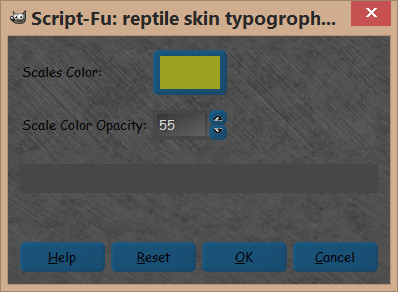
It has two adjustments
1) color of scales
2) opacity of that color

Widget
Image

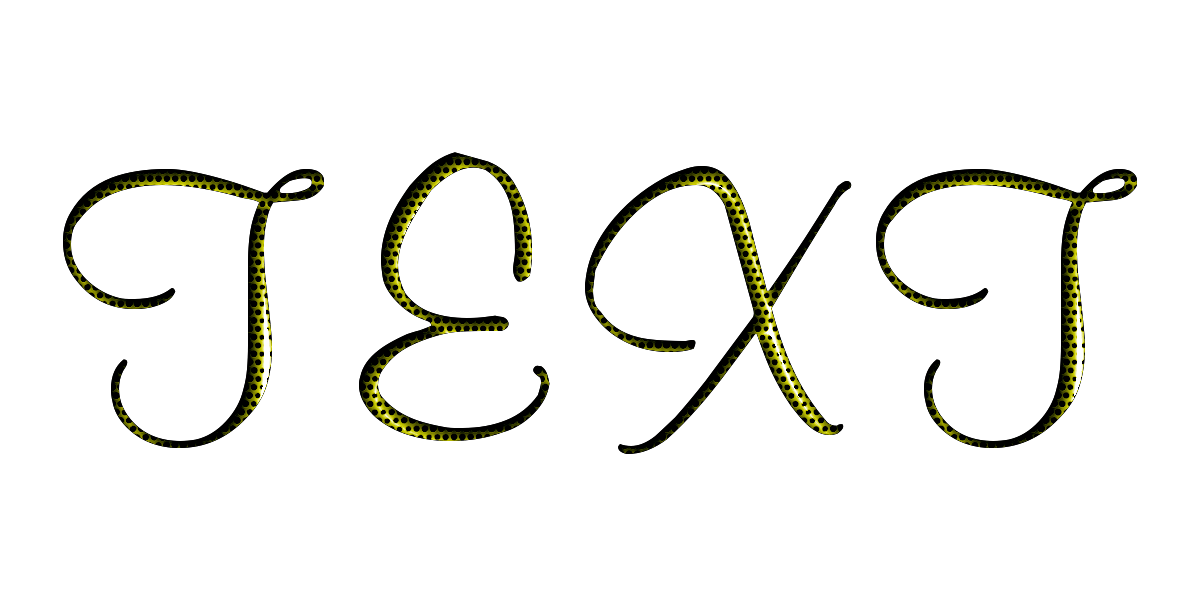
Results with default settings - Font Face is "Muriel Medium"
Image
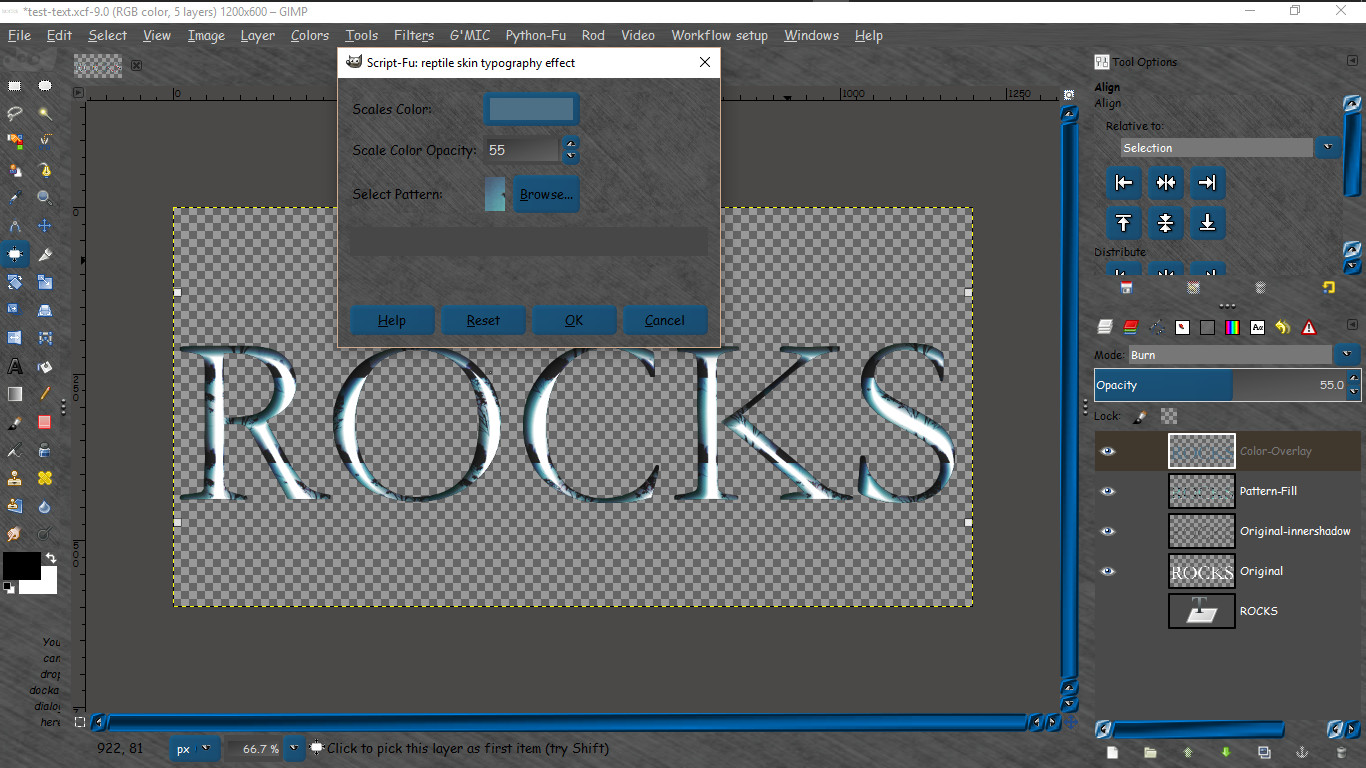
VERSION -2
Added pattern selection so you can now get these results.
Image

Just REPLACE your old one with this new one.

Attachment:
reptile-skin-typogrophy-effect_RD.scm [6.63 KiB]
Downloaded 237 times


Attachment:
Metal with holes.pat [29.34 KiB]
Downloaded 258 times


Pay no attention to my instructions inside the code. It will not hurt anything to leave it there.

Enjoy! :bigthup

_________________
Image


Share on Facebook Share on Twitter Share on Orkut Share on Digg Share on MySpace Share on Delicious Share on Technorati
Top
 Post subject: Re: Conbaguis lizard skin effect
PostPosted: Sun Dec 06, 2015 12:49 pm  (#2) 
Offline
GimpChat Member
User avatar

Joined: Mar 01, 2014
Posts: 14154
Location: Spain, Aragón
Thank you Rod for another useful script so nice. You got the look that conbagui did in his tutorial. Well done! :clap


Attachments:
Thank you Rod.JPG
Thank you Rod.JPG [ 220.15 KiB | Viewed 7580 times ]

_________________
Image

Gimp 2.10.30(samj) portable _ OS Windows 10 Home_ 64bits
Don’t be afraid to start over. It’s a new chance to rebuild what you want.
Top
 Post subject: Re: Conbaguis lizard skin effect
PostPosted: Sun Dec 06, 2015 1:54 pm  (#3) 
Offline
Global Moderator
User avatar

Joined: May 16, 2010
Posts: 16168
Issabella wrote:
Thank you Rod for another useful script so nice. You got the look that conbagui did in his tutorial. Well done! :clap

You are most welcome. And thank you for the kind comments. :)

_________________
Image


Top
 Post subject: Re: Conbaguis lizard skin effect
PostPosted: Sun Dec 06, 2015 3:13 pm  (#4) 
Offline
GimpChat Member

Joined: May 12, 2015
Posts: 4693
Wow! With that font, it really does look like snakes!!


Top
 Post subject: Re: Conbaguis lizard skin effect
PostPosted: Sun Dec 13, 2015 8:52 am  (#5) 
Offline
Global Moderator
User avatar

Joined: May 16, 2010
Posts: 16168
Version two with pattern select now available. See first post. :)

Image

_________________
Image


Top
 Post subject: Re: Conbaguis lizard skin effect
PostPosted: Sun Dec 13, 2015 9:04 am  (#6) 
Offline
Global Moderator
User avatar

Joined: May 16, 2010
Posts: 16168
The pattern i used for that effect was this one here.

Image

_________________
Image


Top
 Post subject: Re: Conbaguis lizard skin effect (NEW VERSION)
PostPosted: Fri Dec 18, 2015 2:10 am  (#7) 
Offline
GimpChat Member
User avatar

Joined: Mar 01, 2014
Posts: 14154
Location: Spain, Aragón
I did this other text and I like it the effect a lot. Thank you Rod. :)


Attachments:
ReptileSkin%20TypographyEffect.JPG
ReptileSkin%20TypographyEffect.JPG [ 69.86 KiB | Viewed 7168 times ]

_________________
Image

Gimp 2.10.30(samj) portable _ OS Windows 10 Home_ 64bits
Don’t be afraid to start over. It’s a new chance to rebuild what you want.
Top
 Post subject: Re: Conbaguis lizard skin effect (NEW VERSION)
PostPosted: Fri Dec 18, 2015 7:46 am  (#8) 
Offline
GimpChat Member
User avatar

Joined: Apr 26, 2014
Posts: 3823
Location: belgium
Image


Image


Image


Top
 Post subject: Re: Conbaguis lizard skin effect (NEW VERSION)
PostPosted: Fri Dec 18, 2015 3:33 pm  (#9) 
Offline
Global Moderator
User avatar

Joined: May 16, 2010
Posts: 16168
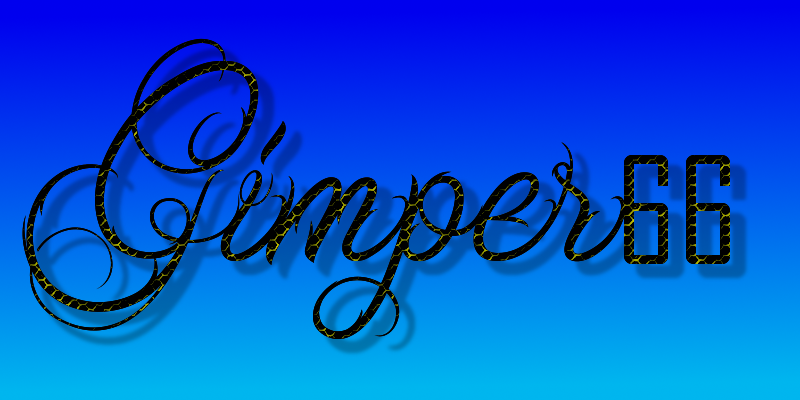
gimper66 wrote:
[ Image ]


[ Image ]


[ Image ]

Those look fantastic Gimper! :bigthup Have you tried other patterns?

_________________
Image


Top
 Post subject: Re: Conbaguis lizard skin effect (NEW VERSION)
PostPosted: Fri Dec 18, 2015 3:36 pm  (#10) 
Offline
Global Moderator
User avatar

Joined: May 16, 2010
Posts: 16168
Issabella wrote:
I did this other text and I like it the effect a lot. Thank you Rod. :)

That looks really cool with that color overlay choice. :)

_________________
Image


Top
 Post subject: Re: Conbaguis lizard skin effect (NEW VERSION)
PostPosted: Sat Dec 19, 2015 4:00 am  (#11) 
Offline
GimpChat Member
User avatar

Joined: Apr 26, 2014
Posts: 3823
Location: belgium
gimper66 wrote:
[ Image ]


[ Image ]


[ Image ]


for the first two images I used,Hex Metal Mesh (33x40)
for the third image I used,Metal With Holes (100x100)
as background I use,Dried Mud
The paterns are in the attachments
greetings,gimper66


Attachments:
Dried Mud.pat [29.33 KiB]
Downloaded 136 times
Metal with holes.pat [29.34 KiB]
Downloaded 141 times
Hex Metal Mesh.pat [5.21 KiB]
Downloaded 151 times
Top
 Post subject: Re: Conbaguis lizard skin effect (NEW VERSION)
PostPosted: Sat Dec 19, 2015 4:58 am  (#12) 
Offline
GimpChat Member
User avatar

Joined: Apr 26, 2014
Posts: 3823
Location: belgium
Image


Image


Image


Attachments:
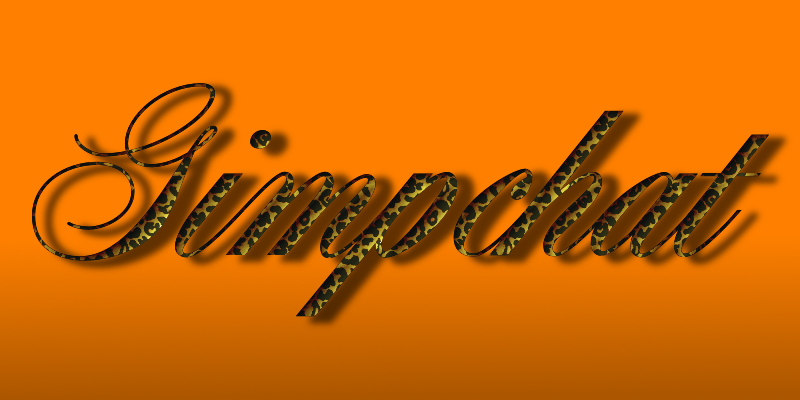
leopard.pat [11.66 KiB]
Downloaded 150 times
GIRAF18.pat [19.17 KiB]
Downloaded 149 times
Top
 Post subject: Re: Conbaguis lizard skin effect (NEW VERSION)
PostPosted: Mon Apr 15, 2019 2:31 am  (#13) 
Offline
GimpChat Member
User avatar

Joined: Jul 06, 2013
Posts: 2662
Location: California
This plugin doesn't work with gimp 2.10.10. When I run it, I get a solid colored square.


Top
 Post subject: Re: Conbaguis lizard skin effect (NEW VERSION)
PostPosted: Mon Apr 15, 2019 10:34 am  (#14) 
Offline
GimpChat Member
User avatar

Joined: May 10, 2013
Posts: 1436
Location: Finland
This is old, the one for 2.10 is in the updated script pack Rod posted here:
viewtopic.php?f=9&t=17303

Just curious, do you have correct version of layerfx.py in your plug-ins folder?

;;; Description:
;;; Creates a reptile skin effect on a text layer.
;;; If you have layerfx-2.8.py installed you must replace it with layerfx.py
;;; layerfx-2.8.py is too buggy for running through filters.

Works okay for me on 2.10.8. I have doubts the reason is that you're using 2.10.10
You must have something else that causes problems because you had same thing with the chewed text script.

Image


Top
 Post subject: Re: Conbaguis lizard skin effect (NEW VERSION)
PostPosted: Mon Apr 15, 2019 12:09 pm  (#15) 
Offline
GimpChat Member
User avatar

Joined: Jul 06, 2013
Posts: 2662
Location: California
Nidhogg wrote:
This is old, the one for 2.10 is in the updated script pack Rod posted here:
viewtopic.php?f=9&t=17303

Just curious, do you have correct version of layerfx.py in your plug-ins folder?

;;; Description:
;;; Creates a reptile skin effect on a text layer.
;;; If you have layerfx-2.8.py installed you must replace it with layerfx.py
;;; layerfx-2.8.py is too buggy for running through filters.

Works okay for me on 2.10.8. I have doubts the reason is that you're using 2.10.10
You must have something else that causes problems because you had same thing with the chewed text script.

[ Image ]


I do have layerfx.py but I also have layerfx.scm as well. They both work.

Image
ImageImageImage

I have the updated versions of Rod's scripts but only 3 don't work. They are the reptile typography effect, the reptile skin text effect, and the chewed text effect. I can't figure out why.


Top
 Post subject: Re: Conbaguis lizard skin effect (NEW VERSION)
PostPosted: Wed Apr 17, 2019 6:39 am  (#16) 
Offline
Global Moderator
User avatar

Joined: May 16, 2010
Posts: 16168
mackenzieh wrote:
Nidhogg wrote:
This is old, the one for 2.10 is in the updated script pack Rod posted here:
viewtopic.php?f=9&t=17303

Just curious, do you have correct version of layerfx.py in your plug-ins folder?

;;; Description:
;;; Creates a reptile skin effect on a text layer.
;;; If you have layerfx-2.8.py installed you must replace it with layerfx.py
;;; layerfx-2.8.py is too buggy for running through filters.

Works okay for me on 2.10.8. I have doubts the reason is that you're using 2.10.10
You must have something else that causes problems because you had same thing with the chewed text script.

[ Image ]


I do have layerfx.py but I also have layerfx.scm as well. They both work.

[ Image ]
[ Image ][ Image ][ Image ]

I have the updated versions of Rod's scripts but only 3 don't work. They are the reptile typography effect, the reptile skin text effect, and the chewed text effect. I can't figure out why.

Strange. I am attaching the layerfx.py i use here. Don't throw away the old one. Just remove it and replace with the one i attached here. Restart GIMP and see if they will work.
Attachment:
LayerFX-2_10.zip [34.36 KiB]
Downloaded 103 times

_________________
Image


Top
Post new topic Reply to topic  [ 16 posts ] 

All times are UTC - 5 hours [ DST ]


* Login  


Powered by phpBB3 © phpBB Group