It is currently Thu Nov 19, 2026 5:50 am


All times are UTC - 5 hours [ DST ]


Post new topic Reply to topic  [ 33 posts ]  Go to page 1, 2  Next
Author Message
 Post subject: Just playing...
PostPosted: Wed May 19, 2010 6:10 am  (#1) 
Offline
GimpChat Member

Joined: May 18, 2010
Posts: 14
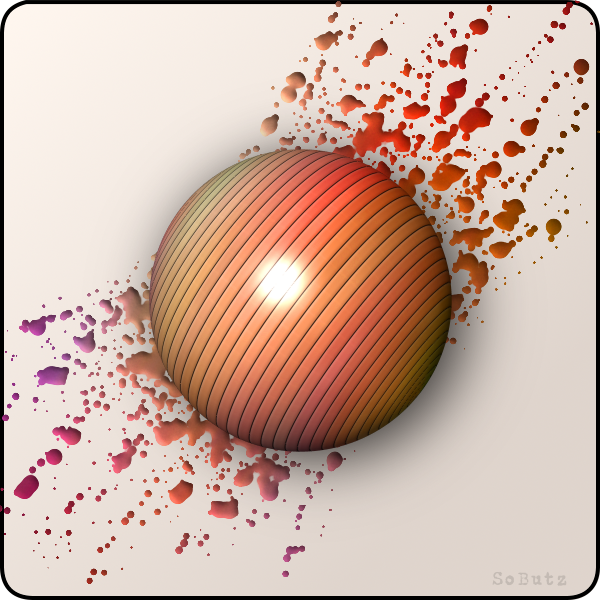
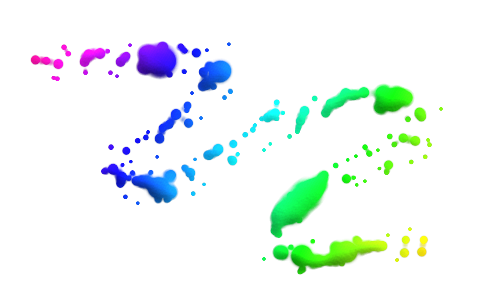
...while waiting for inspiration :paint2

Image


Share on Facebook Share on Twitter Share on Orkut Share on Digg Share on MySpace Share on Delicious Share on Technorati
Top
 Post subject: Re: Just playing...
PostPosted: Wed May 19, 2010 6:22 am  (#2) 
Offline
GimpChat Member
User avatar

Joined: Apr 07, 2010
Posts: 14182
jenx, very nice effect. How did you make the splatters

_________________
Image


Top
 Post subject: Re: Just playing...
PostPosted: Wed May 19, 2010 6:57 am  (#3) 
Offline
GimpChat Member

Joined: May 18, 2010
Posts: 14
Thanks, molly.

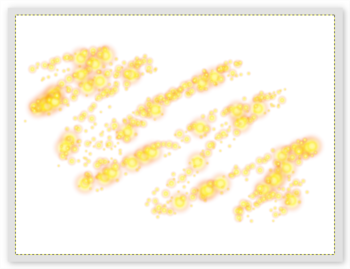
For the splatters draw sparks on a new transparent layer ("sparks")...
Image

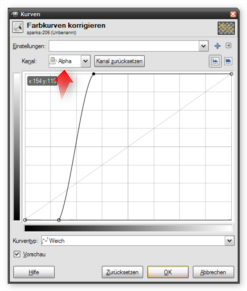
Adjust ALPHA curve...
Image

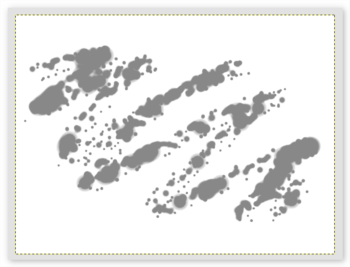
Protect transparency and fill with gray (#888888)
Image

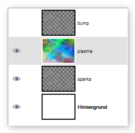
Copy layer and rename it "bump"
Create a colored layer as you like (e.g. with plasma),
put it before the sparks layer and set its mode to color...
Image

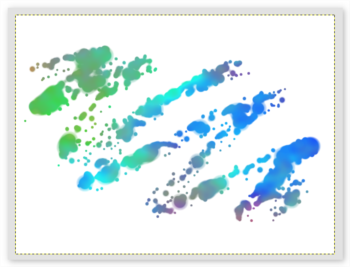
Merge it down...
Image

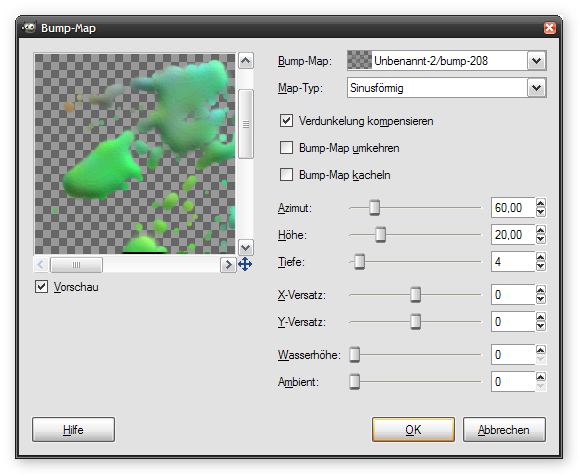
Apply gaussian blur to the "bump" layer (value 20.0)
and use it for bump mapping the sparks layer
Image

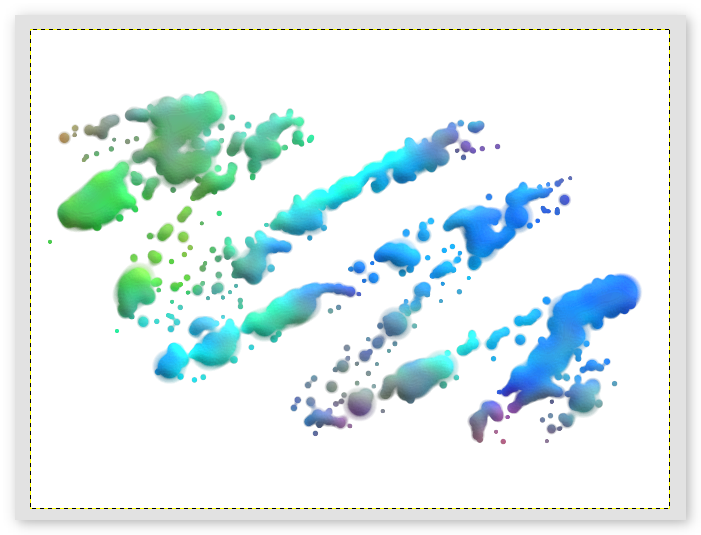
The result should look like this...
Image


Top
 Post subject: Re: Just playing...
PostPosted: Wed May 19, 2010 9:35 am  (#4) 
Offline
GimpChat Member
User avatar

Joined: Apr 07, 2010
Posts: 14182
oh thank you very much. I think I will print that and try it. :clap

_________________
Image


Top
 Post subject: Re: Just playing...
PostPosted: Wed May 19, 2010 11:42 am  (#5) 
Offline
GimpChat Member

Joined: Apr 11, 2010
Posts: 545
Location: In the mini-chat, saying silly things
Nice!
How did you make the ball? Looks very good. :mrgreen:

_________________
Image


Top
 Post subject: Re: Just playing...
PostPosted: Wed May 19, 2010 1:45 pm  (#6) 
Offline
GimpChat Member
User avatar

Joined: Apr 08, 2010
Posts: 5420
Location: Northwest Ohio
hee hee, a lovely little tutorial to try out today. I am thinking it would make a nice 'water' splash look, not sure what colors to use for that, though.


Top
 Post subject: Re: Just playing...
PostPosted: Wed May 19, 2010 5:13 pm  (#7) 
Offline
GimpChat Member
User avatar

Joined: Apr 08, 2010
Posts: 5420
Location: Northwest Ohio
took a bit of fiddling, but realized that I have to untick the keep transparency box before I blurred, lol.
Image
I tried to so one that looked like water, but it doesn't seem to work with any color lighter than the grey.


Top
 Post subject: Re: Just playing...
PostPosted: Thu May 20, 2010 1:08 am  (#8) 
Offline
GimpChat Member

Joined: May 18, 2010
Posts: 14
You got it, 2-ton :clap

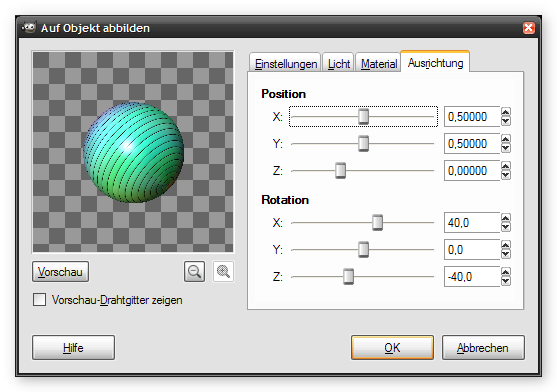
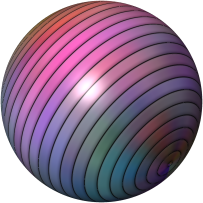
This is how I made the ball:

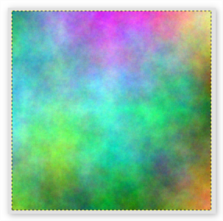
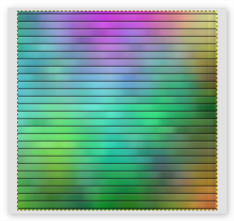
Start with a new square(!) image (400x400).
Color it as you like. I used plasma for this.
Image

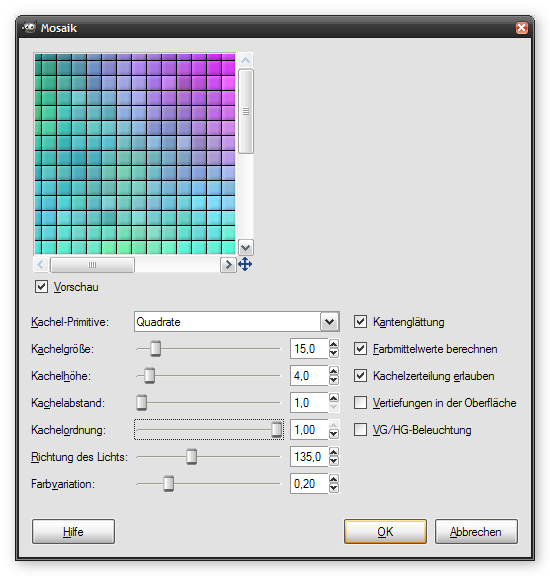
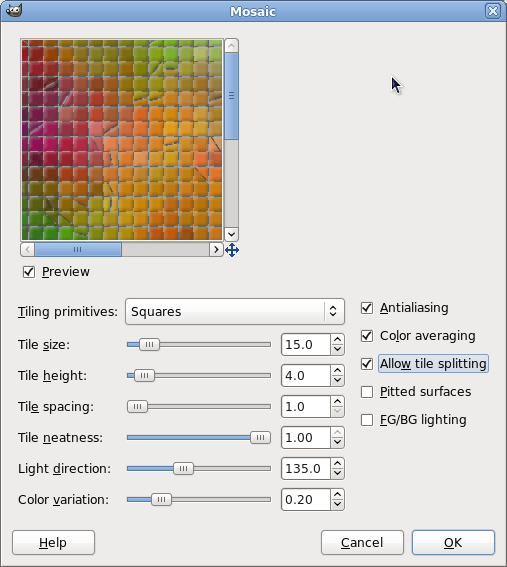
Apply the mosaic filter to it.
Image

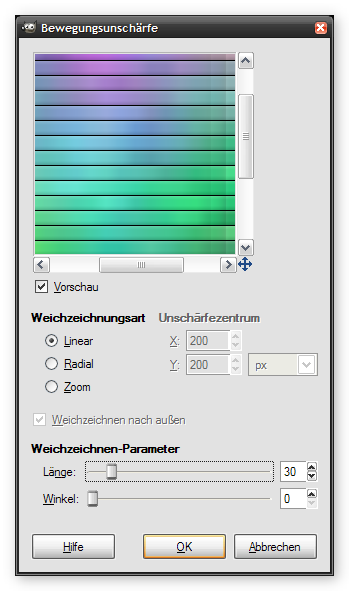
For the next filter I don't know the english title.
Maybe "movement blurring"
Anyway ... apply it :)
Image

The result should look like this one
Image

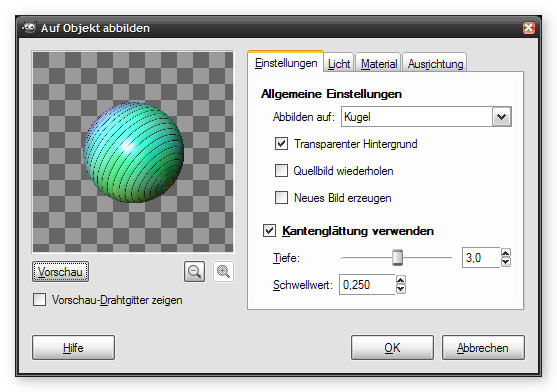
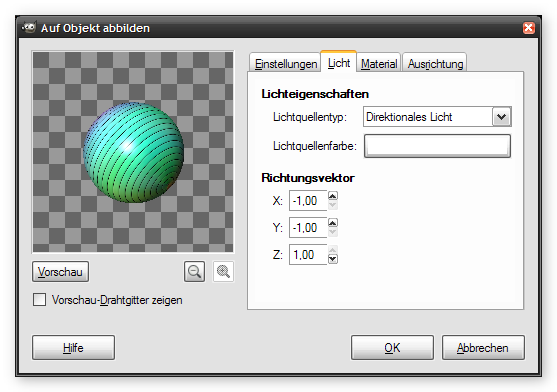
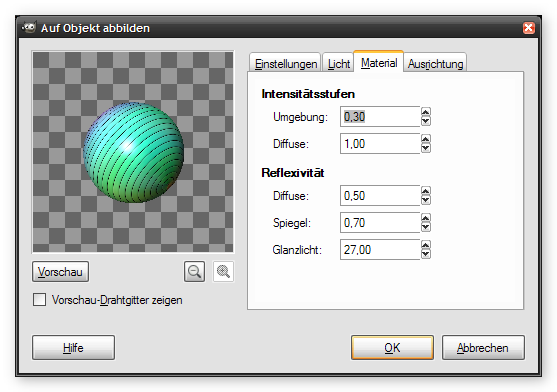
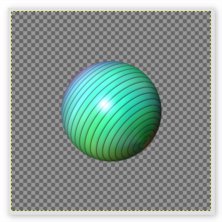
Now map that image to a sphere...
Image
Image
Image
Image

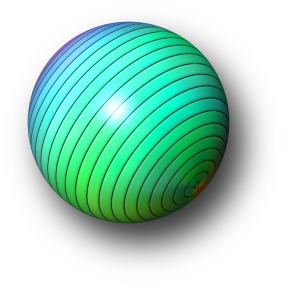
You got the ball...
Image

Adjust colors as you like, add a drop shadow ...
Image


Top
 Post subject: Re: Just playing...
PostPosted: Thu May 20, 2010 4:04 am  (#9) 
Offline
GimpChat Member
User avatar

Joined: Apr 07, 2010
Posts: 14182
Jenx.
That is a very well put together tute...... thanx.

_________________
Image


Top
 Post subject: Re: Just playing...
PostPosted: Thu May 20, 2010 10:35 am  (#10) 
Offline
Retired Staff
User avatar

Joined: May 22, 2008
Posts: 6946
Location: Somewhere in GIMP
I hope you continue, "just playing," jenx. This is a very nice outcome. Thank you for sharing.

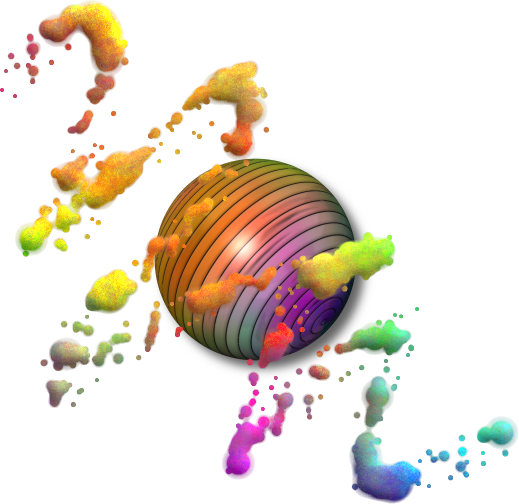
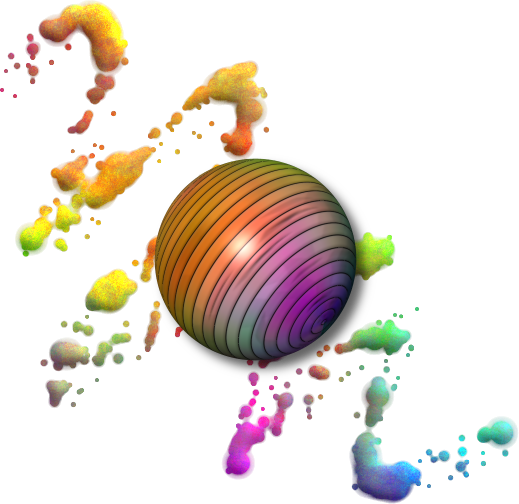
I put the ball into the sparks image and it fell under the sparks layer. I liked it like that so I left it that way ... it looks like clouds over the ball. Kind of a surreal, alien world look.

Image

My mosaic filter is different from yours. The tiles had transparency between them so I put a black layer under it and merged the layers. It worked out fine except mine threw in a few little black lines on some of the tiles.

Image

LATER EDIT: I looked at the mosaic filter again and unchecked allow tile splitting. That removed the extra little black lines (splits) on some of the tiles. I made just a ball and it has no dark smears on it.

Image

Here it is with the sparks layer under the ball.

Image

_________________
Image
World War IV will be fought with sticks and stones. - Albert Einstein


Top
 Post subject: Re: Just playing...
PostPosted: Thu May 20, 2010 11:38 am  (#11) 
Offline
GimpChat Member
User avatar

Joined: Apr 07, 2010
Posts: 14182
excellent.....

_________________
Image


Top
 Post subject: Re: Just playing...
PostPosted: Thu May 20, 2010 2:45 pm  (#12) 
Offline
GimpChat Member

Joined: Apr 11, 2010
Posts: 545
Location: In the mini-chat, saying silly things
Jenx, I'm loving the ball. :mrgreen:

I make video tutorials on youtube, if I run out of ideas one day, can I use that tutorial of yours? :) Fully crediting you for the tutorial itself of course.

_________________
Image


Top
 Post subject: Re: Just playing...
PostPosted: Tue May 25, 2010 4:24 am  (#13) 
Offline
GimpChat Member

Joined: May 18, 2010
Posts: 14
Sure, jolie.
Use it as you want. Credit isn't neccessary. Most things we do are compilations of other tutorials. If we would give credit to any pixel in our pictures to every applied tutorial, the lists would get somewhat huge...


Top
 Post subject: Re: Just playing...
PostPosted: Tue May 25, 2010 4:31 am  (#14) 
Offline
GimpChat Member

Joined: May 18, 2010
Posts: 14
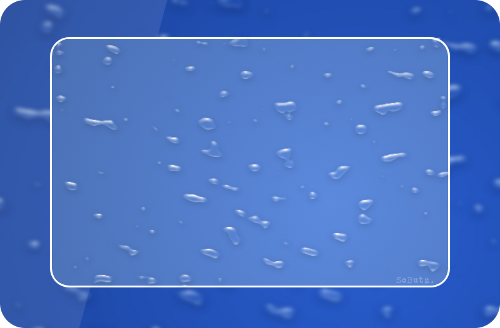
@2-ton: you will create water effects like this?
Image

It's based on this tutorial.

Have fun...


Top
 Post subject: Re: Just playing...
PostPosted: Tue May 25, 2010 7:03 am  (#15) 
Offline
GimpChat Member
User avatar

Joined: Apr 07, 2010
Posts: 14182
jenx,
Looks like a very nice tutorial. I have it all printed ready to try.
:coolthup :coolthup

_________________
Image


Top
 Post subject: Re: Just playing...
PostPosted: Tue May 25, 2010 9:43 am  (#16) 
Offline
GimpChat Member
User avatar

Joined: Apr 08, 2010
Posts: 5420
Location: Northwest Ohio
Thanx, J..., looks like a good tut.
*oops, spoke too soon. I quickly tried to go through it but sort of got lost about which layers to do what to after the new channel was made. I need baby steps.


Top
 Post subject: Re: Just playing...
PostPosted: Tue May 25, 2010 10:52 am  (#17) 
Offline
GimpChat Member
User avatar

Joined: Apr 07, 2010
Posts: 14182
you sound like me 2-ton. The part that is missing is always the one I screw up on. lol.....

_________________
Image


Top
 Post subject: Re: Just playing...
PostPosted: Tue May 25, 2010 11:04 am  (#18) 
Offline
GimpChat Member
User avatar

Joined: Apr 08, 2010
Posts: 5420
Location: Northwest Ohio
I'm basically not clear about which layer I should be on at which step. Now I have to go to work, so it will be late when I try again. Argh, I still haven't gotten the apng stuff to work!!


Top
 Post subject: Re: Just playing...
PostPosted: Wed May 26, 2010 12:03 am  (#19) 
Offline
Global Moderator
User avatar

Joined: May 16, 2010
Posts: 16279
*is still looking for the sparks filter* =P

_________________
Image


Top
 Post subject: Re: Just playing...
PostPosted: Wed May 26, 2010 12:10 am  (#20) 
Offline
GimpChat Member

Joined: May 18, 2010
Posts: 14
hi rod, "sparks" is a brush, not a filter. Look for a yellow brush...


Top
Post new topic Reply to topic  [ 33 posts ]  Go to page 1, 2  Next

All times are UTC - 5 hours [ DST ]


* Login  


Powered by phpBB3 © phpBB Group