It is currently Sat Nov 28, 2026 6:18 pm


All times are UTC - 5 hours [ DST ]


Post new topic Reply to topic  [ 48 posts ]  Go to page Previous  1, 2, 3  Next
Author Message
 Post subject: Re: Inset/Engraved text
PostPosted: Sun Mar 13, 2016 5:19 pm  (#21) 
Offline
Administrator
User avatar

Joined: Aug 10, 2012
Posts: 14288
Location: Native to NYC living in Arizona, Gimp 2.8 - 3.0, Win 11 PC.
molly wrote:
I think you could shrink it one pixel then delete

Yes,
that's exactly what I'm talking about.
You have the option of adjusting every step of the effect to fit your image and text,
to how you want it to look.

_________________
Image
"A wise man learns more from a foolish question than a fool can learn from a wise answer"
Image


Top
 Post subject: Re: Inset/Engraved text
PostPosted: Mon Mar 14, 2016 5:36 am  (#22) 
Offline
GimpChat Member
User avatar

Joined: Mar 01, 2014
Posts: 14264
Location: Spain, Aragón
Wallace, I'm interested in your tutorial. I like the effect a lot. Could you do it? when you have enough time, of course. :tyspin

_________________
Image

Gimp 2.10.36 (samj) portable _ OS Windows 10 Home_ 64bits
Don’t be afraid to start over. It’s a new chance to rebuild what you want.


Top
 Post subject: Re: Inset/Engraved text
PostPosted: Mon Mar 14, 2016 7:04 am  (#23) 
Offline
GimpChat Member

Joined: Jun 04, 2011
Posts: 84
i'd also like to see your tutorial Wallace. thanks!


Top
 Post subject: Re: Inset/Engraved text
PostPosted: Mon Mar 14, 2016 10:20 am  (#24) 
Offline
GimpChat Member
User avatar

Joined: Dec 10, 2013
Posts: 1004
Wallace I too would love the tutorial. :yes

_________________
Image
Macbook Air - MacOS Sierra 10.12
McGimp 2.8.14
G'mic 1.6.5


Top
 Post subject: Re: Inset/Engraved text
PostPosted: Mon Mar 14, 2016 11:15 am  (#25) 
Offline
Administrator
User avatar

Joined: Aug 10, 2012
Posts: 14288
Location: Native to NYC living in Arizona, Gimp 2.8 - 3.0, Win 11 PC.
Okay you guys, I'm working on it.
Not sure if I should make it a video tutorial or a text tut?
I would prefer making it a video tutorial.
However,
I'm still looking into setting up some kind of new screen capture software on my computer.

In addition...

There are also two more variation of this effect that I'd like to explore.
These other variations involves the use of the 3D Extrusion Script,
as well as Bump Mapping.
So I'm guessing it might be better to make a video tutorial,
which will include all the variation I've mentioned.

Let me know what you guys think.

_________________
Image
"A wise man learns more from a foolish question than a fool can learn from a wise answer"
Image


Top
 Post subject: Re: Inset/Engraved text
PostPosted: Mon Mar 14, 2016 11:19 am  (#26) 
Offline
GimpChat Member
User avatar

Joined: Apr 07, 2010
Posts: 14182
Sounds good Wallace, you have a very nice voice in your video tutes.

_________________
Image


Top
 Post subject: Re: Inset/Engraved text
PostPosted: Mon Mar 14, 2016 11:22 am  (#27) 
Offline
GimpChat Member
User avatar

Joined: Mar 01, 2014
Posts: 14264
Location: Spain, Aragón
As you prefer Wallace, and thank you very much, take your time. :) :tyspin

_________________
Image

Gimp 2.10.36 (samj) portable _ OS Windows 10 Home_ 64bits
Don’t be afraid to start over. It’s a new chance to rebuild what you want.


Top
 Post subject: Re: Inset/Engraved text
PostPosted: Mon Mar 14, 2016 11:26 am  (#28) 
Offline
GimpChat Member

Joined: May 12, 2015
Posts: 4693
Sounds like a very good tutorial for us. It will be greatly appreciated. If you think video is better, then go with video.


Top
 Post subject: Re: Inset/Engraved text
PostPosted: Mon Mar 14, 2016 12:13 pm  (#29) 
Offline
Administrator
User avatar

Joined: Aug 10, 2012
Posts: 14288
Location: Native to NYC living in Arizona, Gimp 2.8 - 3.0, Win 11 PC.
molly wrote:
Sounds good Wallace,
you have a very nice voice in your video tutes.


Issabella wrote:
As you prefer Wallace,
and thank you very much,
take your time. :) :tyspin


Pat625 wrote:
Sounds like a very good tutorial for us.
It will be greatly appreciated.
If you think video is better,
then go with video.

@Molly,
My old troll of a voice!?
You've got to be kidding me?
Image

As soon as I can set up the screen capture software,
I'll start making the video.
I'm going to try and keep the video under 15 minutes or so,
fingers crossed.

Image

_________________
Image
"A wise man learns more from a foolish question than a fool can learn from a wise answer"
Image


Top
 Post subject: Re: Inset/Engraved text
PostPosted: Mon Mar 14, 2016 12:17 pm  (#30) 
Offline
GimpChat Member
User avatar

Joined: Apr 07, 2010
Posts: 14182
:paint go for it...

_________________
Image


Top
 Post subject: Re: Inset/Engraved text
PostPosted: Mon Mar 14, 2016 12:30 pm  (#31) 
Offline
GimpChat Member
User avatar

Joined: Mar 01, 2014
Posts: 14264
Location: Spain, Aragón
Good! :bigthup

_________________
Image

Gimp 2.10.36 (samj) portable _ OS Windows 10 Home_ 64bits
Don’t be afraid to start over. It’s a new chance to rebuild what you want.


Top
 Post subject: Re: Inset/Engraved text
PostPosted: Thu Mar 17, 2016 2:38 pm  (#32) 
Offline
Administrator
User avatar

Joined: Aug 10, 2012
Posts: 14288
Location: Native to NYC living in Arizona, Gimp 2.8 - 3.0, Win 11 PC.
I've been looking over this text effect quite a lot over the past few days.
I've come to realized that my purposed tutorial,
would only be redundant and or unnecessary at best.

I am however going to create another tutorial,
which demonstrates how I create a kind of wood carving or cut-out effect.
That involves the use of the 3D Extrusion script and wood texture.

_________________
Image
"A wise man learns more from a foolish question than a fool can learn from a wise answer"
Image


Top
 Post subject: Re: Inset/Engraved text
PostPosted: Thu Mar 17, 2016 2:40 pm  (#33) 
Offline
GimpChat Member
User avatar

Joined: Mar 01, 2014
Posts: 14264
Location: Spain, Aragón
Thank you Wallace. :tyspin

_________________
Image

Gimp 2.10.36 (samj) portable _ OS Windows 10 Home_ 64bits
Don’t be afraid to start over. It’s a new chance to rebuild what you want.


Top
 Post subject: Re: Inset/Engraved text
PostPosted: Thu Mar 17, 2016 5:05 pm  (#34) 
Offline
GimpChat Member

Joined: May 12, 2015
Posts: 4693
I would really love that, Wallace! I haven't used the extrusion effects for quite awhile and was looking at something I did remotely. Couldn't remember how it was done. Oh, these senior moments are really annoying!!


Top
 Post subject: Re: Inset/Engraved text
PostPosted: Thu Mar 17, 2016 7:05 pm  (#35) 
Offline
Administrator
User avatar

Joined: Aug 10, 2012
Posts: 14288
Location: Native to NYC living in Arizona, Gimp 2.8 - 3.0, Win 11 PC.
Issabella wrote:
Thank you Wallace. :tyspin

Pat625 wrote:
I would really love that, Wallace!
I haven't used the extrusion effects for quite awhile and was looking at something I did remotely.
Couldn't remember how it was done.
Oh, these senior moments are really annoying!!

Okay you guys,
I'm working on it.

_________________
Image
"A wise man learns more from a foolish question than a fool can learn from a wise answer"
Image


Top
 Post subject: Re: Inset/Engraved text
PostPosted: Sun Apr 03, 2016 10:14 am  (#36) 
Offline
GimpChat Member
User avatar

Joined: Mar 12, 2016
Posts: 198
Location: Illinois, USA
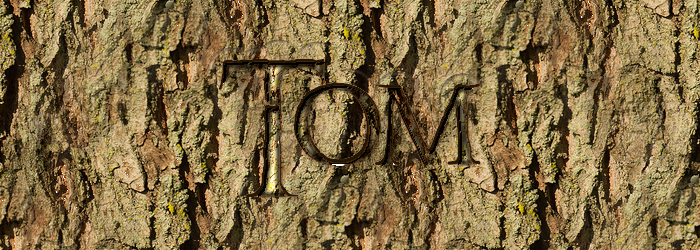
Thanks, tried a few different colors.


Attachments:
Carved.png
Carved.png [ 181.07 KiB | Viewed 3619 times ]
Engraved.png
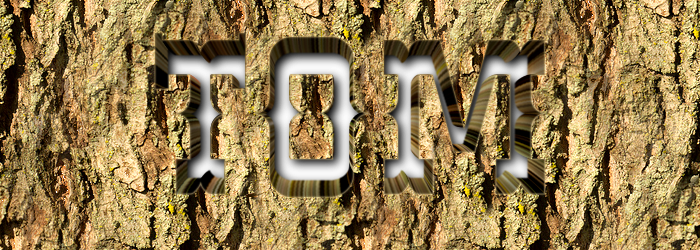
Engraved.png [ 108.31 KiB | Viewed 3619 times ]

_________________
Image
Top
 Post subject: Re: Inset/Engraved text
PostPosted: Sun Apr 03, 2016 10:35 am  (#37) 
Offline
GimpChat Member
User avatar

Joined: Dec 10, 2013
Posts: 1004
SeriousTom very nice! I'm curious about your first one set in stone. What happens if you close the eye to the "color" only and leave the shadows, the stone would show through the letters.

_________________
Image
Macbook Air - MacOS Sierra 10.12
McGimp 2.8.14
G'mic 1.6.5


Top
 Post subject: Re: Inset/Engraved text
PostPosted: Sun Apr 03, 2016 1:50 pm  (#38) 
Offline
GimpChat Member
User avatar

Joined: Mar 12, 2016
Posts: 198
Location: Illinois, USA
It didn't make much difference and it is supposed to be tree bark. :hehe


Attachments:
Carved.png
Carved.png [ 285.04 KiB | Viewed 3609 times ]

_________________
Image
Top
 Post subject: Re: Inset/Engraved text
PostPosted: Sun Apr 03, 2016 5:23 pm  (#39) 
Offline
GimpChat Member
User avatar

Joined: Dec 10, 2013
Posts: 1004
SeriousTom you're absolutely correct and for purposes of the original tutorial you are spot on; great job. I was just wondering how it would look and gave it a try. Disregard my questions - I'm convinced as "curiosity killed the cat", my days are numbered. This is what I meant.

Image

_________________
Image
Macbook Air - MacOS Sierra 10.12
McGimp 2.8.14
G'mic 1.6.5


Top
 Post subject: Re: Inset/Engraved text
PostPosted: Sun Apr 03, 2016 5:51 pm  (#40) 
Offline
Administrator
User avatar

Joined: Aug 10, 2012
Posts: 14288
Location: Native to NYC living in Arizona, Gimp 2.8 - 3.0, Win 11 PC.
How's this look.
Image
Attachment:
Wallace Carved Tree Bark.xcf [1.05 MiB]
Downloaded 208 times

_________________
Image
"A wise man learns more from a foolish question than a fool can learn from a wise answer"
Image


Top
Post new topic Reply to topic  [ 48 posts ]  Go to page Previous  1, 2, 3  Next

All times are UTC - 5 hours [ DST ]


* Login  


Powered by phpBB3 © phpBB Group