It is currently Sat Nov 21, 2026 6:58 am


All times are UTC - 5 hours [ DST ]


Post new topic Reply to topic  [ 67 posts ]  Go to page Previous  1, 2, 3, 4  Next
Author Message
 Post subject: Re: Fabulous Filters - GMIC>contours, Lighting Effects +++
PostPosted: Fri Jan 29, 2016 8:38 pm  (#41) 
Offline
GimpChat Member

Joined: May 12, 2015
Posts: 4693
Thank you Kimba and OMG for your comments. Yes, the lane is icy! Over the years I have done a few 360's on that lane. And yes, we do get yearly white stuff, precipitation from the atmosphere above.


Top
 Post subject: Re: Fabulous Filters - GMIC>contours, Lighting Effects +++
PostPosted: Wed Mar 09, 2016 9:02 pm  (#42) 
Offline
Global Moderator
User avatar

Joined: Oct 02, 2014
Posts: 5097
Location: Sydney Australia
There were some references to the GMIC Seamless Blend in another thread and I was not even aware it existed :oops:

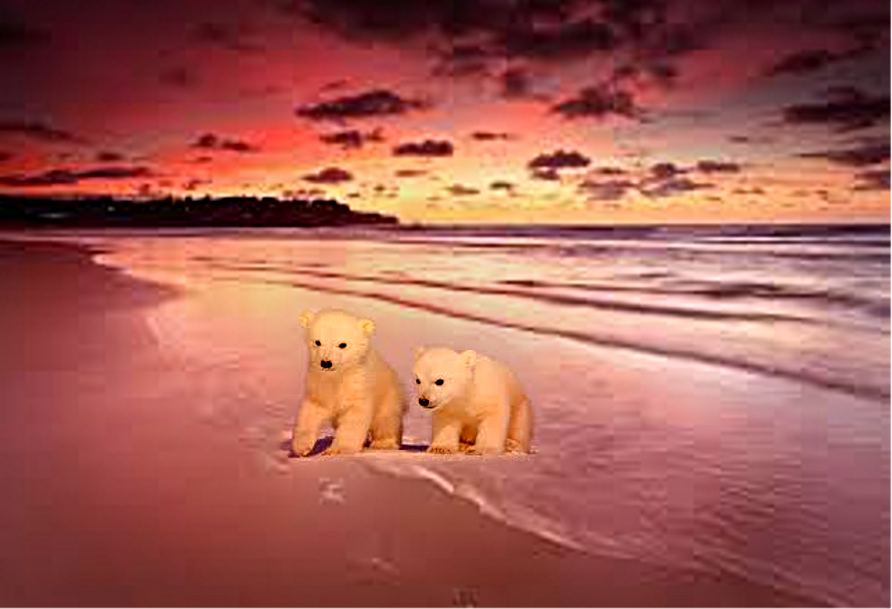
... so I tried it out and it has given me the chance to expand people's knowledge of both dangerous and cute Australia ...

... it was along swim from the Arctic but these cubs managed to find Bondi Beach

Image

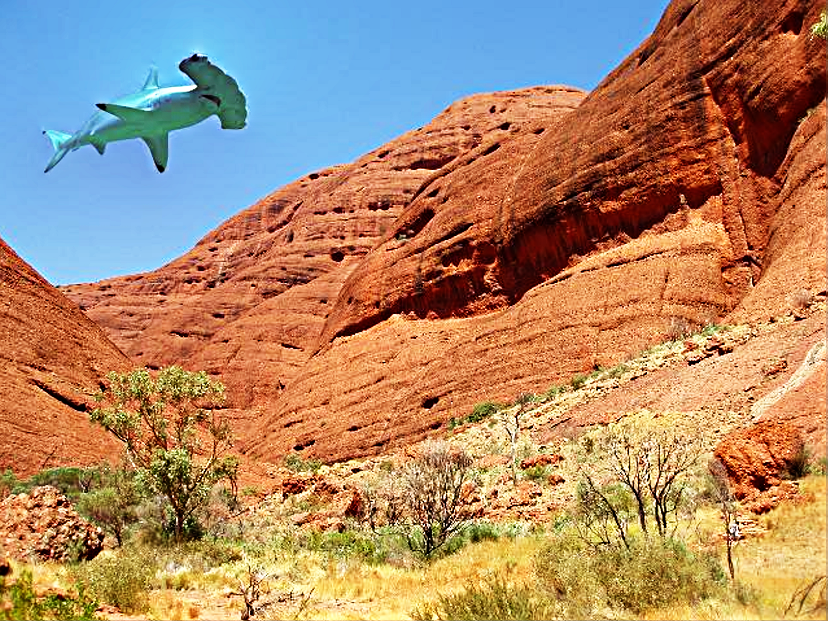
.. also we have to be very wary of low flying sharks

Image

Just another fabulous filter from GIMP/GMIC. :gimp

_________________
Image

Respect should be offered freely but hard earned


Top
 Post subject: Re: Fabulous Filters - GMIC>contours, Lighting Effects +++
PostPosted: Wed Mar 09, 2016 9:40 pm  (#43) 
Offline
GimpChat Member

Joined: May 12, 2015
Posts: 4693
I love it!! Hope I never see a flying shark!


Top
 Post subject: Re: Fabulous Filters - GMIC>contours, Lighting Effects +++
PostPosted: Wed Mar 09, 2016 10:17 pm  (#44) 
Offline
GimpChat Member
User avatar

Joined: Nov 16, 2011
Posts: 5127
Location: Metro Vancouver, BC
Nice work oldmangrumpy.

_________________
Image
Gimp 2.8.18, Linux, median user
Gimp Chat Tutorials Index
Spirit Bear (Kermode)


Top
 Post subject: Re: Fabulous Filters - GMIC>contours, Lighting Effects +++
PostPosted: Wed Jun 15, 2016 4:34 pm  (#45) 
Offline
Global Moderator
User avatar

Joined: Oct 02, 2014
Posts: 5097
Location: Sydney Australia
Odinbc - thank you for that.

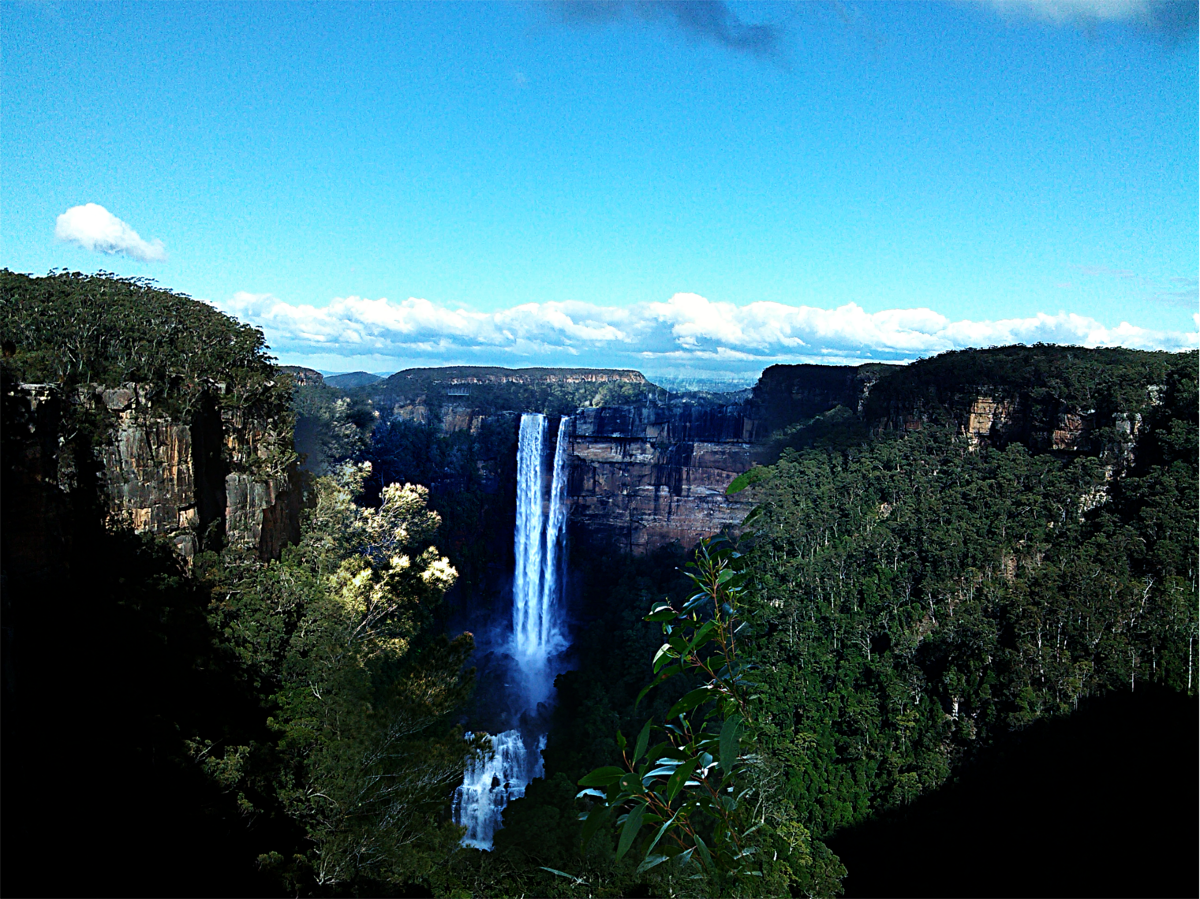
Went away for a week and sampled our Bluie Mouintains after some extremely heavy rain falls. I took a photo of the waterfalls to the east and the extensive mouintain/valley views to the south. Then I use GMIC>Layers>Seamless Blend to put them together - I really like the result ...

Image

_________________
Image

Respect should be offered freely but hard earned


Top
 Post subject: Re: Fabulous Filters - GMIC>contours, Lighting Effects +++
PostPosted: Tue Jun 28, 2016 10:43 pm  (#46) 
Offline
GimpChat Member

Joined: May 12, 2015
Posts: 4693
Beautiful! Looks like it was always a single picture.


Top
 Post subject: Re: Fabulous Filters - GMIC>contours, Lighting Effects +++
PostPosted: Thu Jun 30, 2016 2:22 am  (#47) 
Offline
Global Moderator
User avatar

Joined: Oct 02, 2014
Posts: 5097
Location: Sydney Australia
Pat - thank you; good old GMIC works wonders.

_________________
Image

Respect should be offered freely but hard earned


Top
 Post subject: Re: Fabulous Filters - GMIC>contours, Lighting Effects +++
PostPosted: Thu Jun 30, 2016 4:09 am  (#48) 
Offline
GimpChat Member
User avatar

Joined: Mar 01, 2014
Posts: 14260
Location: Spain, Aragón
OMG, you have in this thread very nice works. I really like them a lot. :coolthup :paint

_________________
Image

Gimp 2.10.36 (samj) portable _ OS Windows 10 Home_ 64bits
Don’t be afraid to start over. It’s a new chance to rebuild what you want.


Top
 Post subject: Re: Fabulous Filters - GMIC>contours, Lighting Effects +++
PostPosted: Sun Jul 03, 2016 8:35 pm  (#49) 
Offline
GimpChat Member

Joined: May 12, 2015
Posts: 4693
While practicing the shiny glass, I also took a spin through the latest GMIC version. I used the same pattern Image for all to see how filters manipulate the image.
Attachment:
Testing1.png
Testing1.png [ 3.7 MiB | Viewed 3359 times ]
Attachment:
Corner Decor2 Tiled.png
Corner Decor2 Tiled.png [ 3.77 MiB | Viewed 3359 times ]
Attachment:
Glass Droste1.png
Glass Droste1.png [ 4.3 MiB | Viewed 3359 times ]


Top
 Post subject: Re: Fabulous Filters - GMIC>contours, Lighting Effects +++
PostPosted: Mon Jul 04, 2016 6:07 am  (#50) 
Offline
GimpChat Member
User avatar

Joined: Jan 20, 2013
Posts: 14835
Location: roma, italy
last one is an intersting pattern (a small inconsistency on the left side)

_________________
"Where am I ?"


Top
 Post subject: Re: Fabulous Filters - GMIC>contours, Lighting Effects +++
PostPosted: Mon Jul 04, 2016 7:30 am  (#51) 
Offline
GimpChat Member
User avatar

Joined: Mar 01, 2014
Posts: 14260
Location: Spain, Aragón
Pat, good results. I like them and I think you are on your way to get many interesting results. :bigthup :hi5

_________________
Image

Gimp 2.10.36 (samj) portable _ OS Windows 10 Home_ 64bits
Don’t be afraid to start over. It’s a new chance to rebuild what you want.


Top
 Post subject: Re: Fabulous Filters - GMIC>contours, Lighting Effects +++
PostPosted: Mon Jul 04, 2016 12:50 pm  (#52) 
Offline
GimpChat Member

Joined: May 12, 2015
Posts: 4693
Thank you Issabella.
Dinasset: That was a drost filter. Could not get it corrected


Top
 Post subject: Re: Fabulous Filters - GMIC>contours, Lighting Effects +++
PostPosted: Mon Jul 04, 2016 2:25 pm  (#53) 
Offline
GimpChat Member
User avatar

Joined: Jan 20, 2013
Posts: 14835
Location: roma, italy
Pat625 wrote:
...Dinasset: That was a drost filter. Could not get it corrected

Never played with Droste, so I did it now to understand something.
I have to say that (not being a user experienced in Mathmap) almost every parameter effect is a surprise (not even understandable by me), but after many tries I succeded in creating a round pattern from a single image without inconsistencies provided that I use:
- inner radius = 100
- outer radius = 100
- periodicity = one of the values greater than 1.00 obtained by clicking to the right of the point, which gives this sequence: 1.60, 2.20, 2.80, 3.40 etc (a delta of 0.60 at each step)
example attached

input
Attachment:
angelheart-v3.png
angelheart-v3.png [ 157.43 KiB | Viewed 3047 times ]


outcome with periodicity 1.60
Attachment:
angelheart-v3_using-1dot60.png
angelheart-v3_using-1dot60.png [ 875.19 KiB | Viewed 3047 times ]


outcome with periodicity 2.20
Attachment:
angelheart-v3_using-2dot20.png
angelheart-v3_using-2dot20.png [ 854.52 KiB | Viewed 3047 times ]

_________________
"Where am I ?"


Top
 Post subject: Re: Fabulous Filters - GMIC>contours, Lighting Effects +++
PostPosted: Mon Jul 04, 2016 2:27 pm  (#54) 
Offline
GimpChat Member
User avatar

Joined: Jan 20, 2013
Posts: 14835
Location: roma, italy
...and using periodicity 2.80
Attachment:
angelheart-v3_using-2dot80.png
angelheart-v3_using-2dot80.png [ 810.27 KiB | Viewed 3047 times ]


hope this can help for future uses

_________________
"Where am I ?"


Top
 Post subject: Re: Fabulous Filters - GMIC>contours, Lighting Effects +++
PostPosted: Tue Jul 05, 2016 12:54 am  (#55) 
Offline
GimpChat Member

Joined: May 12, 2015
Posts: 4693
Thank you for the help Dinasset. I'll probably use that next time.


Top
 Post subject: Re: Fabulous Filters - GMIC>contours, Lighting Effects +++
PostPosted: Tue Jul 05, 2016 2:14 am  (#56) 
Offline
Global Moderator
User avatar

Joined: Oct 02, 2014
Posts: 5097
Location: Sydney Australia
Dinasset - thanks for Droste research; I hear the 'Azzuri' are now researching penalty shots :hehe

_________________
Image

Respect should be offered freely but hard earned


Top
 Post subject: Re: Fabulous Filters - GMIC>contours, Lighting Effects +++
PostPosted: Tue Jul 05, 2016 8:49 am  (#57) 
Offline
GimpChat Member
User avatar

Joined: Jan 20, 2013
Posts: 14835
Location: roma, italy
better if someone will be researching to be always fair...
one of the penalties has become a...penalty for the unfair shooter (and unfortunately for many others)

_________________
"Where am I ?"


Top
 Post subject: Re: Fabulous Filters - GMIC>contours, Lighting Effects +++
PostPosted: Tue Aug 30, 2016 3:54 pm  (#58) 
Offline
Global Moderator
User avatar

Joined: Oct 02, 2014
Posts: 5097
Location: Sydney Australia
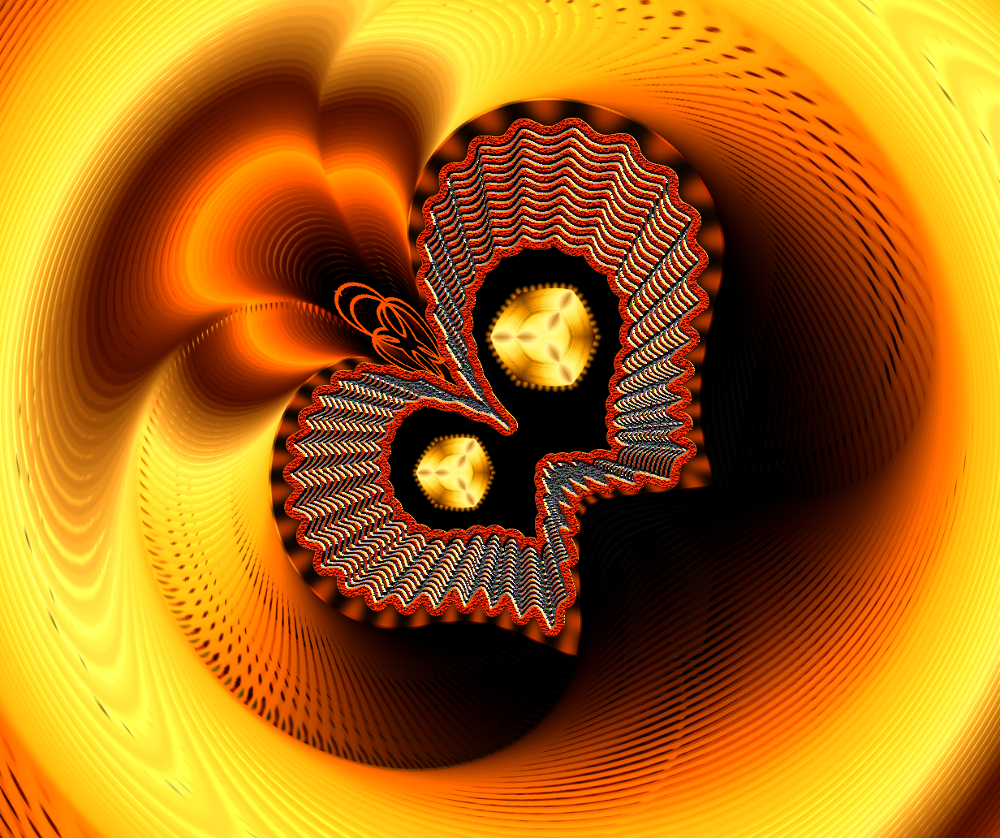
Outcomes from a combination of Ofnuts path plug-ins and GMIC filters plus some tweaking.

Image

Image

Just love those fabulous filters :)

_________________
Image

Respect should be offered freely but hard earned


Top
 Post subject: Re: Fabulous Filters - GMIC>contours, Lighting Effects +++
PostPosted: Tue Aug 30, 2016 4:32 pm  (#59) 
Offline
GimpChat Member

Joined: May 12, 2015
Posts: 4693
They are beautiful and very intricate, OMG.


Top
 Post subject: Re: Fabulous Filters - GMIC>contours, Lighting Effects +++
PostPosted: Wed Sep 07, 2016 4:00 pm  (#60) 
Offline
GimpChat Member

Joined: May 12, 2015
Posts: 4693
Since I am having trouble with lack of creative abilities right now, I decided to check out more of G'MIC's fabulous Filters. Here's what I found.

Start with something simple, such as a. . . fingerprint!
Attachment:
fingerprint.png
fingerprint.png [ 37.94 KiB | Viewed 2870 times ]

See what happens.
Attachment:
Fingerprint Circle transform.png
Fingerprint Circle transform.png [ 1.05 MiB | Viewed 2870 times ]

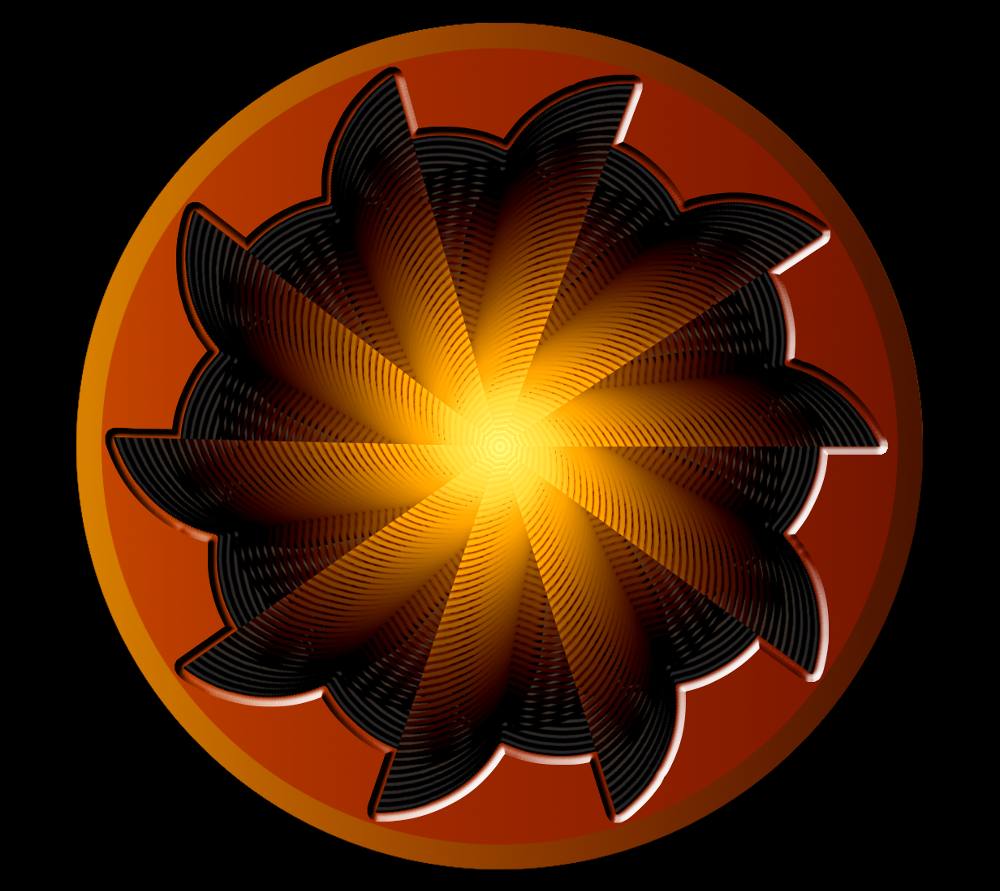
Add a little color. Apply a filter. . .
Attachment:
Fingerprint Circle Transform 2.png
Fingerprint Circle Transform 2.png [ 1.65 MiB | Viewed 2870 times ]


Top
Post new topic Reply to topic  [ 67 posts ]  Go to page Previous  1, 2, 3, 4  Next

All times are UTC - 5 hours [ DST ]


* Login  


Powered by phpBB3 © phpBB Group