It is currently Sat Nov 21, 2026 12:09 am


All times are UTC - 5 hours [ DST ]


Post new topic Reply to topic  [ 129 posts ]  Go to page Previous  1, 2, 3, 4, 5, 6, 7  Next
Author Message
 Post subject: Re: Playing with light rays
PostPosted: Fri Jul 08, 2016 3:20 am  (#41) 
Offline
GimpChat Member
User avatar

Joined: Mar 01, 2014
Posts: 14257
Location: Spain, Aragón
So nice your first outcome in this thread. Brave Dinasset. :coolthup

_________________
Image

Gimp 2.10.36 (samj) portable _ OS Windows 10 Home_ 64bits
Don’t be afraid to start over. It’s a new chance to rebuild what you want.


Top
 Post subject: Re: Playing with light rays
PostPosted: Fri Jul 08, 2016 8:48 am  (#42) 
Offline
GimpChat Member
User avatar

Joined: Apr 08, 2010
Posts: 5420
Location: Northwest Ohio
It will be a while. I tried one and it was too ugly to save, lol. I might have some time later this weekend.


Top
 Post subject: Re: Playing with light rays
PostPosted: Fri Jul 08, 2016 11:44 am  (#43) 
Offline
GimpChat Member
User avatar

Joined: Dec 10, 2013
Posts: 1004
2-ton wrote:
It will be a while. I tried one and it was too ugly to save, lol. I might have some time later this weekend.


The same has been happening to me 2-ton :hehe

_________________
Image
Macbook Air - MacOS Sierra 10.12
McGimp 2.8.14
G'mic 1.6.5


Top
 Post subject: Re: Playing with light rays
PostPosted: Fri Jul 08, 2016 2:31 pm  (#44) 
Offline
GimpChat Member
User avatar

Joined: Jan 20, 2013
Posts: 14835
Location: roma, italy
second try (no BRL)

Attachment:
second-try.jpg
second-try.jpg [ 121.83 KiB | Viewed 1828 times ]

_________________
"Where am I ?"


Top
 Post subject: Re: Playing with light rays
PostPosted: Fri Jul 08, 2016 3:48 pm  (#45) 
Offline
GimpChat Member
User avatar

Joined: Mar 01, 2014
Posts: 14257
Location: Spain, Aragón
Dinasset, so cute and nice your outcome. I like the colour rays too. :bigthup
I did another.


Attachments:
antique plane on the montains.JPG
antique plane on the montains.JPG [ 508.72 KiB | Viewed 1823 times ]

_________________
Image

Gimp 2.10.36 (samj) portable _ OS Windows 10 Home_ 64bits
Don’t be afraid to start over. It’s a new chance to rebuild what you want.
Top
 Post subject: Re: Playing with light rays
PostPosted: Fri Jul 08, 2016 5:02 pm  (#46) 
Offline
GimpChat Member
User avatar

Joined: Sep 24, 2010
Posts: 12865
Lots of cool results folks; should have played a long time ago, but have been under some stress lately and will leave it at that. Anyway, here's a simple starburst. :)


Attachments:
starburst.png
starburst.png [ 823.2 KiB | Viewed 1819 times ]

_________________
Lyle

Psalm 109:8

Image
Top
 Post subject: Re: Playing with light rays
PostPosted: Fri Jul 08, 2016 7:36 pm  (#47) 
Offline
GimpChat Member
User avatar

Joined: Dec 10, 2013
Posts: 1004
lylejk, sending warm de-stressing rays your way.

_________________
Image
Macbook Air - MacOS Sierra 10.12
McGimp 2.8.14
G'mic 1.6.5


Top
 Post subject: Re: Playing with light rays
PostPosted: Fri Jul 08, 2016 7:46 pm  (#48) 
Offline
GimpChat Member

Joined: May 12, 2015
Posts: 4693
Hey everyone! Very nice images from all of you. I'll have to think of something to do.


Top
 Post subject: Re: Playing with light rays
PostPosted: Fri Jul 08, 2016 9:56 pm  (#49) 
Offline
GimpChat Member
User avatar

Joined: Apr 08, 2010
Posts: 5420
Location: Northwest Ohio
I don't really understand how to use the sliders, other than length. I can get different results, but never seem to get the results I am looking for.


Top
 Post subject: Re: Playing with light rays
PostPosted: Fri Jul 08, 2016 11:21 pm  (#50) 
Offline
GimpChat Member

Joined: May 12, 2015
Posts: 4693
I'm finding that also 2-ton. It takes me awhile before I am satisfied with what I have. I leave transparency unchecked so I can see where my rays on going on the main image. Then, so the rays on their own layer I check "transparency" before I "OK" I also make sure that I have new layer checked as the outcome.

Remember the X slider lets you position the ray left to right on the image and Y Up and down. I move one at a time slowly until I see where I am going with it.


Top
 Post subject: Re: Playing with light rays
PostPosted: Sat Jul 09, 2016 12:19 am  (#51) 
Offline
GimpChat Member
User avatar

Joined: Jan 20, 2013
Posts: 14835
Location: roma, italy
2-ton wrote:
I don't really understand how to use the sliders, other than length. I can get different results, but never seem to get the results I am looking for.

I do not use the sliders, use defaults.
-Find an image (e.g. silhouette against a transparent BG)
-run the filter, defaults, asking G'mic to create as output a new active layer
-you get a layer almost black with some rays in it
-duplicate this, and rotate 90°, set mode to Lighten only
-again
-again
-now the four black layers with the rays combine each other to have enough rays
-move your original silhouette on top
then optionally to color the rays you may:
-add a new transparent layer just below the silhouette
-fill it with a radial coloured gradient, set mode to Color
You have a more or less nice result (strongly dependant on the original image)
Here the .xcf resulting
Attachment:
dancer-scaled.xcf [2.66 MiB]
Downloaded 76 times

_________________
"Where am I ?"


Top
 Post subject: Re: Playing with light rays
PostPosted: Sat Jul 09, 2016 4:40 am  (#52) 
Offline
GimpChat Member
User avatar

Joined: Mar 01, 2014
Posts: 14257
Location: Spain, Aragón
I have thought it may help us to say our settings in our outcomes. I am still learning directions as it depends on the position of the object. If central or up right etc. On this sample, my settings were: 80 50 90 1 0.50 1
Thanks Dinasset, I've loaded down your file to study it.


Attachments:
Buildings-Issa.JPG
Buildings-Issa.JPG [ 334.39 KiB | Viewed 1643 times ]

_________________
Image

Gimp 2.10.36 (samj) portable _ OS Windows 10 Home_ 64bits
Don’t be afraid to start over. It’s a new chance to rebuild what you want.
Top
 Post subject: Re: Playing with light rays
PostPosted: Sat Jul 09, 2016 5:11 am  (#53) 
Offline
GimpChat Member
User avatar

Joined: Mar 01, 2014
Posts: 14257
Location: Spain, Aragón
Dinasset, I took your dancer to do my try. I prefer to click on transparent to rid of black colour. Then I duplicate several times white rays to combine them on a layer. I duplicate this resultant layer and set the upper one at screen mode or hard light. :)
My settings for the dancer were: 80 90 50 1 0.50 1
My xcf file is down. You will see I removed part of the gradient to give colour to the rays.


Attachments:
Dancer-Issa.jpg
Dancer-Issa.jpg [ 372.47 KiB | Viewed 1641 times ]
Dancer-Issa.zip [1.6 MiB]
Downloaded 84 times

_________________
Image

Gimp 2.10.36 (samj) portable _ OS Windows 10 Home_ 64bits
Don’t be afraid to start over. It’s a new chance to rebuild what you want.
Top
 Post subject: Re: Playing with light rays
PostPosted: Sat Jul 09, 2016 6:14 am  (#54) 
Offline
GimpChat Member
User avatar

Joined: Mar 01, 2014
Posts: 14257
Location: Spain, Aragón
Lyle, I've just seen your starburst. That is great! How did you get the rays so perfect? do you remember it? :bigthup

_________________
Image

Gimp 2.10.36 (samj) portable _ OS Windows 10 Home_ 64bits
Don’t be afraid to start over. It’s a new chance to rebuild what you want.


Top
 Post subject: Re: Playing with light rays
PostPosted: Sat Jul 09, 2016 9:07 am  (#55) 
Offline
GimpChat Member
User avatar

Joined: Sep 24, 2010
Posts: 12865
Issabella wrote:
Lyle, I've just seen your starburst. That is great! How did you get the rays so perfect? do you remember it? :bigthup


Ancient Korean/Chinese secret? lol

Trust me when I tell you it was an unexpected result. I ran Kitauka Spin Illusion (G'MIC) first, then did color to alpha on the black. Then, I ran Light Rays (G'MIC) and got most of the result. Added Supernova in the center, and, voila.

As a side note, you can skip the color to alpha step; not needed (just checked). :)

_________________
Lyle

Psalm 109:8

Image


Top
 Post subject: Re: Playing with light rays
PostPosted: Sat Jul 09, 2016 9:41 am  (#56) 
Offline
GimpChat Member
User avatar

Joined: Mar 01, 2014
Posts: 14257
Location: Spain, Aragón
Thank you much Lyle. I'll try it as you say. :tyspin :)
I tried this outcome with crossing light rays giving different colour radial gradient.
Light rays - right direction- 80; 0; 57; 1; o.50; 1
Light rays - left direction- 80; 90; 50; 1; 0.50; 1
When the object is just in the centre of the canvas.


Attachments:
BalletDancer-Issa.JPG
BalletDancer-Issa.JPG [ 529.41 KiB | Viewed 1626 times ]

_________________
Image

Gimp 2.10.36 (samj) portable _ OS Windows 10 Home_ 64bits
Don’t be afraid to start over. It’s a new chance to rebuild what you want.
Top
 Post subject: Re: Playing with light rays
PostPosted: Sat Jul 09, 2016 12:24 pm  (#57) 
Offline
GimpChat Member
User avatar

Joined: Mar 01, 2014
Posts: 14257
Location: Spain, Aragón
I got it Lyle!!!! Thank you. :) :hi5


Attachments:
Starburst-Lyle-Issa.JPG
Starburst-Lyle-Issa.JPG [ 543.4 KiB | Viewed 1619 times ]

_________________
Image

Gimp 2.10.36 (samj) portable _ OS Windows 10 Home_ 64bits
Don’t be afraid to start over. It’s a new chance to rebuild what you want.
Top
 Post subject: Re: Playing with light rays
PostPosted: Sat Jul 09, 2016 2:33 pm  (#58) 
Offline
GimpChat Member
User avatar

Joined: Jan 20, 2013
Posts: 14835
Location: roma, italy
composition, gmic
Attachment:
GMICcomposition-scaled.xcf [3.03 MiB]
Downloaded 89 times

which looks as
Attachment:
GMICcomposition-scaled.png
GMICcomposition-scaled.png [ 389.41 KiB | Viewed 1611 times ]

_________________
"Where am I ?"


Top
 Post subject: Re: Playing with light rays
PostPosted: Sat Jul 09, 2016 10:12 pm  (#59) 
Offline
GimpChat Member
User avatar

Joined: Dec 10, 2013
Posts: 1004
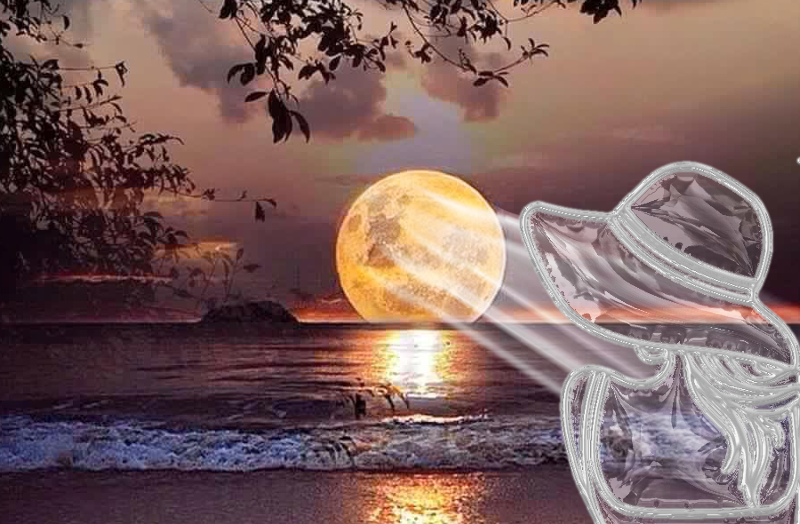
Funny farm again :hehe glass and rays :hehe

Image

_________________
Image
Macbook Air - MacOS Sierra 10.12
McGimp 2.8.14
G'mic 1.6.5


Top
 Post subject: Re: Playing with light rays
PostPosted: Sat Jul 09, 2016 11:09 pm  (#60) 
Offline
GimpChat Member
User avatar

Joined: Apr 08, 2010
Posts: 5420
Location: Northwest Ohio
I always just get a few areas of rays, not sure how you manage to get a full circle of rays.


Top
Post new topic Reply to topic  [ 129 posts ]  Go to page Previous  1, 2, 3, 4, 5, 6, 7  Next

All times are UTC - 5 hours [ DST ]


* Login  


Powered by phpBB3 © phpBB Group