It is currently Sun Aug 23, 2026 4:50 pm


All times are UTC - 5 hours [ DST ]


Post new topic Reply to topic  [ 34 posts ]  Go to page 1, 2  Next
Author Message
 Post subject: Is this Border Script Doable?
PostPosted: Fri Aug 19, 2016 1:17 pm  (#1) 
Offline
GimpChat Member
User avatar

Joined: Feb 14, 2012
Posts: 426
Is trandoductin out there?

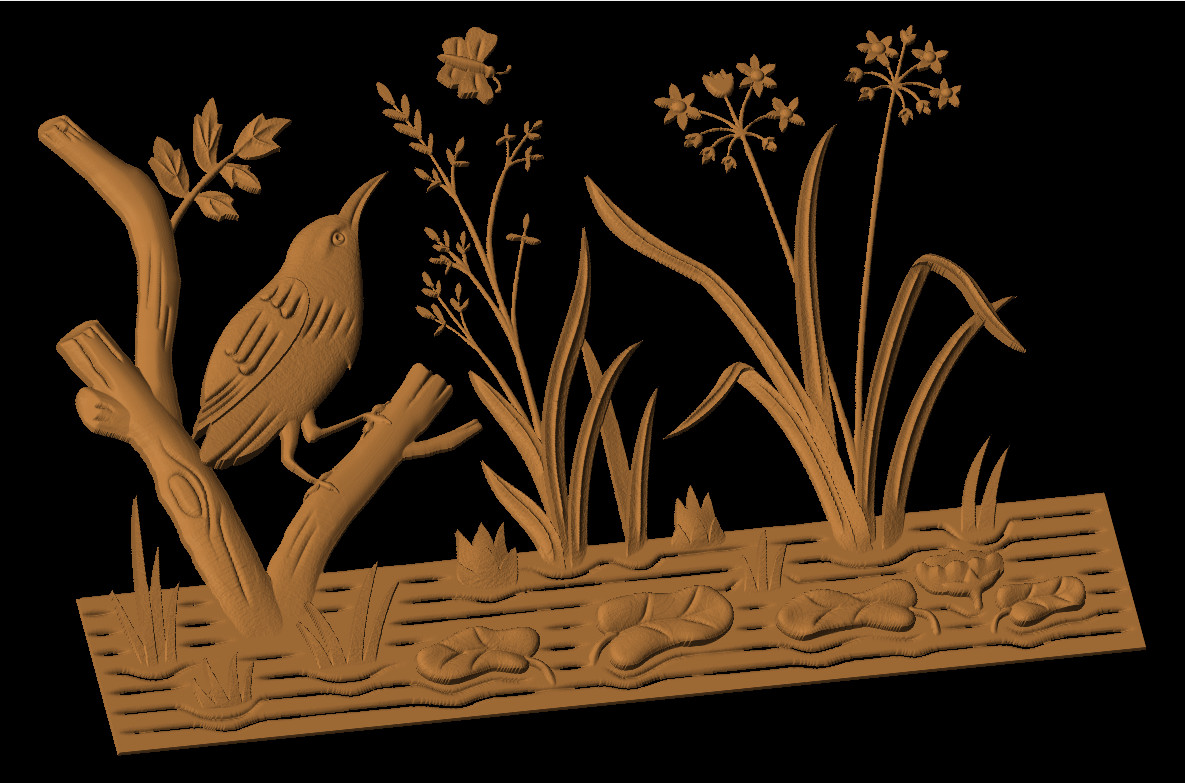
I've been noticing that there's a certain function that I've been doing more and more in the creation of my art projects. Here's a screen shot of one of my projects that I had done recently. Any help would be appreciated.

Image

This is a procedure that I use a lot. It creates a V shaped selection that I use as a mask for airbrushing little details like the viens of the leaves in the image.

First of all, I make the selection before running the script.

Then I need the script to do this.

1. This first step would have to be interactive and have a dialog box to set the width of the resulting selection. [Select] [border] The feather would always be on, and the only part that needs to be interactive is the amount in pixels.

2. Go into Quick Mask Mode [Select] [Toggle Quick Mask].

3. Run a Curves preset that I have on my computer called RoundBlack [Colors] [Curves] [RoundBlack] - If this could NOT be interactive then that would be good, but if it has to be then it would be ok

4. Come out of Quick Mask Mode [Select] [Toggle Quick Mask]

And that's it. Now I have a selection that I can use with the airbrush or curves dialog box.

If by chance this script cannot be made to use the quick mask then there would have to be a longer procedure that involves the use of making a layer to work on etc. I could write that one up if you needed that. Or maybe I'll just write it up now. Here it is.

1. This first step would have to be interactive and have a dialog box to set the width of the resulting selection. [Select] [border] The feather would always be on, and the only part that needs to be interactive is the amount in pixels.

2. Create a new white layer [Layer] [New Layer] whole image size.

3. Set the FG color for the thing to work right [Tools] [Default Color]

4. Then fill the selection with FG color [Edit] [Fill with FG color]

5. [Select] [None]

6. Run a Curves preset that I have on my computer called RoundWhite [Colors] [Curves] If this could not be interactive then that would be good but if it has to be then it would be ok

7. [Layer] [Transparency] [Color to Alpha] This prepairs the layer for the next step

8. [Layer] [Transparency] [Alpha to Selection]

9. Delete the layer that has been used [Layer] [Delete Layer]

Now if the script could not choose a curves preset then maybe it could use a pre-made gradient. Just a thought.


Share on Facebook Share on Twitter Share on Orkut Share on Digg Share on MySpace Share on Delicious Share on Technorati
Top
 Post subject: Re: Is this Border Script Doable?
PostPosted: Fri Aug 19, 2016 3:09 pm  (#2) 
Offline
Script Coder
User avatar

Joined: May 07, 2014
Posts: 4527
Location: Canada
I am here... I'll look into this as soon as i have time. Maybe in a week or so.

Just started looking and i don't see a way to toggle Quick Mask..is there a way to do it manually by adding mask..maybe i need to do that but i don't know the steps to produce the same effect as a Toggle Quick Mask.

_________________
TinT


Top
 Post subject: Re: Is this Border Script Doable?
PostPosted: Fri Aug 19, 2016 5:41 pm  (#3) 
Offline
Script Coder
User avatar

Joined: Oct 25, 2010
Posts: 4812
trandoductin wrote:
I am here... I'll look into this as soon as i have time. Maybe in a week or so.

Just started looking and i don't see a way to toggle Quick Mask..is there a way to do it manually by adding mask..maybe i need to do that but i don't know the steps to produce the same effect as a Toggle Quick Mask.


Just paint in a channel and select from that channel... the quick mask is just a UI shortcut to paint the selection channel.

_________________
Image


Top
 Post subject: Re: Is this Border Script Doable?
PostPosted: Fri Aug 19, 2016 6:11 pm  (#4) 
Offline
Script Coder
User avatar

Joined: May 07, 2014
Posts: 4527
Location: Canada
I am not exactly sure if this is 100% correct or not but it looks right from what i can tell.
it's weird that after it does the work if you choose cut it doesn't work you have to click on the layer to let it know it's what you're working on...

2 .py files to go in the gimp plug-ins folder
and one script file to go in gimp scripts folder

Attachment:
script and 2 py files.zip [4.17 KiB]
Downloaded 203 times

will be available under Image/Script-Fu/v-shape-selection-for-Pegleg44...


try it out and let me know if it does what you want.

WARNING: The .py files will overwrite if you already have them...because this version applies color curves to mask so it only has VALUE channel...so if you have scripts that call color curves presets... the script will fail applying curves to regular image.
But if you don't have these files yet then you should be okay.

_________________
TinT


Top
 Post subject: Re: Is this Border Script Doable?
PostPosted: Fri Aug 19, 2016 11:27 pm  (#5) 
Offline
GimpChat Member
User avatar

Joined: Feb 14, 2012
Posts: 426
I didn't have those .py plugins previously. I put the plugins into the plugins folder and the scm file into the scripts folder and tried it out.

It works great. I made a shortcut to get to it easily. It keeps the curves preset after setting it the first time. I've used it on several selections even ones that are over the layer sizes etc. and it works like a charm every time.

Thanks you guys. This will be a definite time saver.


Top
 Post subject: Re: Is this Border Script Doable?
PostPosted: Fri Aug 19, 2016 11:38 pm  (#6) 
Offline
Script Coder
User avatar

Joined: May 07, 2014
Posts: 4527
Location: Canada
Note when i was testing the .py files... long time ago..if you make a new preset curve...it doesn't refresh the preset list for you to select from, it gets confused.
So it's best to exit GIMP and restart it if you ever make a new preset. I don't imagine you do this very often.

_________________
TinT


Top
 Post subject: Re: Is this Border Script Doable?
PostPosted: Fri Aug 19, 2016 11:38 pm  (#7) 
Offline
GimpChat Member
User avatar

Joined: Feb 14, 2012
Posts: 426
I will take note of that and write it in the txt file that I have put in my saved folder.

Here's an image that was packed full of this type of v-shape brush activity.

Image


Top
 Post subject: Re: Is this Border Script Doable?
PostPosted: Fri Aug 19, 2016 11:46 pm  (#8) 
Offline
Script Coder
User avatar

Joined: May 07, 2014
Posts: 4527
Location: Canada
wow that was quick you're really pro at what you do

_________________
TinT


Top
 Post subject: Re: Is this Border Script Doable?
PostPosted: Sat Aug 20, 2016 1:07 pm  (#9) 
Offline
Script Coder
User avatar

Joined: May 07, 2014
Posts: 4527
Location: Canada
I added a version 3 for the apply_color_curves_preset.py that takes care of the is layer mask check so that if we write scripts later that uses this py file it'll work properly.
Your version only tries to apply the VALUE channel. Which works now but if we write later scripts that tries to apply preset curves to layers instead of layer masks it'll fail.
The version 3 takes care of all that.
It checks if it's NOT layer mask then it tries to apply RED,GREEN,BLUE channel and check ALPHA channel as well. If it's a layer mask it just applies the VALUE channel.
version 3 can be found here:version 3

_________________
TinT


Top
 Post subject: Re: Is this Border Script Doable?
PostPosted: Sat Aug 20, 2016 3:10 pm  (#10) 
Offline
GimpChat Member
User avatar

Joined: Feb 14, 2012
Posts: 426
OK I got the newer version 3. I put the old one in the trash and then put this one in the plugins folder.

By the way I had already started that project before you had the script made.


Top
 Post subject: Re: Is this Border Script Doable?
PostPosted: Sat Aug 20, 2016 3:12 pm  (#11) 
Offline
Script Coder
User avatar

Joined: May 07, 2014
Posts: 4527
Location: Canada
good, now you're free to request scripts that use Preset Color Curves

_________________
TinT


Top
 Post subject: Re: Is this Border Script Doable?
PostPosted: Sat Aug 20, 2016 3:42 pm  (#12) 
Offline
Script Coder
User avatar

Joined: May 07, 2014
Posts: 4527
Location: Canada
I vaguely remember seeing a request that had quite a few number of steps that i didn't know how to perform manually myself so i said i couldn't do a script for it.. now i want to go back and read the steps see if i can script it but couldn't find it... It was requested by you Pegleg I think it might have had used color curve presets...
Do you know what i am talking about?
The search doesn't want to show up when I typed "can't even do"

_________________
TinT


Top
 Post subject: Re: Is this Border Script Doable?
PostPosted: Sat Aug 20, 2016 8:45 pm  (#13) 
Offline
GimpChat Member
User avatar

Joined: Feb 14, 2012
Posts: 426
That would be the second page of this thread.

The second page post #16 of this tread.

This was in the process of creation of the round-raster-for-pegleg script and the other one that you made called round raster 2 experiment. Both good scripts that work well. You found other ways to do the script rather than using curves presets.

Alan


Top
 Post subject: Re: Is this Border Script Doable?
PostPosted: Sat Aug 20, 2016 11:57 pm  (#14) 
Offline
Script Coder
User avatar

Joined: May 07, 2014
Posts: 4527
Location: Canada
This script does the exact same thing after it's able to select a solid path defined by active path.
It selects solid path by doing these steps.
1) Selects nothing, to create a black mask
2) Set brush to hardness 100, size to 1, antialias OFF,
3) Strokes the active path with pure white on the mask.
4) Mask to selection to just select the white path
5) Deletes the Mask

and then it does exact steps as the V-selection (that simulates these steps border,toggle quick mask,apply preset curve,toggle quick mask)

To run script just have an active path. script will be under Images/Script-Fu/Start-with-a-pen-for-Pegleg44
Attachment:
start_with_a_pen_for_PegLeg44.scm [2.91 KiB]
Downloaded 181 times

_________________
TinT


Top
 Post subject: Re: Is this Border Script Doable?
PostPosted: Sun Aug 21, 2016 1:23 pm  (#15) 
Offline
GimpChat Member
User avatar

Joined: Feb 14, 2012
Posts: 426
Yea, That works good. It has the option to be used with any preset curve. This could be very useful.

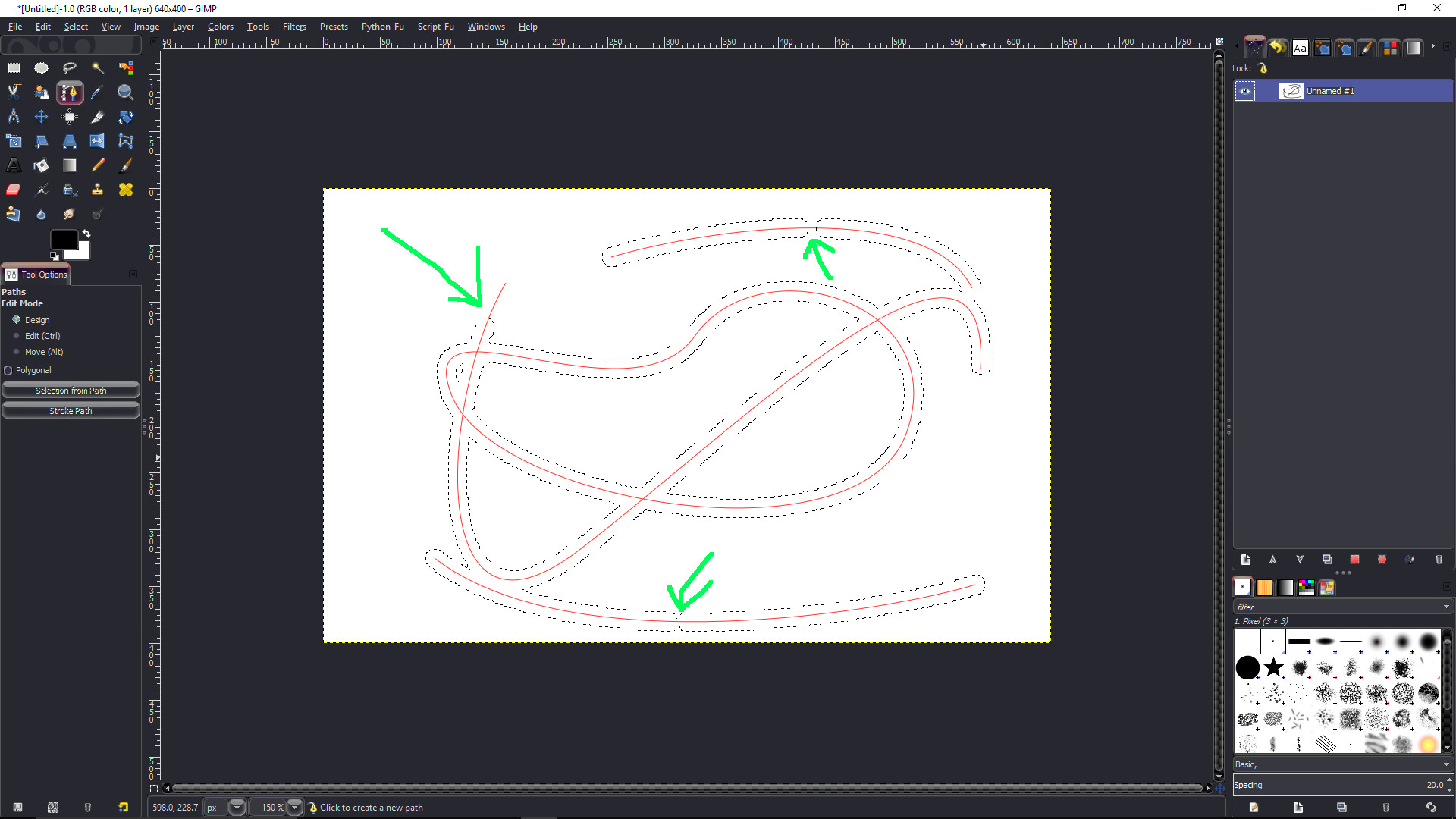
I have noticed that while having the pen tool selected when I run it, the resulting selection doesn't go the full length of the path. But if I have the pencil tool selected it goes the full distance of the path. Either all the way around a closed path or the full length of the open path.

It doesn't work that good if I have the airbrush or paintbrush tool selected either.


Top
 Post subject: Re: Is this Border Script Doable?
PostPosted: Sun Aug 21, 2016 1:26 pm  (#16) 
Offline
Script Coder
User avatar

Joined: May 07, 2014
Posts: 4527
Location: Canada
not sure when i tested it i always clicked on active path that i want it to stroke.
maybe you have many different paths, merge them?

_________________
TinT


Top
 Post subject: Re: Is this Border Script Doable?
PostPosted: Sun Aug 21, 2016 1:45 pm  (#17) 
Offline
GimpChat Member
User avatar

Joined: Feb 14, 2012
Posts: 426
Here's an example screen shot

Image

Now if I had the pencil tool selected it would have been a full selection.


Top
 Post subject: Re: Is this Border Script Doable?
PostPosted: Sun Aug 21, 2016 2:52 pm  (#18) 
Offline
Script Coder
User avatar

Joined: May 07, 2014
Posts: 4527
Location: Canada
what the heck? that is totally unexpected.

_________________
TinT


Top
 Post subject: Re: Is this Border Script Doable?
PostPosted: Sun Aug 21, 2016 3:09 pm  (#19) 
Offline
Script Coder
User avatar

Joined: May 07, 2014
Posts: 4527
Location: Canada
it happened once for me but i was unable to reproduce it again...
I am wondering if it has anything to do fade length.

_________________
TinT


Top
 Post subject: Re: Is this Border Script Doable?
PostPosted: Sun Aug 21, 2016 4:07 pm  (#20) 
Offline
GimpChat Member
User avatar

Joined: Feb 14, 2012
Posts: 426
I don't mind having to shortcut to pencil brush first. The last script that you made like this one does the same thing for me.


Top
Post new topic Reply to topic  [ 34 posts ]  Go to page 1, 2  Next

All times are UTC - 5 hours [ DST ]


cron

* Login  


Powered by phpBB3 © phpBB Group