It is currently Sun Nov 22, 2026 2:30 am


All times are UTC - 5 hours [ DST ]


Post new topic Reply to topic  [ 34 posts ]  Go to page Previous  1, 2
Author Message
 Post subject: Re: Glass Effect Text
PostPosted: Sat Oct 29, 2016 9:41 am  (#21) 
Offline
GimpChat Member
User avatar

Joined: Jan 20, 2013
Posts: 14835
Location: roma, italy
Gimper66, did you succeed in having the Glass Effect filter running?
If not, did you try my (apparently)"drastic" solution?

_________________
"Where am I ?"


Top
 Post subject: Re: Glass Effect Text
PostPosted: Sat Oct 29, 2016 10:02 am  (#22) 
Offline
Global Moderator
User avatar

Joined: May 16, 2010
Posts: 16292
You really should not have to re create the profile sub directories when it comes to SCM files.
Sometimes the gimprc file will give some trouble with plug-ins (py, and 8bf) as well as the pluginrc file.

Your best option is to install the script in a separate folder and point Edit>Pref>Folders>Scripts to it
Restart GIMP and see if its there.

_________________
Image


Top
 Post subject: Re: Glass Effect Text
PostPosted: Sat Oct 29, 2016 10:15 am  (#23) 
Offline
Global Moderator
User avatar

Joined: May 16, 2010
Posts: 16292
gimper66 wrote:
[ Image ]


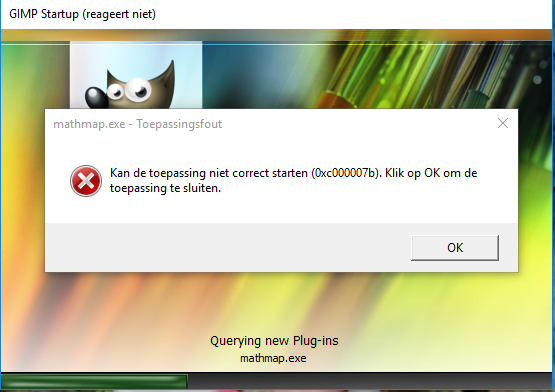
there is an mathmap.exe error (0xc000007b) I will have to remove on my computer.
I now look to find a program to correct the error

This error dialog looks like you have the wrong version mathmap.exe installed. Are you using a 32 or 64 bit platform? MathMap was re compiled for 64 bit some time ago.

_________________
Image


Top
 Post subject: Re: Glass Effect Text
PostPosted: Thu Nov 03, 2016 5:39 am  (#24) 
Offline
GimpChat Member
User avatar

Joined: Apr 26, 2014
Posts: 3847
Location: belgium
I now know what the problem is,it is in my computer itself and not in my gimp program.
I am now waiting for my computer doctor,which is on holiday until Monday 07-11


Top
 Post subject: Re: Glass Effect Text
PostPosted: Sat Nov 12, 2016 5:33 am  (#25) 
Offline
GimpChat Member
User avatar

Joined: Apr 26, 2014
Posts: 3847
Location: belgium
Image


whatever I do,I keep getting an (0x000007b ) error.
I remove gimp full from my computer,than I download the new version 2.8.18 but the error always comes back.
it's like the previous gimp version remains somewhere in my computer but I can not find it.
the gimp program works perfectly but i can not load new scripts. :hoh :hoh :gaah :gaah

does anyone know how I can find all gimp in my computer so that i can delete all
I have already everything that has to do with gimp deleted I thought.!!?? :mrgreen: :mrgreen: :gaah


Top
 Post subject: Re: Glass Effect Text
PostPosted: Sat Nov 12, 2016 6:42 am  (#26) 
Offline
GimpChat Member
User avatar

Joined: Jan 20, 2013
Posts: 14835
Location: roma, italy
AFAIK gimp bits and bytes are only (in Windows):
- under C:\Programs (remove 'GIMP 2' folder)
- under users/yourname (remove '.gimp-2.8')

_________________
"Where am I ?"


Top
 Post subject: Re: Glass Effect Text
PostPosted: Sat Nov 12, 2016 9:57 am  (#27) 
Offline
Global Moderator
User avatar

Joined: May 16, 2010
Posts: 16292
gimper66 wrote:
[ Image ]


whatever I do,I keep getting an (0x000007b ) error.
I remove gimp full from my computer,than I download the new version 2.8.18 but the error always comes back.
it's like the previous gimp version remains somewhere in my computer but I can not find it.
the gimp program works perfectly but i can not load new scripts. :hoh :hoh :gaah :gaah

does anyone know how I can find all gimp in my computer so that i can delete all
I have already everything that has to do with gimp deleted I thought.!!?? :mrgreen: :mrgreen: :gaah


Are you using a 64 or 32 bit mathmap executable?

Remove the mathmap.exe file in the users/yourname/.gimp-2.8/plug-ins folder.
Remove the gimprc file in the users/yourname/.gimp-2.8 folder
Restart GIMP

_________________
Image


Top
 Post subject: Re: Glass Effect Text
PostPosted: Sat Nov 12, 2016 2:13 pm  (#28) 
Offline
GimpChat Member
User avatar

Joined: Apr 26, 2014
Posts: 3847
Location: belgium
I removed gimp from my computer with the Revo Uninstaller so that no residue remains.
Now I downloaded gimp 2.8.18 back on my computer.
Now I want to add the folders with my own brushes-fonts-gradients-scripts- etc....to my new gimp 2.8.18
what is the best way to do it.

below the link to the free download Revo Uninstaller


http://www.revouninstaller.com/start_fr ... nload.html
Greetings,gimper66


Top
 Post subject: Re: Glass Effect Text
PostPosted: Sat Nov 12, 2016 2:29 pm  (#29) 
Offline
GimpChat Member
User avatar

Joined: Jan 20, 2013
Posts: 14835
Location: roma, italy
Just because this topic has been initiated with the intention to have the Glass Effect Text running, I would suggest:
1-run once Gimp, without moving/ copying anything; this creates the initial (users/username)/.gimp-2.8 folder with all subfolders
2-move/copy into the appropriate subfolders only what's needed for Glass Effect Text and try to see whether you get it work.This is a unique occasion to have no interference...
Later you will move/ copy piece by piece what you saved somewhere from your previous installation, with intermediate tests to see whether everything is working.

_________________
"Where am I ?"


Top
 Post subject: Re: Glass Effect Text
PostPosted: Sun Nov 13, 2016 5:46 am  (#30) 
Offline
GimpChat Member
User avatar

Joined: Apr 26, 2014
Posts: 3847
Location: belgium
Image


Dinasset,
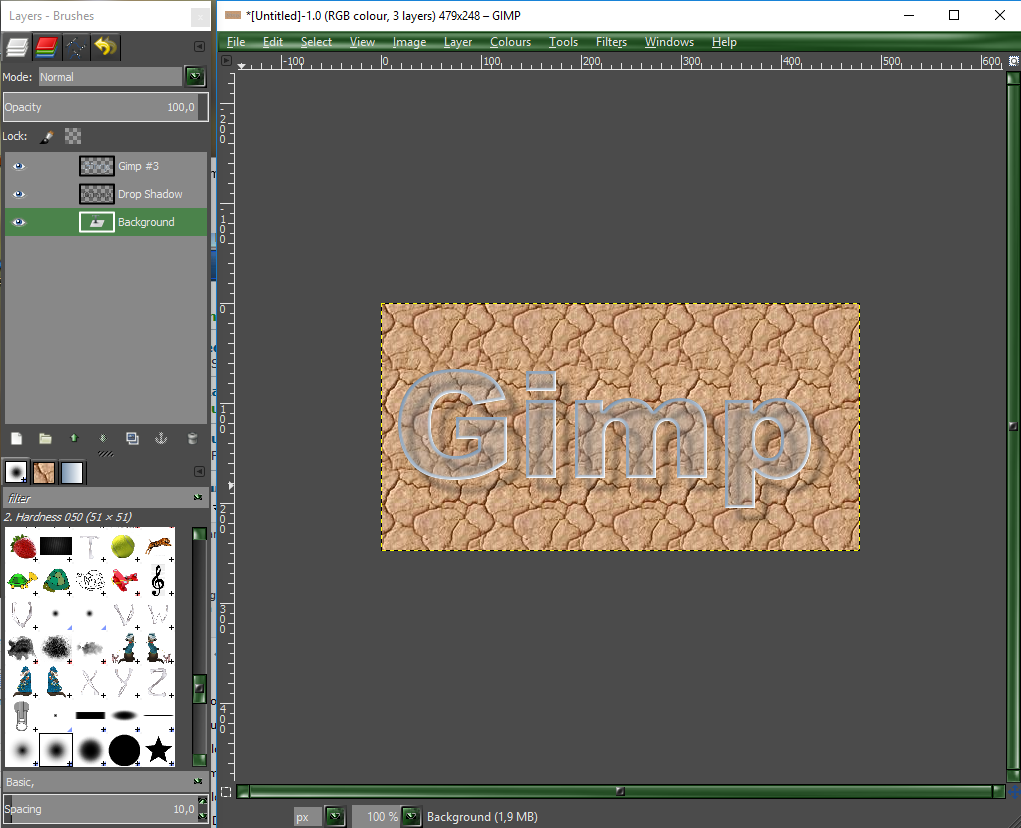
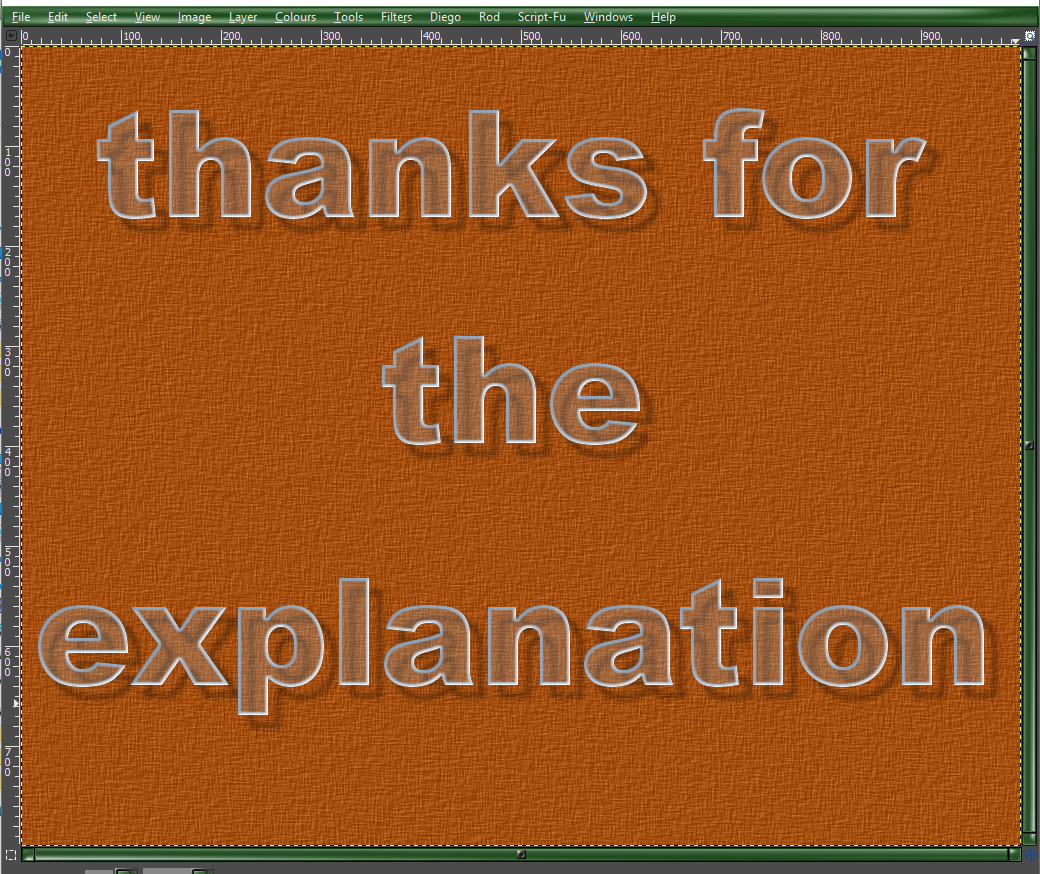
as you can see, it works

I have all my folders from my backup placed back into my gimp folders and it runs perfectly

Image

gimper66


Top
 Post subject: Re: Glass Effect Text
PostPosted: Sun Nov 13, 2016 5:52 am  (#31) 
Offline
GimpChat Member
User avatar

Joined: Jan 20, 2013
Posts: 14835
Location: roma, italy
I'm very glad for you.
So, you have a new toy to use in your nice compositions.

_________________
"Where am I ?"


Top
 Post subject: Re: Glass Effect Text
PostPosted: Sun Nov 13, 2016 6:48 am  (#32) 
Offline
Global Moderator
User avatar

Joined: May 16, 2010
Posts: 16292
And exactly what was the fix?

_________________
Image


Top
 Post subject: Re: Glass Effect Text
PostPosted: Sun Nov 13, 2016 7:04 am  (#33) 
Offline
GimpChat Member
User avatar

Joined: Jan 20, 2013
Posts: 14835
Location: roma, italy
He did remove completely any piece of gimp, then reinstalled it, then started it simple as downloaded, then having only that Glass filter added and tested, then added all the rest.
No tricks.
Probably this drastical way removed conflicts.

_________________
"Where am I ?"


Top
 Post subject: Re: Glass Effect Text
PostPosted: Sun Nov 13, 2016 7:25 am  (#34) 
Offline
Global Moderator
User avatar

Joined: May 16, 2010
Posts: 16292
dinasset wrote:
He did remove completely any piece of gimp, then reinstalled it, then started it simple as downloaded, then having only that Glass filter added and tested, then added all the rest.
No tricks.
Probably this drastical way removed conflicts.

So basically we still do not know exactly what the problem was. Other than removing the entire GIMP sub structure worked. Removing any conflicting plug-ins, or scripts in this case (mathmap.exe), AND the gimprc file normally solves any startup errors. Please try this method next time you have an issue.

Glad to see you have it up and running again. :bigthup

The other day i added a newly compiled "NormalMap.exe" in 64 bit with its dll files into my plugins folder and restarted GIMP-2.8.16.
GIMP started fine but every time i tried to create a new image or open one GIMP would crash. I removed the new plug-in and its dll files and restarted GIMP. Same issue.
I removed the gimprc file and restarted GIMP. That fixed everything.
Of course i had to re install all my 8bf plug-ins, and my theme but no complete uninstall and removal of every piece of GIMP.
That just wasn't necessary.

_________________
Image


Top
Post new topic Reply to topic  [ 34 posts ]  Go to page Previous  1, 2

All times are UTC - 5 hours [ DST ]


* Login  


Powered by phpBB3 © phpBB Group