It is currently Wed Nov 25, 2026 12:22 pm


All times are UTC - 5 hours [ DST ]


Post new topic Reply to topic  [ 204 posts ]  Go to page Previous  1, 2, 3, 4, 5 ... 11  Next
Author Message
 Post subject: Re: Qt-based G'MIC plug-in
PostPosted: Wed Mar 01, 2017 6:23 am  (#21) 
Offline
GimpChat Member
User avatar

Joined: Jan 03, 2011
Posts: 1656
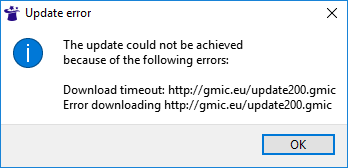
The file update200.gmic should be put in %APPDATA%\gmic\ on Windows.
%APPDATA% being dependent on your version of Windows.


Top
 Post subject: Re: Qt-based G'MIC plug-in
PostPosted: Wed Mar 01, 2017 7:14 am  (#22) 
Offline
GimpChat Member
User avatar

Joined: Jan 20, 2013
Posts: 14835
Location: roma, italy
for the user filters, is it still:
(username)/AppData/Roaming/user.gmic?
it seems not to be detected.

_________________
"Where am I ?"


Top
 Post subject: Re: Qt-based G'MIC plug-in
PostPosted: Wed Mar 01, 2017 7:21 am  (#23) 
Offline
GimpChat Member
User avatar

Joined: Jan 03, 2011
Posts: 1656
Yes dinasset, it should be the same file indeed.
I'll test it in a few hours.


Top
 Post subject: Re: Qt-based G'MIC plug-in
PostPosted: Wed Mar 01, 2017 7:25 am  (#24) 
Offline
GimpChat Member
User avatar

Joined: Jan 20, 2013
Posts: 14835
Location: roma, italy
OK, I'll wait until then.

_________________
"Where am I ?"


Top
 Post subject: Re: Qt-based G'MIC plug-in
PostPosted: Wed Mar 01, 2017 8:03 am  (#25) 
Offline
GimpChat Member
User avatar

Joined: Jan 03, 2011
Posts: 1656
Just tested putting a filter in my %APPDATA%/user.gmic on Windows, and it appears in the Qt-plug-in, as expected.

Attachment:
gmic_user_gmic.png
gmic_user_gmic.png [ 168.4 KiB | Viewed 2525 times ]


Top
 Post subject: Re: Qt-based G'MIC plug-in
PostPosted: Wed Mar 01, 2017 8:05 am  (#26) 
Offline
GimpChat Member
User avatar

Joined: Jan 03, 2011
Posts: 1656
Zero01 wrote:
I'm getting an error when i try to process a lissajous animated sequence... haven't tried much else thus far.

[ Image ]


Thanks for notifying me, that should be fixed now.


Top
 Post subject: Re: Qt-based G'MIC plug-in
PostPosted: Wed Mar 01, 2017 8:16 am  (#27) 
Offline
GimpChat Member
User avatar

Joined: Jan 20, 2013
Posts: 14835
Location: roma, italy
Ronounours wrote:
Just tested putting a filter in my %APPDATA%/user.gmic on Windows, and it appears in the Qt-plug-in, as expected.

Attachment:
gmic_user_gmic.png

Should I change how they start?
All my filters start with
#@gimp
not
#@gui

_________________
"Where am I ?"


Top
 Post subject: Re: Qt-based G'MIC plug-in
PostPosted: Wed Mar 01, 2017 8:32 am  (#28) 
Offline
GimpChat Member
User avatar

Joined: Jan 20, 2013
Posts: 14835
Location: roma, italy
Yes (auto reply).
I changed all #@gimp into #@gui and I now see them!

_________________
"Where am I ?"


Top
 Post subject: Re: Qt-based G'MIC plug-in
PostPosted: Wed Mar 01, 2017 8:44 am  (#29) 
Offline
GimpChat Member
User avatar

Joined: Jan 03, 2011
Posts: 1656
For info, based on the compiling environment from Samj, I've recompiled a new version of the plug-in today, with some errors fixed.
Installer and .zip archive available here : http://gmic.eu/files/prerelease/
I'll try now to automatize the build, so hopefully I'll be able to propose more frequent pre-releases (basically, when bugs are fixed) !


Top
 Post subject: Re: Qt-based G'MIC plug-in
PostPosted: Wed Mar 01, 2017 8:53 am  (#30) 
Offline
GimpChat Member
User avatar

Joined: Sep 24, 2010
Posts: 12870
Still get the no disk in drive K error with this one, David. Also, the favs never do import (and it keeps asking for this). Regardless, once the plugin finally does launch (about 20 seconds; possibly due to the missing K drive error), it runs very fast (even faster than your 2.0.0 build; perceivable twice as fast if not 3 times faster). Hopfully the missing K drive error gets fixed (and the import issue too). Now, going back to the GTK 2.0.0 build for now. :)

_________________
Lyle

Psalm 109:8

Image


Top
 Post subject: Re: Qt-based G'MIC plug-in
PostPosted: Wed Mar 01, 2017 10:02 am  (#31) 
Offline
GimpChat Member
User avatar

Joined: Jan 03, 2011
Posts: 1656
Hi Lyle, no idea why you have this weird issue. Cannot think of a fix for it then, right now :(


Top
 Post subject: Re: Qt-based G'MIC plug-in
PostPosted: Wed Mar 01, 2017 10:26 am  (#32) 
Offline
GimpChat Member
User avatar

Joined: Sep 24, 2010
Posts: 12870
Not sure why either then, David. I'm using the zip file method. Maybe might later try the installer, but will wait (prefer not to use installers). :)

edit:

Well, for chagrins, I used the installer and still get the k drive error. Have no idea why. Very strange. the GTK versions work completely fine. Also, it might be related, but I don't see the favs when I use the QT version either and it continues to ask me to import the favorites. Again, not sure why I appear to be the only one affected; not a programmer so have no idea as to why.

In summary, whether zip or installer method, I have a k-drive problem. :)

_________________
Lyle

Psalm 109:8

Image


Top
 Post subject: Re: Qt-based G'MIC plug-in
PostPosted: Wed Mar 01, 2017 1:17 pm  (#33) 
Offline
GimpChat Member
User avatar

Joined: Jan 20, 2013
Posts: 14835
Location: roma, italy
Where are stored now the "faves"?
I created 3 today and they are visible after close/reopen, but there is no "faves" file under AppData.
Is it used maybe the compressed gmic_qt_parameters.dat file?
Just to know.

_________________
"Where am I ?"


Top
 Post subject: Re: Qt-based G'MIC plug-in
PostPosted: Wed Mar 01, 2017 5:36 pm  (#34) 
Offline
Script Coder
User avatar

Joined: Feb 18, 2011
Posts: 4826
Location: Bendigo Vic. Australia
just tried Installing your build from gmic.eu/files/prerelease/gmic_gimp_qt_2.0.0_pre_win64.zip and 'qt' is still requiring multiple attempts to start I still have my gmic '1-7-9' and '2.0.0_pre-win64' pointed to in preferences as well as 'gmic-gimp-qt-build' the error I get is below↓ in the error console

Quote:
GIMP Error
Plug-in crashed: "gmic_gimp_qt.exe"
(C:\Users\Graechan\gmic-gimp-qt-build\gmic_gimp_qt.exe)

The dying plug-in may have messed up GIMP's internal state. You may want to save your images and restart GIMP to be on the safe side.


and this Message appears on screen
Image
Edit all of a sudden all's well

_________________
Image
No matter how much you push the envelope, it'll still be stationery.


Top
 Post subject: Re: Qt-based G'MIC plug-in
PostPosted: Thu Mar 02, 2017 4:46 am  (#35) 
Offline
GimpChat Member
User avatar

Joined: Jan 03, 2011
Posts: 1656
Thanks for all your feedback.
I'm trying to fix some bugs today (not all unfortunately!) and will post new binaries for the Qt plug-in. I'll let you know when it's ready :)


Top
 Post subject: Re: Qt-based G'MIC plug-in
PostPosted: Thu Mar 02, 2017 6:01 am  (#36) 
Offline
GimpChat Member
User avatar

Joined: Jun 02, 2013
Posts: 2090
What about us 32 bit users? A no go? Thanks.

_________________
Image


Top
 Post subject: Re: Qt-based G'MIC plug-in
PostPosted: Thu Mar 02, 2017 6:14 am  (#37) 
Offline
GimpChat Member
User avatar

Joined: Jan 03, 2011
Posts: 1656
TheWarrior : yes, for now sorry but we don't manage builds for 32bits architectures. Hopefully, this will be done for the final release though, but at least for testing things, we stick with 64bits Windows.


Top
 Post subject: Re: Qt-based G'MIC plug-in
PostPosted: Thu Mar 02, 2017 9:09 am  (#38) 
Offline
Global Moderator
User avatar

Joined: May 16, 2010
Posts: 16313
Just tried the installer for 64 bit G'MIC-2.0-QT uploaded March/02.
I installed to a new GMIC-QT sub-folder in the \.gimp-2.8\plug-ins folder , started GIMP and pointed Edit>Preferences>Folders>plug-ins to it.
Restarted GIMP-2.8.20 for Windows 64 bit and got 0 errors on startup.

I started G'MIC-QT-2.0
Got the import faves dialog and selected YES.
No problems

Filter definitions updated ok.

37 seconds to render with QT
Image

NOTE: It took 52 seconds to render with the GTK version. So not a lot of difference with just 2 processors.

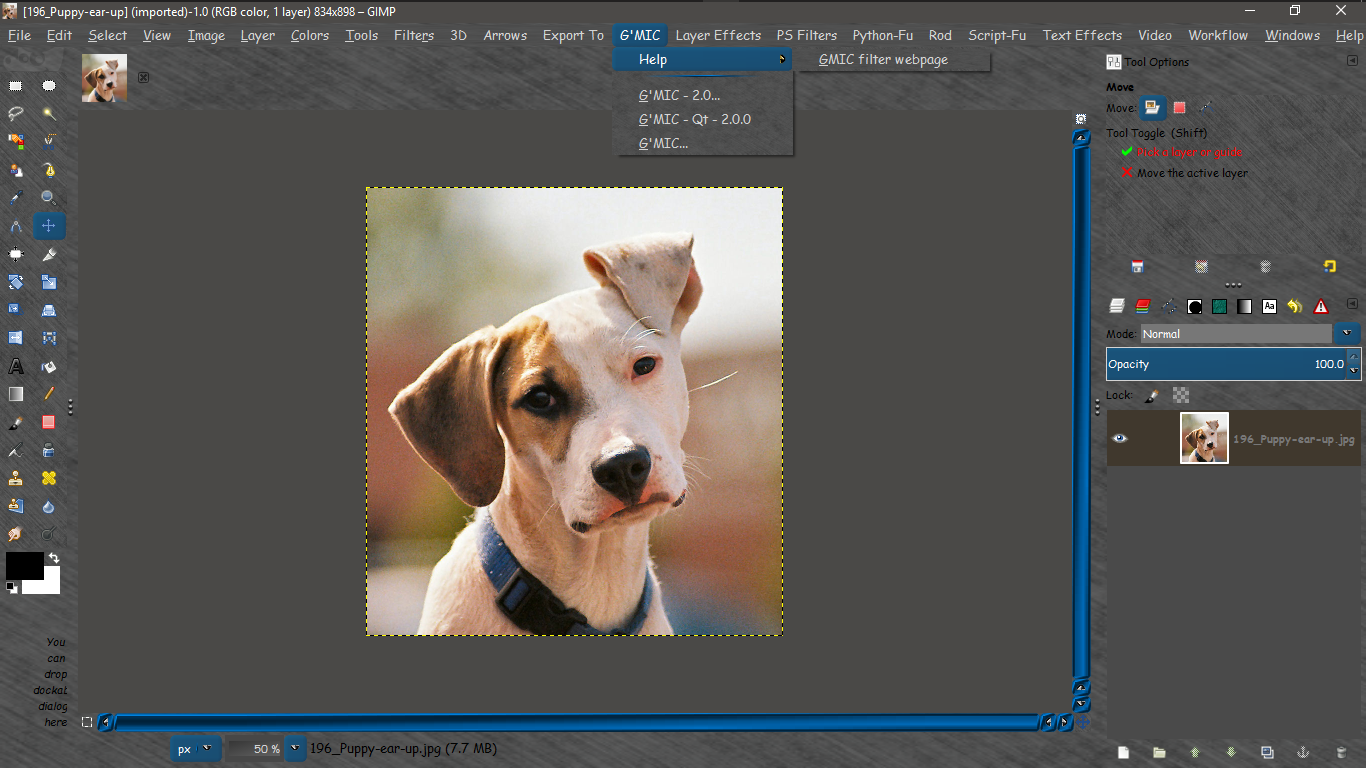
David is this Sams version uploaded to your website now? Sam seems to have taken the download url off her site now.

_________________
Image


Top
 Post subject: Re: Qt-based G'MIC plug-in
PostPosted: Thu Mar 02, 2017 9:18 am  (#39) 
Offline
Global Moderator
User avatar

Joined: May 16, 2010
Posts: 16313
Just thought i would add that all 3 G'MIC versions seem to work fine together side by side.

Image

_________________
Image


Top
 Post subject: Re: Qt-based G'MIC plug-in
PostPosted: Thu Mar 02, 2017 9:21 am  (#40) 
Offline
Global Moderator
User avatar

Joined: May 16, 2010
Posts: 16313
David this is the first line on the http://gmic.eu/gimp_filters.txt page.
*** List of filters in the G'MIC plug-in (830 filters, on 2016/12/21 13:00) ***


Does it no longer update daily?

_________________
Image


Top
Post new topic Reply to topic  [ 204 posts ]  Go to page Previous  1, 2, 3, 4, 5 ... 11  Next

All times are UTC - 5 hours [ DST ]


* Login  


Powered by phpBB3 © phpBB Group