It is currently Sat Oct 03, 2026 3:53 am


All times are UTC - 5 hours [ DST ]


Post new topic Reply to topic  [ 118 posts ]  Go to page Previous  1, 2, 3, 4, 5, 6  Next
Author Message
 Post subject: Re: A Blender question
PostPosted: Sun May 20, 2018 2:47 pm  (#21) 
Offline
GimpChat Member
User avatar

Joined: May 17, 2014
Posts: 1572
Racer-x I downloaded your file and replaced it in the original winFF folder.
But I can't find Animation nor Animated GIF

Image


Edit

I opened my images in Gimp and made the animation in Gimp :gimp


Attachments:
lente.gif
lente.gif [ 5.42 MiB | Viewed 2699 times ]

_________________
Ella's gallery - YouTube
Top
 Post subject: Re: A Blender question
PostPosted: Sun May 20, 2018 5:27 pm  (#22) 
Offline
GimpChat Member
User avatar

Joined: Apr 15, 2017
Posts: 1837
Gimp will do the animated GIF, but the file size will be larger. I ran your animated GIF through ffmpeg and got a file size less than half your size.

Attachment:
lente2.gif
lente2.gif [ 1.88 MiB | Viewed 2689 times ]


I'm guessing you are running windows? I don't do windows, so you'll have to find your user profile presets.xml file and replace it with mine. If you can't find it, you can make your own custom preset using my settings. Open my presets.xml file for clues. For animated.GIF you can use this:
-vf scale=640:-1:sws_dither=a_dither -pix_fmt rgb8 -loop 0 -an


Top
 Post subject: Re: A Blender question
PostPosted: Mon May 21, 2018 7:16 am  (#23) 
Offline
GimpChat Member
User avatar

Joined: May 17, 2014
Posts: 1572
Yes, I'm running Windows 10. I'll try to make my own presets then. But I'm not that good in all that stuff.
I'll keep on experimenting with Winff :)

Here's the link to another nice tutorial, maybe you want to try it.

https://youtu.be/qx5L8K99j10

Image


Image

Thanks for the help, Racer-X.

Ella

_________________
Ella's gallery - YouTube


Top
 Post subject: Re: A Blender question
PostPosted: Mon May 21, 2018 7:36 pm  (#24) 
Offline
GimpChat Member
User avatar

Joined: Apr 15, 2017
Posts: 1837
I might have to check that one out when I have some time. I just finished playing with cloth effects to make an animated flag.

Attachment:
Flag.gif
Flag.gif [ 3.27 MiB | Viewed 2663 times ]


Top
 Post subject: Re: A Blender question
PostPosted: Tue May 22, 2018 9:59 am  (#25) 
Offline
GimpChat Member
User avatar

Joined: May 17, 2014
Posts: 1572
Good job on the flag, Raxer-X
Something I like to try ou t too.

Still can’t work with the gif convertor.
Maybe I will have to make a youtube account to upload the animations and post a link to them here.

_________________
Ella's gallery - YouTube


Top
 Post subject: Re: A Blender question
PostPosted: Tue May 22, 2018 10:28 am  (#26) 
Offline
GimpChat Member

Joined: Oct 30, 2016
Posts: 145
Image
Flags are fun.


Top
 Post subject: Re: A Blender question
PostPosted: Wed May 23, 2018 2:43 pm  (#27) 
Offline
GimpChat Member
User avatar

Joined: May 17, 2014
Posts: 1572
Yes flags are fun, Timelord. And you watermarked yours with your avatar :coolthup

_________________
Ella's gallery - YouTube


Top
 Post subject: Re: A Blender question
PostPosted: Thu May 24, 2018 11:12 am  (#28) 
Offline
GimpChat Member

Joined: Oct 30, 2016
Posts: 145
Thank you for your comments. :)

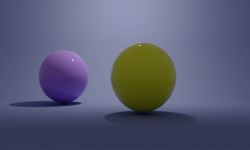
You might like to try this simple backdrop
Image


(no lighting set)


Attachments:
backdrop.7z [56.89 KiB]
Downloaded 97 times
Top
 Post subject: Re: A Blender question
PostPosted: Fri May 25, 2018 5:09 am  (#29) 
Offline
GimpChat Member
User avatar

Joined: May 17, 2014
Posts: 1572
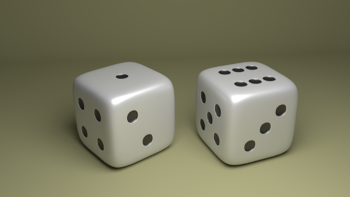
Used your backdrop on two dice i made earlier, maybe a bit too dark :?
It seems i'm not the only one who's interested in your backdrop, already downloaded 5 times :)
Thank you.

Image

_________________
Ella's gallery - YouTube


Top
 Post subject: Re: A Blender question
PostPosted: Fri May 25, 2018 9:52 am  (#30) 
Offline
GimpChat Member
User avatar

Joined: May 17, 2014
Posts: 1572
I think this looks better.

Image

_________________
Ella's gallery - YouTube


Top
 Post subject: Re: A Blender question
PostPosted: Fri May 25, 2018 10:51 am  (#31) 
Offline
GimpChat Member
User avatar

Joined: Feb 14, 2013
Posts: 462
Location: Stockholm
Move your lamp infront of your dice to get rid of the darkness.

_________________
Late 2017 iMac Retina 4K 21,5 inch Mac OS High Sierra version 10.13.4
3,6 GHz Intel Core i7
16 GB Ram 2400 MHz DDR4
Graphic card Radeon Pro 560 4096 MB
Affinity Photo and Affinity Designers.


Top
 Post subject: Re: A Blender question
PostPosted: Fri May 25, 2018 12:29 pm  (#32) 
Offline
GimpChat Member
User avatar

Joined: May 17, 2014
Posts: 1572
Thank you, Lurifax, still have a lot to learn...

Image


Am i the only one who has problems to load the Gimp Chat page and to post?
I always have to try several times before i succeed.

_________________
Ella's gallery - YouTube


Top
 Post subject: Re: A Blender question
PostPosted: Fri May 25, 2018 1:33 pm  (#33) 
Offline
GimpChat Member
User avatar

Joined: Feb 14, 2013
Posts: 462
Location: Stockholm
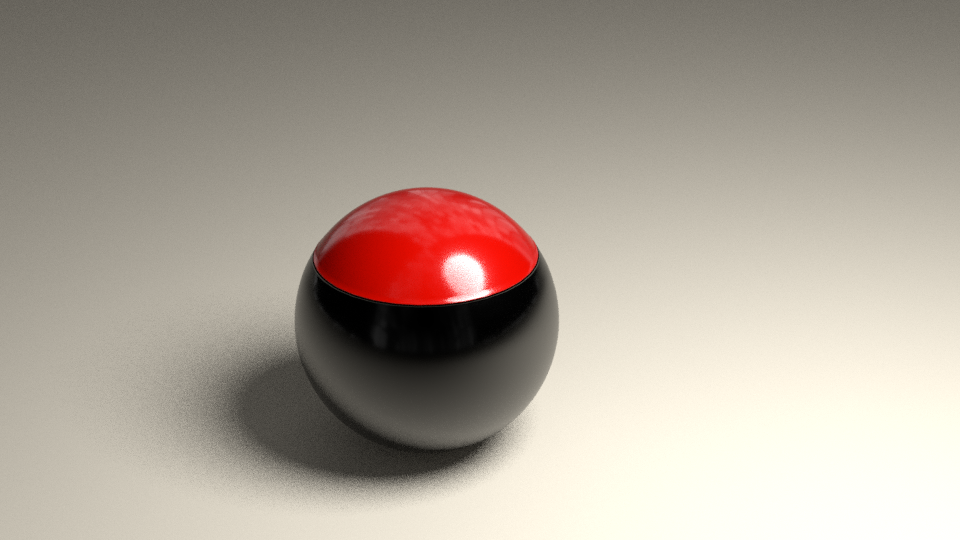
Very Good Louise

I have always 2 lamp One on each side of the object.

Image

_________________
Late 2017 iMac Retina 4K 21,5 inch Mac OS High Sierra version 10.13.4
3,6 GHz Intel Core i7
16 GB Ram 2400 MHz DDR4
Graphic card Radeon Pro 560 4096 MB
Affinity Photo and Affinity Designers.


Top
 Post subject: Re: A Blender question
PostPosted: Sun May 27, 2018 8:11 am  (#34) 
Offline
GimpChat Member
User avatar

Joined: Apr 15, 2017
Posts: 1837
I love your dice Ella, so I watched a tut on how to do it too. https://www.youtube.com/watch?v=sNhN3X3MvD4

Attachment:
Dice.gif
Dice.gif [ 1.58 MiB | Viewed 2446 times ]


Top
 Post subject: Re: A Blender question
PostPosted: Sun May 27, 2018 10:08 am  (#35) 
Offline
GimpChat Member
User avatar

Joined: Mar 23, 2012
Posts: 7388
Location: Göteborg at last!
Ella - I love your dice and your new avatar. I see you are enjoying Blender!


Top
 Post subject: Re: A Blender question
PostPosted: Sun May 27, 2018 10:45 am  (#36) 
Offline
GimpChat Member
User avatar

Joined: Feb 14, 2013
Posts: 462
Location: Stockholm
racer-x wrote:
I love your dice Ella, so I watched a tut on how to do it too. https://www.youtube.com/watch?v=sNhN3X3MvD4

Attachment:
Dice.gif


Racer-X Your lamp ar to bright

_________________
Late 2017 iMac Retina 4K 21,5 inch Mac OS High Sierra version 10.13.4
3,6 GHz Intel Core i7
16 GB Ram 2400 MHz DDR4
Graphic card Radeon Pro 560 4096 MB
Affinity Photo and Affinity Designers.


Last edited by Lurifax73 on Sun May 27, 2018 1:14 pm, edited 1 time in total.

Top
 Post subject: Re: A Blender question
PostPosted: Sun May 27, 2018 12:09 pm  (#37) 
Offline
GimpChat Member
User avatar

Joined: May 17, 2014
Posts: 1572
Racer-x, well done with the animation of the rolling dice. I saw the tutorial but my dice always rolled under the plane. Couldn't get them rolling the way i wanted.
The brightness of the lamps, that's something Lurifax can judge better. I'm still a newbie on Blender.


Thank you, Erisian, yes i'm enjoying Blender. And my new avatar i made in Blender.
I've still a lot to learn about it. Hope you enjoy it as much as i do :)


Lurifax, thank you for the explanation about the lamps. The position, the strength, the value... a lot of possibilities and experimenting.


Followed this tutorial about coloring a glass object.
The object i made myself. Used TimeLord's backdrop.

https://www.youtube.com/watch?v=EmwTozPWiUo


Attachments:
torus.knot.1.png
torus.knot.1.png [ 207.62 KiB | Viewed 2435 times ]

_________________
Ella's gallery - YouTube


Last edited by Ella on Sun May 27, 2018 2:16 pm, edited 1 time in total.
Top
 Post subject: Re: A Blender question
PostPosted: Sun May 27, 2018 1:10 pm  (#38) 
Offline
GimpChat Member
User avatar

Joined: Feb 14, 2013
Posts: 462
Location: Stockholm
Stop object falling trough the floor


Image

_________________
Late 2017 iMac Retina 4K 21,5 inch Mac OS High Sierra version 10.13.4
3,6 GHz Intel Core i7
16 GB Ram 2400 MHz DDR4
Graphic card Radeon Pro 560 4096 MB
Affinity Photo and Affinity Designers.


Top
 Post subject: Re: A Blender question
PostPosted: Sun May 27, 2018 1:59 pm  (#39) 
Offline
GimpChat Member
User avatar

Joined: Feb 14, 2013
Posts: 462
Location: Stockholm
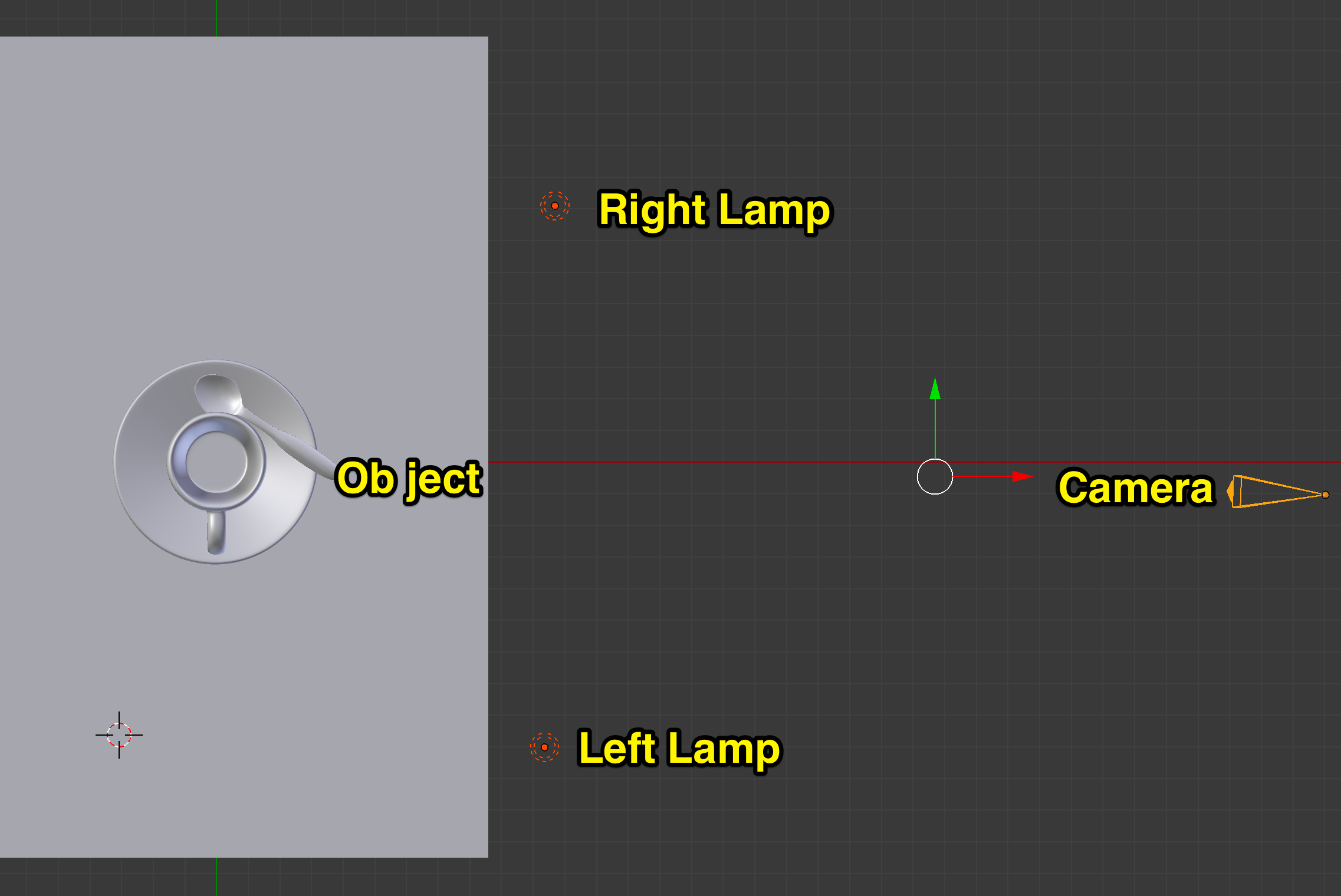
Lamp positions from the object.

Right Wiew:


Image


Front and Toplamp positions.

Image

_________________
Late 2017 iMac Retina 4K 21,5 inch Mac OS High Sierra version 10.13.4
3,6 GHz Intel Core i7
16 GB Ram 2400 MHz DDR4
Graphic card Radeon Pro 560 4096 MB
Affinity Photo and Affinity Designers.


Top
 Post subject: Re: A Blender question
PostPosted: Sun May 27, 2018 2:22 pm  (#40) 
Offline
GimpChat Member
User avatar

Joined: May 17, 2014
Posts: 1572
Lurifax73 wrote:
Stop object falling trough the floor


[ [url=http://gimpchat.com/files/2596_Skärmavbild_2018-05-27_kl__20_04_58.png]Image[/url] ]


I'm afraid i wasn't clear enough. The dice don't fall through the flour.
It's the plane you have to create for the dice to fall of and start rolling that i can't get in the right position.
The dice bounce on the flour and roll backwards out of the camera view.
A little more experimenting to get the angle in the right position.

A good example of the lamp settings. Do you change the strength and value of the lamps or just leave them in default?

_________________
Ella's gallery - YouTube


Top
Post new topic Reply to topic  [ 118 posts ]  Go to page Previous  1, 2, 3, 4, 5, 6  Next

All times are UTC - 5 hours [ DST ]


* Login  


Powered by phpBB3 © phpBB Group