It is currently Thu Aug 27, 2026 1:49 pm


All times are UTC - 5 hours [ DST ]


Post new topic Reply to topic  [ 75 posts ]  Go to page Previous  1, 2, 3, 4  Next
Author Message
 Post subject: Re: Fox in the Woods
PostPosted: Sun Feb 03, 2019 8:39 pm  (#41) 
Offline
GimpChat Member
User avatar

Joined: Nov 22, 2018
Posts: 83
Image

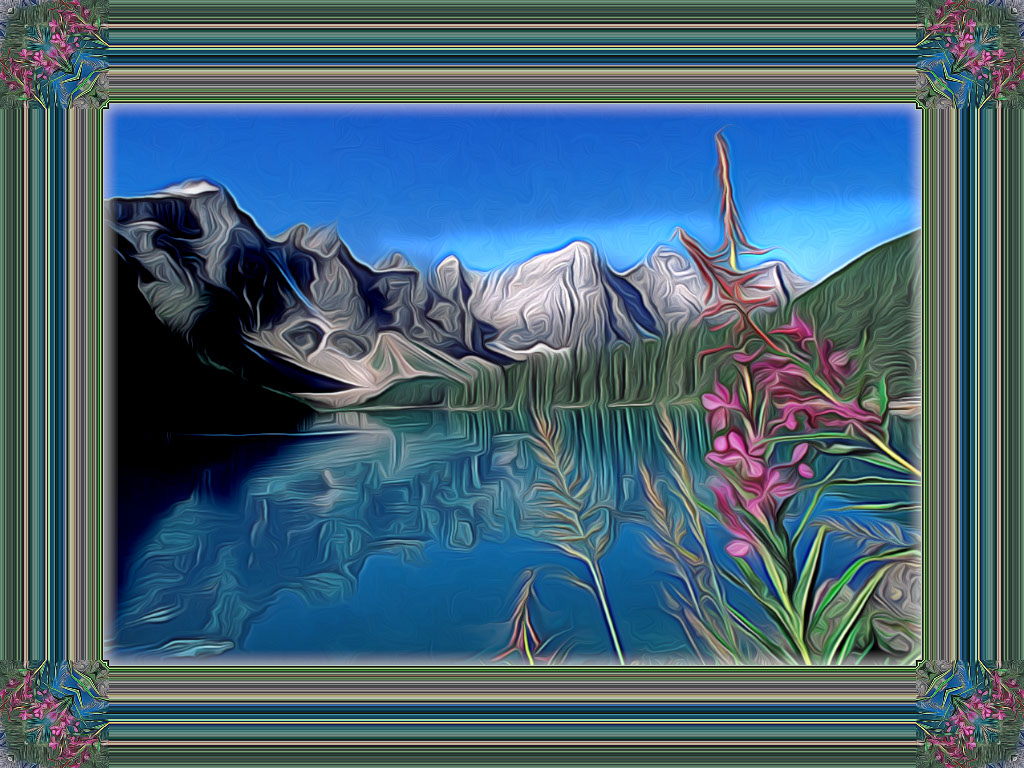
I followed the tut/video as far as step 7, using the dodge & burn...
Then I saved my image & used it to create a kaleidiscope frame....

Great tutorial Peter!!... :) ...

_________________
Image


Top
 Post subject: Re: Fox in the Woods
PostPosted: Sun Feb 03, 2019 10:32 pm  (#42) 
Offline
GimpChat Member
User avatar

Joined: May 13, 2018
Posts: 270
Location: Oregon, USA
Flutteringby:
Very nice. Interesting effect with the kaleidoscope frame.
I like the way the kaleidoscope process keeps all the color
in balance with the overall picture. Good job.

_________________
Image


Top
 Post subject: Re: Fox in the Woods
PostPosted: Mon Feb 04, 2019 2:18 pm  (#43) 
Offline
GimpChat Member
User avatar

Joined: Nov 22, 2018
Posts: 83
Many thanks Peter,

I am enjoying your tutorial & its amazing the different results that appear!!

_________________
Image


Top
 Post subject: Re: Fox in the Woods
PostPosted: Mon Feb 18, 2019 2:36 pm  (#44) 
Offline
GimpChat Member

Joined: May 12, 2015
Posts: 4693
I do love your procedure for animals especially. This is my cat, Asher. He is about 12-13 years old now. A wonderful companion cat.
Attachment:
Asher.jpg
Asher.jpg [ 464.86 KiB | Viewed 2595 times ]


Top
 Post subject: Re: Fox in the Woods
PostPosted: Tue Feb 19, 2019 12:10 pm  (#45) 
Offline
GimpChat Member
User avatar

Joined: May 13, 2018
Posts: 270
Location: Oregon, USA
A really fine picture PAT.
Looks like you've got the technique
down PAT. :hehe :paint

_________________
Image


Top
 Post subject: Re: Fox in the Woods
PostPosted: Tue Feb 19, 2019 2:11 pm  (#46) 
Offline
GimpChat Member

Joined: May 12, 2015
Posts: 4693
Thank you, and thank you for sharing your procedure with us. I must admit it is addicting. If not careful, I'll want to put it on everything!


Top
 Post subject: Re: Fox in the Woods
PostPosted: Tue Feb 19, 2019 2:59 pm  (#47) 
Offline
GimpChat Member

Joined: Apr 09, 2018
Posts: 1888
Location: France
Congratulations to everybody. :clap

_________________
Les parfums, les couleurs et les sons se répondent.Baudelaire (Les fleurs du mal)
2.10.36/(Samj) Gimp 2.10.38 OS Windows 10 Home 64 bits


Top
 Post subject: Re: Fox in the Woods
PostPosted: Sat Feb 23, 2019 9:29 am  (#48) 
Offline
GimpChat Member

Joined: Apr 09, 2018
Posts: 1888
Location: France
:wvy
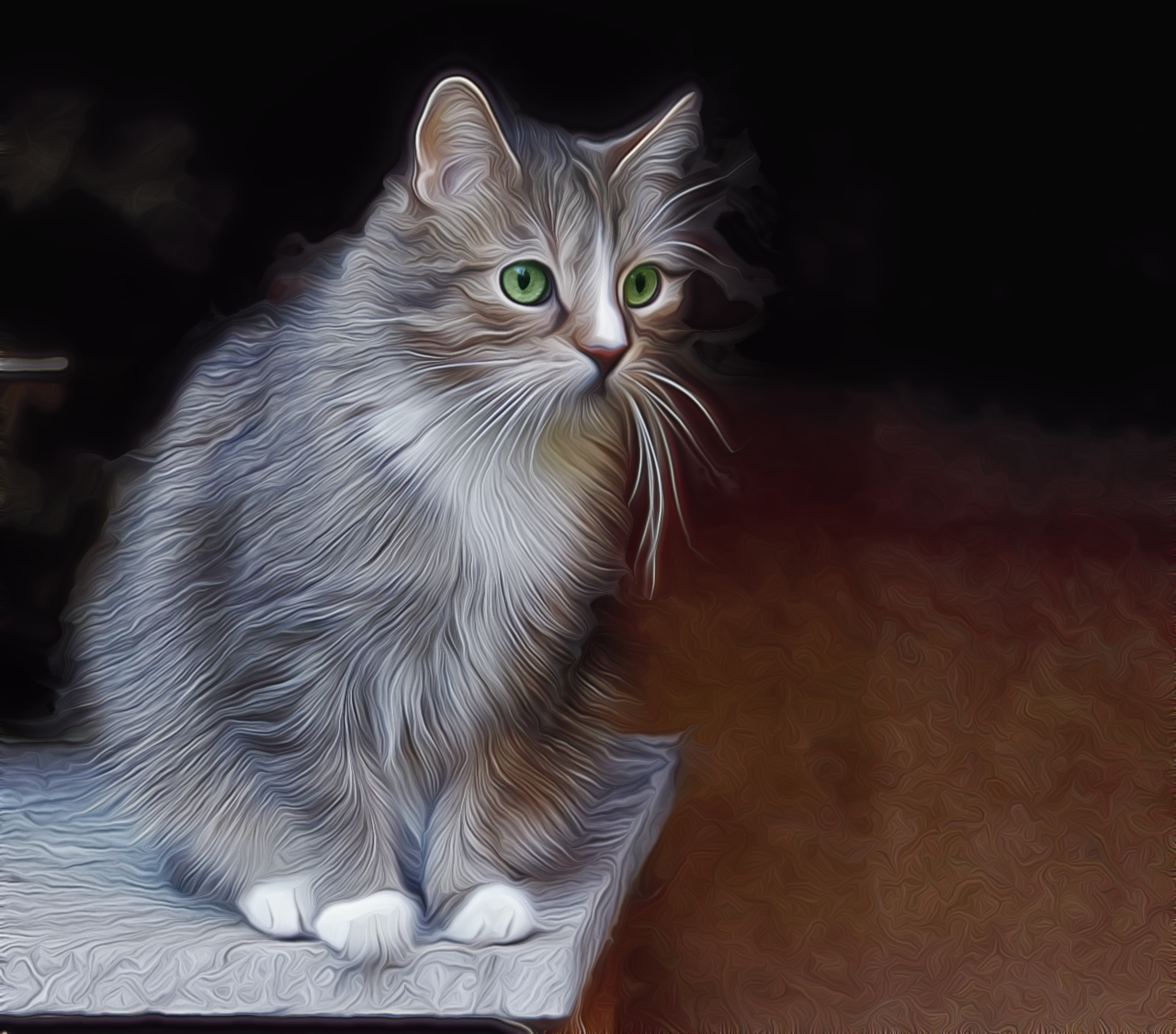
I tried Peter's method. :)
Image

_________________
Les parfums, les couleurs et les sons se répondent.Baudelaire (Les fleurs du mal)
2.10.36/(Samj) Gimp 2.10.38 OS Windows 10 Home 64 bits


Top
 Post subject: Re: Fox in the Woods
PostPosted: Sat Feb 23, 2019 10:35 am  (#49) 
Offline
GimpChat Member

Joined: May 12, 2015
Posts: 4693
Very nice! I love what his process does for fur.


Top
 Post subject: Re: Fox in the Woods
PostPosted: Sat Feb 23, 2019 12:11 pm  (#50) 
Offline
GimpChat Member
User avatar

Joined: May 13, 2018
Posts: 270
Location: Oregon, USA
Great job level_0:
I'm absolutely loving all the great results
that you folks have been posting.
You have all been doing great work.

_________________
Image


Top
 Post subject: Re: Fox in the Woods
PostPosted: Sat Feb 23, 2019 9:48 pm  (#51) 
Offline
GimpChat Member

Joined: May 15, 2018
Posts: 28
level_0 wrote:
:wvy
I tried Peter's method. :)

Hi level_0,
Great choice of image to perform this technique, was very good result.

I think you could optionally have kept the original glow of the cat's eyes, using the tip given by the father of this technique...

Peter:
"After "Dream Smooth," Make a "visible" layer.
Make a duplicate layer of step 1 and put it under the "visible" layer.
Go back to the "visible" layer and add a white "layer mask."
Use a soft brush and reduce the opacity of the brush to approx. 30%.
Use the brush to bring back the details of the face that are too blurred by the Dream Smoothing."


Just a suggestion if you missed this tutorial instruction, and it wasn't intentional.


Top
 Post subject: Re: Fox in the Woods
PostPosted: Sun Feb 24, 2019 12:59 am  (#52) 
Offline
GimpChat Member

Joined: Apr 09, 2018
Posts: 1888
Location: France
[quote="TicTac"]
Hi level_0,
Great choice of image to perform this technique, was very good result.

I think you could optionally have kept the original glow of the cat's eyes, using the tip given by the father of this technique.../quote]
TicTac
But I had done it and not seen any interesting change, neither for hair nor for eyes (but it's subjective ...) Last night my eyes had to be tired, if I still have the project, I will look. :)

_________________
Les parfums, les couleurs et les sons se répondent.Baudelaire (Les fleurs du mal)
2.10.36/(Samj) Gimp 2.10.38 OS Windows 10 Home 64 bits


Top
 Post subject: Re: Fox in the Woods
PostPosted: Sun Feb 24, 2019 1:38 am  (#53) 
Offline
GimpChat Member
User avatar

Joined: Mar 01, 2014
Posts: 14154
Location: Spain, Aragón
Level 10, I love your result. The cat is so attractive and the look of its hair is really great. :paint :coolthup
I think that TicTac is right about the eyes because your outcome even will have a better look because it's a part essential in Peter's tutorial. :)

_________________
Image

Gimp 2.10.30(samj) portable _ OS Windows 10 Home_ 64bits
Don’t be afraid to start over. It’s a new chance to rebuild what you want.


Top
 Post subject: Re: Fox in the Woods
PostPosted: Sun Feb 24, 2019 1:39 am  (#54) 
Offline
GimpChat Member

Joined: Apr 09, 2018
Posts: 1888
Location: France
I just looked and actually, the layer that I put below, is not the bottom layer so I just rectify and actually for the eyes is better. :) Thank you Tic Tac for making the remark (And I have to enlarge the image to better see the details, only pixellize so I do not do it often and I have to put my eyes 3 cm from the screen ...)
Image

_________________
Les parfums, les couleurs et les sons se répondent.Baudelaire (Les fleurs du mal)
2.10.36/(Samj) Gimp 2.10.38 OS Windows 10 Home 64 bits


Top
 Post subject: Re: Fox in the Woods
PostPosted: Sun Feb 24, 2019 1:53 am  (#55) 
Offline
GimpChat Member
User avatar

Joined: Mar 01, 2014
Posts: 14154
Location: Spain, Aragón
Absolutely wonderful! A great result, Level 10! :bigthup

_________________
Image

Gimp 2.10.30(samj) portable _ OS Windows 10 Home_ 64bits
Don’t be afraid to start over. It’s a new chance to rebuild what you want.


Top
 Post subject: Re: Fox in the Woods
PostPosted: Sun Feb 24, 2019 2:55 am  (#56) 
Offline
GimpChat Member
User avatar

Joined: Jan 20, 2013
Posts: 14831
Location: roma, italy
Because you are still in the learning curve, and you learn quickly so that you create very interesting outcomes, and also you accept critics (if fair) -which is not a common behaviour here around- may I suggest you:
- to have a deeper look at the borders of the cat image, they look bad (the hair has a flou contour not well separated by the background)
- and to double-check, look at all similar outcomes produced by Ella (here, on GL and on her blog), and you will understand properly what I mean.
Anyhow, you are doing a good job in all your creations, very appreciated.

_________________
"Where am I ?"


Top
 Post subject: Re: Fox in the Woods
PostPosted: Sun Feb 24, 2019 4:12 am  (#57) 
Offline
GimpChat Member
User avatar

Joined: Feb 07, 2019
Posts: 70
All so nice outcomes! :clap
level_0 wrote:
:wvy
I tried Peter's method. :)
[ Image ]

I love that cat, especially the playing with bright cat / dark background. I think it looks indeed better with the eyes of the second version, although I didn't miss anything on them on the first view. What I'd like to double is the look at the whiskers; maybe use a finer brush there? It probably wouldn't even show on a lighter background; I guess it is due to the contrast of the colors that there is this flare around the hairs visible. Overall this picture is wonderful and the cat looks very aristocratic :coolthup

_________________
cu
Monika M.


Top
 Post subject: Re: Fox in the Woods
PostPosted: Sun Feb 24, 2019 4:35 am  (#58) 
Offline
GimpChat Member

Joined: Apr 09, 2018
Posts: 1888
Location: France
Issabella :wvy ,moniaqua :wvy ,Dinasset, :wvy
Dinasset: actually I noticed during the creation of this image, that the cat had a problem in the rounding of his back to the left and I tried to remedy it with various filters but to no avail.
I will open a topic in the forum Help (not to pollute here) where I will put the picture of the cat so that everyone can play with this cat. :) ;)

_________________
Les parfums, les couleurs et les sons se répondent.Baudelaire (Les fleurs du mal)
2.10.36/(Samj) Gimp 2.10.38 OS Windows 10 Home 64 bits


Top
 Post subject: Re: Fox in the Woods
PostPosted: Sun Feb 24, 2019 12:26 pm  (#59) 
Offline
GimpChat Member
User avatar

Joined: May 13, 2018
Posts: 270
Location: Oregon, USA
Level_0:
After the correction of the eyes, the image is greatly improved.
I love this image just like it is. It's absolutely beautiful.

_________________
Image


Top
 Post subject: Re: Fox in the Woods
PostPosted: Sun Feb 24, 2019 12:33 pm  (#60) 
Offline
GimpChat Member
User avatar

Joined: May 13, 2018
Posts: 270
Location: Oregon, USA
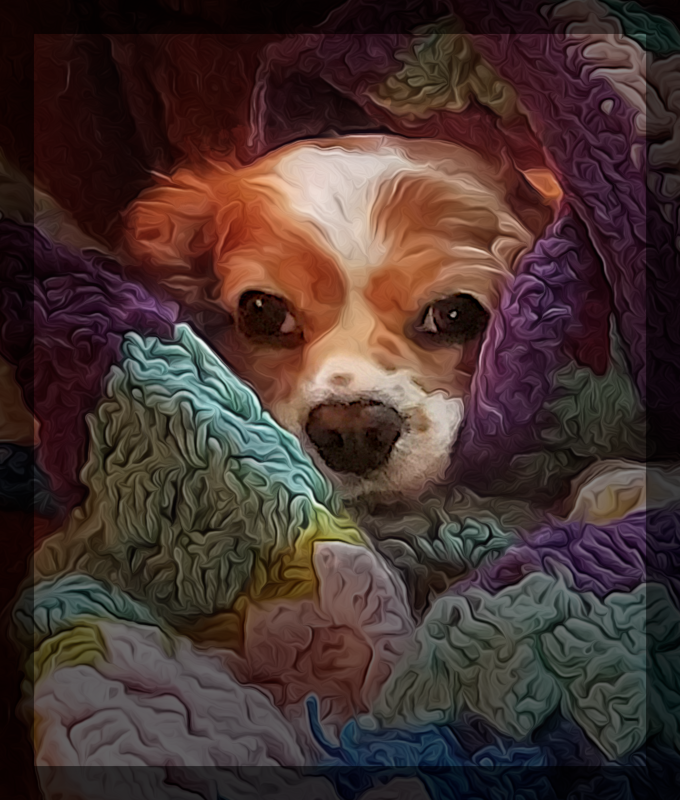
"Warm Puppy"
This dog is Rex. He belongs to a neighbor of mine, Terri.
She took the picture after making this throw and he just got himself comfy.
He's a Cavalier King Charles Spaniel and is the sweetest dog in the world.

Image

_________________
Image


Last edited by Peter on Sun Feb 24, 2019 1:11 pm, edited 2 times in total.

Top
Post new topic Reply to topic  [ 75 posts ]  Go to page Previous  1, 2, 3, 4  Next

All times are UTC - 5 hours [ DST ]


* Login  


Powered by phpBB3 © phpBB Group