It is currently Wed Sep 30, 2026 6:36 pm


All times are UTC - 5 hours [ DST ]


Post new topic Reply to topic  [ 21 posts ]  Go to page 1, 2  Next
Author Message
 Post subject: ShapeX
PostPosted: Wed Oct 17, 2018 2:08 pm  (#1) 
Offline
GimpChat Member
User avatar

Joined: Sep 24, 2010
Posts: 12849
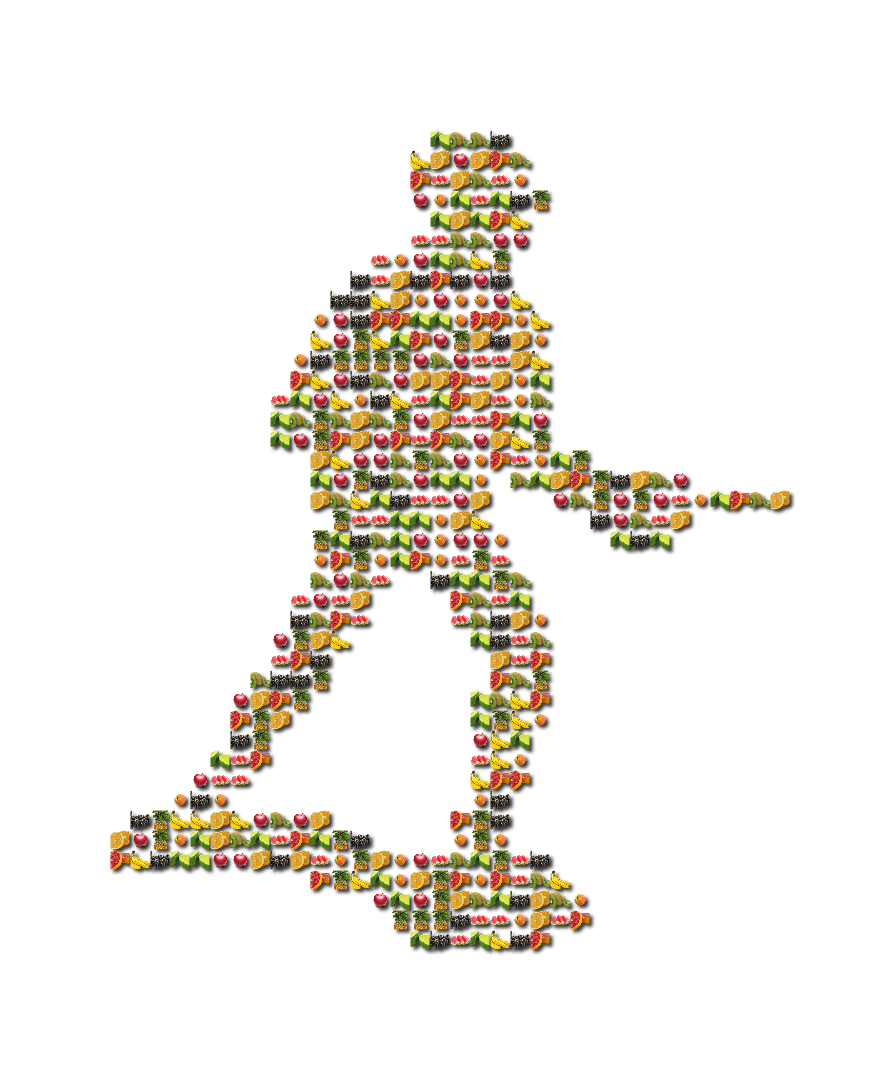
Literally ran across this open source program today at Source Forge. I use to have a similar program many years ago (and 2 PCs ago; lol). This one's much more powerful and, as you can see here, can work with images with transparent backgrounds; not use photos (photo collage). I used images that I purchased for PicPak a few years back for this result, but the images you use can be any that you like.

I call this result Running Fish by the way. lol

:)

https://www.flickr.com/photos/34520999@ ... 4/sizes/o/

Image

_________________
Lyle

Psalm 109:8

Image


Share on Facebook Share on Twitter Share on Orkut Share on Digg Share on MySpace Share on Delicious Share on Technorati
Top
 Post subject: Re: ShapeX
PostPosted: Wed Oct 17, 2018 7:22 pm  (#2) 
Offline
GimpChat Member
User avatar

Joined: Apr 15, 2017
Posts: 1837
Pretty sure you can get the same effect in Gimp using a layer mask. No need for external program for something this simple.


Top
 Post subject: Re: ShapeX
PostPosted: Wed Oct 17, 2018 10:22 pm  (#3) 
Offline
GimpChat Member
User avatar

Joined: Sep 24, 2010
Posts: 12849
Look forward to seeing your try, racer-x. There Was a Scriptu-fu many years (maybe even a decade) ago that came quite close, but wasn't perfect. Forgot the same of that script-fu as well. Anyway, still, this program's pretty cool. Even better that it's open source. :)

_________________
Lyle

Psalm 109:8

Image


Top
 Post subject: Re: ShapeX
PostPosted: Wed Oct 17, 2018 10:46 pm  (#4) 
Offline
GimpChat Member
User avatar

Joined: Sep 24, 2010
Posts: 12849
Thought I would run the cards too. lol

Yes; still having fun with my new toy so shoot me. lol

:)

https://www.flickr.com/photos/34520999@ ... 2/sizes/o/

Image

_________________
Lyle

Psalm 109:8

Image


Top
 Post subject: Re: ShapeX
PostPosted: Wed Oct 17, 2018 11:16 pm  (#5) 
Offline
GimpChat Member
User avatar

Joined: Sep 24, 2010
Posts: 12849
My toy packs too. :)


Attachments:
Flag_Billiards.png
Flag_Billiards.png [ 2.28 MiB | Viewed 8649 times ]

_________________
Lyle

Psalm 109:8

Image
Top
 Post subject: Re: ShapeX
PostPosted: Thu Oct 18, 2018 12:04 am  (#6) 
Offline
GimpChat Member

Joined: May 12, 2015
Posts: 4693
If it makes you happy, Lyle I am all for it!


Top
 Post subject: Re: ShapeX
PostPosted: Thu Oct 18, 2018 12:30 am  (#7) 
Offline
GimpChat Member
User avatar

Joined: Sep 24, 2010
Posts: 12849
Except, at a closer look, packed ain't what I thought it was, but overall, it does make me happy, Pat. New toys do that for me. lol

_________________
Lyle

Psalm 109:8

Image


Top
 Post subject: Re: ShapeX
PostPosted: Sun Oct 21, 2018 5:40 pm  (#8) 
Offline
GimpChat Member
User avatar

Joined: Apr 15, 2017
Posts: 1837
Finally got around to doing this (I was bored really) and used Wallace's balloons brush. Also added a LayerFX Drop Shadow.

Attachment:
test.jpg
test.jpg [ 323.09 KiB | Viewed 8587 times ]


Top
 Post subject: Re: ShapeX
PostPosted: Sun Oct 21, 2018 8:53 pm  (#9) 
Offline
Administrator
User avatar

Joined: Aug 10, 2012
Posts: 14220
Location: Native to NYC living in Arizona, Gimp 2.8 - 3.0, Win 11 PC.
racer-x wrote:
Finally got around to doing this (I was bored really) and used Wallace's balloons brush. Also added a LayerFX Drop Shadow.

Attachment:
test.jpg

:coolthup

_________________
Image
"A wise man learns more from a foolish question than a fool can learn from a wise answer"
Image


Top
 Post subject: Re: ShapeX
PostPosted: Sun Oct 21, 2018 10:15 pm  (#10) 
Offline
GimpChat Member
User avatar

Joined: Sep 24, 2010
Posts: 12849
Looks like one partying cat, racer-x. lol

:)

_________________
Lyle

Psalm 109:8

Image


Top
 Post subject: Re: ShapeX
PostPosted: Sun Oct 21, 2018 10:24 pm  (#11) 
Offline
Administrator
User avatar

Joined: Aug 10, 2012
Posts: 14220
Location: Native to NYC living in Arizona, Gimp 2.8 - 3.0, Win 11 PC.
lylejk wrote:
Looks like one partying cat, racer-x. lol

:)

I like the images you made too Lyle.
:bigthup

_________________
Image
"A wise man learns more from a foolish question than a fool can learn from a wise answer"
Image


Top
 Post subject: Re: ShapeX
PostPosted: Mon Oct 22, 2018 5:16 am  (#12) 
Offline
GimpChat Member
User avatar

Joined: Sep 24, 2010
Posts: 12849
Thanks, Wallace. :)


Attachments:
smiley_gem.png
smiley_gem.png [ 2.07 MiB | Viewed 6418 times ]

_________________
Lyle

Psalm 109:8

Image
Top
 Post subject: Re: ShapeX
PostPosted: Mon Oct 22, 2018 7:57 am  (#13) 
Offline
GimpChat Member
User avatar

Joined: Mar 01, 2014
Posts: 14198
Location: Spain, Aragón
Yes, I like them, too. The cat is very nice, racer. How did you do the hair like that?

_________________
Image

Gimp 2.10.36 (samj) portable _ OS Windows 10 Home_ 64bits
Don’t be afraid to start over. It’s a new chance to rebuild what you want.


Top
 Post subject: Re: ShapeX
PostPosted: Mon Oct 22, 2018 12:09 pm  (#14) 
Offline
GimpChat Member

Joined: May 12, 2015
Posts: 4693
I really like cats, Racer-X, and that is a whole new Breed!


Top
 Post subject: Re: ShapeX
PostPosted: Mon Oct 22, 2018 4:37 pm  (#15) 
Offline
GimpChat Member
User avatar

Joined: Apr 15, 2017
Posts: 1837
Thanks, I used a cat silhouette from here: https://www.google.com/search?q=cat+sil ... 78&bih=931.

I copied and pasted it in a layer mask.


Top
 Post subject: Re: ShapeX
PostPosted: Fri Mar 15, 2019 4:32 pm  (#16) 
Offline
Global Moderator
User avatar

Joined: May 16, 2010
Posts: 16175
Cool stuff lyle. Thanks. :)

Image


Top
 Post subject: Re: ShapeX
PostPosted: Fri Mar 15, 2019 4:46 pm  (#17) 
Offline
GimpChat Member
User avatar

Joined: Nov 04, 2015
Posts: 1477
I like that Rod. I think it's a better outcome not to overdo the objects that make the new object.
'Less is more' LoL :hehe


Top
 Post subject: Re: ShapeX
PostPosted: Sat Mar 16, 2019 11:09 am  (#18) 
Offline
GimpChat Member

Joined: May 12, 2015
Posts: 4693
How did you install ShapeX program. The .exe goes in plug-ins, but where does the .shx for masks go? I am not familiar with that extension. Do the png files go in patterns or is everything kept together?


Top
 Post subject: Re: ShapeX
PostPosted: Sun Mar 17, 2019 10:02 am  (#19) 
Offline
Global Moderator
User avatar

Joined: Apr 01, 2012
Posts: 8473
Location: On the other side of your screen
Looks like a stand-alone program Pat

Image

_________________
Image
Free Fun Photo Editing & resources
Poems from the Lord
Gimp Newby
Gimp version 3.2.4 and GMIC-Qt 4.0.2 OS :- Windows 10 Home 64


Top
 Post subject: Re: ShapeX
PostPosted: Sun Mar 17, 2019 1:15 pm  (#20) 
Offline
GimpChat Member

Joined: May 12, 2015
Posts: 4693
OK. Thanks Sallyanne, that makes sense.


Top
Post new topic Reply to topic  [ 21 posts ]  Go to page 1, 2  Next

All times are UTC - 5 hours [ DST ]


* Login  


Powered by phpBB3 © phpBB Group