It is currently Thu Aug 06, 2026 2:01 am


All times are UTC - 5 hours [ DST ]


Post new topic Reply to topic  [ 620 posts ]  Go to page Previous  1 ... 27, 28, 29, 30, 31  Next
Author Message
 Post subject: Re: Environment Map Sharing Thread (Spherical) Bevel Reflect
PostPosted: Mon Aug 17, 2020 6:44 am  (#581) 
Offline
Global Moderator
User avatar

Joined: Apr 01, 2012
Posts: 8448
Location: On the other side of your screen
Looking through the first few pages of this thread I did not find any single colour emaps (spherical) EDIT: I see he4rty did some solid colour ones
Here are 38 single colour ones.
Attachment:
38 single colour emaps spherical.png

_________________
Image
Free Fun Photo Editing & resources
Poems from the Lord
Gimp Newby
Gimp version 3.2.4 and GMIC-Qt 4.0.2 OS :- Windows 10 Home 64


Top
 Post subject: Re: Environment Map Sharing Thread (Spherical) Bevel Reflect
PostPosted: Mon Aug 17, 2020 8:09 am  (#582) 
Offline
GimpChat Member
User avatar

Joined: Apr 15, 2017
Posts: 1837
I just use one solid color (example red), then after completion use "Hue Saturation" adjustments to get what I want .


Top
 Post subject: Re: Environment Map Sharing Thread (Spherical) Bevel Reflect
PostPosted: Mon Aug 17, 2020 8:18 am  (#583) 
Offline
Global Moderator
User avatar

Joined: Apr 01, 2012
Posts: 8448
Location: On the other side of your screen
That is a good way if you don't want to clutter up your computer.

_________________
Image
Free Fun Photo Editing & resources
Poems from the Lord
Gimp Newby
Gimp version 3.2.4 and GMIC-Qt 4.0.2 OS :- Windows 10 Home 64


Top
 Post subject: Re: Environment Map Sharing Thread (Spherical) Bevel Reflect
PostPosted: Mon Aug 17, 2020 11:03 am  (#584) 
Offline
GimpChat Member
User avatar

Joined: Mar 01, 2014
Posts: 14109
Location: Spain, Aragón
Sallyanne, thanks for your set the solid colours. I learnt from someone (sorry I don't remember who) here in the forum that one doesn't need to have many maps for solid colours. I keep this only one file for all of them. As racer says, then you can play with hue saturation or color curves etc to give your personal touch.
This is my treasure for solid maps. :hehe


Attachments:
Solid Colour Map only fill the colour.zip [161.41 KiB]
Downloaded 336 times

_________________
Image

Gimp 2.10.30(samj) portable _ OS Windows 10 Home_ 64bits
Don’t be afraid to start over. It’s a new chance to rebuild what you want.
Top
 Post subject: Re: Environment Map Sharing Thread (Spherical) Bevel Reflect
PostPosted: Tue Aug 18, 2020 2:10 am  (#585) 
Offline
GimpChat Member

Joined: Apr 09, 2018
Posts: 1888
Location: France
:wvy
Thank you, Sallyanne and Issabella.

_________________
Les parfums, les couleurs et les sons se répondent.Baudelaire (Les fleurs du mal)
2.10.36/(Samj) Gimp 2.10.38 OS Windows 10 Home 64 bits


Top
 Post subject: Re: Environment Map Sharing Thread (Spherical) Bevel Reflect
PostPosted: Tue Aug 18, 2020 4:06 am  (#586) 
Offline
GimpChat Member

Joined: Apr 09, 2018
Posts: 1888
Location: France
Issabella, your xcf file is cool. :)
Image
And then modified with Curves:
Image

_________________
Les parfums, les couleurs et les sons se répondent.Baudelaire (Les fleurs du mal)
2.10.36/(Samj) Gimp 2.10.38 OS Windows 10 Home 64 bits


Top
 Post subject: Re: Environment Map Sharing Thread (Spherical) Bevel Reflect
PostPosted: Tue Aug 18, 2020 11:23 am  (#587) 
Offline
GimpChat Member
User avatar

Joined: Mar 01, 2014
Posts: 14109
Location: Spain, Aragón
Thanks! keep the file! ;)

_________________
Image

Gimp 2.10.30(samj) portable _ OS Windows 10 Home_ 64bits
Don’t be afraid to start over. It’s a new chance to rebuild what you want.


Top
 Post subject: Re: Environment Map Sharing Thread (Spherical) Bevel Reflect
PostPosted: Wed Aug 19, 2020 10:43 pm  (#588) 
Offline
GimpChat Member

Joined: May 12, 2015
Posts: 4693
Sallyanne and Issabella, thank you for sharing. Also thanks to Racer X for his tip on using Hue Saturation. I use it for many things but never thought of using it for emaps.


Top
 Post subject: Re: Environment Map Sharing Thread (Spherical) Bevel Reflect
PostPosted: Thu Sep 03, 2020 7:41 am  (#589) 
Offline
Global Moderator
User avatar

Joined: Apr 01, 2012
Posts: 8448
Location: On the other side of your screen
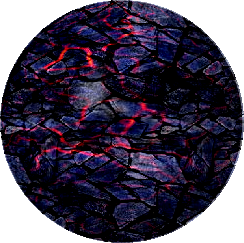
Yesterday I was overlaying patterns onto patterns and thought "why not make a square and then a ball in map to use as a Spherical topographical map.
Well the results are interesting but don't do the same job as intended. Thought I would share the map anyhow
Map Image
Results
Image

_________________
Image
Free Fun Photo Editing & resources
Poems from the Lord
Gimp Newby
Gimp version 3.2.4 and GMIC-Qt 4.0.2 OS :- Windows 10 Home 64


Top
 Post subject: Re: Environment Map Sharing Thread (Spherical) Bevel Reflect
PostPosted: Fri Sep 04, 2020 1:29 am  (#590) 
Offline
GimpChat Member
User avatar

Joined: Mar 01, 2014
Posts: 14109
Location: Spain, Aragón
Thanks Sallyanne, it's nice your last Map.
I want to share one, I got just from an insect. It's so bright that I named it like that. ;)


Attachments:
bright insect.jpg
bright insect.jpg [ 142.9 KiB | Viewed 23474 times ]
bright insect Issa.png
bright insect Issa.png [ 161.76 KiB | Viewed 23474 times ]

_________________
Image

Gimp 2.10.30(samj) portable _ OS Windows 10 Home_ 64bits
Don’t be afraid to start over. It’s a new chance to rebuild what you want.
Top
 Post subject: Re: Environment Map Sharing Thread (Spherical) Bevel Reflect
PostPosted: Fri Sep 04, 2020 9:14 am  (#591) 
Offline
Global Moderator
User avatar

Joined: Apr 01, 2012
Posts: 8448
Location: On the other side of your screen
Image

_________________
Image
Free Fun Photo Editing & resources
Poems from the Lord
Gimp Newby
Gimp version 3.2.4 and GMIC-Qt 4.0.2 OS :- Windows 10 Home 64


Top
 Post subject: Re: Environment Map Sharing Thread (Spherical) Bevel Reflect
PostPosted: Fri Sep 04, 2020 9:35 pm  (#592) 
Offline
GimpChat Member
User avatar

Joined: Jun 02, 2013
Posts: 2090
Damascus steel. Click for resize:

Image

_________________
Image


Top
 Post subject: Re: Environment Map Sharing Thread (Spherical) Bevel Reflect
PostPosted: Fri Sep 04, 2020 10:15 pm  (#593) 
Offline
Global Moderator
User avatar

Joined: Apr 01, 2012
Posts: 8448
Location: On the other side of your screen
:coolthup The Warrior, I have that map. Should use it sometime.
By the way I like you font. What is it called?

_________________
Image
Free Fun Photo Editing & resources
Poems from the Lord
Gimp Newby
Gimp version 3.2.4 and GMIC-Qt 4.0.2 OS :- Windows 10 Home 64


Top
 Post subject: Re: Environment Map Sharing Thread (Spherical) Bevel Reflect
PostPosted: Fri Sep 04, 2020 11:03 pm  (#594) 
Offline
GimpChat Member
User avatar

Joined: Jul 06, 2013
Posts: 2662
Location: California
How are E-maps made, how can they be used, and what can be used with them?


Top
 Post subject: Re: Environment Map Sharing Thread (Spherical) Bevel Reflect
PostPosted: Fri Sep 04, 2020 11:39 pm  (#595) 
Offline
Global Moderator
User avatar

Joined: Oct 02, 2014
Posts: 5012
Location: Sydney Australia
mackenzieh - E-maps feature strongly as part of the toolkit in the Bevel Reflect Logo filter. They may be used elsewhere but BRL is my only use of them. They provide varying colour/gradient/texture effects and I have glass, wood, metal and many other material e-maps for my BRL activities, one of course being my 'clear glass' type images.

E-maps are spheres and are made, typically using Filters>Map>Map Object with the 'Sphere' parameter option set. Other filters/plug-ins can also make spherical images for you.

The resulting sphere is saved in your preferred folder as an image and called up into BRL as a user selected parameter at run time. When saving the e-map sphere you have an option of doing so with the image 'cropped to content' or you can leave some level of transparency around it, in which case in the BRL outcome, not all of the selected area will be filled by the filter.

Use BRL regularly with a variety of e-maps and your experience/knowledge will grow quickly with the results you achieve.

_________________
Image

Respect should be offered freely but hard earned


Top
 Post subject: Re: Environment Map Sharing Thread (Spherical) Bevel Reflect
PostPosted: Sat Sep 05, 2020 12:59 am  (#596) 
Offline
Global Moderator
User avatar

Joined: Apr 01, 2012
Posts: 8448
Location: On the other side of your screen
There are also square emaps which need to have a pixel transparent if used for BRL. - I don't know the difference between spherical and square though. Apparently you can make square ones for the lighting effects filter (when you enable environment map) but transparency is not to be used for these. I think GnuTux has something in this thread about them. Post # 18

_________________
Image
Free Fun Photo Editing & resources
Poems from the Lord
Gimp Newby
Gimp version 3.2.4 and GMIC-Qt 4.0.2 OS :- Windows 10 Home 64


Top
 Post subject: Re: Environment Map Sharing Thread (Spherical) Bevel Reflect
PostPosted: Sat Sep 05, 2020 1:13 am  (#597) 
Offline
GimpChat Member
User avatar

Joined: Jul 06, 2013
Posts: 2662
Location: California
oldmangrumpy wrote:
mackenzieh - E-maps feature strongly as part of the toolkit in the Bevel Reflect Logo filter. They may be used elsewhere but BRL is my only use of them. They provide varying colour/gradient/texture effects and I have glass, wood, metal and many other material e-maps for my BRL activities, one of course being my 'clear glass' type images.

E-maps are spheres and are made, typically using Filters>Map>Map Object with the 'Sphere' parameter option set. Other filters/plug-ins can also make spherical images for you.

The resulting sphere is saved in your preferred folder as an image and called up into BRL as a user selected parameter at run time. When saving the e-map sphere you have an option of doing so with the image 'cropped to content' or you can leave some level of transparency around it, in which case in the BRL outcome, not all of the selected area will be filled by the filter.

Use BRL regularly with a variety of e-maps and your experience/knowledge will grow quickly with the results you achieve.


Thanks for the explanation Sallyanne! :) It helped.


Top
 Post subject: Re: Environment Map Sharing Thread (Spherical) Bevel Reflect
PostPosted: Sat Sep 05, 2020 1:14 am  (#598) 
Offline
GimpChat Member
User avatar

Joined: Jul 06, 2013
Posts: 2662
Location: California
sallyanne wrote:
There are also square emaps which need to have a pixel transparent if used for BRL. - I don't know the difference between spherical and square though. Apparently you can make square ones for the lighting effects filter (when you enable environment map) but transparency is not to be used for these. I think GnuTux has something in this thread about them. Post # 18


Oh, okay. I'll check it out. :) Thanks for explaining it. :)


Top
 Post subject: Re: Environment Map Sharing Thread (Spherical) Bevel Reflect
PostPosted: Sat Sep 05, 2020 1:57 am  (#599) 
Offline
Global Moderator
User avatar

Joined: Apr 01, 2012
Posts: 8448
Location: On the other side of your screen
mackenzieh wrote:
sallyanne wrote:
There are also square emaps which need to have a pixel transparent if used for BRL. - I don't know the difference between spherical and square though. Apparently you can make square ones for the lighting effects filter (when you enable environment map) but transparency is not to be used for these. I think GnuTux has something in this thread about them. Post # 18


Oh, okay. I'll check it out. :) Thanks for explaining it. :)


;) I think you meant to thank OMG firstly

Thankyou for thanking me, :) Your welcome makenzieh however I have a conumdrum
I have never tried the environment maps out before in the lighting filter and it is doing my head in, can't make head nor tails of it. If anyone knows the steps can they let us know please

_________________
Image
Free Fun Photo Editing & resources
Poems from the Lord
Gimp Newby
Gimp version 3.2.4 and GMIC-Qt 4.0.2 OS :- Windows 10 Home 64


Top
 Post subject: Re: Environment Map Sharing Thread (Spherical) Bevel Reflect
PostPosted: Sat Sep 05, 2020 2:37 am  (#600) 
Offline
Global Moderator
User avatar

Joined: Oct 02, 2014
Posts: 5012
Location: Sydney Australia
Sallyanne - in my experience the 'lighting effects' filter only needs an image, typically a Background layer, which it uses to process internally as an environment map. I do not believe that it requires a similar spherical e-map as does BRL - happy to be advised I am wrong here though.

My usage of the 'lighting effects' filter has given me some issues when processing - seems to want to only use a Background image layer that was present in the various open images when it was loaded. Under those circumstances I have modified that layer by filling with a 'pattern' to achieve changes in colour/shading.

_________________
Image

Respect should be offered freely but hard earned


Top
Post new topic Reply to topic  [ 620 posts ]  Go to page Previous  1 ... 27, 28, 29, 30, 31  Next

All times are UTC - 5 hours [ DST ]


* Login  


Powered by phpBB3 © phpBB Group