It is currently Fri Sep 04, 2026 2:53 pm


All times are UTC - 5 hours [ DST ]


Post new topic Reply to topic  [ 16 posts ] 
Author Message
 Post subject: Create Oreo cookie text plugin
PostPosted: Tue Mar 09, 2021 11:38 pm  (#1) 
Here I go again. This is a request from Issabella. Thank you Issa, I had a good time making writing this plugin! :bigthup

Image


Attachments:
create_oreo_cookie_text.zip [135.44 KiB]
Downloaded 153 times


Last edited by Pocholo on Wed Mar 10, 2021 1:52 am, edited 1 time in total.
Share on Facebook Share on Twitter Share on Orkut Share on Digg Share on MySpace Share on Delicious Share on Technorati
Top
 Post subject: Re: Create Oreo cookie text plugin
PostPosted: Wed Mar 10, 2021 1:19 am  (#2) 
Offline
GimpChat Member
User avatar

Joined: Mar 01, 2014
Posts: 14168
Location: Spain, Aragón
I have a problem at this point. Sorry

_________________
Image

Gimp 2.10.30(samj) portable _ OS Windows 10 Home_ 64bits
Don’t be afraid to start over. It’s a new chance to rebuild what you want.


Top
 Post subject: Re: Create Oreo cookie text plugin
PostPosted: Wed Mar 10, 2021 1:32 am  (#3) 
Offline
GimpChat Member
User avatar

Joined: Jul 06, 2013
Posts: 2662
Location: California
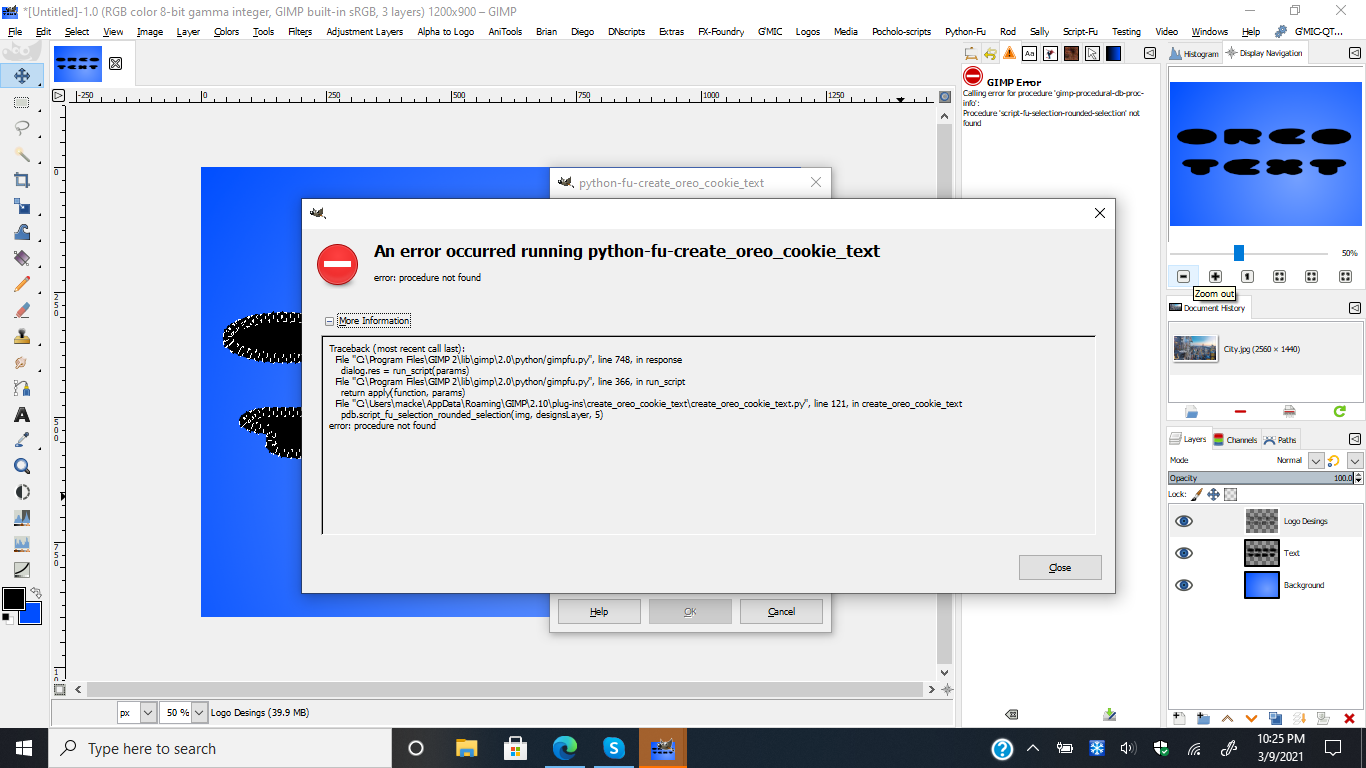
Pocholo, I received the same error as Issabella:
Image


Top
 Post subject: Re: Create Oreo cookie text plugin
PostPosted: Wed Mar 10, 2021 1:56 am  (#4) 
Thank you for the feedback, Issabella and Mackenzie. A script was missing in the folder. I thought the script "selection rounded selection" was a default script from GIMP. I included it in the the Original folder zip.


Top
 Post subject: Re: Create Oreo cookie text plugin
PostPosted: Wed Mar 10, 2021 3:44 am  (#5) 
Offline
GimpChat Member
User avatar

Joined: Mar 01, 2014
Posts: 14168
Location: Spain, Aragón
Thank you Pocholo. This one is working great.
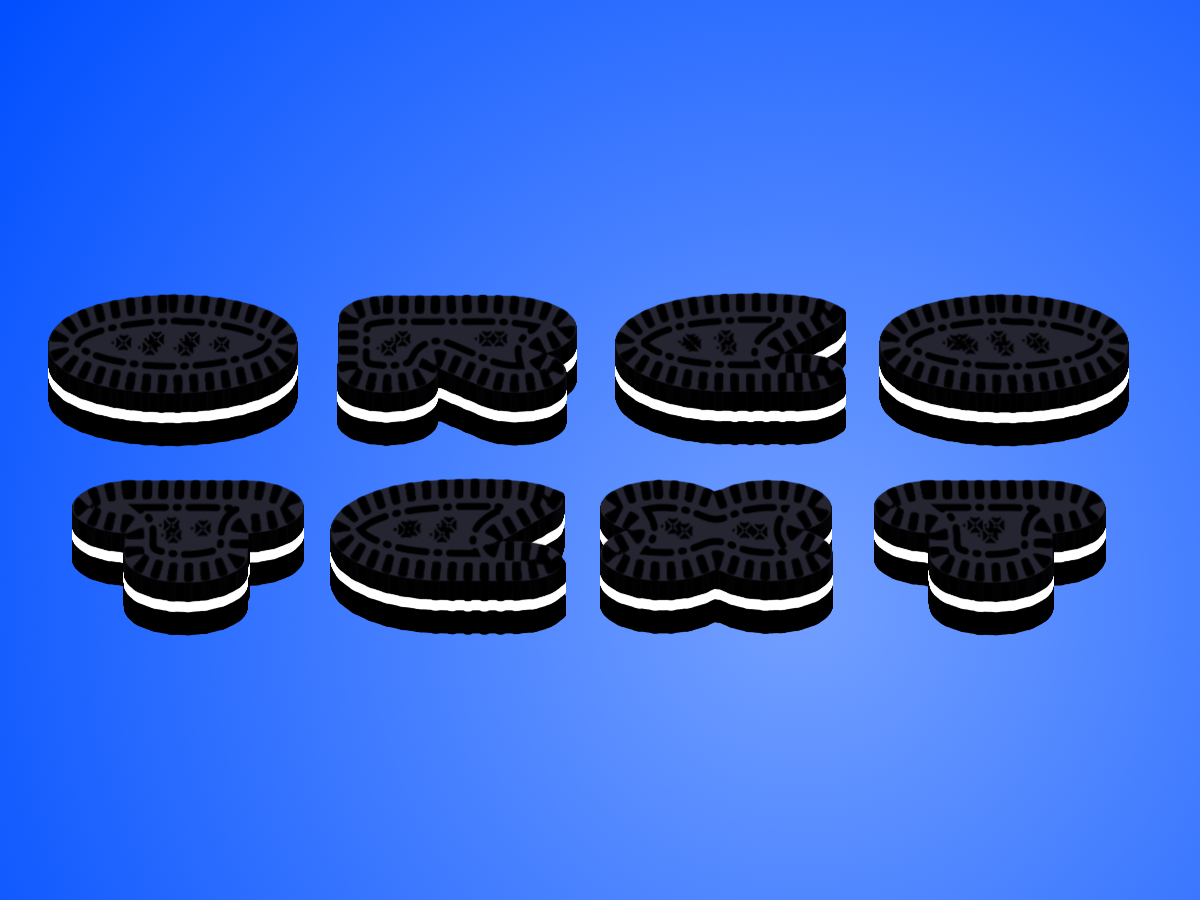
Only a request if possible: Layer T needs correction to be visible the nice decoration. I used curves.
Thanks again. :clap :tyspin


Attachments:
Oreo Cookie_Pocholo.jpg
Oreo Cookie_Pocholo.jpg [ 118.13 KiB | Viewed 3785 times ]

_________________
Image

Gimp 2.10.30(samj) portable _ OS Windows 10 Home_ 64bits
Don’t be afraid to start over. It’s a new chance to rebuild what you want.
Top
 Post subject: Re: Create Oreo cookie text plugin
PostPosted: Wed Mar 10, 2021 10:36 am  (#6) 
Issabella wrote:
Thank you Pocholo. This one is working great.
Only a request if possible: Layer T needs correction to be visible the nice decoration. I used curves.
Thanks again. :clap :tyspin


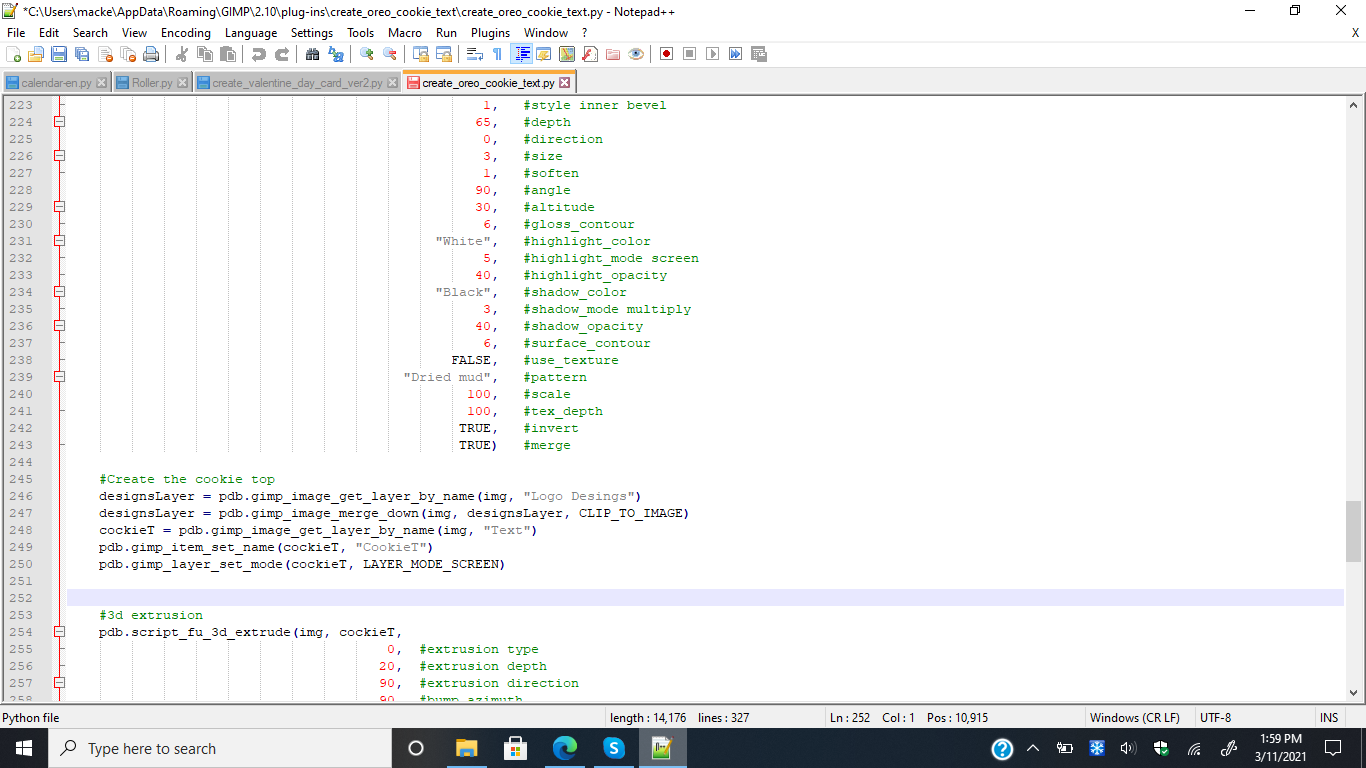
OK, thanks. You can also fix it by changing the Layer's Mode to the T layer to "Screen". if you have Notepad or Notepad++ you can add this line; Copy this line and pasted after line 249.
pdb.gimp_layer_set_mode(cockieT, LAYER_MODE_SCREEN)


Top
 Post subject: Re: Create Oreo cookie text plugin
PostPosted: Wed Mar 10, 2021 12:53 pm  (#7) 
Offline
GimpChat Member
User avatar

Joined: Mar 01, 2014
Posts: 14168
Location: Spain, Aragón
Thanks for the help, it has worked correctly. :clap


Attachments:
Oreo_Texto_Issa.JPG
Oreo_Texto_Issa.JPG [ 113.42 KiB | Viewed 3725 times ]

_________________
Image

Gimp 2.10.30(samj) portable _ OS Windows 10 Home_ 64bits
Don’t be afraid to start over. It’s a new chance to rebuild what you want.
Top
 Post subject: Re: Create Oreo cookie text plugin
PostPosted: Thu Mar 11, 2021 9:29 am  (#8) 
I'm glad you like it Issabella, and solved the problem. :hi5


Top
 Post subject: Re: Create Oreo cookie text plugin
PostPosted: Thu Mar 11, 2021 3:12 pm  (#9) 
Offline
GimpChat Member
User avatar

Joined: Mar 01, 2014
Posts: 14168
Location: Spain, Aragón
:tyspin Thank you so much Pocholo.

_________________
Image

Gimp 2.10.30(samj) portable _ OS Windows 10 Home_ 64bits
Don’t be afraid to start over. It’s a new chance to rebuild what you want.


Top
 Post subject: Re: Create Oreo cookie text plugin
PostPosted: Thu Mar 11, 2021 4:57 pm  (#10) 
Offline
GimpChat Member
User avatar

Joined: Jul 06, 2013
Posts: 2662
Location: California
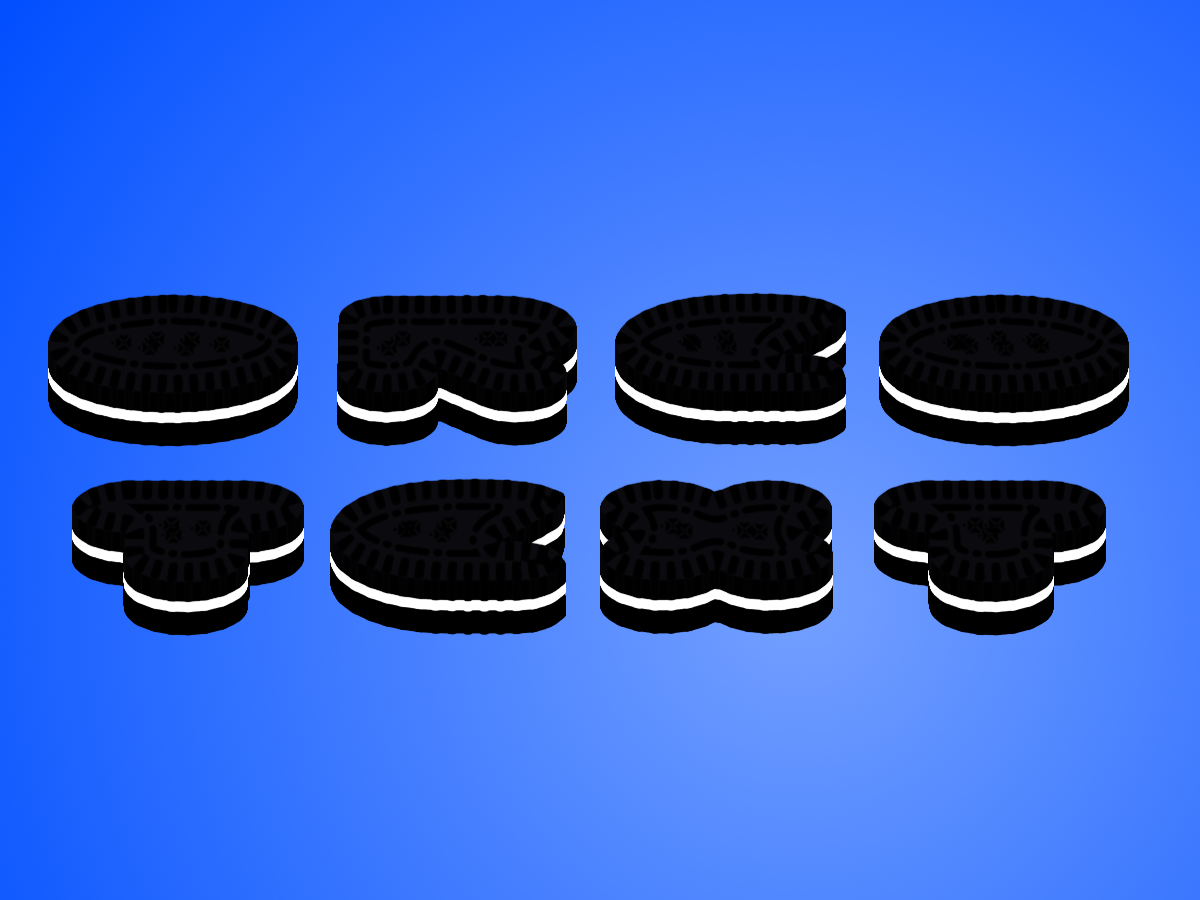
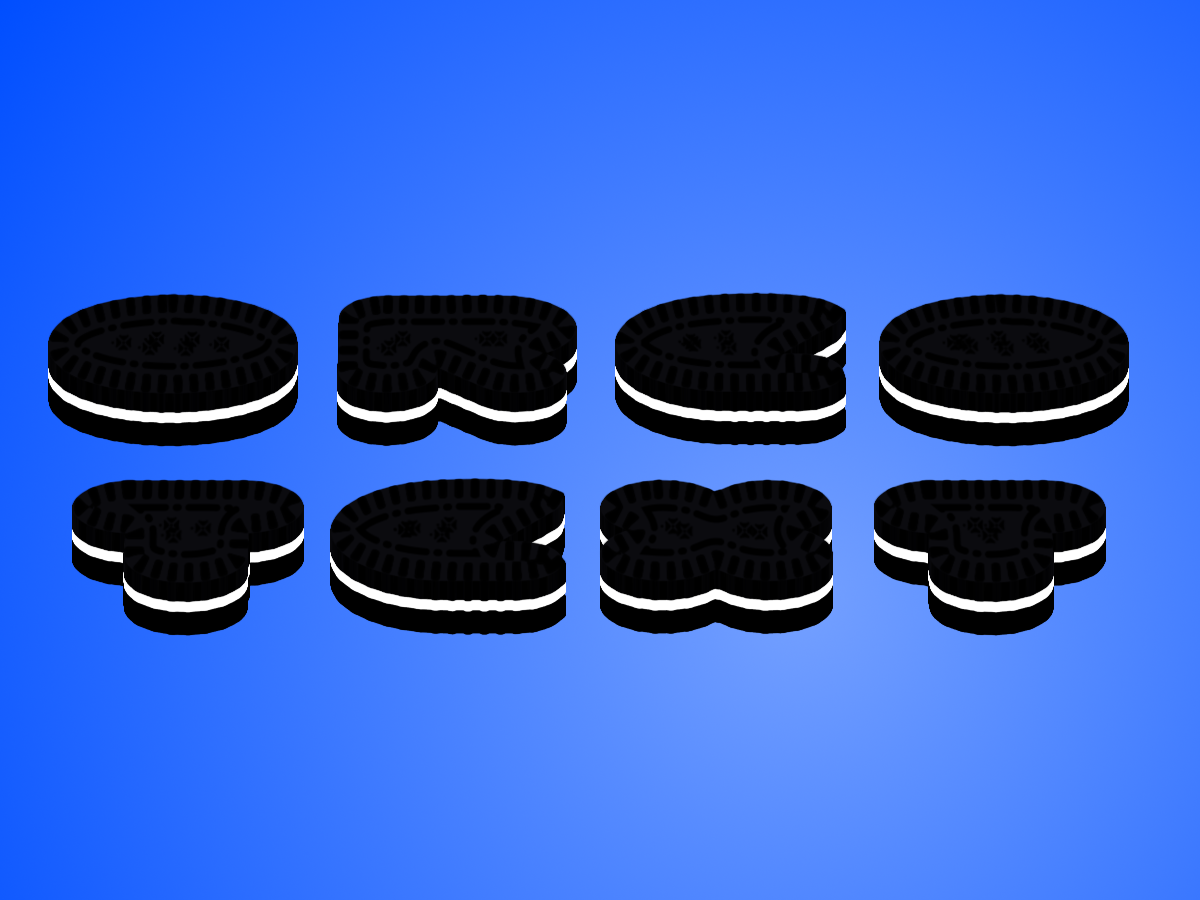
This is what I get when I run the plugin:
Image

I added the line in the plugin and it didn't do anything like what Issabella's out come turned out to be.

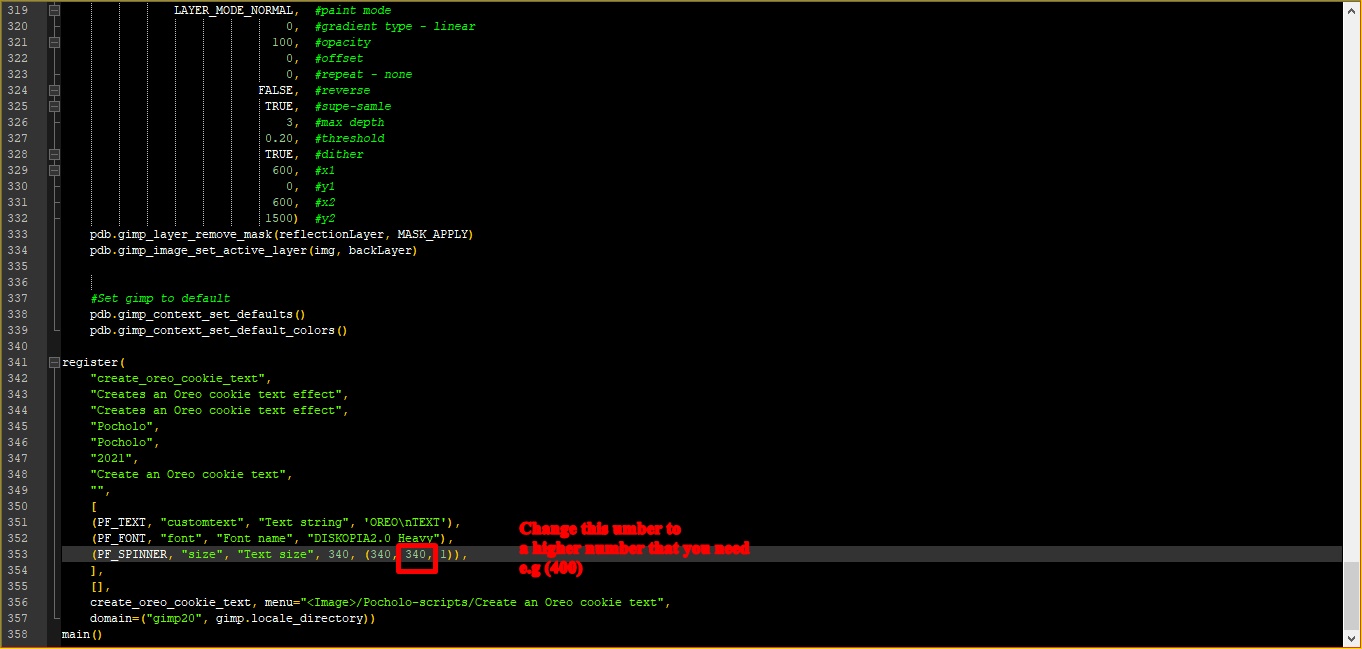
Here is the screenshot of the coding:
Image

Also, is it possible to have the options to flatten the image when it's done and make the font size larger when using a different font?


Last edited by mackenzieh on Thu Mar 11, 2021 5:50 pm, edited 1 time in total.

Top
 Post subject: Re: Create Oreo cookie text plugin
PostPosted: Thu Mar 11, 2021 5:39 pm  (#11) 
Hi Mackenzie, the added line work, I think is your PC screen. Every PC have a different way to project colors. Thake a look on this article to se if it help. https://www.qualitylogoproducts.com/pro ... colors.htm


Top
 Post subject: Re: Create Oreo cookie text plugin
PostPosted: Thu Mar 11, 2021 5:49 pm  (#12) 
mackenzieh wrote:
This is what I get when I run the plugin:
[ Image ]

I added the line in the plugin and it didn't do anything like what Issabella's out come turned out to be.

Here is the screenshot of the coding:
[ Image ]

Also, is it possible to have the options to flatten the image when it's done and ?make the font size larger when using a different font?


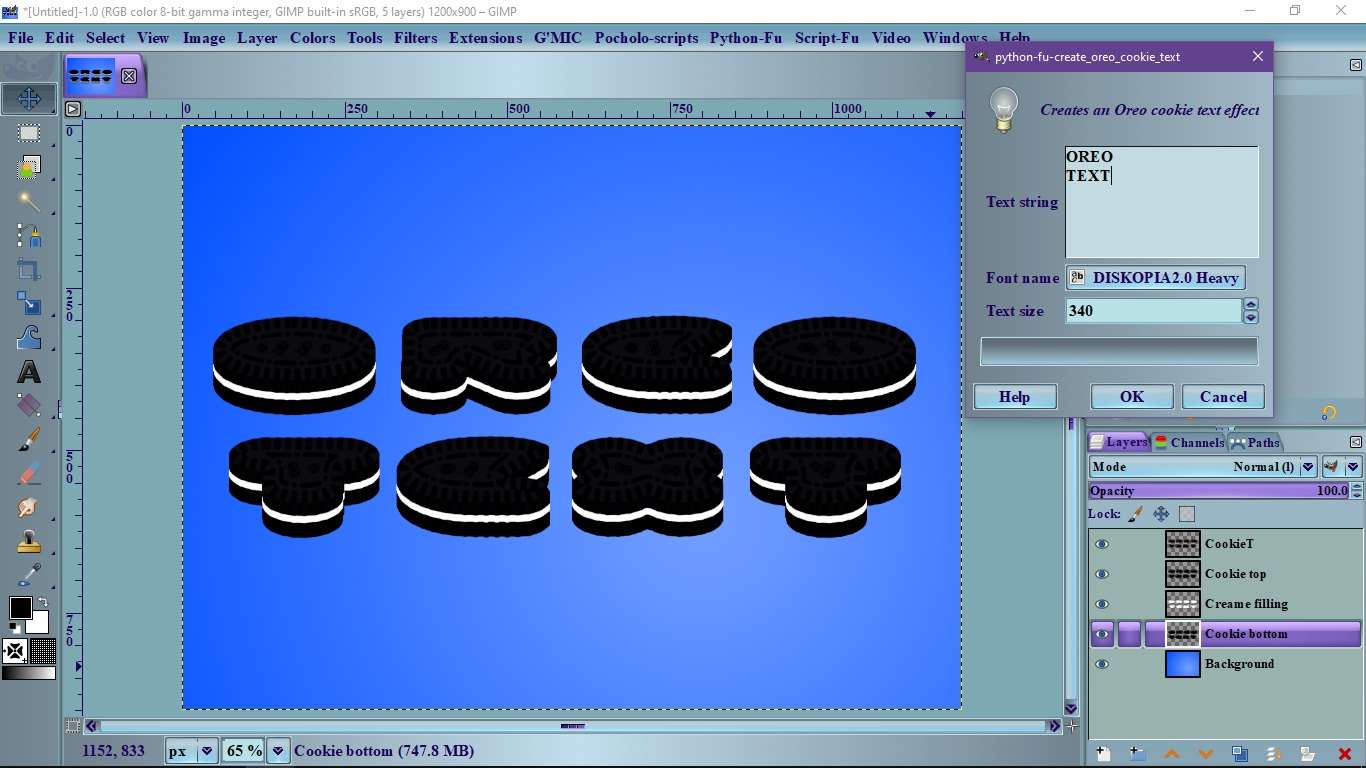
If you want to have a larger font just change the number marked in the params look at the image.

Image


Top
 Post subject: Re: Create Oreo cookie text plugin
PostPosted: Thu Mar 11, 2021 5:49 pm  (#13) 
Offline
GimpChat Member
User avatar

Joined: Jul 06, 2013
Posts: 2662
Location: California
Pocholo, it's not my PC screen. Even if I have the brightness turned up a little, what I see on my outcome isn't anything like Issabella's. Is there a way to place an option to flatten the layers?


Last edited by mackenzieh on Thu Mar 11, 2021 6:00 pm, edited 1 time in total.

Top
 Post subject: Re: Create Oreo cookie text plugin
PostPosted: Thu Mar 11, 2021 5:59 pm  (#14) 
I don't know what to tell you about the color. Ok, create a duplicate of the "Cookie T" Layer, to see if you like it like that.


Top
 Post subject: Re: Create Oreo cookie text plugin
PostPosted: Thu Mar 11, 2021 6:01 pm  (#15) 
Offline
GimpChat Member
User avatar

Joined: Jul 06, 2013
Posts: 2662
Location: California
Pocholo wrote:
I don't know what to tell you about the color. Ok, create a duplicate of the "Cookie T" Layer, to see if you like it like that.
I will try that. Thanks.


Top
 Post subject: Re: Create Oreo cookie text plugin
PostPosted: Thu Mar 11, 2021 6:09 pm  (#16) 
Offline
GimpChat Member
User avatar

Joined: Jul 06, 2013
Posts: 2662
Location: California
Pocholo,
I doubled the T layer and I still didn't get the outcome like Issabella did:
Image

Since Issabella mentioned that curves works to make the text stand out, what line in the code would curves be placed? Maybe that should be included. Also what line can be added to the plugin to have an option to flatten the image?

I also added curves to the T layer and duplicated it. Here is my outcome:
Image

I find it better.


Top
Post new topic Reply to topic  [ 16 posts ] 

All times are UTC - 5 hours [ DST ]


* Login  


Powered by phpBB3 © phpBB Group