It is currently Tue Sep 08, 2026 4:02 pm


All times are UTC - 5 hours [ DST ]


Post new topic Reply to topic  [ 6 posts ] 
Author Message
 Post subject: Create a Shape Cluster Photo Display plugin
PostPosted: Sun Apr 04, 2021 12:29 am  (#1) 
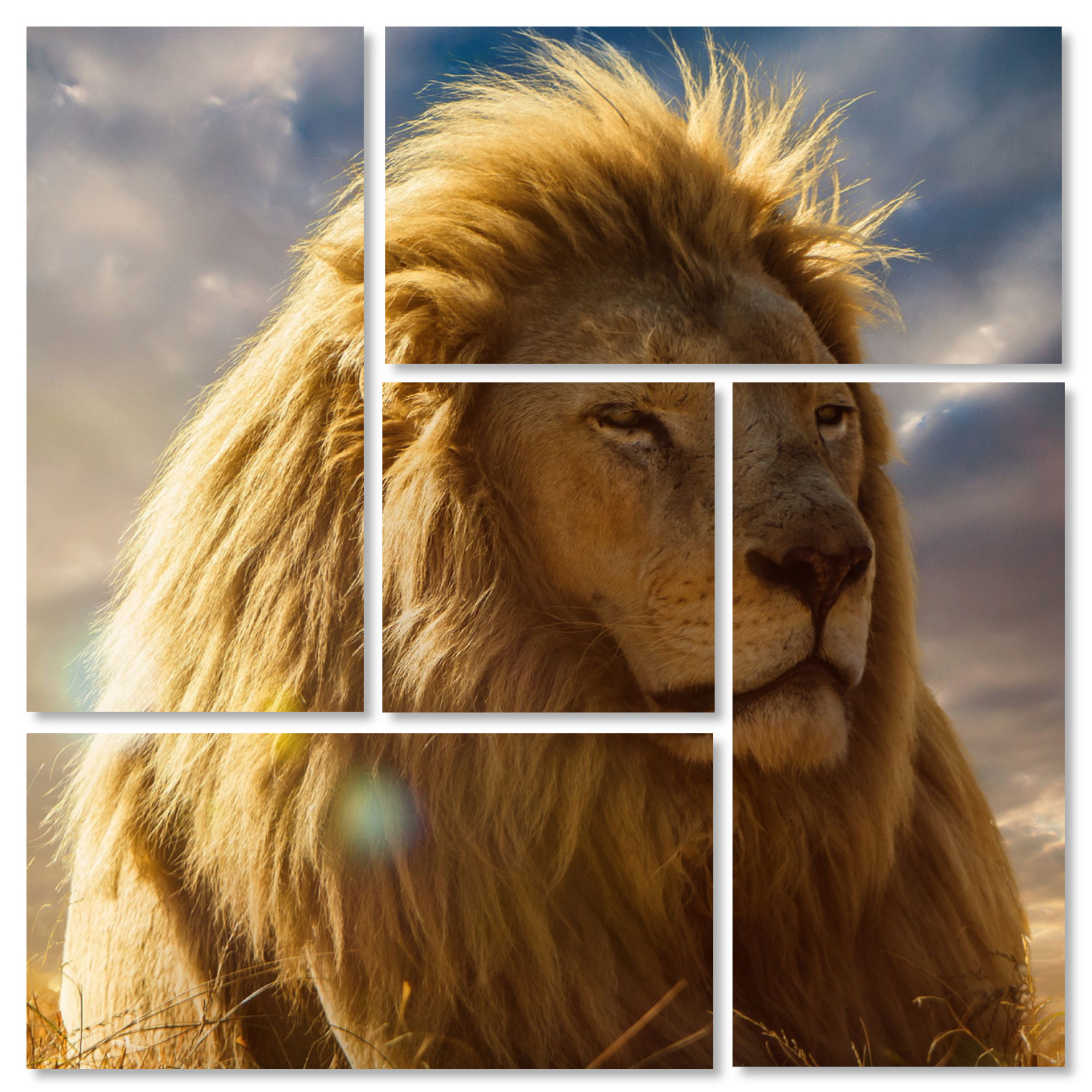
Hi Guys and Gals! This is a nice simple plugin inspire by a Photoshop tutorial found here: https://www.photoshopessentials.com/pho ... toshop-cc/
There was a tutorial done in GIMP back in 2011 from the gimpology web site that is no longer working.

**Photos by Caveman at: https://wallpapercave.com/lion-face-wallpaper

Image

So powerful, "The King"


Attachments:
pm_create_shape_cluster_display.zip [932.72 KiB]
Downloaded 269 times
Share on Facebook Share on Twitter Share on Orkut Share on Digg Share on MySpace Share on Delicious Share on Technorati
Top
 Post subject: Re: Create a Shape Cluster Photo Display plugin
PostPosted: Sun Apr 04, 2021 3:00 am  (#2) 
Offline
Global Moderator
User avatar

Joined: Apr 01, 2012
Posts: 8470
Location: On the other side of your screen
:coolthup , Pity the pictures can only be broken into squares/rectangles.

_________________
Image
Free Fun Photo Editing & resources
Poems from the Lord
Gimp Newby
Gimp version 3.2.4 and GMIC-Qt 4.0.2 OS :- Windows 10 Home 64


Top
 Post subject: Re: Create a Shape Cluster Photo Display plugin
PostPosted: Sun Apr 04, 2021 5:09 am  (#3) 
Offline
Script Coder
User avatar

Joined: Oct 25, 2010
Posts: 4812
sallyanne wrote:
:coolthup , Pity the pictures can only be broken into squares/rectangles.


Not a problem since it also only works only with a picture of specific dimensions ("You can have any colour, as long as it's black").

On the other hand, the script has some built-in magic since the start picture is a lion from the front and the result is a lion from the side :)

PS: The sides of the central square don't line up vertically with the side of the top/bottom strips and its bottom doesn't line up with the bottom of the left strip. Likely a consequence of using hard-coded values all over: when you use variables you are more likely to use the same value, and then the next level is to compute the values of these variables from the overall image size.

_________________
Image


Top
 Post subject: Re: Create a Shape Cluster Photo Display plugin
PostPosted: Sun Apr 04, 2021 4:10 pm  (#4) 
Offline
GimpChat Member
User avatar

Joined: Apr 15, 2017
Posts: 1837
I disabled line 133 to keep layers, then I applied bevel using layerFX to give a look of panels.

Attachment:
cluster-image.jpg
cluster-image.jpg [ 690.86 KiB | Viewed 6349 times ]


Last edited by racer-x on Sun Apr 04, 2021 4:13 pm, edited 1 time in total.

Top
 Post subject: Re: Create a Shape Cluster Photo Display plugin
PostPosted: Sun Apr 04, 2021 4:12 pm  (#5) 
Offline
GimpChat Member
User avatar

Joined: Apr 15, 2017
Posts: 1837
sallyanne wrote:
:coolthup , Pity the pictures can only be broken into squares/rectangles.

You can do it manually using paths with whatever shape you like.


Top
 Post subject: Re: Create a Shape Cluster Photo Display plugin
PostPosted: Sun Apr 04, 2021 7:01 pm  (#6) 
Thank you everyone, and thank you for the feedbacks! I want to let you know I will take your comments into consideration. :tyspin


Top
Post new topic Reply to topic  [ 6 posts ] 

All times are UTC - 5 hours [ DST ]


* Login  


Powered by phpBB3 © phpBB Group