It is currently Fri Sep 25, 2026 2:22 pm


All times are UTC - 5 hours [ DST ]


Post new topic Reply to topic  [ 63 posts ]  Go to page Previous  1, 2, 3, 4
Author Message
 Post subject: Re: Logo Toolbox V2.x Tutorial (updated)
PostPosted: Wed Feb 16, 2022 8:37 am  (#61) 
Offline
GimpChat Member

Joined: Mar 04, 2011
Posts: 2615
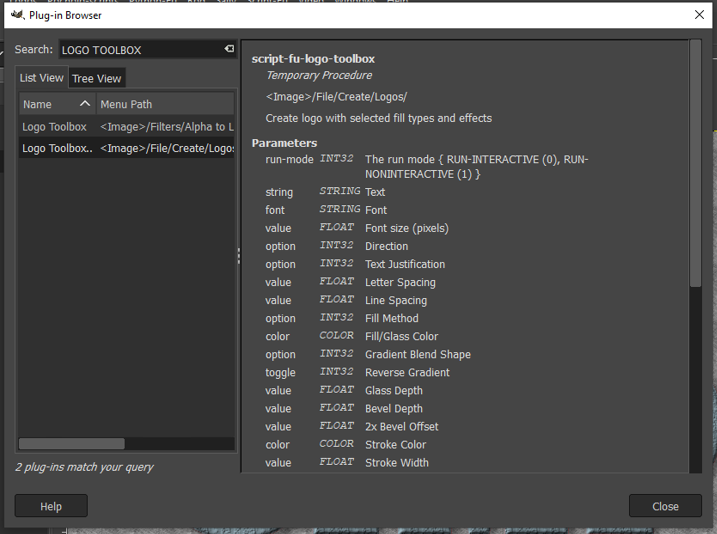
You are looking in the wrong menu.

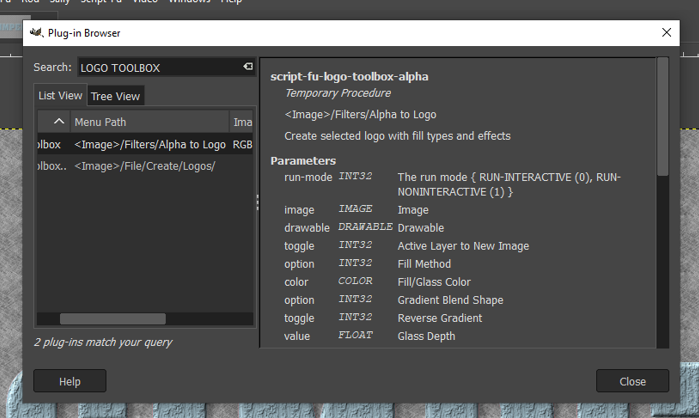
If / when you look for a script-fu.scm (or a plugin) menu location, use Help -> Plugin Browser
Then enter a search term, usually part of the script name. This for Logo Toolbox.

Attachment:
register.jpg
register.jpg [ 101.77 KiB | Viewed 4764 times ]


That tells me Logo Toolbox registers in two places. The one shown is Filters -> Alpha-to-Logo and the other is the File -> Create menu system.

and does it work ? It does here:

Attachment:
logotoolbox.jpg
logotoolbox.jpg [ 217.55 KiB | Viewed 4764 times ]


Top
 Post subject: Re: Logo Toolbox V2.x Tutorial (updated)
PostPosted: Wed Feb 16, 2022 11:17 am  (#62) 
Offline
GimpChat Member
User avatar

Joined: Apr 26, 2014
Posts: 3824
Location: belgium
Image


Image


Image

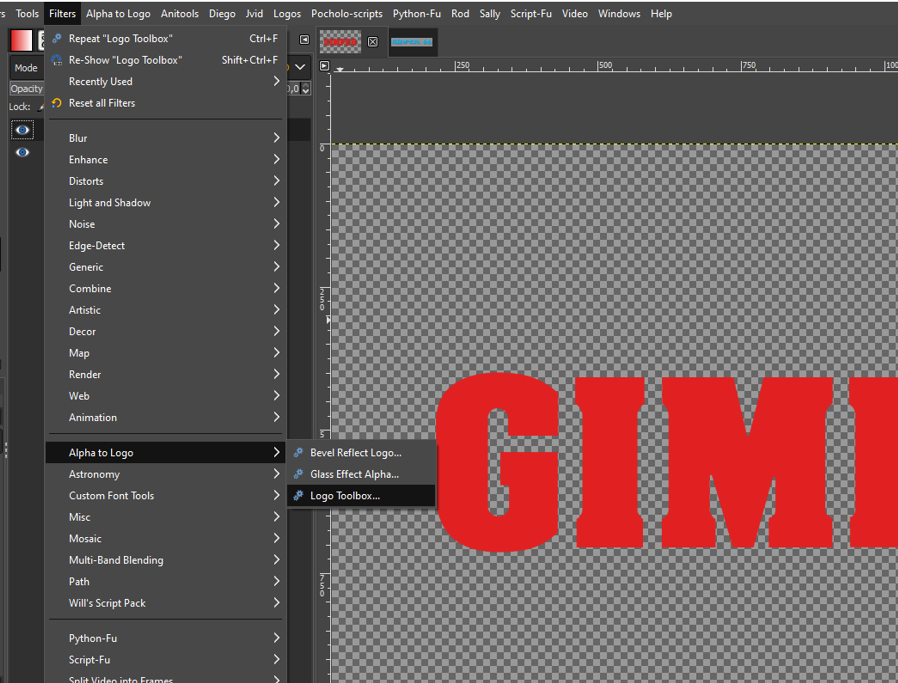
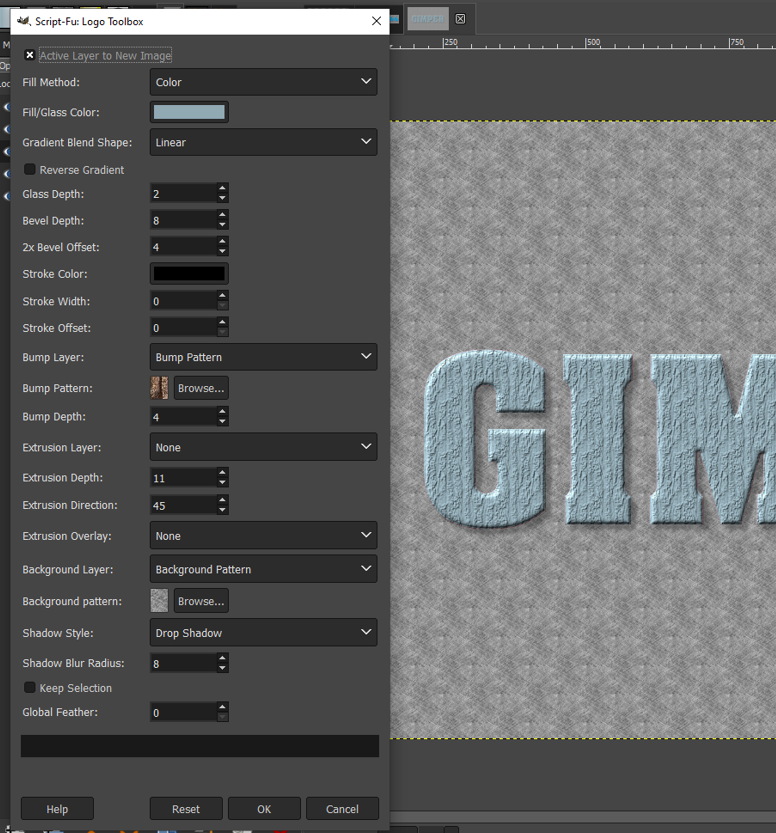
as you can see this logo toolbox is now ok

but there's a second one, and I can't find it in my filters folder or in my scripts,I would also like to put this in the same drop list


Image


Image


Top
 Post subject: Re: Logo Toolbox V2.x Tutorial (updated)
PostPosted: Wed Feb 16, 2022 1:25 pm  (#63) 
Offline
GimpChat Member

Joined: Mar 04, 2011
Posts: 2615
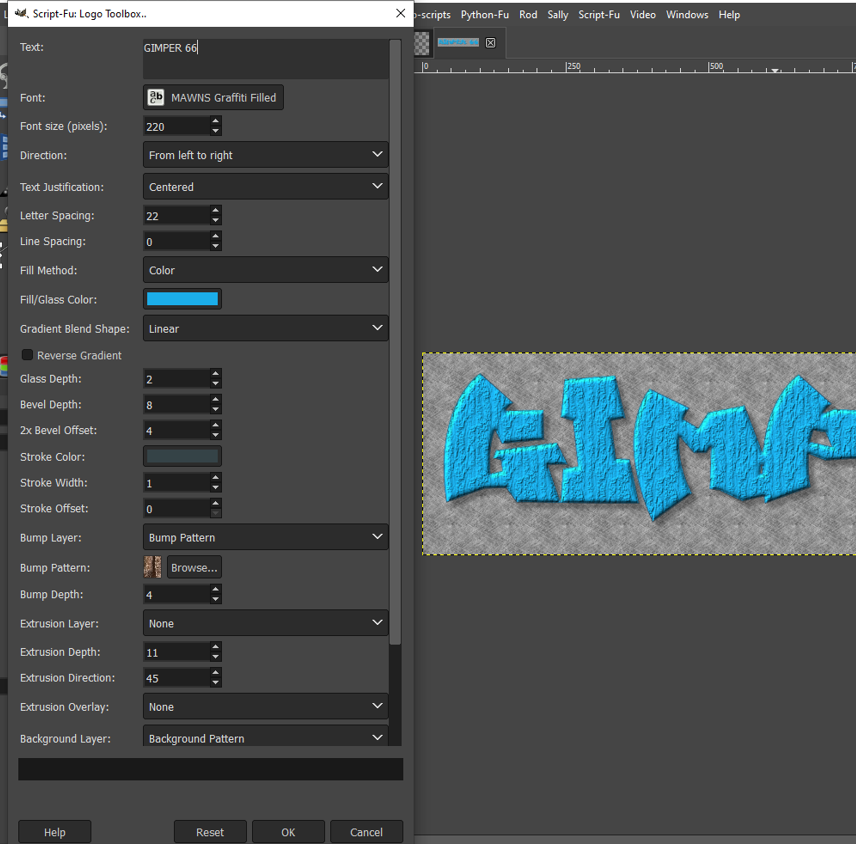
The second registration is in the same Logo Toolbox script. It contains the two versions.
First version in the Filters menu and the second version, where you enter text into the script.
That one is in the File -> Create -> Logos menu.

Attachment:
second-registration.jpg
second-registration.jpg [ 83.99 KiB | Viewed 4737 times ]


It is possible to change the menu locations by editing the script, but my explanations are shot today. I will leave that explanation to someone else.


Top
Post new topic Reply to topic  [ 63 posts ]  Go to page Previous  1, 2, 3, 4

All times are UTC - 5 hours [ DST ]


* Login  


Powered by phpBB3 © phpBB Group