It is currently Wed Sep 23, 2026 12:57 am


All times are UTC - 5 hours [ DST ]


Post new topic Reply to topic  [ 8 posts ] 
Author Message
 Post subject: How to acheive this kind of effect (the holographic effect)
PostPosted: Thu Jan 04, 2024 1:16 pm  (#1) 
Offline
New Member

Joined: Jan 04, 2024
Posts: 1
Can someone tell me hot to acheive that kind of effect?


Attachments:
holograph.png
holograph.png [ 34.85 KiB | Viewed 11566 times ]
Share on Facebook Share on Twitter Share on Orkut Share on Digg Share on MySpace Share on Delicious Share on Technorati
Top
 Post subject: Re: How to acheive this kind of effect (the holographic effect)
PostPosted: Thu Jan 04, 2024 3:54 pm  (#2) 
Offline
GimpChat Member
User avatar

Joined: Oct 31, 2020
Posts: 2014
Try my plugin metallic with the color blue on certain blend modes. It might be able to do something like that. but remember, The gimp layer and its content switches blend modes, not metallic.

Thread about Metallic
viewtopic.php?f=9&t=19927&start=10

Metallic Plugin Download
https://github.com/LinuxBeaver/gegl-met ... L/releases


Top
 Post subject: Re: How to acheive this kind of effect (the holographic effect)
PostPosted: Thu Jan 04, 2024 4:30 pm  (#3) 
Offline
GimpChat Member
User avatar

Joined: Nov 04, 2015
Posts: 1477
This low-res image may have been done with AI. If it was it's being fed-back to humans to analyze. The luminous parts look like circuitry and the holographic bit is on a higher layer. The hand is attempting to hold this piece. So keep the blue luminous goo off the hands (fuzzy select).

I would use AI first with prompts like 'circuitry, holographic, floating, luminous'.


Top
 Post subject: Re: How to acheive this kind of effect (the holographic effect)
PostPosted: Thu Jan 04, 2024 8:55 pm  (#4) 
Offline
GimpChat Member
User avatar

Joined: May 24, 2021
Posts: 859
Location: SEA - South East Asia
Tas_mania wrote:
This low-res image may have been done with AI. If it was it's being fed-back to humans to analyze. The luminous parts look like circuitry and the holographic bit is on a higher layer. The hand is attempting to hold this piece.

This image is from the Marvel's movie Spiderman: Far from home > https://youtu.be/BA2LrQ7zPA0?si=h1KsVYzhBRUrNBYE&t=73 ( the timing I put on the video link should be at a second from that moment ) ;)

_________________
Patrice


Top
 Post subject: Re: How to acheive this kind of effect (the holographic effect)
PostPosted: Sun Jan 07, 2024 8:55 am  (#5) 
Offline
Global Moderator
User avatar

Joined: Apr 01, 2012
Posts: 8471
Location: On the other side of your screen
If you want a similar background I'm not sure but with the image, you could grow your selection one pixel add another transparent layer then turn the selection into a path. Selection to none, Stroke your path using a brush - maybe a dash brush? or one to your liking. Set your brush dynamics to 'track direction' and stroke with 'paint brush and emulate brush dynamics.' For your spacing you may need to do it and undo a few times to get it right. after you have got that how you like then turn your opacity down on that layer if you do not want at 100%

_________________
Image
Free Fun Photo Editing & resources
Poems from the Lord
Gimp Newby
Gimp version 3.2.4 and GMIC-Qt 4.0.2 OS :- Windows 10 Home 64


Top
 Post subject: Re: How to acheive this kind of effect (the holographic effect)
PostPosted: Sun Jan 07, 2024 3:45 pm  (#6) 
Offline
GimpChat Member
User avatar

Joined: Apr 15, 2017
Posts: 1837
Very first time I tried to do this, so bear with me....

Attachment:
holographic effect.gif
holographic effect.gif [ 910.29 KiB | Viewed 11430 times ]


Attachment:
holographic effect.xcf [2.07 MiB]
Downloaded 334 times


Top
 Post subject: Re: How to acheive this kind of effect (the holographic effect)
PostPosted: Sat Jan 31, 2026 2:34 pm  (#7) 
Offline
Global Moderator
User avatar

Joined: May 16, 2010
Posts: 16173
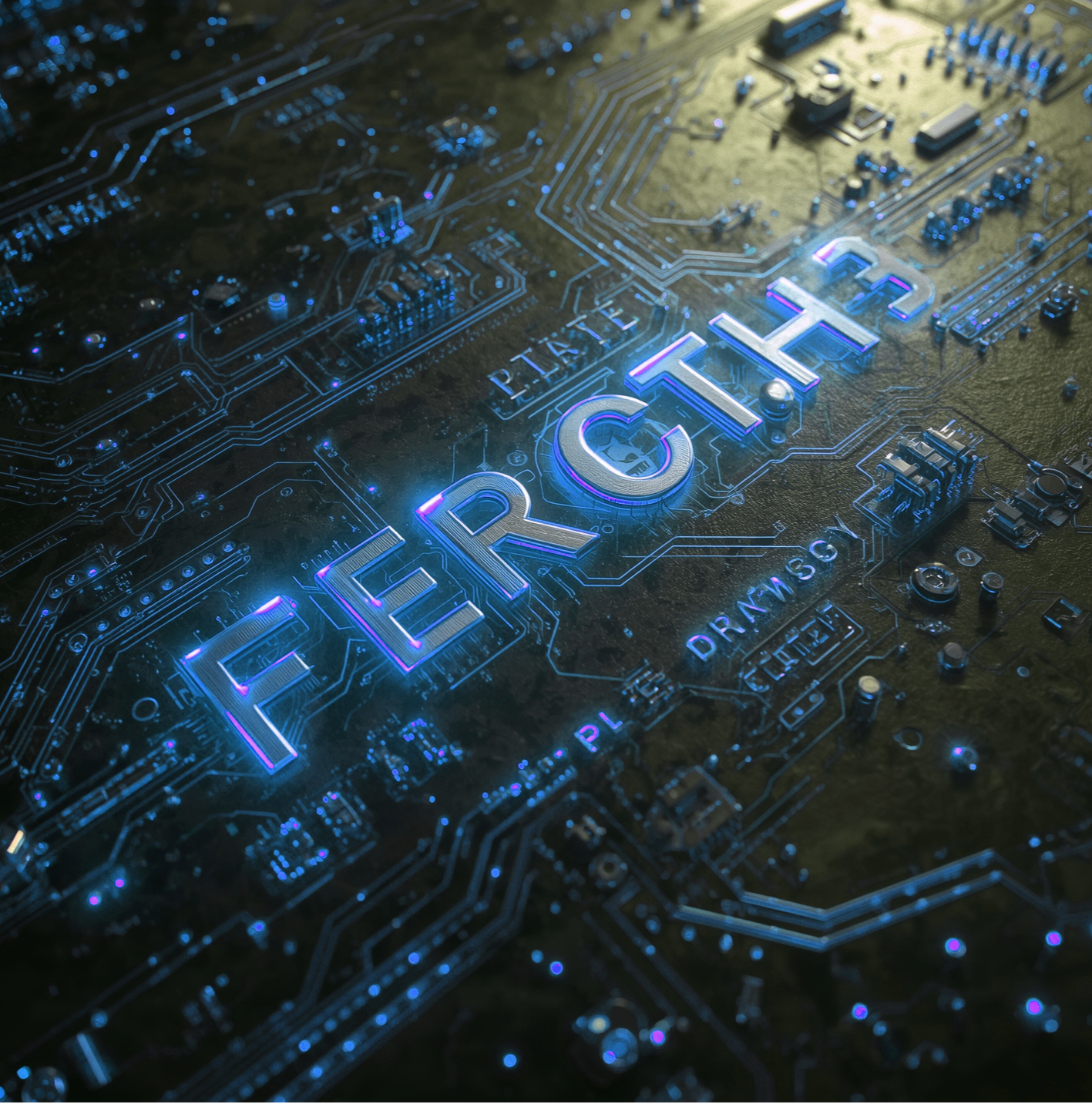
In Canva AI (Affinity).
Prompt=
A highly detailed 3D render of intricate, luminous, holographic circuitry with metallic lettering that appears to be floating, set against a backdrop of dynamic textures, all bathed in dramatic, cinematic lighting.

Then i just changed the hue-saturation to a bluish color using Gimp.

Image

The main problem with AI is getting the letters correct. Usually it just writes what it wants. :)

_________________
Image


Top
 Post subject: Re: How to acheive this kind of effect (the holographic effect)
PostPosted: Sat Jan 31, 2026 2:59 pm  (#8) 
Offline
Global Moderator
User avatar

Joined: May 16, 2010
Posts: 16173
And in Gimp-2.10.38 RC1 Stablehorde AI.
Same prompt
A highly detailed 3D render of intricate, luminous, holographic circuitry with metallic lettering that appears to be floating, set against a backdrop of dynamic textures, all bathed in dramatic, cinematic lighting.

Model=Anything Diffusion
Results.

Image

_________________
Image


Top
Post new topic Reply to topic  [ 8 posts ] 

All times are UTC - 5 hours [ DST ]


* Login  


Powered by phpBB3 © phpBB Group