Example of Levels High Input setting
Attachment:
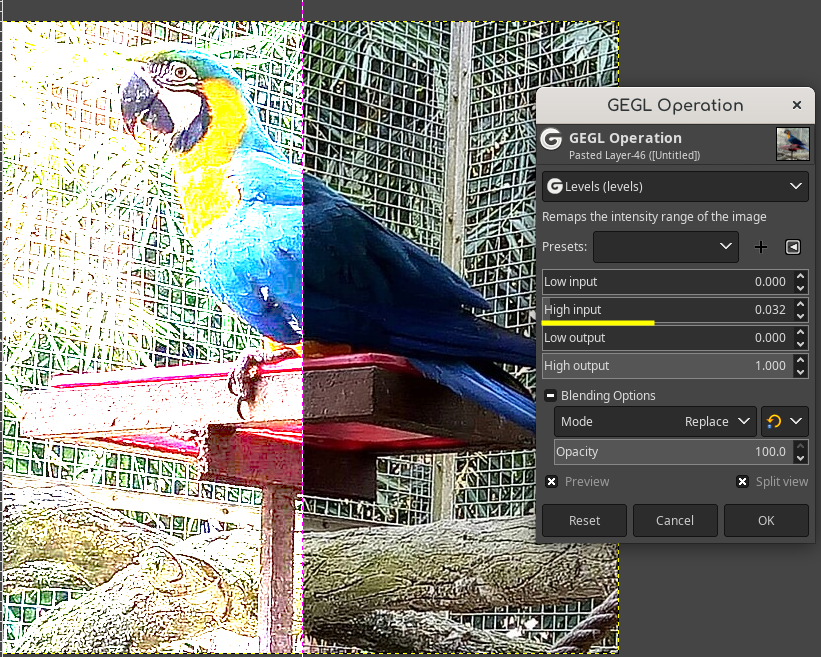 in_high.png [ 719.75 KiB | Viewed 3533 times ]
The same effect being mimicked using Gimp layers
Attachment:
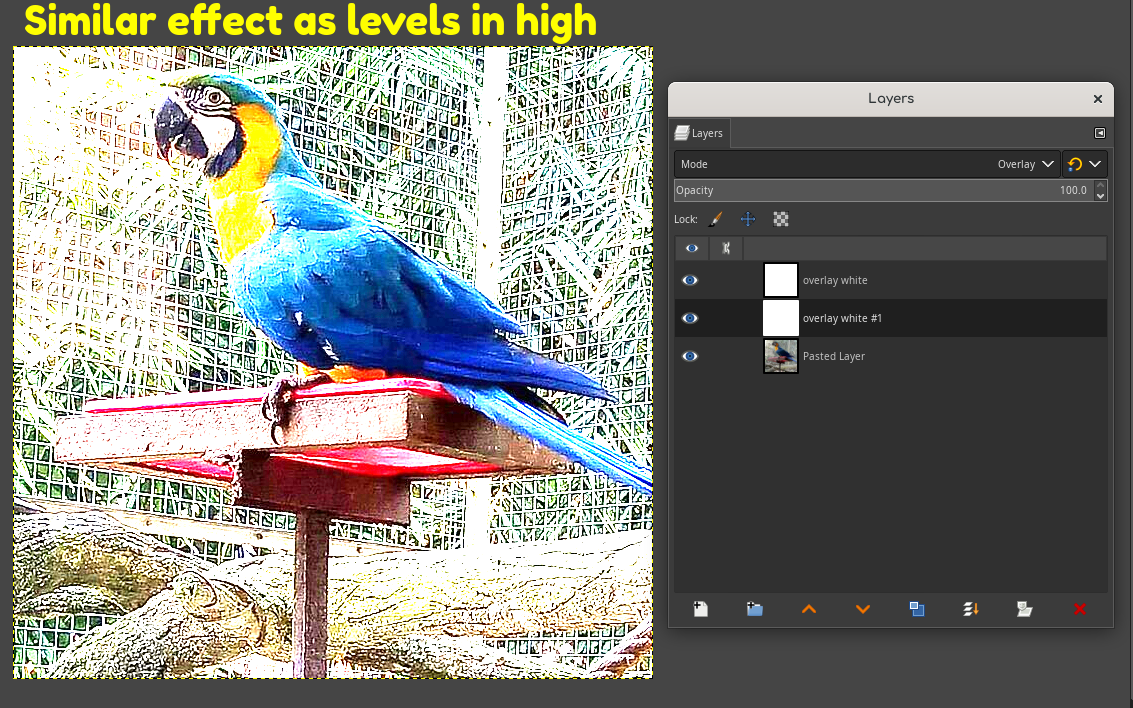 layer_mimic_in_high.png [ 640.03 KiB | Viewed 3533 times ]
This thread is a short guide on how to mimic Levels settings and invert using Gimp blend modes. Please remember that all of these are shown on very high values and that lowering a layers opacity or making a grayscale color fill can make the effect much less intense, and to optionally put the color fills inside a pass through layer group. You can also set a keyboard shortcut to auto fill the canvas with the primary color like I do. The instructions are below.
1. A Grain Merge black fill on Blend Space RGB Linear is similar to Low Input or
gegl:levels in-low2. A double stacked Overlay on a white fill is similar to High Input or
gegl:levels in-high3. Normal on a white fill is similar to Low Output or
gegl:levels out-low4.Normal on a black fill is similar to High Output or
gegl:levels out-highI cannot recreate the invert effect that out-low and out-high do together or the partial invert effect that in-low and in-high do together. But a white color fill on the difference blend mode can invert and making it a grayscale color fill can partially invert an image. In my Gimp I have a custom keyboard shortcut that 'auto fills' a layer with the primary color to make this workflow easier. I hope this helps Gimp's community edit more professionally.
 Login
Login Register
 Tweets
 FAQ
FAQ Advanced Search


