It is currently Sun Aug 09, 2026 9:48 am


All times are UTC - 5 hours [ DST ]


Post new topic Reply to topic  [ 37 posts ]  Go to page 1, 2  Next
Author Message
 Post subject: random dowtown
PostPosted: Thu Dec 12, 2024 2:58 pm  (#1) 
Offline
GimpChat Member
User avatar

Joined: Jan 06, 2020
Posts: 401
Location: The Netherlands
Does anyone have random downton py.for me?


Attachments:
3612_random_downtown_plugin_test2.jpg
3612_random_downtown_plugin_test2.jpg [ 718.44 KiB | Viewed 16550 times ]
Share on Facebook Share on Twitter Share on Orkut Share on Digg Share on MySpace Share on Delicious Share on Technorati
Top
 Post subject: Re: random dowtown
PostPosted: Thu Dec 12, 2024 4:20 pm  (#2) 
Offline
Administrator
User avatar

Joined: Aug 10, 2012
Posts: 14147
Location: Native to NYC living in Arizona, Gimp 2.8 - 3.0, Win 11 PC.
Jappaloe63 wrote:
Does anyone have random downton py.for me?

I found this but was unable to get a plugin.
viewtopic.php?f=9&t=16798#p230899

_________________
Image
"A wise man learns more from a foolish question than a fool can learn from a wise answer"
Image


Top
 Post subject: Re: random dowtown
PostPosted: Thu Dec 12, 2024 5:36 pm  (#3) 
Offline
Global Moderator
User avatar

Joined: Oct 02, 2014
Posts: 5013
Location: Sydney Australia
Try this one.


Attachments:
random_downtown.zip [2.71 KiB]
Downloaded 69 times

_________________
Image

Respect should be offered freely but hard earned
Top
 Post subject: Re: random dowtown
PostPosted: Fri Dec 13, 2024 1:23 am  (#4) 
Offline
Global Moderator
User avatar

Joined: May 16, 2010
Posts: 16153
Attachment:
GimpLearn scripts&plugins.zip [510.59 KiB]
Downloaded 94 times


Here are all the GimpLearn scripts-Plug-ins. Random-Downtown version 5 is included.

_________________
Image


Top
 Post subject: Re: random dowtown
PostPosted: Fri Dec 13, 2024 1:59 am  (#5) 
Offline
GimpChat Member
User avatar

Joined: Jan 06, 2020
Posts: 401
Location: The Netherlands
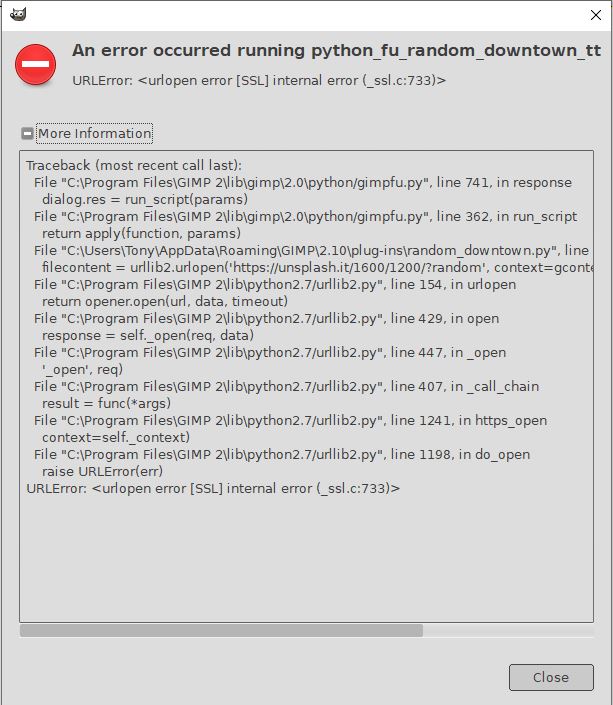
Thanks for sharing... but unfortunately it doesn't work for me anymore


Attachments:
Schermopname (1).png
Schermopname (1).png [ 322.26 KiB | Viewed 16497 times ]
Top
 Post subject: Re: random dowtown
PostPosted: Fri Dec 13, 2024 2:37 pm  (#6) 
Offline
Global Moderator
User avatar

Joined: Oct 02, 2014
Posts: 5013
Location: Sydney Australia
@Jappaloe63 - my apologies. I should have checked it out first; my version is release 5 and it does not work for me either. Perhaps Trandoductin could fix it up.

Image

_________________
Image

Respect should be offered freely but hard earned


Top
 Post subject: Re: random dowtown
PostPosted: Fri Dec 13, 2024 5:20 pm  (#7) 
Offline
Script Coder
User avatar

Joined: May 07, 2014
Posts: 4527
Location: Canada
Here's the fix for now
#!/usr/bin/env python

# random_downtown.py Rel 5
# Created by Tin Tran
# Comments directed to http://gimplearn.net
#
# License: GPLv3
# This program is free software: you can redistribute it and/or modify
# it under the terms of the GNU General Public License as published by
# the Free Software Foundation, either version 3 of the License, or
# (at your option) any later version.
#
# This program is distributed in the hope that it will be useful,
# but WITHOUT ANY WARRANTY# without even the implied warranty of
# MERCHANTABILITY or FITNESS FOR A PARTICULAR PURPOSE. See the
# GNU General Public License for more details.
#
# To view a copy of the GNU General Public License
# visit: http://www.gnu.org/licenses/gpl.html
#
#
# ------------
#| Change Log |
# ------------
# Rel 1: Initial release.
# Rel 2: Try to bypass Certificate Verification Error repoted by Pat625.
# Rel 3: Filled windows.
# Rel 4: Make seamless (requested by lylejk on GIMPCHAT). You just gotta merge all the building layers and then "layer to image size".
# Rel 5: Run different code depending on version 2.8 or 2.10
from gimpfu import *
import random
from gimpfu import *
import re, tempfile
import os
import ssl
#open and write tempf once so that it doesn't make multiple files in document history.
tempf=tempfile.NamedTemporaryFile(mode='w', suffix='.svg', dir=gimp.directory, delete=False)
tempf.write("whatever")
tempf.close()
import urllib2
import ssl


# Create an SSL context (similar to gcontext in Python 2)


# Fetch the file content
def python_random_downtown_tt(image, layer, minWidth, minHeight, maxWidth, maxHeight, numB):
   pdb.gimp_image_undo_group_start(image)
   pdb.gimp_context_push()
   gcontext = ssl._create_unverified_context()
   #gcontext = ssl.create_default_context()
   # gcontext = ssl.SSLContext(ssl.PROTOCOL_TLSv1)
   numB = int(numB)
   # gcontext = ssl.SSLContext(ssl.PROTOCOL_TLSv1)  # Only for gangstars to by pass certifate check found on https://stackoverflow.com/questions/27835619/urllib-and-ssl-certificate-verify-failed-error

   for i in range(0,numB):


      url = 'https://unsplash.it/1600/1200/?random'
      filecontent = urllib2.urlopen(url, context=gcontext).read()
      
      #filecontent = urllib.request.urlopen(url, context=gcontext).read()
      #filecontent = urllib2.urlopen('https://unsplash.it/1600/1200/?random', context=gcontext).read()
      f = open(tempf.name,"wb")
      f.write(filecontent)
      f.close();
      #urllib.urlretrieve("https://unsplash.it/1600/1200/?random",tempf.name)
      random_image = pdb.file_jpeg_load(tempf.name,tempf.name)
      random_layer = pdb.gimp_image_get_active_layer(random_image)
      #pdb.gimp_display_new(random_image)
      active_layer = pdb.gimp_image_get_active_layer(random_image)
      bwidth = random.randrange(minWidth,maxWidth+1) #building width random between min and max width
      bheight = random.randrange(minHeight,maxHeight+1) #building height random between min and max width
      x = random.randrange(0,1600-bwidth+1) #top left corner of building location x
      y = random.randrange(0,1200-bheight+1) #top left corner of building location y
      
      #copy step which creates building look
      pdb.gimp_image_select_rectangle(random_image,CHANNEL_OP_REPLACE,x,y,bwidth,bheight)
      btype = random.randrange(0,3)
      innerwidth = bwidth * 9.0/10.0
      innerheight = bheight * 9.0/10.0
      startx = (bwidth-innerwidth)/2.0
      starty = (bheight-innerheight)/2.0
      if btype == 0: #do horizontal windows
         num_rows = random.randrange(8,16)*4+3; #number of rows.
         row_height = innerheight*1.0/num_rows*4;
         win_height = innerheight*1.0/num_rows*3;
         for j in range(1,num_rows+1):
            if (j%4)==3: #if odd we deselect it
               wx = x+startx
               wy = y+starty + (j/4) * row_height
               pdb.gimp_image_select_rectangle(random_image,CHANNEL_OP_SUBTRACT,wx,wy,innerwidth,win_height)
      elif btype == 1: #do vertical windows
         num_cols = random.randrange(5,10)*4+3; #number of cols
         col_width = innerwidth*1.0/num_cols*4;
         win_width = innerwidth*1.0/num_cols*3;
         for k in range(1,num_cols+1):
            if (k%4)==3: #if odd we deselect it
               wx = x+startx + (k/4) * col_width
               wy = y+starty
               pdb.gimp_image_select_rectangle(random_image,CHANNEL_OP_SUBTRACT,wx,wy,win_width,innerheight)
      elif btype == 2: #do actual windows
         num_rows = random.randrange(8,16)*4+3; #number of rows.
         row_height = innerheight*1.0/num_rows*4;
         win_height = innerheight*1.0/num_rows*3;
         num_cols = random.randrange(5,10)*4+3; #number of cols.
         col_width = innerwidth*1.0/num_cols*4;
         win_width = innerwidth*1.0/num_cols*3;
         for j in range(1,num_rows+1):
            if (j%4)==3: #if odd we deselect it
               for k in range(1,num_cols+1):
                  if (k%4)==3: #if odd we deselect it
                     wx = x+startx + (k/4) * col_width
                     wy = y+starty + (j/4) * row_height
                     pdb.gimp_image_select_rectangle(random_image,CHANNEL_OP_SUBTRACT,wx,wy,win_width,win_height)
               
      pdb.gimp_edit_copy(active_layer)
      floating_sel = pdb.gimp_edit_paste(layer,True)
      pdb.gimp_floating_sel_to_layer(floating_sel)
      y_offset = layer.height*2.0/3.0 - bheight
      x_offset = random.randrange(0,layer.width+1)
      pdb.gimp_layer_set_offsets(floating_sel,x_offset,y_offset)
      #create seamless
      gimp_version = pdb.gimp_version() #GET GIMP VERSION
      if x_offset > (layer.width - bwidth): #if it pops out on the right side.
         floating_sel = pdb.gimp_edit_paste(layer,True)
         pdb.gimp_floating_sel_to_layer(floating_sel)
         right_x_offset = x_offset - layer.width     #make a copy on the left side so that it's seamless
         pdb.gimp_layer_set_offsets(floating_sel,right_x_offset,y_offset)
         if gimp_version.startswith("2.8"):
            result = image.layers[0]
            result = pdb.gimp_image_merge_down(image,result,EXPAND_AS_NECESSARY)


      #do it again so it's filled windows.
      x = random.randrange(0,1600-bwidth+1) #top left corner of building location x
      y = random.randrange(0,1200-bheight+1) #top left corner of building location y
      pdb.gimp_image_select_rectangle(random_image,CHANNEL_OP_REPLACE,x,y,bwidth,bheight)
      pdb.gimp_edit_copy(active_layer)
      floating_sel = pdb.gimp_edit_paste(layer,True)
      pdb.gimp_floating_sel_to_layer(floating_sel)
      pdb.gimp_layer_set_offsets(floating_sel,x_offset,y_offset)
      
      if gimp_version.startswith("2.8"):
         pdb.gimp_brightness_contrast(floating_sel,int(-0.45*127),0)
      elif gimp_version.startswith("2.10"):
         pdb.gimp_drawable_brightness_contrast(floating_sel,-0.45,0)
      #create seamless
      result = floating_sel
      if x_offset > (layer.width - bwidth): #if it pops out on the right side.
         floating_sel = pdb.gimp_edit_paste(layer,True)
         pdb.gimp_floating_sel_to_layer(floating_sel)
         right_x_offset = x_offset - layer.width     #make a copy on the left side so that it's seamless
         pdb.gimp_layer_set_offsets(floating_sel,right_x_offset,y_offset)
         if gimp_version.startswith("2.8"):
            pdb.gimp_brightness_contrast(floating_sel,int(-0.45*127),0)
         elif gimp_version.startswith("2.10"):
            pdb.gimp_drawable_brightness_contrast(floating_sel,-0.45,0)
         if gimp_version.startswith("2.8"):
            result = image.layers[0]
            result = pdb.gimp_image_merge_down(image,result,EXPAND_AS_NECESSARY)
      
      if gimp_version.startswith("2.8"):
         result = image.layers[0]
         pdb.gimp_image_lower_item(image,result)
      pdb.gimp_image_delete(random_image)
   #pdb.gimp_progress_init("Processing...",None)
   #pdb.gimp_progress_update(float(intensity)/255.0)

   pdb.gimp_context_pop()
   pdb.gimp_image_undo_group_end(image)
   pdb.gimp_displays_flush()

register(
   "python_fu_random_downtown_tt",                           
   "Creates Random Downtown Collage",
   "Creates Random Downtown Collage",
   "Tin Tran",
   "Tin Tran",
   "August 2018",
   "<Image>/Python-Fu/Random Downtown...",             #Menu path
   "RGB*, GRAY*",
   [
   (PF_SPINNER, "minWidth", "Smallest Building Width:", 100, (10, 2000, 1)),
   (PF_SPINNER, "minHeight", "Smallest Building Height:", 200, (10, 2000, 1)),
   (PF_SPINNER, "maxWidth", "Largest Building Width:", 200, (10, 2000, 1)),
   (PF_SPINNER, "maxHeight", "Largest Building Height:", 400, (10, 2000, 1)),
   (PF_SPINNER, "numB", "Number of Buildings to Generate:", 20, (1, 500, 1)),
   #(PF_GRADIENT, "gradient", "Background Gradient:", 0),
   #(PF_TOGGLE, "reverse",   "Reverse Gradient:", 0),
   #(PF_SPINNER, "slice_angle", "Rotate angle(before slicing):", -5, (-180, 180, 1)),
   #(PF_SPINNER, "slice_shift", "Slice Shift(pixels):", -30, (-100, 100, 1)),
   #(PF_SPINNER, "text_angle", "Rotate angle(when complete):", -8, (-180, 180, 1)),
   ],
   [],
   python_random_downtown_tt)

main()


_________________
TinT


Top
 Post subject: Re: random dowtown
PostPosted: Fri Dec 13, 2024 9:17 pm  (#8) 
Offline
Global Moderator
User avatar

Joined: Oct 02, 2014
Posts: 5013
Location: Sydney Australia
I upgraded my version using the fix above. Ran the plugin with default values - all OK. But then ran it several times with changed parameters and it failed each time.
Image

_________________
Image

Respect should be offered freely but hard earned


Top
 Post subject: Re: random dowtown
PostPosted: Sat Dec 14, 2024 2:14 am  (#9) 
Offline
Script Coder
User avatar

Joined: May 07, 2014
Posts: 4527
Location: Canada
fix #2
#!/usr/bin/env python

# random_downtown.py Rel 5
# Created by Tin Tran
# Comments directed to http://gimplearn.net
#
# License: GPLv3
# This program is free software: you can redistribute it and/or modify
# it under the terms of the GNU General Public License as published by
# the Free Software Foundation, either version 3 of the License, or
# (at your option) any later version.
#
# This program is distributed in the hope that it will be useful,
# but WITHOUT ANY WARRANTY# without even the implied warranty of
# MERCHANTABILITY or FITNESS FOR A PARTICULAR PURPOSE. See the
# GNU General Public License for more details.
#
# To view a copy of the GNU General Public License
# visit: http://www.gnu.org/licenses/gpl.html
#
#
# ------------
#| Change Log |
# ------------
# Rel 1: Initial release.
# Rel 2: Try to bypass Certificate Verification Error repoted by Pat625.
# Rel 3: Filled windows.
# Rel 4: Make seamless (requested by lylejk on GIMPCHAT). You just gotta merge all the building layers and then "layer to image size".
# Rel 5: Run different code depending on version 2.8 or 2.10
from gimpfu import *
import random
from gimpfu import *
import re, tempfile
import os
import ssl
#open and write tempf once so that it doesn't make multiple files in document history.
tempf=tempfile.NamedTemporaryFile(mode='w', suffix='.svg', dir=gimp.directory, delete=False)
tempf.write("whatever")
tempf.close()
import urllib2
import ssl
links = ['https://plus.unsplash.com/premium_photo-1676218886284-bca308235404?q=80&w=1936&auto=format&fit=crop&ixlib=rb-4.0.3&ixid=M3wxMjA3fDB8MHxwaG90by1wYWdlfHx8fGVufDB8fHx8fA%3D%3D',
'https://images.unsplash.com/photo-1726725935085-fbc079dc5557?q=80&w=1974&auto=format&fit=crop&ixlib=rb-4.0.3&ixid=M3wxMjA3fDB8MHxwaG90by1wYWdlfHx8fGVufDB8fHx8fA%3D%3D',
'https://plus.unsplash.com/premium_photo-1673621329410-e4ef5df05b69?q=80&w=1936&auto=format&fit=crop&ixlib=rb-4.0.3&ixid=M3wxMjA3fDB8MHxwaG90by1wYWdlfHx8fGVufDB8fHx8fA%3D%3D',
'https://images.unsplash.com/photo-1648714406165-bc37682149cb?q=80&w=1925&auto=format&fit=crop&ixlib=rb-4.0.3&ixid=M3wxMjA3fDB8MHxwaG90by1wYWdlfHx8fGVufDB8fHx8fA%3D%3D',
'https://images.unsplash.com/photo-1649956736495-5685285a8f9f?q=80&w=2070&auto=format&fit=crop&ixlib=rb-4.0.3&ixid=M3wxMjA3fDB8MHxwaG90by1wYWdlfHx8fGVufDB8fHx8fA%3D%3D',
'https://plus.unsplash.com/premium_photo-1672663791479-c275b663fd72?q=80&w=1912&auto=format&fit=crop&ixlib=rb-4.0.3&ixid=M3wxMjA3fDB8MHxwaG90by1wYWdlfHx8fGVufDB8fHx8fA%3D%3D',
'https://images.unsplash.com/photo-1648618657670-d7d64c5e3ef7?q=80&w=2080&auto=format&fit=crop&ixlib=rb-4.0.3&ixid=M3wxMjA3fDB8MHxwaG90by1wYWdlfHx8fGVufDB8fHx8fA%3D%3D',
'https://images.unsplash.com/photo-1698849368937-37dddf9f58f1?q=80&w=1935&auto=format&fit=crop&ixlib=rb-4.0.3&ixid=M3wxMjA3fDB8MHxwaG90by1wYWdlfHx8fGVufDB8fHx8fA%3D%3D',
'https://images.unsplash.com/photo-1717489358244-01dd1c704afa?q=80&w=1974&auto=format&fit=crop&ixlib=rb-4.0.3&ixid=M3wxMjA3fDB8MHxwaG90by1wYWdlfHx8fGVufDB8fHx8fA%3D%3D',
'https://plus.unsplash.com/premium_photo-1680143217012-db17c482ab94?q=80&w=1974&auto=format&fit=crop&ixlib=rb-4.0.3&ixid=M3wxMjA3fDB8MHxwaG90by1wYWdlfHx8fGVufDB8fHx8fA%3D%3D',
'https://plus.unsplash.com/premium_photo-1673890318279-02d6cf905019?q=80&w=1936&auto=format&fit=crop&ixlib=rb-4.0.3&ixid=M3wxMjA3fDB8MHxwaG90by1wYWdlfHx8fGVufDB8fHx8fA%3D%3D',
'https://plus.unsplash.com/premium_photo-1678904817922-b20be9a075a8?q=80&w=1974&auto=format&fit=crop&ixlib=rb-4.0.3&ixid=M3wxMjA3fDB8MHxwaG90by1wYWdlfHx8fGVufDB8fHx8fA%3D%3D',
'https://images.unsplash.com/photo-1685477990878-da34123f5998?q=80&w=2070&auto=format&fit=crop&ixlib=rb-4.0.3&ixid=M3wxMjA3fDB8MHxwaG90by1wYWdlfHx8fGVufDB8fHx8fA%3D%3D',
'https://images.unsplash.com/photo-1649685819493-e5f3688a7d36?q=80&w=1991&auto=format&fit=crop&ixlib=rb-4.0.3&ixid=M3wxMjA3fDB8MHxwaG90by1wYWdlfHx8fGVufDB8fHx8fA%3D%3D',
'https://images.unsplash.com/photo-1649372450315-7a69c613fb10?q=80&w=2071&auto=format&fit=crop&ixlib=rb-4.0.3&ixid=M3wxMjA3fDB8MHxwaG90by1wYWdlfHx8fGVufDB8fHx8fA%3D%3D',
'https://images.unsplash.com/photo-1649972046682-2583cdd9bab8?q=80&w=1950&auto=format&fit=crop&ixlib=rb-4.0.3&ixid=M3wxMjA3fDB8MHxwaG90by1wYWdlfHx8fGVufDB8fHx8fA%3D%3D',
'https://images.unsplash.com/photo-1650060165632-82e4f0dacfc0?q=80&w=2112&auto=format&fit=crop&ixlib=rb-4.0.3&ixid=M3wxMjA3fDB8MHxwaG90by1wYWdlfHx8fGVufDB8fHx8fA%3D%3D',
'https://plus.unsplash.com/premium_photo-1676625176020-3bbb1c0adea1?q=80&w=1974&auto=format&fit=crop&ixlib=rb-4.0.3&ixid=M3wxMjA3fDB8MHxwaG90by1wYWdlfHx8fGVufDB8fHx8fA%3D%3D',
'https://images.unsplash.com/photo-1649289264155-4404150df2fb?q=80&w=1974&auto=format&fit=crop&ixlib=rb-4.0.3&ixid=M3wxMjA3fDB8MHxwaG90by1wYWdlfHx8fGVufDB8fHx8fA%3D%3D',
'https://images.unsplash.com/photo-1647694079696-36fb2f5e337a?q=80&w=1936&auto=format&fit=crop&ixlib=rb-4.0.3&ixid=M3wxMjA3fDB8MHxwaG90by1wYWdlfHx8fGVufDB8fHx8fA%3D%3D',
'https://plus.unsplash.com/premium_photo-1680281937115-c5eca9c68cc1?q=80&w=1974&auto=format&fit=crop&ixlib=rb-4.0.3&ixid=M3wxMjA3fDB8MHxwaG90by1wYWdlfHx8fGVufDB8fHx8fA%3D%3D',
'https://images.unsplash.com/photo-1649384472975-98ac52a096d7?q=80&w=2127&auto=format&fit=crop&ixlib=rb-4.0.3&ixid=M3wxMjA3fDB8MHxwaG90by1wYWdlfHx8fGVufDB8fHx8fA%3D%3D',
'https://images.unsplash.com/photo-1649372449815-306c7a9d715b?q=80&w=2018&auto=format&fit=crop&ixlib=rb-4.0.3&ixid=M3wxMjA3fDB8MHxwaG90by1wYWdlfHx8fGVufDB8fHx8fA%3D%3D',
'https://images.unsplash.com/photo-1649232275731-108ab7eb2a44?q=80&w=1975&auto=format&fit=crop&ixlib=rb-4.0.3&ixid=M3wxMjA3fDB8MHxwaG90by1wYWdlfHx8fGVufDB8fHx8fA%3D%3D',
'https://images.unsplash.com/photo-1463130456064-77fda7f96d6b?q=80&w=2070&auto=format&fit=crop&ixlib=rb-4.0.3&ixid=M3wxMjA3fDB8MHxwaG90by1wYWdlfHx8fGVufDB8fHx8fA%3D%3D',
'https://images.unsplash.com/photo-1532456745301-b2c645d8b80d?q=80&w=1974&auto=format&fit=crop&ixlib=rb-4.0.3&ixid=M3wxMjA3fDB8MHxwaG90by1wYWdlfHx8fGVufDB8fHx8fA%3D%3D',
'https://images.unsplash.com/photo-1649777689218-f5ddf4f69381?q=80&w=1972&auto=format&fit=crop&ixlib=rb-4.0.3&ixid=M3wxMjA3fDB8MHxwaG90by1wYWdlfHx8fGVufDB8fHx8fA%3D%3D',
'https://images.unsplash.com/photo-1483959651481-dc75b89291f1?q=80&w=2149&auto=format&fit=crop&ixlib=rb-4.0.3&ixid=M3wxMjA3fDB8MHxwaG90by1wYWdlfHx8fGVufDB8fHx8fA%3D%3D',
'https://plus.unsplash.com/premium_photo-1676269617127-24352e84349a?q=80&w=2070&auto=format&fit=crop&ixlib=rb-4.0.3&ixid=M3wxMjA3fDB8MHxwaG90by1wYWdlfHx8fGVufDB8fHx8fA%3D%3D',
'https://images.unsplash.com/photo-1451755032734-ada8d61ecf2f?q=80&w=2008&auto=format&fit=crop&ixlib=rb-4.0.3&ixid=M3wxMjA3fDB8MHxwaG90by1wYWdlfHx8fGVufDB8fHx8fA%3D%3D',
'https://plus.unsplash.com/premium_photo-1684311194610-1243fc49cfcb?q=80&w=1930&auto=format&fit=crop&ixlib=rb-4.0.3&ixid=M3wxMjA3fDB8MHxwaG90by1wYWdlfHx8fGVufDB8fHx8fA%3D%3D',
'https://images.unsplash.com/photo-1486718448742-163732cd1544?q=80&w=1974&auto=format&fit=crop&ixlib=rb-4.0.3&ixid=M3wxMjA3fDB8MHxwaG90by1wYWdlfHx8fGVufDB8fHx8fA%3D%3D',
'https://images.unsplash.com/photo-1488972685288-c3fd157d7c7a?q=80&w=2070&auto=format&fit=crop&ixlib=rb-4.0.3&ixid=M3wxMjA3fDB8MHxwaG90by1wYWdlfHx8fGVufDB8fHx8fA%3D%3D',
'https://images.unsplash.com/photo-1494028960909-2321fad2a785?q=80&w=2080&auto=format&fit=crop&ixlib=rb-4.0.3&ixid=M3wxMjA3fDB8MHxwaG90by1wYWdlfHx8fGVufDB8fHx8fA%3D%3D',
'https://plus.unsplash.com/premium_photo-1672265517508-52bbda78e263?q=80&w=1974&auto=format&fit=crop&ixlib=rb-4.0.3&ixid=M3wxMjA3fDB8MHxwaG90by1wYWdlfHx8fGVufDB8fHx8fA%3D%3D',
'https://images.unsplash.com/photo-1527831176161-52b74dab16ea?q=80&w=1935&auto=format&fit=crop&ixlib=rb-4.0.3&ixid=M3wxMjA3fDB8MHxwaG90by1wYWdlfHx8fGVufDB8fHx8fA%3D%3D',
'https://images.unsplash.com/photo-1612365009551-0abb42a5f096?q=80&w=1974&auto=format&fit=crop&ixlib=rb-4.0.3&ixid=M3wxMjA3fDB8MHxwaG90by1wYWdlfHx8fGVufDB8fHx8fA%3D%3D'
]

# Create an SSL context (similar to gcontext in Python 2)


# Fetch the file content
def python_random_downtown_tt(image, layer, minWidth, minHeight, maxWidth, maxHeight, numB):
   pdb.gimp_image_undo_group_start(image)
   pdb.gimp_context_push()
   gcontext = ssl._create_unverified_context()
   #gcontext = ssl.create_default_context()
   # gcontext = ssl.SSLContext(ssl.PROTOCOL_TLSv1)
   numB = int(numB)
   # gcontext = ssl.SSLContext(ssl.PROTOCOL_TLSv1)  # Only for gangstars to by pass certifate check found on https://stackoverflow.com/questions/27835619/urllib-and-ssl-certificate-verify-failed-error

   for i in range(0,numB):
      filecontent = urllib2.urlopen(links[random.randrange(0,len(links))], context=gcontext).read()
      #filecontent = urllib.request.urlopen(url, context=gcontext).read()
      #filecontent = urllib2.urlopen('https://unsplash.it/1600/1200/?random', context=gcontext).read()
      f = open(tempf.name,"wb")
      f.write(filecontent)
      f.close();
      #urllib.urlretrieve("https://unsplash.it/1600/1200/?random",tempf.name)
      random_image = pdb.file_jpeg_load(tempf.name,tempf.name)
      random_layer = pdb.gimp_image_get_active_layer(random_image)
      #pdb.gimp_display_new(random_image)
      active_layer = pdb.gimp_image_get_active_layer(random_image)
      bwidth = random.randrange(minWidth,maxWidth+1) #building width random between min and max width
      bheight = random.randrange(minHeight,maxHeight+1) #building height random between min and max width
      x = random.randrange(0,1600-bwidth+1) #top left corner of building location x
      y = random.randrange(0,1200-bheight+1) #top left corner of building location y
      
      #copy step which creates building look
      pdb.gimp_image_select_rectangle(random_image,CHANNEL_OP_REPLACE,x,y,bwidth,bheight)
      btype = random.randrange(0,3)
      innerwidth = bwidth * 9.0/10.0
      innerheight = bheight * 9.0/10.0
      startx = (bwidth-innerwidth)/2.0
      starty = (bheight-innerheight)/2.0
      if btype == 0: #do horizontal windows
         num_rows = random.randrange(8,16)*4+3; #number of rows.
         row_height = innerheight*1.0/num_rows*4;
         win_height = innerheight*1.0/num_rows*3;
         for j in range(1,num_rows+1):
            if (j%4)==3: #if odd we deselect it
               wx = x+startx
               wy = y+starty + (j/4) * row_height
               pdb.gimp_image_select_rectangle(random_image,CHANNEL_OP_SUBTRACT,wx,wy,innerwidth,win_height)
      elif btype == 1: #do vertical windows
         num_cols = random.randrange(5,10)*4+3; #number of cols
         col_width = innerwidth*1.0/num_cols*4;
         win_width = innerwidth*1.0/num_cols*3;
         for k in range(1,num_cols+1):
            if (k%4)==3: #if odd we deselect it
               wx = x+startx + (k/4) * col_width
               wy = y+starty
               pdb.gimp_image_select_rectangle(random_image,CHANNEL_OP_SUBTRACT,wx,wy,win_width,innerheight)
      elif btype == 2: #do actual windows
         num_rows = random.randrange(8,16)*4+3; #number of rows.
         row_height = innerheight*1.0/num_rows*4;
         win_height = innerheight*1.0/num_rows*3;
         num_cols = random.randrange(5,10)*4+3; #number of cols.
         col_width = innerwidth*1.0/num_cols*4;
         win_width = innerwidth*1.0/num_cols*3;
         for j in range(1,num_rows+1):
            if (j%4)==3: #if odd we deselect it
               for k in range(1,num_cols+1):
                  if (k%4)==3: #if odd we deselect it
                     wx = x+startx + (k/4) * col_width
                     wy = y+starty + (j/4) * row_height
                     pdb.gimp_image_select_rectangle(random_image,CHANNEL_OP_SUBTRACT,wx,wy,win_width,win_height)
               
      pdb.gimp_edit_copy(active_layer)
      floating_sel = pdb.gimp_edit_paste(layer,True)
      pdb.gimp_floating_sel_to_layer(floating_sel)
      y_offset = layer.height*2.0/3.0 - bheight
      x_offset = random.randrange(0,layer.width+1)
      pdb.gimp_layer_set_offsets(floating_sel,x_offset,y_offset)
      #create seamless
      gimp_version = pdb.gimp_version() #GET GIMP VERSION
      if x_offset > (layer.width - bwidth): #if it pops out on the right side.
         floating_sel = pdb.gimp_edit_paste(layer,True)
         pdb.gimp_floating_sel_to_layer(floating_sel)
         right_x_offset = x_offset - layer.width     #make a copy on the left side so that it's seamless
         pdb.gimp_layer_set_offsets(floating_sel,right_x_offset,y_offset)
         if gimp_version.startswith("2.8"):
            result = image.layers[0]
            result = pdb.gimp_image_merge_down(image,result,EXPAND_AS_NECESSARY)


      #do it again so it's filled windows.
      x = random.randrange(0,1600-bwidth+1) #top left corner of building location x
      y = random.randrange(0,1200-bheight+1) #top left corner of building location y
      pdb.gimp_image_select_rectangle(random_image,CHANNEL_OP_REPLACE,x,y,bwidth,bheight)
      pdb.gimp_edit_copy(active_layer)
      floating_sel = pdb.gimp_edit_paste(layer,True)
      pdb.gimp_floating_sel_to_layer(floating_sel)
      pdb.gimp_layer_set_offsets(floating_sel,x_offset,y_offset)
      
      if gimp_version.startswith("2.8"):
         pdb.gimp_brightness_contrast(floating_sel,int(-0.45*127),0)
      elif gimp_version.startswith("2.10"):
         pdb.gimp_drawable_brightness_contrast(floating_sel,-0.45,0)
      #create seamless
      result = floating_sel
      if x_offset > (layer.width - bwidth): #if it pops out on the right side.
         floating_sel = pdb.gimp_edit_paste(layer,True)
         pdb.gimp_floating_sel_to_layer(floating_sel)
         right_x_offset = x_offset - layer.width     #make a copy on the left side so that it's seamless
         pdb.gimp_layer_set_offsets(floating_sel,right_x_offset,y_offset)
         if gimp_version.startswith("2.8"):
            pdb.gimp_brightness_contrast(floating_sel,int(-0.45*127),0)
         elif gimp_version.startswith("2.10"):
            pdb.gimp_drawable_brightness_contrast(floating_sel,-0.45,0)
         if gimp_version.startswith("2.8"):
            result = image.layers[0]
            result = pdb.gimp_image_merge_down(image,result,EXPAND_AS_NECESSARY)
      
      if gimp_version.startswith("2.8"):
         result = image.layers[0]
         pdb.gimp_image_lower_item(image,result)
      pdb.gimp_image_delete(random_image)
   #pdb.gimp_progress_init("Processing...",None)
   #pdb.gimp_progress_update(float(intensity)/255.0)

   pdb.gimp_context_pop()
   pdb.gimp_image_undo_group_end(image)
   pdb.gimp_displays_flush()

register(
   "python_fu_random_downtown_tt",                           
   "Creates Random Downtown Collage",
   "Creates Random Downtown Collage",
   "Tin Tran",
   "Tin Tran",
   "August 2018",
   "<Image>/Python-Fu/Random Downtown...",             #Menu path
   "RGB*, GRAY*",
   [
   (PF_SPINNER, "minWidth", "Smallest Building Width:", 100, (10, 2000, 1)),
   (PF_SPINNER, "minHeight", "Smallest Building Height:", 200, (10, 2000, 1)),
   (PF_SPINNER, "maxWidth", "Largest Building Width:", 200, (10, 2000, 1)),
   (PF_SPINNER, "maxHeight", "Largest Building Height:", 400, (10, 2000, 1)),
   (PF_SPINNER, "numB", "Number of Buildings to Generate:", 20, (1, 500, 1)),
   #(PF_GRADIENT, "gradient", "Background Gradient:", 0),
   #(PF_TOGGLE, "reverse",   "Reverse Gradient:", 0),
   #(PF_SPINNER, "slice_angle", "Rotate angle(before slicing):", -5, (-180, 180, 1)),
   #(PF_SPINNER, "slice_shift", "Slice Shift(pixels):", -30, (-100, 100, 1)),
   #(PF_SPINNER, "text_angle", "Rotate angle(when complete):", -8, (-180, 180, 1)),
   ],
   [],
   python_random_downtown_tt)

main()

_________________
TinT


Top
 Post subject: Re: random dowtown
PostPosted: Sat Dec 14, 2024 2:23 am  (#10) 
Offline
Global Moderator
User avatar

Joined: Oct 02, 2014
Posts: 5013
Location: Sydney Australia
Ran the latest fix and it all seems OK now; thanks.

_________________
Image

Respect should be offered freely but hard earned


Top
 Post subject: Re: random dowtown
PostPosted: Sat Dec 14, 2024 2:46 am  (#11) 
Offline
Script Coder
User avatar

Joined: May 07, 2014
Posts: 4527
Location: Canada
Fix #3, Doesn't use random image but GIMP Patterns textures (faster)
#!/usr/bin/env python

# random_downtown.py Rel 5
# Created by Tin Tran
# Comments directed to http://gimplearn.net
#
# License: GPLv3
# This program is free software: you can redistribute it and/or modify
# it under the terms of the GNU General Public License as published by
# the Free Software Foundation, either version 3 of the License, or
# (at your option) any later version.
#
# This program is distributed in the hope that it will be useful,
# but WITHOUT ANY WARRANTY# without even the implied warranty of
# MERCHANTABILITY or FITNESS FOR A PARTICULAR PURPOSE. See the
# GNU General Public License for more details.
#
# To view a copy of the GNU General Public License
# visit: http://www.gnu.org/licenses/gpl.html
#
#
# ------------
#| Change Log |
# ------------
# Rel 1: Initial release.
# Rel 2: Try to bypass Certificate Verification Error repoted by Pat625.
# Rel 3: Filled windows.
# Rel 4: Make seamless (requested by lylejk on GIMPCHAT). You just gotta merge all the building layers and then "layer to image size".
# Rel 5: Run different code depending on version 2.8 or 2.10
from gimpfu import *
import random
from gimpfu import *
import re, tempfile
import os
import ssl
#open and write tempf once so that it doesn't make multiple files in document history.
tempf=tempfile.NamedTemporaryFile(mode='w', suffix='.svg', dir=gimp.directory, delete=False)
tempf.write("whatever")
tempf.close()
import urllib2
import ssl

# Create an SSL context (similar to gcontext in Python 2)


# Fetch the file content
def python_random_downtown_tt(image, layer, minWidth, minHeight, maxWidth, maxHeight, numB):
   pdb.gimp_image_undo_group_start(image)
   pdb.gimp_context_push()
   #gcontext = ssl._create_unverified_context()
   #gcontext = ssl.create_default_context()
   # gcontext = ssl.SSLContext(ssl.PROTOCOL_TLSv1)
   numB = int(numB)
   # gcontext = ssl.SSLContext(ssl.PROTOCOL_TLSv1)  # Only for gangstars to by pass certifate check found on https://stackoverflow.com/questions/27835619/urllib-and-ssl-certificate-verify-failed-error

   for i in range(0,numB):
      #filecontent = urllib2.urlopen(links[random.randrange(0,len(links))], context=gcontext).read()
      #filecontent = urllib.request.urlopen(url, context=gcontext).read()
      #filecontent = urllib2.urlopen('https://unsplash.it/1600/1200/?random', context=gcontext).read()
      #f = open(tempf.name,"wb")
      #f.write(filecontent)
      #f.close();
      #urllib.urlretrieve("https://unsplash.it/1600/1200/?random",tempf.name)
      iWidth = maxWidth
      iHeight = maxHeight
      random_image = pdb.gimp_image_new(iWidth,iHeight,RGB)
      random_layer = pdb.gimp_layer_new(random_image,iWidth,iHeight,RGBA_IMAGE,'randomlayer',100,LAYER_MODE_NORMAL)
      pdb.gimp_image_insert_layer(random_image,random_layer,None,0)
      num_patterns,pattern_list = pdb.gimp_patterns_get_list("")
      pdb.gimp_context_set_pattern(pattern_list[random.randrange(0,len(pattern_list)-1)+1]) #pick one but the first one
      pdb.gimp_edit_fill(random_layer,FILL_PATTERN)
      #random_layer = pdb.gimp_image_get_active_layer(random_image)
      #pdb.gimp_display_new(random_image)
      active_layer = pdb.gimp_image_get_active_layer(random_image)
      bwidth = random.randrange(minWidth,maxWidth+1) #building width random between min and max width
      bheight = random.randrange(minHeight,maxHeight+1) #building height random between min and max width
      x = random.randrange(0,iWidth-bwidth+1) #top left corner of building location x
      y = random.randrange(0,iHeight-bheight+1) #top left corner of building location y
      
      #copy step which creates building look
      pdb.gimp_image_select_rectangle(random_image,CHANNEL_OP_REPLACE,x,y,bwidth,bheight)

      btype = random.randrange(0,3)
      innerwidth = bwidth * 9.0/10.0
      innerheight = bheight * 9.0/10.0
      startx = (bwidth-innerwidth)/2.0
      starty = (bheight-innerheight)/2.0
      if btype == 0: #do horizontal windows
         num_rows = random.randrange(8,16)*4+3; #number of rows.
         row_height = innerheight*1.0/num_rows*4;
         win_height = innerheight*1.0/num_rows*3;
         for j in range(1,num_rows+1):
            if (j%4)==3: #if odd we deselect it
               wx = x+startx
               wy = y+starty + (j/4) * row_height
               pdb.gimp_image_select_rectangle(random_image,CHANNEL_OP_SUBTRACT,wx,wy,innerwidth,win_height)
      elif btype == 1: #do vertical windows
         num_cols = random.randrange(5,10)*4+3; #number of cols
         col_width = innerwidth*1.0/num_cols*4;
         win_width = innerwidth*1.0/num_cols*3;
         for k in range(1,num_cols+1):
            if (k%4)==3: #if odd we deselect it
               wx = x+startx + (k/4) * col_width
               wy = y+starty
               pdb.gimp_image_select_rectangle(random_image,CHANNEL_OP_SUBTRACT,wx,wy,win_width,innerheight)
      elif btype == 2: #do actual windows
         num_rows = random.randrange(8,16)*4+3; #number of rows.
         row_height = innerheight*1.0/num_rows*4;
         win_height = innerheight*1.0/num_rows*3;
         num_cols = random.randrange(5,10)*4+3; #number of cols.
         col_width = innerwidth*1.0/num_cols*4;
         win_width = innerwidth*1.0/num_cols*3;
         for j in range(1,num_rows+1):
            if (j%4)==3: #if odd we deselect it
               for k in range(1,num_cols+1):
                  if (k%4)==3: #if odd we deselect it
                     wx = x+startx + (k/4) * col_width
                     wy = y+starty + (j/4) * row_height
                     pdb.gimp_image_select_rectangle(random_image,CHANNEL_OP_SUBTRACT,wx,wy,win_width,win_height)
      
      #fill it with something
      

      pdb.gimp_edit_copy(active_layer)
      floating_sel = pdb.gimp_edit_paste(layer,True)
      pdb.gimp_floating_sel_to_layer(floating_sel)
      y_offset = layer.height*2.0/3.0 - bheight
      x_offset = random.randrange(0,layer.width+1)
      pdb.gimp_layer_set_offsets(floating_sel,x_offset,y_offset)
      #create seamless
      gimp_version = pdb.gimp_version() #GET GIMP VERSION
      if x_offset > (layer.width - bwidth): #if it pops out on the right side.
         floating_sel = pdb.gimp_edit_paste(layer,True)
         pdb.gimp_floating_sel_to_layer(floating_sel)
         right_x_offset = x_offset - layer.width     #make a copy on the left side so that it's seamless
         pdb.gimp_layer_set_offsets(floating_sel,right_x_offset,y_offset)
         if gimp_version.startswith("2.8"):
            result = image.layers[0]
            result = pdb.gimp_image_merge_down(image,result,EXPAND_AS_NECESSARY)


      #do it again so it's filled windows.

      x = random.randrange(0,iWidth-bwidth+1) #top left corner of building location x
      y = random.randrange(0,iHeight-bheight+1) #top left corner of building location y
      
      pdb.gimp_selection_none(random_image)
      pdb.gimp_context_set_pattern(pattern_list[random.randrange(0,len(pattern_list)-1)+1]) #pick one but the first one
      pdb.gimp_edit_fill(random_layer,FILL_PATTERN)

      pdb.gimp_image_select_rectangle(random_image,CHANNEL_OP_REPLACE,x,y,bwidth,bheight)
      

      pdb.gimp_edit_copy(active_layer)
      floating_sel = pdb.gimp_edit_paste(layer,True)
      pdb.gimp_floating_sel_to_layer(floating_sel)
      pdb.gimp_layer_set_offsets(floating_sel,x_offset,y_offset)
      
      if gimp_version.startswith("2.8"):
         pdb.gimp_brightness_contrast(floating_sel,int(-0.45*127),0)
      elif gimp_version.startswith("2.10"):
         pdb.gimp_drawable_brightness_contrast(floating_sel,-0.45,0)
      #create seamless
      result = floating_sel
      if x_offset > (layer.width - bwidth): #if it pops out on the right side.
         floating_sel = pdb.gimp_edit_paste(layer,True)
         pdb.gimp_floating_sel_to_layer(floating_sel)
         right_x_offset = x_offset - layer.width     #make a copy on the left side so that it's seamless
         pdb.gimp_layer_set_offsets(floating_sel,right_x_offset,y_offset)
         if gimp_version.startswith("2.8"):
            pdb.gimp_brightness_contrast(floating_sel,int(-0.45*127),0)
         elif gimp_version.startswith("2.10"):
            pdb.gimp_drawable_brightness_contrast(floating_sel,-0.45,0)
         if gimp_version.startswith("2.8"):
            result = image.layers[0]
            result = pdb.gimp_image_merge_down(image,result,EXPAND_AS_NECESSARY)
      
      if gimp_version.startswith("2.8"):
         result = image.layers[0]
         pdb.gimp_image_lower_item(image,result)
      pdb.gimp_image_delete(random_image)
   #pdb.gimp_progress_init("Processing...",None)
   #pdb.gimp_progress_update(float(intensity)/255.0)

   pdb.gimp_context_pop()
   pdb.gimp_image_undo_group_end(image)
   pdb.gimp_displays_flush()

register(
   "python_fu_random_downtown_tt",                           
   "Creates Random Downtown Collage",
   "Creates Random Downtown Collage",
   "Tin Tran",
   "Tin Tran",
   "August 2018",
   "<Image>/Python-Fu/Random Downtown...",             #Menu path
   "RGB*, GRAY*",
   [
   (PF_SPINNER, "minWidth", "Smallest Building Width:", 100, (10, 2000, 1)),
   (PF_SPINNER, "minHeight", "Smallest Building Height:", 200, (10, 2000, 1)),
   (PF_SPINNER, "maxWidth", "Largest Building Width:", 200, (10, 2000, 1)),
   (PF_SPINNER, "maxHeight", "Largest Building Height:", 400, (10, 2000, 1)),
   (PF_SPINNER, "numB", "Number of Buildings to Generate:", 20, (1, 500, 1)),
   #(PF_GRADIENT, "gradient", "Background Gradient:", 0),
   #(PF_TOGGLE, "reverse",   "Reverse Gradient:", 0),
   #(PF_SPINNER, "slice_angle", "Rotate angle(before slicing):", -5, (-180, 180, 1)),
   #(PF_SPINNER, "slice_shift", "Slice Shift(pixels):", -30, (-100, 100, 1)),
   #(PF_SPINNER, "text_angle", "Rotate angle(when complete):", -8, (-180, 180, 1)),
   ],
   [],
   python_random_downtown_tt)

main()


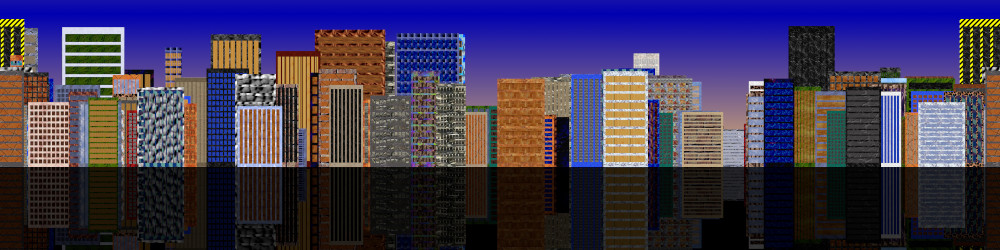
Sample creation using the above plug-in (that GIMP patterns textures) I just reflected it and changed opacity for fun
Image

_________________
TinT


Top
 Post subject: Re: random dowtown
PostPosted: Sat Dec 14, 2024 4:12 am  (#12) 
Offline
GimpChat Member
User avatar

Joined: Jan 06, 2020
Posts: 401
Location: The Netherlands
Thank you all!


Top
 Post subject: Re: random dowtown
PostPosted: Sun Dec 15, 2024 7:58 pm  (#13) 
Offline
Script Coder
User avatar

Joined: May 07, 2014
Posts: 4527
Location: Canada
Image
Image

_________________
TinT


Top
 Post subject: Re: random dowtown
PostPosted: Mon Dec 16, 2024 3:20 am  (#14) 
Offline
Global Moderator
User avatar

Joined: May 16, 2010
Posts: 16153
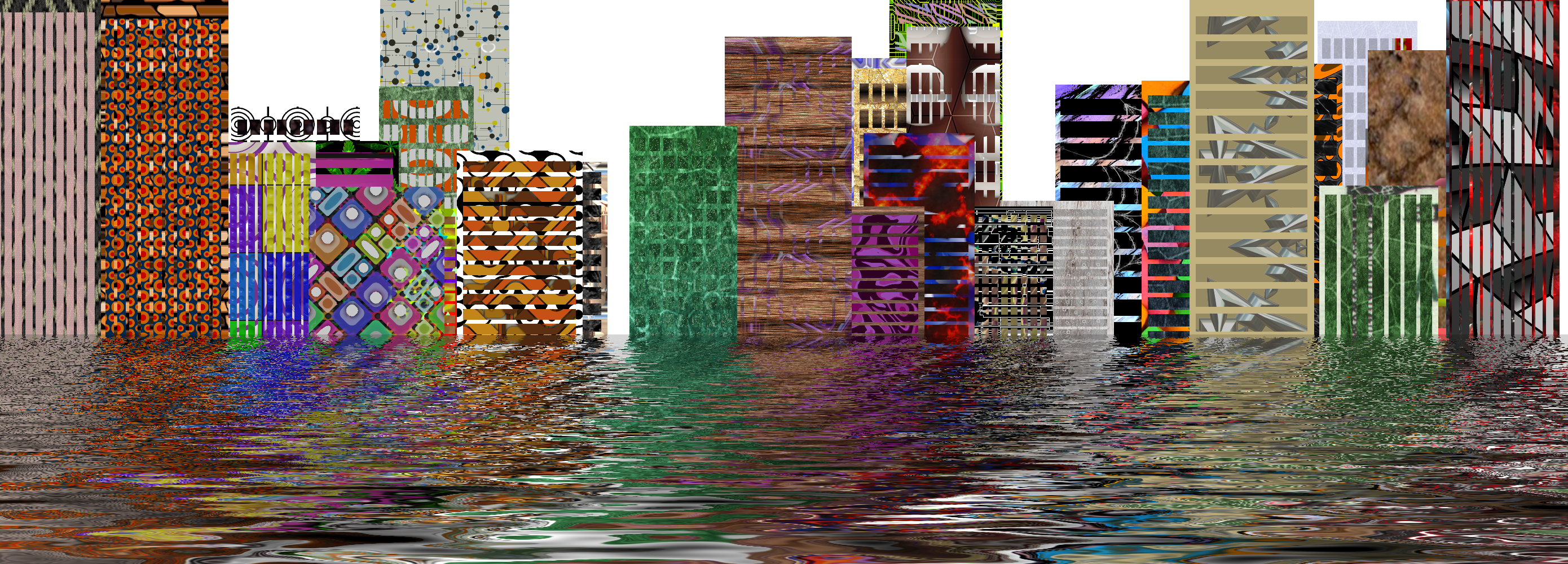
Works great in Gimp-2.10.38 RC1 Tran. Thanks for the update! :bigthup

Had to do the tsunami thing :lol

Image

_________________
Image


Top
 Post subject: Re: random dowtown
PostPosted: Mon Dec 16, 2024 8:13 am  (#15) 
Offline
GimpChat Member
User avatar

Joined: Dec 09, 2018
Posts: 736
Gave it a try.

Attachment:
downtown-01.png
downtown-01.png [ 645.35 KiB | Viewed 16277 times ]


Top
 Post subject: Re: random dowtown
PostPosted: Mon Dec 16, 2024 8:30 am  (#16) 
Offline
Script Coder
User avatar

Joined: May 07, 2014
Posts: 4527
Location: Canada
Tsunami and then dry version nice peeps!

_________________
TinT


Top
 Post subject: Re: random dowtown
PostPosted: Sun Feb 16, 2025 4:13 am  (#17) 
Offline
GimpChat Member

Joined: Sep 01, 2024
Posts: 9
Location: Alabama
Tran, I need some help with the random downtown plugin, if you have the time.

I am using Gimp 2.10.38 AppImage and Linux Mint 22.1. In the past, several years ago, I was able to successfully use your plugin. It has always been in my plugin folder and is set to "allow executing file as program". Upon seeing this thread, it reminded me of the plugin and I thought I would create another downtown image and that is where the problem began.

All my plugins like billboard sign, playing card, coin creator, sliced text, resynth, beautify and others work, except for random downtown. I've done a plugin search for it, etc... and can't find the entry in any of the menu lists, as if it doesn't exist even though it is in the correct plugin folder.

I also updated random_downtown_5 with the Fix #3 script you provided, no change.

What am I missing? Is there a step to take that I have forgotten about in order to be able to utilize this plugin?


Top
 Post subject: Re: random dowtown
PostPosted: Tue Feb 18, 2025 9:40 am  (#18) 
Offline
Script Coder
User avatar

Joined: May 07, 2014
Posts: 4527
Location: Canada
did you make it executable? on Linux you have to set that.

_________________
TinT


Top
 Post subject: Re: random dowtown
PostPosted: Tue Feb 18, 2025 12:43 pm  (#19) 
Offline
GimpChat Member

Joined: Sep 01, 2024
Posts: 9
Location: Alabama
trandoductin wrote:
did you make it executable? on Linux you have to set that.


Yes, it's set to execute. It's really bizarre because all other plugins work, including several of yours. I've even put the .py file in a folder named Random Downtown, thinking that may help, along with just the file itself. So, at points, I've actually had two random downtown python files in the Plugins folder, trying anything combination to see if it would show up. I've re-downloaded it several times.

I'm using an AppImage 2.10.38 from Tasmania, I believe, where all the other plugins seem to work fine. I've tried several .py plugins over the last couple of days that I didn't want to use but just wanted to test to see if I could still add plugins and they worked also.

Is it named Random Downtown in the file menu, maybe I'm overlooking it that way. Do you have some older versions of it I may try because, as I said, it worked a few years ago. I don't know when it disappeared from the menu or when it quit working.


Top
 Post subject: Re: random dowtown
PostPosted: Tue Feb 18, 2025 2:09 pm  (#20) 
Offline
GimpChat Member

Joined: Mar 04, 2011
Posts: 2610
@Guitarzan

With the plugin in place. If you run the appimage in a terminal you get this error

File "/home/rich/.config/GIMP/2.10/plug-ins/random-downtown.py", line 35, in <module>
import ssl
File "/usr/lib/python2.7/ssl.py", line 98, in <module>
import _ssl # if we can't import it, let the error propagate
ImportError: libssl.so.1.1: cannot open shared object file: No such file or directory


Mint 22 comes with libssl.so.3

You can get the plugin to show and sort-of work if you disable line 35 in the plugin eg change import ssl to #import ssl

An alternative is the ivan-hc GNU-Image-Manipulation-Program_2.10.38-2-Hybrid-with-python2-from-Debian-Buster-archimage3.4.1-1-x86_64.AppImage

Much larger appimage, contains the missing file and the plugin works.


Top
Post new topic Reply to topic  [ 37 posts ]  Go to page 1, 2  Next

All times are UTC - 5 hours [ DST ]


* Login  


Powered by phpBB3 © phpBB Group