It is currently Sat Nov 21, 2026 2:13 am


All times are UTC - 5 hours [ DST ]


Post new topic Reply to topic  [ 40 posts ]  Go to page Previous  1, 2
Author Message
 Post subject: Re: Custom wood or bark
PostPosted: Tue Sep 18, 2012 5:57 am  (#21) 
Offline
GimpChat Member
User avatar

Joined: Apr 07, 2010
Posts: 14182
That is very nice wbool.

_________________
Image


Top
 Post subject: Re: Custom wood or bark
PostPosted: Tue Sep 18, 2012 6:27 am  (#22) 
Offline
GimpChat Member
User avatar

Joined: Aug 24, 2011
Posts: 1785
Location: Dallas, TX
Those are pretty decent looking. I only have one question....What the heck is cml explorer or rather, where is it?

_________________
Image


Top
 Post subject: Re: Custom wood or bark
PostPosted: Tue Sep 18, 2012 6:42 am  (#23) 
Offline
GimpChat Member
User avatar

Joined: Apr 07, 2010
Posts: 14182
http://docs.gimp.org/2.8/nl/plug-in-cml-explorer.html

filter - Render - Pattern

_________________
Image


Top
 Post subject: Re: Custom wood or bark
PostPosted: Tue Sep 18, 2012 6:43 am  (#24) 
Offline
GimpChat Member

Joined: Apr 19, 2012
Posts: 80
Location: Australia
Draconian wrote:
Those are pretty decent looking. I only have one question....What the heck is cml explorer or rather, where is it?

wbool63 wrote:
Use the Filter/render/pattern/cml explorer


Top
 Post subject: Re: Custom wood or bark
PostPosted: Tue Sep 18, 2012 6:47 am  (#25) 
Offline
GimpChat Member
User avatar

Joined: Jun 24, 2010
Posts: 504
Location: Western Vic Australia
Hi Drac and Molly thank you. The filter is Filter/render/pattern/cml explorer. A much forgotten filter but very powerful. How it works , I haven't got a clue? The filter is present in my gimp from a base copy 2.6.11 and has been part of Gimp since ever

_________________
Image


Top
 Post subject: Re: Custom wood or bark
PostPosted: Tue Sep 18, 2012 6:49 am  (#26) 
Offline
GimpChat Member
User avatar

Joined: Aug 24, 2011
Posts: 1785
Location: Dallas, TX
Thanks everyone. I guess I never used that before. Oh well, another new toy to play with.

b10h4z4rd - I like your new avatar. Looks like a lens behind the symbol.

_________________
Image


Top
 Post subject: Re: Custom wood or bark
PostPosted: Tue Sep 18, 2012 7:13 am  (#27) 
Offline
GimpChat Member
User avatar

Joined: Jun 24, 2010
Posts: 504
Location: Western Vic Australia
I just realised that b10h4z4rd translates to "biohazard" as does the avatar. Clever!

_________________
Image


Top
 Post subject: Re: Custom wood or bark
PostPosted: Tue Sep 18, 2012 7:22 am  (#28) 
Offline
GimpChat Member

Joined: Apr 12, 2010
Posts: 5870
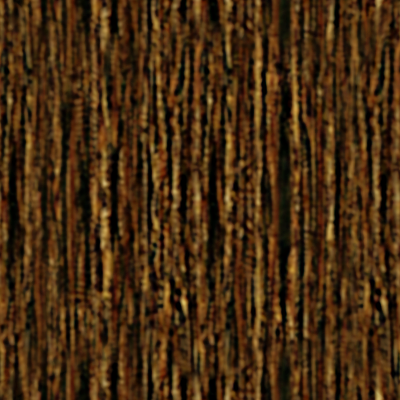
i did try to modify your first...also wbool idea is nice

about mine i just blur & sharpen and then added a solid yellow-orange layer set to multiply

Image

_________________
My 3D Gallery on Deviantart http://photocomix2.deviantart.com/
Main gallery http://www.flickriver.com/photos/photocomix-mandala/
Mandala and simmetry http://www.flickriver.com/photos/photocomix_mandala/

Image

Mrs Wilbress


Top
 Post subject: Re: Custom wood or bark
PostPosted: Tue Sep 18, 2012 7:46 am  (#29) 
Offline
GimpChat Member
User avatar

Joined: Aug 24, 2011
Posts: 1785
Location: Dallas, TX
Nice PC. I do think that makes it look a lot better. Looks like bark to me.

What's the difference in using your smoothing filter in Gmic and using the blur?

_________________
Image


Top
 Post subject: Re: Custom wood or bark
PostPosted: Tue Sep 18, 2012 8:24 am  (#30) 
Offline
GimpChat Member

Joined: Apr 12, 2010
Posts: 5870
gaussian blur is more generic anisotropic smoothing is as gaussian blur applied following the image structure

But a very low amount (no more then 1 px) more then blur soften, that allow to sharpen without sharpen also the noise.
i mean some noise remain but somehow more as a added texture.

To sharpen i used unsharpmask2 but gmic unsharpmask is almost equivalent here the point for me is push more the darkening (the dark halo effect...basically unsharpmask may sharpen creating a white or a dark halo around the edges, the default gimp unsharp mask doesn't give control on this, Gmic and unsharpmask2 give separate control for lighting (white halo around dark edges, ) and darkening (the contrary)

And the "dark halo" sharpening very often looks more "natural" (if moderate) or at least more pleasant ( if not too moderate)

not sure if was the best , looking after maybe i would have get a better result by ,in the first step "breaking the chain" (that lock toghter values for x and y ) and set blur for height at a higher value then for width

_________________
My 3D Gallery on Deviantart http://photocomix2.deviantart.com/
Main gallery http://www.flickriver.com/photos/photocomix-mandala/
Mandala and simmetry http://www.flickriver.com/photos/photocomix_mandala/

Image

Mrs Wilbress


Top
 Post subject: Re: Custom wood or bark
PostPosted: Tue Sep 18, 2012 8:33 am  (#31) 
Offline
GimpChat Member
User avatar

Joined: Aug 24, 2011
Posts: 1785
Location: Dallas, TX
That makes good sense regarding breaking the chain to adjust the blur. I also didn't realize that Gmic allows you to adjust the halo effect, light or dark. I'll have to play with the controls a little more next time. I may experiment with this pattern a bit more but something tells me I have too many other projects to move on to. Thanks for the tips.

_________________
Image


Top
 Post subject: Re: Custom wood or bark
PostPosted: Tue Sep 18, 2012 10:48 am  (#32) 
Offline
GimpChat Member
User avatar

Joined: Mar 23, 2012
Posts: 7388
Location: Göteborg at last!
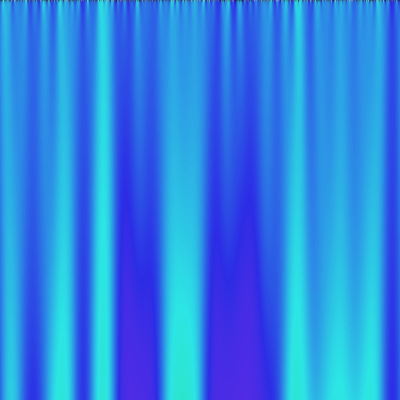
I wasn't very successful with wood but it sure makes nice curtains.

Image


Top
 Post subject: Re: Custom wood or bark
PostPosted: Tue Sep 18, 2012 11:44 am  (#33) 
Offline
GimpChat Member

Joined: Apr 12, 2010
Posts: 5870
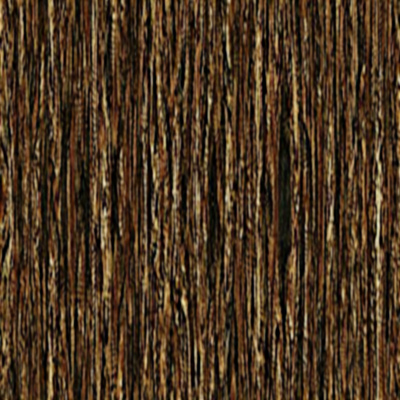
i repeated but with different blur (2 px for W, 4.5 px for H)

Image

_________________
My 3D Gallery on Deviantart http://photocomix2.deviantart.com/
Main gallery http://www.flickriver.com/photos/photocomix-mandala/
Mandala and simmetry http://www.flickriver.com/photos/photocomix_mandala/

Image

Mrs Wilbress


Top
 Post subject: Re: Custom wood or bark
PostPosted: Tue Sep 18, 2012 11:50 am  (#34) 
Offline
GimpChat Member
User avatar

Joined: Apr 07, 2010
Posts: 14182
@erisian- you forgot the top and the rod-lol

@PC- nice job on your wood.

_________________
Image


Top
 Post subject: Re: Custom wood or bark
PostPosted: Tue Sep 18, 2012 1:12 pm  (#35) 
Offline
GimpChat Member
User avatar

Joined: Aug 16, 2012
Posts: 4271
Location: Göteborg, Sweden
draconian: what other projects could that possibly be? i mean it's not like you're busy or anything, there's just metal tuts, snowy text tut, more metal flowers, palette tool magic...

erisian: they would be a lot nicer with a paisley pattern. everyone thinks so but i'm the only one brave enough to say it.

photo comix: that's some nice, rough wood, good job!

molly: your new avatar is very pretty!

_________________


Top
 Post subject: Re: Custom wood or bark
PostPosted: Tue Sep 18, 2012 1:26 pm  (#36) 
Offline
GimpChat Member
User avatar

Joined: Mar 23, 2012
Posts: 7388
Location: Göteborg at last!
I like your new avatar too Molly.

I tried to make paisley curtains AnMal but came across problems.


Top
 Post subject: Re: Custom wood or bark
PostPosted: Tue Sep 18, 2012 1:31 pm  (#37) 
Offline
GimpChat Member
User avatar

Joined: Apr 07, 2010
Posts: 14182
Thank you AnMal and Eris

_________________
Image


Top
 Post subject: Re: Custom wood or bark
PostPosted: Tue Sep 18, 2012 3:36 pm  (#38) 
Offline
GimpChat Member
User avatar

Joined: Aug 30, 2012
Posts: 2174
Had to have a play, so download your greyscale image to manipulate.

Image

After the suggestion of the moss needing texture I tried using my own felt pattern, here it is if you want to use it.

Image

_________________
Image


Top
 Post subject: Re: Custom wood or bark
PostPosted: Tue Sep 18, 2012 4:25 pm  (#39) 
Offline
GimpChat Member
User avatar

Joined: Aug 24, 2011
Posts: 1785
Location: Dallas, TX
AnMal wrote:
draconian: what other projects could that possibly be? i mean it's not like you're busy or anything, there's just metal tuts, snowy text tut, more metal flowers, palette tool magic...


Just never you mind my precious, my precious (best maniacal voice)

This site keeps creating more work for me all the time as I'm sure you and others will attest to that fact. I haven't forgotten about the Sno Globe text effect, in fact I was looking at it this morning. I working on a Biiiiiiiiiiig project right now and man are you guys going to be surprised! It's been over a month in the making and even after agonizing over all the details, I think it will still be worth it. I have a couple of other major projects on the board but I need to get rid of this Metal Wurx thing before I really start to tackle anything else. I'm having a fit getting the last two segment finished. Hang in there.

PC - That blur adjustment made a lot of difference. Looks great!

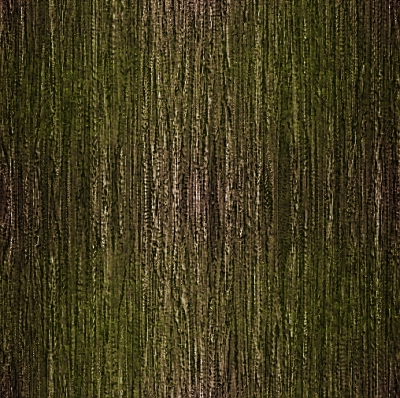
I was trying to immulate this Bark pic I downloaded from the internet.


Attachments:
Bark_8.jpg
Bark_8.jpg [ 383.35 KiB | Viewed 2011 times ]

_________________
Image
Top
 Post subject: Re: Custom wood or bark
PostPosted: Tue Sep 18, 2012 4:33 pm  (#40) 
Offline
GimpChat Member
User avatar

Joined: Aug 24, 2011
Posts: 1785
Location: Dallas, TX
he4rty - Not a bad version at all. I already had a couple of felt patterns but someone else might snag it. Here's a couple of the ones I had if anyone is interested. The first one is black_paper but I think it would pass for felt just as well.


Attachments:
black_paper.png
black_paper.png [ 113.37 KiB | Viewed 2008 times ]
felt.png
felt.png [ 129 KiB | Viewed 2008 times ]

_________________
Image
Top
Post new topic Reply to topic  [ 40 posts ]  Go to page Previous  1, 2

All times are UTC - 5 hours [ DST ]


* Login  


Powered by phpBB3 © phpBB Group