It is currently Wed Oct 07, 2026 3:54 pm


All times are UTC - 5 hours [ DST ]


Post new topic Reply to topic  [ 34 posts ]  Go to page Previous  1, 2
Author Message
 Post subject: Re: Blender Stuff
PostPosted: Sat Feb 23, 2013 12:37 pm  (#21) 
Offline
GimpChat Member
User avatar

Joined: Sep 22, 2012
Posts: 2089
Location: US
Good stuff, Lurifax!

It looks like your bicycle was rendered with Luxrender or Cycles but the lighting is still done with the internal Blender render.
It's looking a bit flat for the outdoor lighting. Maybe that's because there is no other surfaces to diffuse the light from the light source?

Cycle render is getting better and better with each release but still in development. Have you tried a newly featured hair render yet?
Thanks for sharing!


Top
 Post subject: Re: Blender Stuff
PostPosted: Sat Feb 23, 2013 2:19 pm  (#22) 
Offline
GimpChat Member
User avatar

Joined: Feb 14, 2013
Posts: 462
Location: Stockholm
Thank you.
Exactly. Not yet. I havent work on blender for abouth a year. I start now to make a new RetroCar. There is so many images so I forgot which on of them I use Lux or Cycle. The green bike I am sure is rendered in Lux, anyhow its a good hobby and its for free.
The lights with emitted planes its a hard work to get it perfect.

_________________
Late 2017 iMac Retina 4K 21,5 inch Mac OS High Sierra version 10.13.4
3,6 GHz Intel Core i7
16 GB Ram 2400 MHz DDR4
Graphic card Radeon Pro 560 4096 MB
Affinity Photo and Affinity Designers.


Top
 Post subject: Re: Blender Stuff
PostPosted: Sat Feb 23, 2013 2:39 pm  (#23) 
Offline
GimpChat Member
User avatar

Joined: Sep 22, 2012
Posts: 2089
Location: US
Lux is awesome, the only thing I don't like about it, it's using all 8 cores of my CPU and I can't make it use GPU instead (unlike Cycle).
With render time up to 40 minutes sometimes my CPU usage is about 85-90% on i7 chipset. Can hardly do anything else without either stuff being queued.
Any ideas on how to change that to using videocard's GPU?


Top
 Post subject: Re: Blender Stuff
PostPosted: Sat Feb 23, 2013 3:59 pm  (#24) 
Offline
GimpChat Member
User avatar

Joined: Feb 14, 2013
Posts: 462
Location: Stockholm
K1TesseraEna. I am glad to talk with a Pro as you. Not many Blenderusers have good knowledge about lights settings

During the rendering of my " Avatar Explode " CPU on my iMac CPU looks like this. The heat is 66

Image

As I mentioned , I have been away from Blender for about a year and a lot of new stuff has been made.
I did not like Lux for there was no rendering Stop.
I laborated with HDR but this is made for Blender Internal. I think it is better to spend all time on one rendering, therefore, I would stick to Cycle.
Interesting to see if there are plenty of new features in the new version of Blender 2.66.
I dont have any problem with the computer. Brand new iMac 64 bits 10.8.2 with 16GB Ram. Fast and smooth.

_________________
Late 2017 iMac Retina 4K 21,5 inch Mac OS High Sierra version 10.13.4
3,6 GHz Intel Core i7
16 GB Ram 2400 MHz DDR4
Graphic card Radeon Pro 560 4096 MB
Affinity Photo and Affinity Designers.


Last edited by Lurifax73 on Sun Feb 24, 2013 4:08 pm, edited 1 time in total.

Top
 Post subject: Re: Blender Stuff
PostPosted: Sun Feb 24, 2013 2:16 pm  (#25) 
Offline
GimpChat Member
User avatar

Joined: Feb 14, 2013
Posts: 462
Location: Stockholm
Blender Avatar dissolve and exploding.

1.
Avatar:

Image

2.
Avatar start dissolve:

Image

3.
Avatar dissolving:

Image

4.
Avatar Exploding:

Image

_________________
Late 2017 iMac Retina 4K 21,5 inch Mac OS High Sierra version 10.13.4
3,6 GHz Intel Core i7
16 GB Ram 2400 MHz DDR4
Graphic card Radeon Pro 560 4096 MB
Affinity Photo and Affinity Designers.


Top
 Post subject: Re: Blender Stuff
PostPosted: Sun Feb 24, 2013 7:04 pm  (#26) 
Offline
GimpChat Member
User avatar

Joined: Sep 22, 2012
Posts: 2089
Location: US
Lurifax73 wrote:
K1TesseraEna. I am glad to talk with a Pro as you. Not many Blenderusers have good knowledge about lights settings

During the rendering of my " Avatar Explode " CPU on my iMac CPU looks like this. The heat is 66

Image

Brand new iMac 64 bits 10.8.2 with 16GB Ram. Fast and smooth.


Nice exploding text Lurifax!

As for the hardware, you get pretty much what i get 87% CPU in use during Blender rendering.
I have a set of win 7 64-bit, i7 8 core processor and 16 GB RAM and 2GB of dedicated AMD Radeon videcard.
Two things to note: GPU is faster than CPU rendering (1.5-1.8 times faster) GPU is Graphic Processor unit (read videocard + graphic acceleration software - OpenGL for Blender, btw, gimp 2.10 with GEGL is going to use OpenCL graphic accelerator, gimp will be much faster in coming 2.10-3 series)
Cycle is using GPU (OpenGL enabled too), Blender internal and Lux - CPU rendering. It actually never gets overboard from CPU to using RAM (not possible), it rather puts render in queue. BTW, there are some other external renders, i've never tried any of those. But maybe someday I'll try them all.


Top
 Post subject: Re: Blender Stuff
PostPosted: Sun Feb 24, 2013 8:00 pm  (#27) 
Offline
GimpChat Member

Joined: Apr 12, 2010
Posts: 5870
Lurifax73 wrote:
Blender Avatar dissolve and exploding.

1.
Avatar:

Image

2.
Avatar start dissolve:

Image

3.
Avatar dissolving:

Image

4.
Avatar Exploding:

Image


That is too cool !
But would be also possible get the in-between renders, have as animation and if so would take much time to render and much additional work

I am very tempted to learn to use Blender , looks so awful complex , pretend a massive use of hot key but if once created a object i may animate in reasonable time...then i should really go for it

Instead if for 2 second of animation are needed 2 days of work , i would feel much less enthusiast (obviously here i am talking to animate a single object ...well a single object may be quite complex )

_________________
My 3D Gallery on Deviantart http://photocomix2.deviantart.com/
Main gallery http://www.flickriver.com/photos/photocomix-mandala/
Mandala and simmetry http://www.flickriver.com/photos/photocomix_mandala/

Image

Mrs Wilbress


Top
 Post subject: Re: Blender Stuff
PostPosted: Sun Feb 24, 2013 11:39 pm  (#28) 
Offline
GimpChat Member
User avatar

Joined: Feb 14, 2013
Posts: 462
Location: Stockholm
K1TesseraEna wrote:
Lurifax73 wrote:
K1TesseraEna. I am glad to talk with a Pro as you. Not many Blenderusers have good knowledge about lights settings

During the rendering of my " Avatar Explode " CPU on my iMac CPU looks like this. The heat is 66

Image

Brand new iMac 64 bits 10.8.2 with 16GB Ram. Fast and smooth.


Nice exploding text Lurifax!

As for the hardware, you get pretty much what i get 87% CPU in use during Blender rendering.
I have a set of win 7 64-bit, i7 8 core processor and 16 GB RAM and 2GB of dedicated AMD Radeon videcard.
Two things to note: GPU is faster than CPU rendering (1.5-1.8 times faster) GPU is Graphic Processor unit (read videocard + graphic acceleration software - OpenGL for Blender, btw, gimp 2.10 with GEGL is going to use OpenCL graphic accelerator, gimp will be much faster in coming 2.10-3 series)
Cycle is using GPU (OpenGL enabled too), Blender internal and Lux - CPU rendering. It actually never gets overboard from CPU to using RAM (not possible), it rather puts render in queue. BTW, there are some other external renders, i've never tried any of those. But maybe someday I'll try them all.


Hello K1TesseraEna and thanks for your reply. I think your Window and my iMac has the same stuff inside.
Let me know if you fine some good GPU for macusers. Renderingtime for this small project Avatar land up to about one hour..
Thanks
Lurifax

_________________
Late 2017 iMac Retina 4K 21,5 inch Mac OS High Sierra version 10.13.4
3,6 GHz Intel Core i7
16 GB Ram 2400 MHz DDR4
Graphic card Radeon Pro 560 4096 MB
Affinity Photo and Affinity Designers.


Top
 Post subject: Re: Blender Stuff
PostPosted: Mon Feb 25, 2013 12:21 am  (#29) 
Offline
GimpChat Member
User avatar

Joined: Feb 14, 2013
Posts: 462
Location: Stockholm
Hello PhotoComix.
Thanks for your interest in Blender.
I never try any of those other 3D apps like Maya, Illustrater and Adobe CS6 cost to much.
Anyhow, Blender is easy to learn. There is 100 of tutorials all over. Most of them ar made in pdf Timespending project. Yes there is My RetroCar with plenty of small items take time, but this Avatar take you abouth one hour.
Take a look at my absolute favorite regarding tutorial making. Blender Diplom. If you scroll down you see my dissolving tutorials.
http://www.blenderdiplom.com/index.php/en/tutorials

This one has poor lamp settings.
http://player.vimeo.com/video/18778610

Yes Blender ar enugh exiting for me.
Here is one more image. If you need help ask me may I can help you.
Lurifax.

Image

_________________
Late 2017 iMac Retina 4K 21,5 inch Mac OS High Sierra version 10.13.4
3,6 GHz Intel Core i7
16 GB Ram 2400 MHz DDR4
Graphic card Radeon Pro 560 4096 MB
Affinity Photo and Affinity Designers.


Top
 Post subject: Re: Blender Stuff
PostPosted: Mon Feb 25, 2013 4:44 am  (#30) 
Offline
GimpChat Member
User avatar

Joined: Apr 07, 2010
Posts: 14182
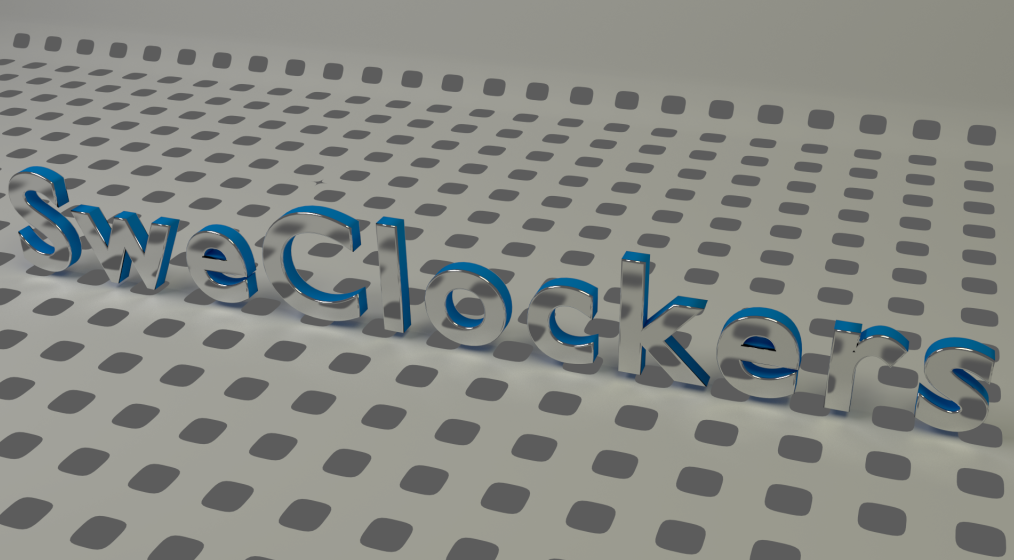
Very nice. I really like the look of that transparent text, and the way it is blurred to make it look magnified.

_________________
Image


Top
 Post subject: Re: Blender Stuff
PostPosted: Mon Feb 25, 2013 2:41 pm  (#31) 
Offline
GimpChat Member
User avatar

Joined: Feb 14, 2013
Posts: 462
Location: Stockholm
Hello molly.

_________________
Late 2017 iMac Retina 4K 21,5 inch Mac OS High Sierra version 10.13.4
3,6 GHz Intel Core i7
16 GB Ram 2400 MHz DDR4
Graphic card Radeon Pro 560 4096 MB
Affinity Photo and Affinity Designers.


Last edited by Lurifax73 on Thu Feb 28, 2013 8:19 am, edited 1 time in total.

Top
 Post subject: Re: Blender Stuff
PostPosted: Mon Feb 25, 2013 3:13 pm  (#32) 
Offline
GimpChat Member
User avatar

Joined: Sep 22, 2012
Posts: 2089
Location: US
Cool stuff Lurifax!


Lurifax73 wrote:
I think your Window and my iMac has the same stuff inside.
Let me know if you fine some good GPU for macusers. Renderingtime for this small project Avatar land up to about one hour..
Thanks
Lurifax


Octane is a pure GPU based rendering engine also available for Mac OS. I heard it's pretty good, the only problem - it is a proprietary software.


Top
 Post subject: Re: Blender Stuff
PostPosted: Mon Feb 25, 2013 3:39 pm  (#33) 
Offline
GimpChat Member
User avatar

Joined: Apr 07, 2010
Posts: 14182
WOW! that is so cool. I really like that. thanks Lurifix.

_________________
Image


Top
 Post subject: Re: Blender Stuff
PostPosted: Mon Feb 25, 2013 5:22 pm  (#34) 
Offline
GimpChat Member
User avatar

Joined: Feb 14, 2013
Posts: 462
Location: Stockholm
Hello guys again. and thanks,


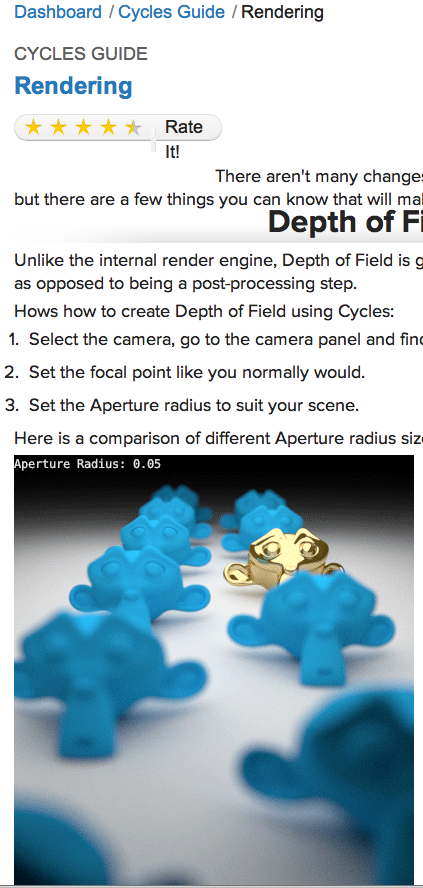
I have found what I was looking for. My old tutorial that I learned Blender render engine Cycle few years ago . Greg Zaal from BlenderGury made ​​a series of tutorials with names Nature Academy. This explane all the hardworking stuff in a easy way . Ther is one bad thing with lux and cycle , you can not animate with this RENDERS .
I want to made ​​a flower with cycle render engine..
Here is few image from Nature Academy.
I see you later on.
Lurifax.

1.
Image

2.
Image

3.
Image

_________________
Late 2017 iMac Retina 4K 21,5 inch Mac OS High Sierra version 10.13.4
3,6 GHz Intel Core i7
16 GB Ram 2400 MHz DDR4
Graphic card Radeon Pro 560 4096 MB
Affinity Photo and Affinity Designers.


Top
Post new topic Reply to topic  [ 34 posts ]  Go to page Previous  1, 2

All times are UTC - 5 hours [ DST ]


* Login  


Powered by phpBB3 © phpBB Group