It is currently Mon Aug 24, 2026 8:53 am


All times are UTC - 5 hours [ DST ]


Post new topic Reply to topic  [ 21 posts ]  Go to page 1, 2  Next
Author Message
 Post subject: documenting how you did something
PostPosted: Wed Feb 27, 2013 5:53 pm  (#1) 
Offline
GimpChat Member
User avatar

Joined: Jul 17, 2012
Posts: 2769
recently i began to make notes everytime i try something, preferably in the layer properties,because otherwise there is no way to restore the information

in PS you have layerstyles and all the data is there all the time, and you can change it whenever you want
that has obviously some great advanteges although i would never want to swap Gimp for Photoshop

now what i was wondering: is there a way a script could somehow document what tools and values you used, like G'MIC already does ?


Share on Facebook Share on Twitter Share on Orkut Share on Digg Share on MySpace Share on Delicious Share on Technorati
Top
 Post subject: Re: documenting how you did something
PostPosted: Wed Feb 27, 2013 7:33 pm  (#2) 
Offline
GimpChat Member

Joined: Jul 11, 2010
Posts: 349
That would be nice!


Top
 Post subject: Re: documenting how you did something
PostPosted: Thu Feb 28, 2013 12:14 am  (#3) 
Offline
GimpChat Member

Joined: Feb 22, 2012
Posts: 295
Location: Germany
how/where does g'mic document it?


Top
 Post subject: Re: documenting how you did something
PostPosted: Thu Feb 28, 2013 12:20 am  (#4) 
Offline
GimpChat Member
User avatar

Joined: Jul 17, 2012
Posts: 2769
Onkel Hatti wrote:
how/where does g'mic document it?
you get a string of values in the layer properties


Top
 Post subject: Re: documenting how you did something
PostPosted: Thu Feb 28, 2013 3:03 am  (#5) 
Offline
GimpChat Member
User avatar

Joined: Nov 16, 2011
Posts: 5127
Location: Metro Vancouver, BC
Do you ever review the Undoing dialog?
I sometimes use it to see what I've done.

_________________
Image
Gimp 2.8.18, Linux, median user
Gimp Chat Tutorials Index
Spirit Bear (Kermode)


Top
 Post subject: Re: documenting how you did something
PostPosted: Thu Feb 28, 2013 3:27 am  (#6) 
Offline
GimpChat Member
User avatar

Joined: Jan 11, 2013
Posts: 254
Location: Germany
Interesting idea....is it possible to export the undo history into a plain text?

_________________


Top
 Post subject: Re: documenting how you did something
PostPosted: Thu Feb 28, 2013 5:14 am  (#7) 
Offline
GimpChat Member
User avatar

Joined: Nov 16, 2011
Posts: 5127
Location: Metro Vancouver, BC
Chris F wrote:
Interesting idea....is it possible to export the undo history into a plain text?
No you can't save the undo data either to your image file or a log file. I just visual scan it sometimes for info. As far as I know, the closest thing Gimp has for logging is the Error console and starting verbose.

Your OS should have an event log you could setup.

_________________
Image
Gimp 2.8.18, Linux, median user
Gimp Chat Tutorials Index
Spirit Bear (Kermode)


Top
 Post subject: Re: documenting how you did something
PostPosted: Thu Feb 28, 2013 8:36 am  (#8) 
Offline
GimpChat Member
User avatar

Joined: Sep 06, 2011
Posts: 368
Location: US, Ohio
I know a lot of the color modification tools have a menu above their respective dialog boxes for presets. Sometimes you can re-use previously made settings using this drop-down menu.

This is a hard question for me because I find that I record almost everything I do in Gimp these days lol.


Top
 Post subject: Re: documenting how you did something
PostPosted: Thu Feb 28, 2013 9:44 am  (#9) 
Offline
GimpChat Member
User avatar

Joined: Jul 17, 2012
Posts: 2769
the undo history tells me that i used Gaussian Blur, but not the values i used
it tells me that i used Offset, but not in what direction and by how many pixels.....

but this is what i need to know


Top
 Post subject: Re: documenting how you did something
PostPosted: Thu Feb 28, 2013 11:13 am  (#10) 
Offline
Script Coder
User avatar

Joined: Oct 25, 2010
Posts: 4812
My method is to accumulate layers/channels/paths with very descriptive names...

_________________
Image


Top
 Post subject: Re: documenting how you did something
PostPosted: Thu Feb 28, 2013 11:18 am  (#11) 
Offline
GimpChat Member
User avatar

Joined: Jul 17, 2012
Posts: 2769
ofnuts wrote:
My method is to accumulate layers/channels/paths with very descriptive names...
yes, thats what i do as well, but its tedious and sometimes when experimenting i forget it and then all is lost :(


Top
 Post subject: Re: documenting how you did something
PostPosted: Thu Feb 28, 2013 11:42 am  (#12) 
Offline
GimpChat Member
User avatar

Joined: Jan 10, 2013
Posts: 863
Esper wrote:
the undo history tells me that i used Gaussian Blur, but not the values i used
it tells me that i used Offset, but not in what direction and by how many pixels.....

but this is what i need to know

Esper if it were possible it would be great ...
I edited a picture and liked the result. I decided to apply the same procedure a second image, but I had to stop and go away.
Three hours later I'm back, and I do not remember that one of the filters used. :gaah :tantrum

Now I'm trying to re-edit the first image, and see which filter gave me the result that I have seen before me, to be able to re-edit the second image. :bawl

_________________
bbbbbbbbbbbImage
bbbbbbbbbbb Be patient, English is not my language.


Top
 Post subject: Re: documenting how you did something
PostPosted: Thu Feb 28, 2013 12:31 pm  (#13) 
Offline
GimpChat Member
User avatar

Joined: Sep 22, 2012
Posts: 2089
Location: US
I also had a big issue with fonts information retrieval before I developed a habit to rename text layers by font name and size.
But when i look at my old xcf files I still have no clue what fonts i used.
There is a simple workaround for fonts without having to rename them, I just duplicate the text layer before modifying it and make it invisible
(never mind XCF files get bulky). But for the aforementioned problem there is no other solution in GIMP but write every step down. Tedious.


Top
 Post subject: Re: documenting how you did something
PostPosted: Thu Feb 28, 2013 12:36 pm  (#14) 
Offline
GimpChat Member
User avatar

Joined: Nov 16, 2011
Posts: 5127
Location: Metro Vancouver, BC
Esper wrote:
the undo history tells me that i used Gaussian Blur, but not the values i used
it tells me that i used Offset, but not in what direction and by how many pixels.....

but this is what i need to know
A procedure and parameter log would be nice to have, I think that would be a great request for the next version of Gimp. For now, Gimp remembers the last used parameters for most actions, you just have to re-open the dialog and have a look.

_________________
Image
Gimp 2.8.18, Linux, median user
Gimp Chat Tutorials Index
Spirit Bear (Kermode)


Top
 Post subject: Re: documenting how you did something
PostPosted: Thu Feb 28, 2013 12:47 pm  (#15) 
Offline
GimpChat Member

Joined: Jul 11, 2010
Posts: 349
I just had a thought (get one every once and a while). What if we used a Screen Capture program. At each critical point, with the filter and setting showing, you could just hit the Print Screen button. These programs can be setup to automatically put all sorts of info in the screenshot title. Most useful would be the date and time (down to the second) of the capture. Once setup, you could document all your steps by simply pressing a button!

An alternative, but more resource intensive, would be to run a program that records a video of what you are doing on the screen. This is like they do for video tutorials. I have never tried these, so I don't know how flexible they would be.


Top
 Post subject: Re: documenting how you did something
PostPosted: Thu Feb 28, 2013 1:13 pm  (#16) 
Offline
GimpChat Member
User avatar

Joined: Sep 22, 2012
Posts: 2089
Location: US
Odinbc wrote:
Esper wrote:
the undo history tells me that i used Gaussian Blur, but not the values i used
it tells me that i used Offset, but not in what direction and by how many pixels.....

but this is what i need to know
A procedure and perimeter log would be nice to have, I think that would be a great request for the next version of Gimp. For now, Gimp remembers the last used perimeters for most actions, you just have to re-open the dialog and have a look.


Esper mentioned offset (layer, mask) Last action info is not stored in gimp, whenever you reopen offset dialog it always resets to '0", color adjustment tools do the same. There is no way to undo or retrieve the exact curves setting after a few more changes were made. PS has non-destructive approach by implementing 'adjustment layers', layer styles. GIMP needs layer non-destructive architecture rather than developing a new feature - that is, recording change logs. The developers care not about such a feature, since the general trend is to make GIMP totally non-destructive program (somewhere between 3.0 and ongoing versions)


Top
 Post subject: Re: documenting how you did something
PostPosted: Thu Feb 28, 2013 1:38 pm  (#17) 
Offline
GimpChat Member
User avatar

Joined: Nov 16, 2011
Posts: 5127
Location: Metro Vancouver, BC
K1TesseraEna, You missed the 'most' part, you can only do what you can do and logging shouldn't be difficult to implement :)

_________________
Image
Gimp 2.8.18, Linux, median user
Gimp Chat Tutorials Index
Spirit Bear (Kermode)


Top
 Post subject: Re: documenting how you did something
PostPosted: Thu Feb 28, 2013 1:48 pm  (#18) 
Offline
GimpChat Member
User avatar

Joined: Sep 22, 2012
Posts: 2089
Location: US
I didn't miss that part, Odin. I see what you mean and am totally with you on that. Yes, logging isn't that hard at all. It was a discussion on gimp-mailing list a few months back and the dev's answered a similar feature request. Wasn't arguing with you, just explaining what dev's think about it and what the gimp trends are for curious people out there. Sorry


Top
 Post subject: Re: documenting how you did something
PostPosted: Thu Feb 28, 2013 3:33 pm  (#19) 
Offline
GimpChat Member
User avatar

Joined: Sep 22, 2012
Posts: 2089
Location: US
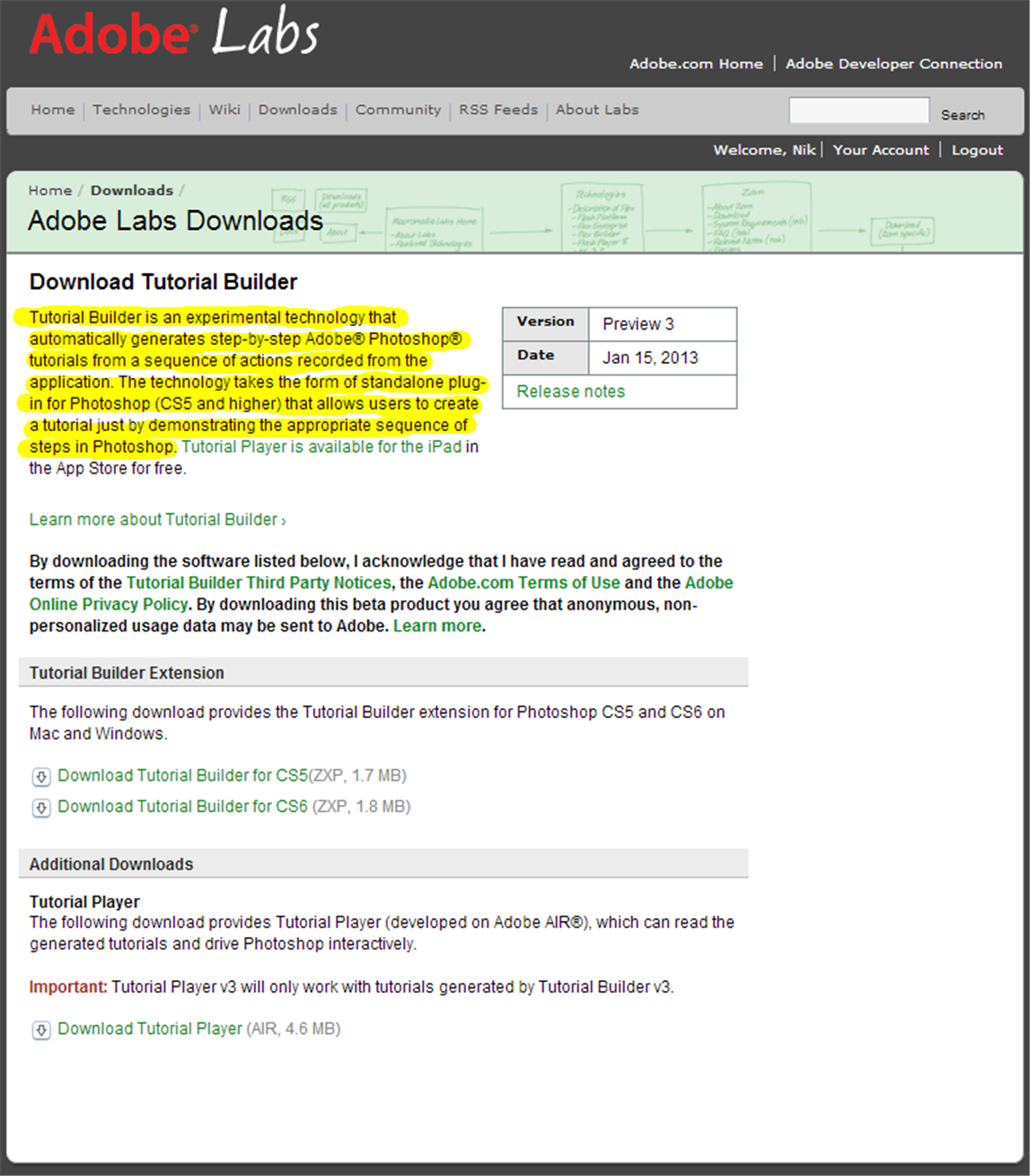
Esper, you've been a very active GC tutorial contributor of late. Not directly related to the thread topic, but I know what feature you might want to request from the gimp plugin developers :mrgreen:

Image


Top
 Post subject: Re: documenting how you did something
PostPosted: Thu Feb 28, 2013 4:12 pm  (#20) 
Offline
GimpChat Member
User avatar

Joined: Nov 16, 2011
Posts: 5127
Location: Metro Vancouver, BC
K1TesseraEna wrote:
I didn't miss that part, Odin. I see what you mean and am totally with you on that. Yes, logging isn't that hard at all. It was a discussion on gimp-mailing list a few months back and the dev's answered a similar feature request. Wasn't arguing with you, just explaining what dev's think about it and what the gimp trends are for curious people out there. Sorry
It's all good :bigthup
K1TesseraEna wrote:
Esper, you've been a very active GC tutorial contributor of late. Not directly related to the thread topic, but I know what feature you might want to request from the gimp plugin developers :mrgreen:
There is a similar program like that I've used in the past, I can't remember the name. It took screen shots on a timer and recorded keystrokes, but not dialog input unless it was caught in a screen shot. It's perfect for someone who doesn't want to have any pressure while their trying to document how to steps.
It's been a while; I better go see if I can find it.

_________________
Image
Gimp 2.8.18, Linux, median user
Gimp Chat Tutorials Index
Spirit Bear (Kermode)


Top
Post new topic Reply to topic  [ 21 posts ]  Go to page 1, 2  Next

All times are UTC - 5 hours [ DST ]


* Login  


Powered by phpBB3 © phpBB Group