It is currently Tue Aug 11, 2026 2:31 pm


All times are UTC - 5 hours [ DST ]


Post new topic Reply to topic  [ 13 posts ] 
Author Message
 Post subject: Sharing the presets
PostPosted: Wed Jun 12, 2013 11:24 am  (#1) 
Offline
GimpChat Member
User avatar

Joined: Jan 11, 2013
Posts: 254
Location: Germany
I want to share my presets for my next tutorial. I`m using some of the gmic-filters with many settings.
The way with saving the .gmic-faves is not bad, but it would be very nice to have a
folder or so where i can share the presets like brushes or gradients.
Is it possible that someone of the good looking coding-guys could write a little extension? :flirt :mrgreen: :mrgreen: :mrgreen:

_________________


Share on Facebook Share on Twitter Share on Orkut Share on Digg Share on MySpace Share on Delicious Share on Technorati
Top
 Post subject: Re: Sharing the presets
PostPosted: Wed Jun 12, 2013 1:03 pm  (#2) 
Offline
GimpChat Member
User avatar

Joined: Sep 22, 2012
Posts: 2089
Location: US
IIRC, saving gmic filter settings request was addressed to David and the answer was 'not possible at the moment'.
Agree, would be a huge leap in GMIC UI development.


Top
 Post subject: Re: Sharing the presets
PostPosted: Wed Jun 12, 2013 2:48 pm  (#3) 
Offline
Global Moderator
User avatar

Joined: May 16, 2010
Posts: 16155
Chris F wrote:
I want to share my presets for my next tutorial. I`m using some of the gmic-filters with many settings.
The way with saving the .gmic-faves is not bad, but it would be very nice to have a
folder or so where i can share the presets like brushes or gradients.
Is it possible that someone of the good looking coding-guys could write a little extension? :flirt :mrgreen: :mrgreen: :mrgreen:


Adding as a fave is the closest you get to this availability for presets in G'MIC. :)
For now anyways.
Perhaps a small script that would copy a txt in notepad and paste/append it to anyone's installed faves file?
Then you could copy your faves from the tutorial and the user could just use the script to add them to their faves list. The faves list can be merged or collapsed so i don't see size of the list being a problem either.

Just as easy though to have the user open the txt file and copy paste on their own. :)

_________________
Image


Top
 Post subject: Re: Sharing the presets
PostPosted: Wed Jun 12, 2013 7:00 pm  (#4) 
Offline
GimpChat Member

Joined: Jul 11, 2010
Posts: 349
There is already a script to save Gmic settings to a text file. I am using partha portable 2.8.4 and G'MIC 1.5.6.1(beta). Under filters there are two G'MIC chioces. the original "G'MIC" and another a little above it "Gmic". Selecting Gmic>Utility>Recover preset from layer names, will give you a text file "Layer0_preset.txt" for the selected layer. In this case layer 0.


Top
 Post subject: Re: Sharing the presets
PostPosted: Thu Jun 13, 2013 1:35 am  (#5) 
Offline
Global Moderator
User avatar

Joined: May 16, 2010
Posts: 16155
bilbo9955 wrote:
There is already a script to save Gmic settings to a text file. I am using partha portable 2.8.4 and G'MIC 1.5.6.1(beta). Under filters there are two G'MIC chioces. the original "G'MIC" and another a little above it "Gmic". Selecting Gmic>Utility>Recover preset from layer names, will give you a text file "Layer0_preset.txt" for the selected layer. In this case layer 0.


Any idea where to download the script from or do you know the script name? :)

_________________
Image


Top
 Post subject: Re: Sharing the presets
PostPosted: Thu Jun 13, 2013 8:55 am  (#6) 
Offline
GimpChat Member

Joined: Jul 11, 2010
Posts: 349
No, I just noticed it after the G'MIC 1.5.6.1(beta) install, and thought it was part of it. It could have been there b4 but I hadn't noticed it. From the name "G'MIC 1.5.6.1(beta)" I think it is the one from the gmic download page: "gmic_gimp_1.5.6.1_beta_win64.zip". It doesn't show up in the plugin browser or the procedure browser, so it might be part of the new gmic? I tried to attached the file, but it is over the 5MB size limit. I will check further and report back!

:jumpclap :jumpclap :jumpclap :jumpclap Edit: It is a plugin and not in Gmic. Attached is a photo of the the gimp description. Surprisingly, its author is GimpChat date 2011. I have not found the actual plugin yet, but considering it is in Partha's 2.8.4 portable and the date, I have the feeling it came with Partha's build.


Top
 Post subject: Re: Sharing the presets
PostPosted: Thu Jun 13, 2013 10:07 am  (#7) 
Offline
GimpChat Member

Joined: Jul 11, 2010
Posts: 349
Forgot to add the photo. Sorry!


Attachments:
Gmic layer details save.jpg
Gmic layer details save.jpg [ 148.79 KiB | Viewed 3368 times ]
Top
 Post subject: Re: Sharing the presets
PostPosted: Thu Jun 13, 2013 11:39 am  (#8) 
Offline
GimpChat Member

Joined: Sep 24, 2012
Posts: 275
Location: Scotland
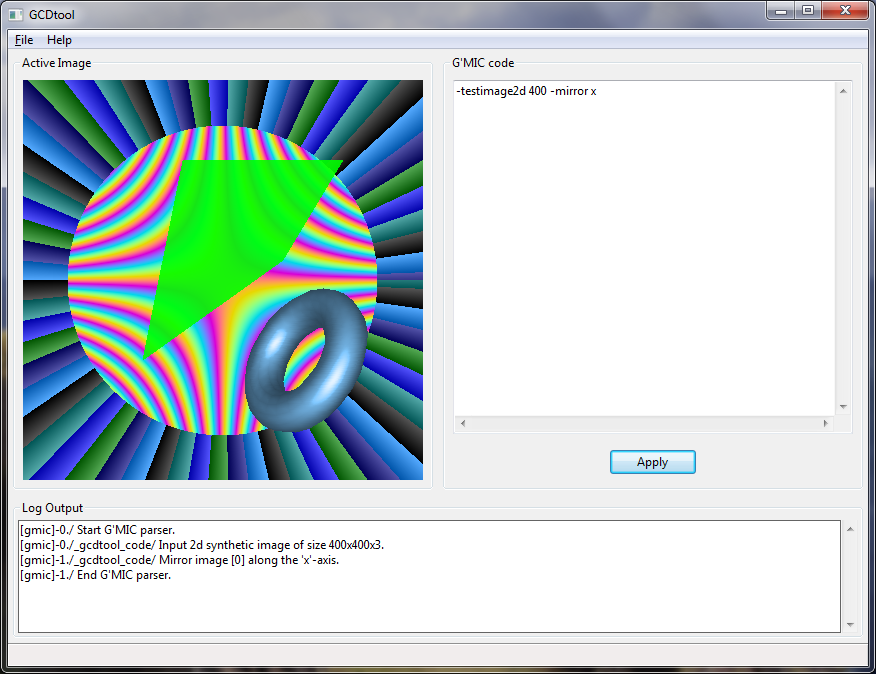
Out of interest I will have a look, it would need changes to the gmic gimp plugin itself rather than gmic. Usually David has a good reason for saying something won't be done but I'm often reading the gimp plugin code now while I build a filter scripting tool. It will be useful for me to know how it works at the moment.

Image


Top
 Post subject: Re: Sharing the presets
PostPosted: Thu Jun 13, 2013 11:54 am  (#9) 
Offline
Global Moderator
User avatar

Joined: May 16, 2010
Posts: 16155
bilbo9955 wrote:
Forgot to add the photo. Sorry!

The filter is here.
viewtopic.php?f=28&t=978&start=40

Thanks bilbo9955! :bigthup

_________________
Image


Top
 Post subject: Re: Sharing the presets
PostPosted: Thu Jun 13, 2013 11:59 am  (#10) 
Offline
GimpChat Member

Joined: Sep 24, 2012
Posts: 275
Location: Scotland
@Rod does that script extract current presets from all gmic filters at once or does it extract it from layer names where you already used a gmic filter?


Top
 Post subject: Re: Sharing the presets
PostPosted: Thu Jun 13, 2013 12:04 pm  (#11) 
Offline
Global Moderator
User avatar

Joined: May 16, 2010
Posts: 16155
garagecoder wrote:
Out of interest I will have a look, it would need changes to the gmic gimp plugin itself rather than gmic. Usually David has a good reason for saying something won't be done but I'm often reading the gimp plugin code now while I build a filter scripting tool. It will be useful for me to know how it works at the moment.

[ Image ]

This looks more than interesting. :)
Are you actually building a G'MIC scripting editor?

_________________
Image


Top
 Post subject: Re: Sharing the presets
PostPosted: Thu Jun 13, 2013 12:11 pm  (#12) 
Offline
GimpChat Member

Joined: Sep 24, 2012
Posts: 275
Location: Scotland
Well for now I use it as a quick script tester much the same as "custom code" in gmic gimp - for me it's a little nicer than command line :hehe
But yes I'll probably slowly develop it for general editing of filter scripts (but not as a full gmic gui because I don't want to remake gimp!).


Top
 Post subject: Re: Sharing the presets
PostPosted: Fri Jun 14, 2013 3:00 pm  (#13) 
Offline
GimpChat Member
User avatar

Joined: Jan 11, 2013
Posts: 254
Location: Germany
Sorry for the late reply. :oops: Too busy....
A little script would be very nice. :)

_________________


Top
Post new topic Reply to topic  [ 13 posts ] 

All times are UTC - 5 hours [ DST ]


* Login  


Powered by phpBB3 © phpBB Group