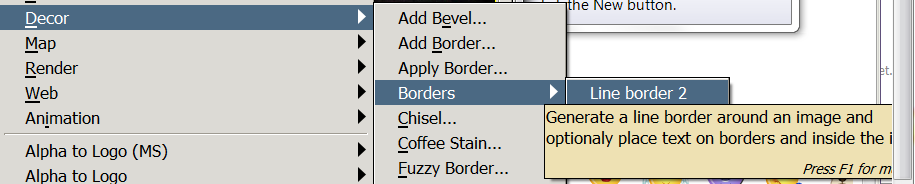
For Windows, you need glade. I provided the link that explains it. I have nothing else to offer, you could always ask the author on the Registry for more information. I installed glade and got mine to work following the same instructions provided by the link (using xp install) If you already have Python installed you probably only need to perform steps 9-10:
Installation notes
Windows XP users:1. install Python 2.6.6
2. restart system
3. install pycairo-1.8.6-py26 (
http://www.pygtk.org/downloads.html)
4. install pygobject-2.20.0-py26
5. install pygtk-2.16-0+glade.win32-py26 (this one differs from earlier installation notes, there are two versions of it: one with and one without glade, use the one with glade:
http://ftp.gnome.org/pub/GNOME/binaries ... ygtk/2.16/)
6. restart system (most times not necessary)
7. install gimp 2.6.10/2.6.11
8. Unzip the contents of the zip file into 'drive':\Documents and Settings\'user'\.gimp-2.6\plug-ins\ folder
9. copy "libglade-2.0-0.dll" into the Gimp's bin folder (http://ftp.acc.umu.se/pub/gnome/binaries/win32/libglade/2.6/ or search it on your system)
10. restart system (most times not necessary)
11. enjoy line border
_________________
"In order to attain the impossible, one must attempt the absurd."
~ Miguel de Cervantes
 Login
Login Register
 Tweets
 FAQ
FAQ Advanced Search


 The pics are placed in a frame meshed for IMVU. I have not figured out how to do frames on gimp yet. but the wood color I created from a picture of english oak I resized and fixed up.