It is currently Sun Oct 04, 2026 10:01 am


All times are UTC - 5 hours [ DST ]


Post new topic Reply to topic  [ 63 posts ]  Go to page 1, 2, 3, 4  Next
Author Message
 Post subject: Online Ministeck.
PostPosted: Thu Jan 08, 2015 2:08 am  (#1) 
Offline
GimpChat Member
User avatar

Joined: Sep 24, 2010
Posts: 12850
I know GIMP# can create these, but I couldn't find a PS or GIMP filter that can do so. If anyone has a clue, I'm all ears. lol

Anyway, found this site: http://ministeck.net/

It allows you to upload an image then create a ministeck render. Pretty limited. I uprezed to get this size. Would definitely like a PS or GIMP plugin or GIMP action that could create these. :)


Attachments:
out_caricature.jpg
out_caricature.jpg [ 477.3 KiB | Viewed 6672 times ]

_________________
Lyle

Psalm 109:8

Image
Share on Facebook Share on Twitter Share on Orkut Share on Digg Share on MySpace Share on Delicious Share on Technorati
Top
 Post subject: Re: Online Ministeck.
PostPosted: Thu Jan 08, 2015 3:05 am  (#2) 
Offline
GimpChat Member
User avatar

Joined: Sep 24, 2010
Posts: 12850
samj's Topographic map preset (G'MIC) comes close but still no cigar. :)


Attachments:
caricature.png
caricature.png [ 33.93 KiB | Viewed 6631 times ]

_________________
Lyle

Psalm 109:8

Image
Top
 Post subject: Re: Online Ministeck.
PostPosted: Thu Jan 08, 2015 7:30 am  (#3) 
Offline
Global Moderator
User avatar

Joined: May 16, 2010
Posts: 16193
Lyle i have not tried to install Gimp sharp into GIMP-2.8.14 i will give it a go and see if i can get it to work correctly.


Top
 Post subject: Re: Online Ministeck.
PostPosted: Thu Jan 08, 2015 8:46 am  (#4) 
Offline
GimpChat Member
User avatar

Joined: Sep 24, 2010
Posts: 12850
Yeah; it was designed for, I believe 2.6x; not sure if it will crash the GIMP now. lol

:)

_________________
Lyle

Psalm 109:8

Image


Top
 Post subject: Re: Online Ministeck.
PostPosted: Thu Jan 08, 2015 10:00 am  (#5) 
Offline
Global Moderator
User avatar

Joined: May 16, 2010
Posts: 16193
lylejk wrote:
Yeah; it was designed for, I believe 2.6x; not sure if it will crash the GIMP now. lol

:)

The last good install for 32 bit was 2.4. Everything worked including ps actions. :)
I am going to attempt a 64 bit compile this time and see if they work in the latest version of GIMP.


Top
 Post subject: Re: Online Ministeck.
PostPosted: Thu Jan 08, 2015 10:58 am  (#6) 
Offline
GimpChat Member
User avatar

Joined: Sep 24, 2010
Posts: 12850
Wish you success Rod; just wish this plugin could be implemented in G'MIC easily or even a Script-fu. Don't really want to install GIMP# since I remember how buggy it was the last time I did so. lol

:)

_________________
Lyle

Psalm 109:8

Image


Top
 Post subject: Re: Online Ministeck.
PostPosted: Thu Jan 08, 2015 11:01 am  (#7) 
Offline
Administrator
User avatar

Joined: Aug 10, 2012
Posts: 14229
Location: Native to NYC living in Arizona, Gimp 2.8 - 3.0, Win 11 PC.
Gave this a try.
Image

Image

_________________
Image
"A wise man learns more from a foolish question than a fool can learn from a wise answer"
Image


Top
 Post subject: Re: Online Ministeck.
PostPosted: Thu Jan 08, 2015 1:00 pm  (#8) 
Offline
GimpChat Member
User avatar

Joined: Sep 24, 2010
Posts: 12850
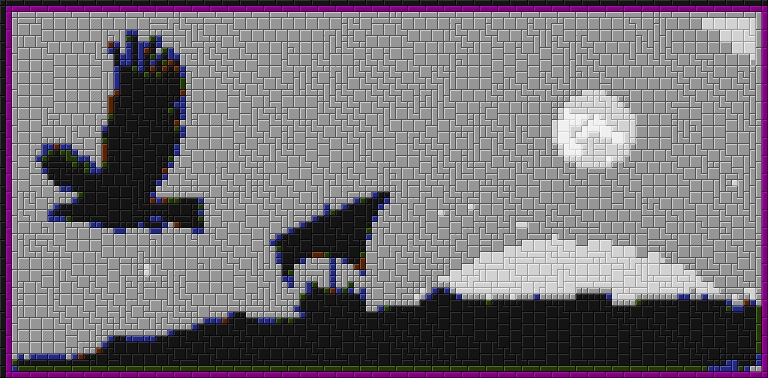
Had complete forgotten about pic-to-brick. I toyed with it many years ago, but really felt it took too much work at that time. It can do more then just create Ministecks (like it can do legos too). It's also open source. :)

http://www.pictobrick.de/

_________________
Lyle

Psalm 109:8

Image


Top
 Post subject: Re: Online Ministeck.
PostPosted: Thu Jan 08, 2015 1:35 pm  (#9) 
Offline
GimpChat Member
User avatar

Joined: Sep 24, 2010
Posts: 12850
Just figured everything out and used the defaults; still fun. :)

https://www.flickr.com/photos/34520999@ ... 1/sizes/o/

Image

_________________
Lyle

Psalm 109:8

Image


Top
 Post subject: Re: Online Ministeck.
PostPosted: Thu Jan 08, 2015 2:42 pm  (#10) 
Offline
GimpChat Member
User avatar

Joined: Sep 24, 2010
Posts: 12850
Wasn't easy to add the dimples, but here's a lego try. Click below for the thread I started at DPR for reference information. :)

http://www.dpreview.com/forums/post/55060006

http://imageshack.com/a/img909/2584/A5sWac.jpg

Image

_________________
Lyle

Psalm 109:8

Image


Top
 Post subject: Re: Online Ministeck.
PostPosted: Thu Jan 08, 2015 4:25 pm  (#11) 
Offline
GimpChat Member
User avatar

Joined: Mar 10, 2014
Posts: 845
lylejk thanks for another toy!
my first test
Image


;


Top
 Post subject: Re: Online Ministeck.
PostPosted: Thu Jan 08, 2015 5:45 pm  (#12) 
Offline
Script Coder
User avatar

Joined: Dec 27, 2014
Posts: 508
Yes, great toy.
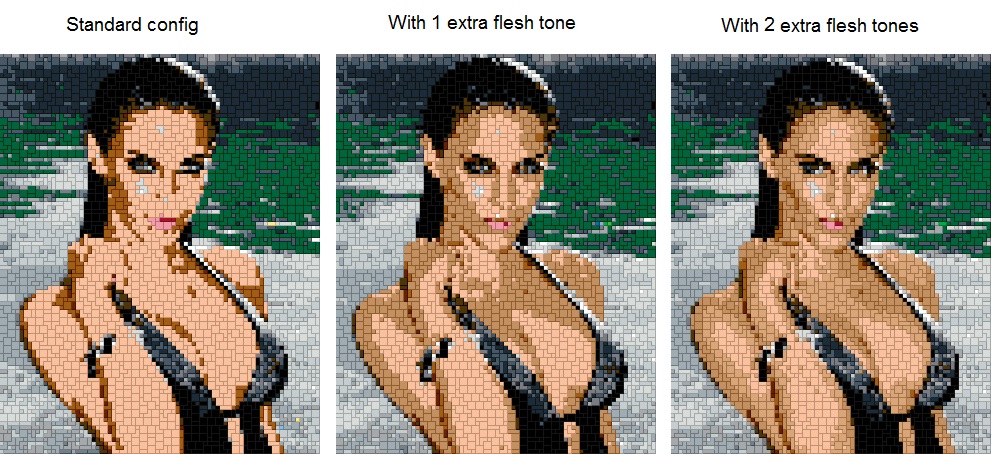
But the colour palette in PicToBrick's standard config is rather limited (of course), so you may have to
add colours to get a reasonable depiction of many scenes/subjects.
Eg.:
Image


Top
 Post subject: Re: Online Ministeck.
PostPosted: Thu Jan 08, 2015 7:07 pm  (#13) 
Offline
GimpChat Member
User avatar

Joined: Sep 24, 2010
Posts: 12850
Maybe so Jon, but I'm too lazy to create color presets. lol

:)

_________________
Lyle

Psalm 109:8

Image


Top
 Post subject: Re: Online Ministeck.
PostPosted: Thu Jan 08, 2015 7:55 pm  (#14) 
Offline
Global Moderator
User avatar

Joined: Apr 01, 2012
Posts: 8475
Location: On the other side of your screen
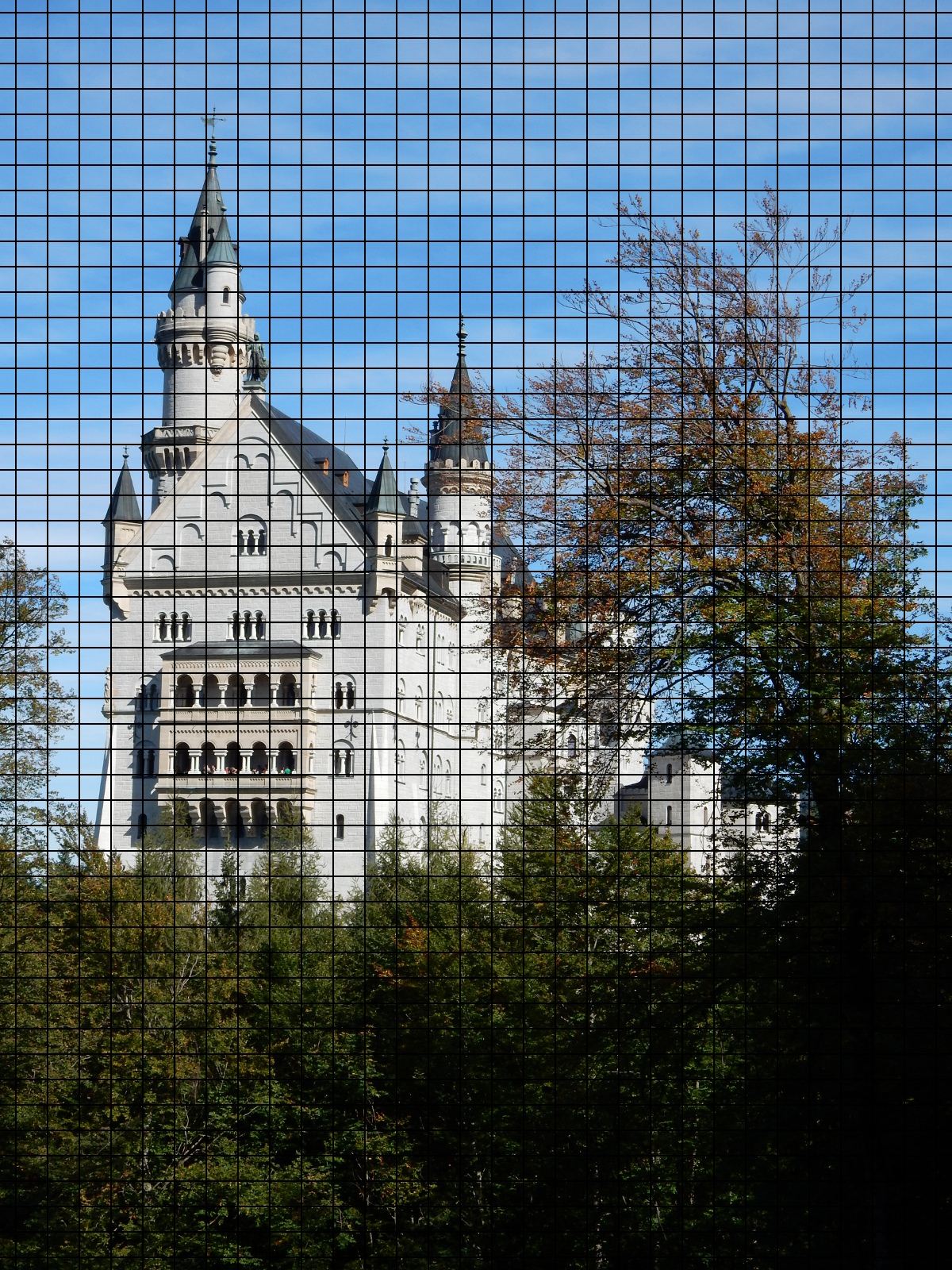
Can 3D blocks or a square mosaic do it at all?

Haven't got time right now but will try later.

_________________
Image
Free Fun Photo Editing & resources
Poems from the Lord
Gimp Newby
Gimp version 3.2.4 and GMIC-Qt 4.0.2 OS :- Windows 10 Home 64


Top
 Post subject: Re: Online Ministeck.
PostPosted: Fri Jan 09, 2015 1:51 am  (#15) 
Offline
GimpChat Member

Joined: Jan 09, 2015
Posts: 22
lylejk wrote:
just wish this plugin could be implemented in G'MIC easily or even a Script-fu.

I'd never heard of a "ministeck" before, but this looked like an interesting puzzle. Here's a G'MIC custom script that will sort-of replicate the concept:
RescaleSmallestDim=128 RescaleMethod=1
Colors=7 ColorMethod=1 MapContrast=1.0 Dither=0.0
TileSize=5 TileHighlight=0.08 TileShadow=0.12
PixelSize=2

-repeat @# -l[$>]
-resize_ratio2d $RescaleSmallestDim,$RescaleSmallestDim,1,$RescaleMethod
-split_opacity --colormap[0] $Colors,$ColorMethod AA={ia} --[-1] $AA -*[-1] $MapContrast -+[-1] $AA
-index[0] [-1],$Dither,1 -c[0] 5,250 -rm[-1] -a c
--l -s c
50%,50%,1,1,'x+y*w' -r[-1] [0],1
-r {$TileSize*w},{$TileSize*h},1,1,1
-repeat @# -l[$>] (1,0,1;0,0,0;1,0,1) -normalize_sum[1] --convolve[0] [1] -rm[1] -- -eq 0 -endl -done -min -dilate 2
(1,0;0,-1) -convolve[-2] [-1] -rm[-1] -+[-1] 1 -c[-1] {1+$TileHighlight},{1-$TileShadow}
-endl
-rv -r[-1] {w*$TileSize},{h*$TileSize} -shift[-1] -1,-1
-split_opacity[-1] -*[1] [0] --[0] 1 -*[0] 128 -+[1] [0] -rm[0] -a c
-r {w-1},{h-1},100%,100%,0 -r {$PixelSize*w},{$PixelSize*h},100%,100%,1
-c 0,255
-endl -done

Original, worse version
RescaleSmallestDim=128 RescaleMethod=1
Colors=7 ColorMethod=1 MapContrast=1.0 Dither=0.0
TileSize=5 TileHighlight=0.10 TileShadow=0.15
PixelSize=2

-repeat @# -l[$>]
-resize_ratio2d $RescaleSmallestDim,$RescaleSmallestDim,1,$RescaleMethod
--colormap $Colors,$ColorMethod AA={ia} --[-1] $AA -*[-1] $MapContrast -+[-1] $AA
-index[0] [-1],$Dither,1 -c 5,250 -rm[-1]
--l --[0] {im-1} MM={iM} -s c -repeat @# -+[$>] $> -*[$>] {($MM+1)^$>} -done -+
--label_fg[0] 0 --area_fg[0] 0 -repeat 3 --neq[2] {$>+1} -*[0] [-1] -oneminus[-1] -*[-1] [1] -done
--r[0] 50%,50%,@{0,d},@{0,s},1 -r[-1] [0],1 -replace[-1] 0,-1 -neq[-1] [0] --oneminus[-1] -*[-1] [1] -*[-2] [1] -rm[0,1,2]
50%,50%,1,1,'x+y*w' -r[-1] [0],1
-mv[-1] 0
-r {$TileSize*100}%,{$TileSize*100}%,1,1,1
-repeat @# -l[$>]
(1,0,1;0,0,0;1,0,1) -normalize_sum[1] --convolve[0] [1] -rm[1] -- -eq 0
-endl -done
-min -dilate 2
(1,0;0,-1) -convolve[-2] [-1] -rm[-1] -+[-1] 1 -c[-1] {1+$TileHighlight},{1-$TileShadow}
-endl -rv -r[-1] {w*$TileSize},{h*$TileSize} -shift[-1] -1,-1 -*[-1] [0] --[0] 1 -*[0] 128 -+[-1] [0] -rm[0] -r {w-1},{h-1},100%,100%,0 -r {$PixelSize*100}%,{$PixelSize*100}%,100%,100%,1
-endl -done

All the parameters are in variables at the top. It'd be easy enough to make it an entry in the GIMP plugin.

Unfortunately I don't really know the "rules" of designing a ministeck. For example, a lot of the solid color areas could easily have been filled with 2x2 squares, but were not by the programs mentioned already in this thread. Why not? Well, a grid of 2x2 squares looks boring, so that's probably enough reason. :P But, then what is the rule for deciding what to do instead? For example, maybe you're supposed to use equal counts of each shape piece? I don't know, and my script merely renders the conceptually simple, boring 2x2 squares.

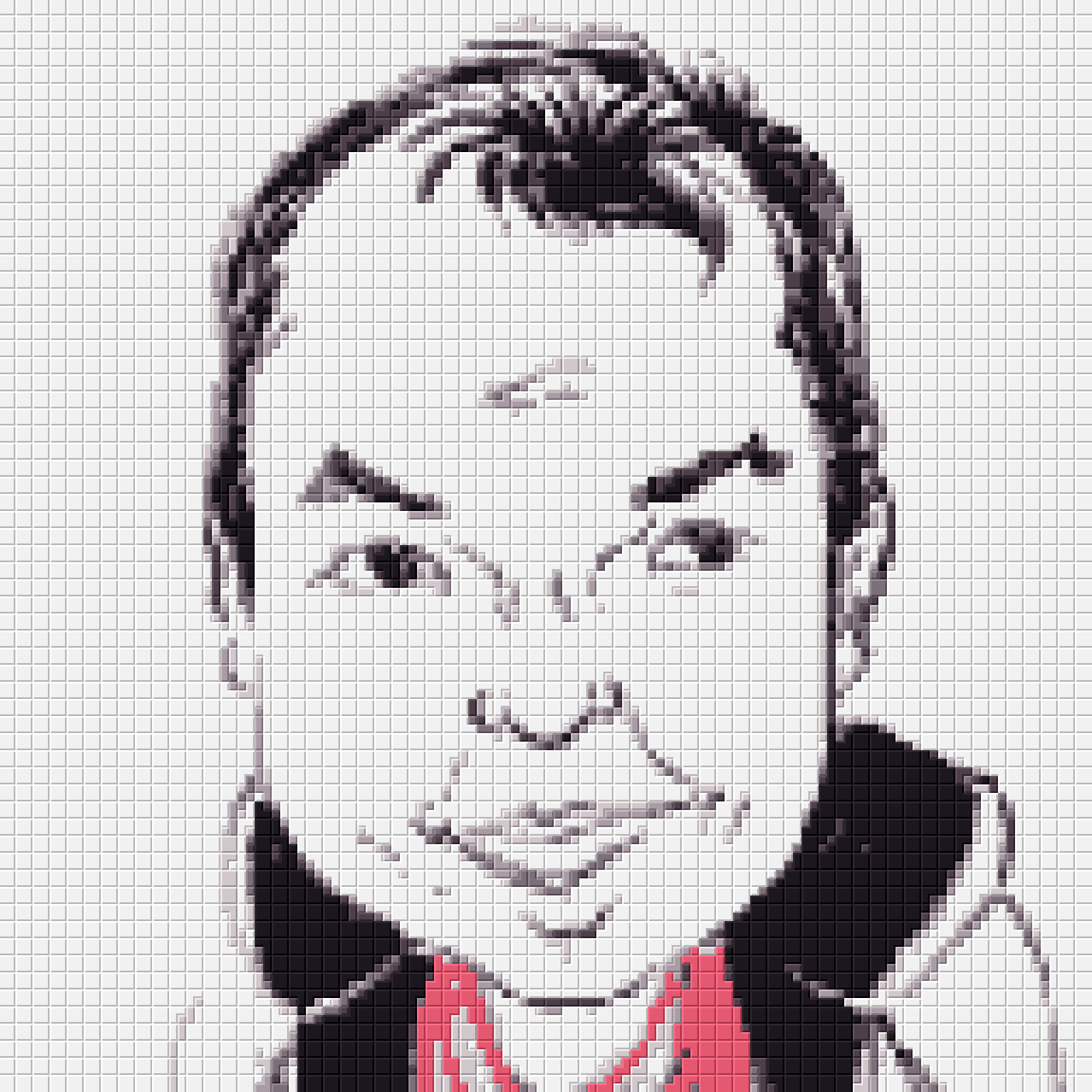
Attached is the result on your forum icon, Lyle, except with "MapContrast" set to 0.9 (for dimmer white/black tiles).


Attachments:
File comment: Result of a G'MIC script emulating a ministeck filter, run on user lylejk's forum avatar.
lyle-gmic-ministeck1.png
lyle-gmic-ministeck1.png [ 51.82 KiB | Viewed 2947 times ]


Last edited by Clouds on Sat Jan 10, 2015 9:49 am, edited 2 times in total.
Top
 Post subject: Re: Online Ministeck.
PostPosted: Fri Jan 09, 2015 2:47 am  (#16) 
Offline
Global Moderator
User avatar

Joined: Apr 01, 2012
Posts: 8475
Location: On the other side of your screen
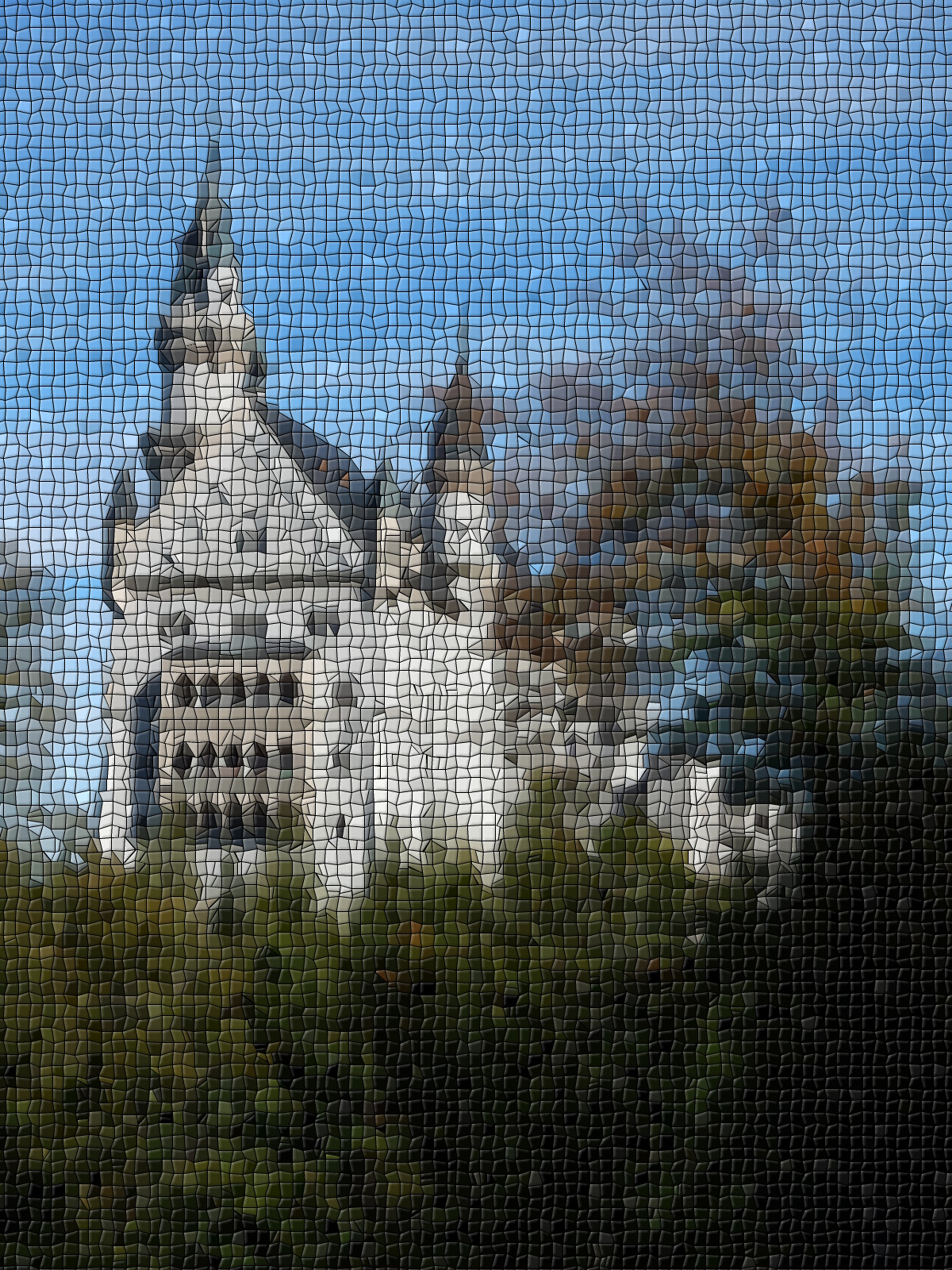
I did the squares or 'rectangles' using the blind's preset horizontally and vertically but then each square has to be bumped - bevelled. I tried and failed. I also run the distort mosaic with the square preset, which gives a little bevel
Image
Image

_________________
Image
Free Fun Photo Editing & resources
Poems from the Lord
Gimp Newby
Gimp version 3.2.4 and GMIC-Qt 4.0.2 OS :- Windows 10 Home 64


Top
 Post subject: Re: Online Ministeck.
PostPosted: Fri Jan 09, 2015 3:33 am  (#17) 
Offline
GimpChat Member
User avatar

Joined: Nov 16, 2011
Posts: 5127
Location: Metro Vancouver, BC
sallyanne, I like the way the second one came out, it has an interesting look.

_________________
Image
Gimp 2.8.18, Linux, median user
Gimp Chat Tutorials Index
Spirit Bear (Kermode)


Top
 Post subject: Re: Online Ministeck.
PostPosted: Fri Jan 09, 2015 3:57 am  (#18) 
Offline
GimpChat Member
User avatar

Joined: Sep 24, 2010
Posts: 12850
Clouds wrote:
lylejk wrote:
just wish this plugin could be implemented in G'MIC easily or even a Script-fu.

I'd never heard of a "ministeck" before, but this looked like an interesting puzzle. Here's a G'MIC custom script that will sort-of replicate the concept:
RescaleSmallestDim=128 RescaleMethod=1
Colors=7 ColorMethod=1 MapContrast=1.0 Dither=0.0
TileSize=5 TileHighlight=0.10 TileShadow=0.15
PixelSize=2

-repeat @# -l[$>]
-resize_ratio2d $RescaleSmallestDim,$RescaleSmallestDim,1,$RescaleMethod
--colormap $Colors,$ColorMethod AA={ia} --[-1] $AA -*[-1] $MapContrast -+[-1] $AA
-index[0] [-1],$Dither,1 -c 5,250 -rm[-1]
--l --[0] {im-1} MM={iM} -s c -repeat @# -+[$>] $> -*[$>] {($MM+1)^$>} -done -+
--label_fg[0] 0 --area_fg[0] 0 -repeat 3 --neq[2] {$>+1} -*[0] [-1] -oneminus[-1] -*[-1] [1] -done
--r[0] 50%,50%,@{0,d},@{0,s},1 -r[-1] [0],1 -replace[-1] 0,-1 -neq[-1] [0] --oneminus[-1] -*[-1] [1] -*[-2] [1] -rm[0,1,2]
50%,50%,1,1,'x+y*w' -r[-1] [0],1
-mv[-1] 0
-r {$TileSize*100}%,{$TileSize*100}%,1,1,1
-repeat @# -l[$>]
(1,0,1;0,0,0;1,0,1) -normalize_sum[1] --convolve[0] [1] -rm[1] -- -eq 0
-endl -done
-min -dilate 2
(1,0;0,-1) -convolve[-2] [-1] -rm[-1] -+[-1] 1 -c[-1] {1+$TileHighlight},{1-$TileShadow}
-endl -rv -r[-1] {w*$TileSize},{h*$TileSize} -shift[-1] -1,-1 -*[-1] [0] --[0] 1 -*[0] 128 -+[-1] [0] -rm[0] -r {w-1},{h-1},100%,100%,0 -r {$PixelSize*100}%,{$PixelSize*100}%,100%,100%,1
-endl -done

All the parameters are in variables at the top. It'd be easy enough to make it an entry in the GIMP plugin.

Unfortunately I don't really know the "rules" of designing a ministeck. For example, a lot of the solid color areas could easily have been filled with 2x2 squares, but were not by the programs mentioned already in this thread. Why not? Well, a grid of 2x2 squares looks boring, so that's probably enough reason. :P But, then what is the rule for deciding what to do instead? For example, maybe you're supposed to use equal counts of each shape piece? I don't know, and my script merely renders the conceptually simple, boring 2x2 squares.

Attached is the result on your forum icon, Lyle, except with "MapContrast" set to 0.9 (for dimmer white/black tiles).


Definitely looks promising Clouds; not sure how to get the assymetric placement that is achieved by Pic to Bric though, but still I like your cool G'MIC preset. Had a play with it. :)


Attachments:
L1000147m.png
L1000147m.png [ 107.37 KiB | Viewed 2936 times ]

_________________
Lyle

Psalm 109:8

Image
Top
 Post subject: Re: Online Ministeck.
PostPosted: Fri Jan 09, 2015 5:06 am  (#19) 
Offline
Global Moderator
User avatar

Joined: Apr 01, 2012
Posts: 8475
Location: On the other side of your screen
ah, I see a lot more difference in the pic-to-brick when enlarged.

I have downloaded it had a little play but have not been able to find where I can save the finished pic. On the site or on the program.

_________________
Image
Free Fun Photo Editing & resources
Poems from the Lord
Gimp Newby
Gimp version 3.2.4 and GMIC-Qt 4.0.2 OS :- Windows 10 Home 64


Top
 Post subject: Re: Online Ministeck.
PostPosted: Fri Jan 09, 2015 6:32 am  (#20) 
Offline
Script Coder
User avatar

Joined: Jun 22, 2010
Posts: 1171
Location: Here and there
This all reminds me of how we were playing around with POVRay a couple of years ago: viewtopic.php?f=22&t=4480&hilit=povsphere&start=70#p56212

Kevin


Top
Post new topic Reply to topic  [ 63 posts ]  Go to page 1, 2, 3, 4  Next

All times are UTC - 5 hours [ DST ]


* Login  


Powered by phpBB3 © phpBB Group