|
| GimpChat Member |
Joined: Jan 09, 2015
Posts: 22
|
lylejk wrote: just wish this plugin could be implemented in G'MIC easily or even a Script-fu. I'd never heard of a "ministeck" before, but this looked like an interesting puzzle. Here's a G'MIC custom script that will sort-of replicate the concept: RescaleSmallestDim=128 RescaleMethod=1
Colors=7 ColorMethod=1 MapContrast=1.0 Dither=0.0
TileSize=5 TileHighlight=0.08 TileShadow=0.12
PixelSize=2
-repeat @# -l[$>]
-resize_ratio2d $RescaleSmallestDim,$RescaleSmallestDim,1,$RescaleMethod
-split_opacity --colormap[0] $Colors,$ColorMethod AA={ia} --[-1] $AA -*[-1] $MapContrast -+[-1] $AA
-index[0] [-1],$Dither,1 -c[0] 5,250 -rm[-1] -a c
--l -s c
50%,50%,1,1,'x+y*w' -r[-1] [0],1
-r {$TileSize*w},{$TileSize*h},1,1,1
-repeat @# -l[$>] (1,0,1;0,0,0;1,0,1) -normalize_sum[1] --convolve[0] [1] -rm[1] -- -eq 0 -endl -done -min -dilate 2
(1,0;0,-1) -convolve[-2] [-1] -rm[-1] -+[-1] 1 -c[-1] {1+$TileHighlight},{1-$TileShadow}
-endl
-rv -r[-1] {w*$TileSize},{h*$TileSize} -shift[-1] -1,-1
-split_opacity[-1] -*[1] [0] --[0] 1 -*[0] 128 -+[1] [0] -rm[0] -a c
-r {w-1},{h-1},100%,100%,0 -r {$PixelSize*w},{$PixelSize*h},100%,100%,1
-c 0,255
-endl -done
Original, worse version RescaleSmallestDim=128 RescaleMethod=1
Colors=7 ColorMethod=1 MapContrast=1.0 Dither=0.0
TileSize=5 TileHighlight=0.10 TileShadow=0.15
PixelSize=2
-repeat @# -l[$>]
-resize_ratio2d $RescaleSmallestDim,$RescaleSmallestDim,1,$RescaleMethod
--colormap $Colors,$ColorMethod AA={ia} --[-1] $AA -*[-1] $MapContrast -+[-1] $AA
-index[0] [-1],$Dither,1 -c 5,250 -rm[-1]
--l --[0] {im-1} MM={iM} -s c -repeat @# -+[$>] $> -*[$>] {($MM+1)^$>} -done -+
--label_fg[0] 0 --area_fg[0] 0 -repeat 3 --neq[2] {$>+1} -*[0] [-1] -oneminus[-1] -*[-1] [1] -done
--r[0] 50%,50%,@{0,d},@{0,s},1 -r[-1] [0],1 -replace[-1] 0,-1 -neq[-1] [0] --oneminus[-1] -*[-1] [1] -*[-2] [1] -rm[0,1,2]
50%,50%,1,1,'x+y*w' -r[-1] [0],1
-mv[-1] 0
-r {$TileSize*100}%,{$TileSize*100}%,1,1,1
-repeat @# -l[$>]
(1,0,1;0,0,0;1,0,1) -normalize_sum[1] --convolve[0] [1] -rm[1] -- -eq 0
-endl -done
-min -dilate 2
(1,0;0,-1) -convolve[-2] [-1] -rm[-1] -+[-1] 1 -c[-1] {1+$TileHighlight},{1-$TileShadow}
-endl -rv -r[-1] {w*$TileSize},{h*$TileSize} -shift[-1] -1,-1 -*[-1] [0] --[0] 1 -*[0] 128 -+[-1] [0] -rm[0] -r {w-1},{h-1},100%,100%,0 -r {$PixelSize*100}%,{$PixelSize*100}%,100%,100%,1
-endl -done
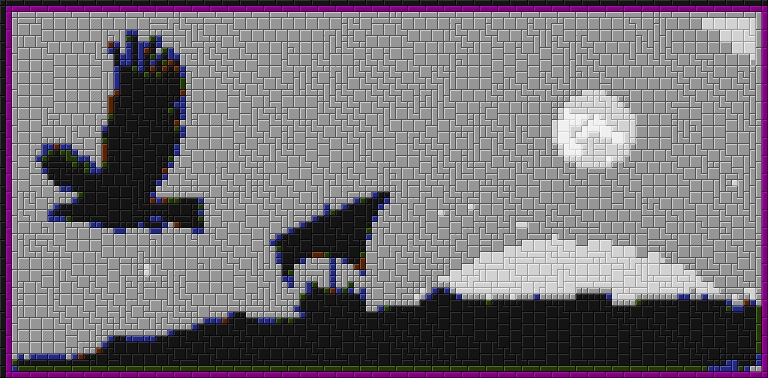
All the parameters are in variables at the top. It'd be easy enough to make it an entry in the GIMP plugin. Unfortunately I don't really know the "rules" of designing a ministeck. For example, a lot of the solid color areas could easily have been filled with 2x2 squares, but were not by the programs mentioned already in this thread. Why not? Well, a grid of 2x2 squares looks boring, so that's probably enough reason.  But, then what is the rule for deciding what to do instead? For example, maybe you're supposed to use equal counts of each shape piece? I don't know, and my script merely renders the conceptually simple, boring 2x2 squares. Attached is the result on your forum icon, Lyle, except with "MapContrast" set to 0.9 (for dimmer white/black tiles).
| Attachments: |
File comment: Result of a G'MIC script emulating a ministeck filter, run on user lylejk's forum avatar.
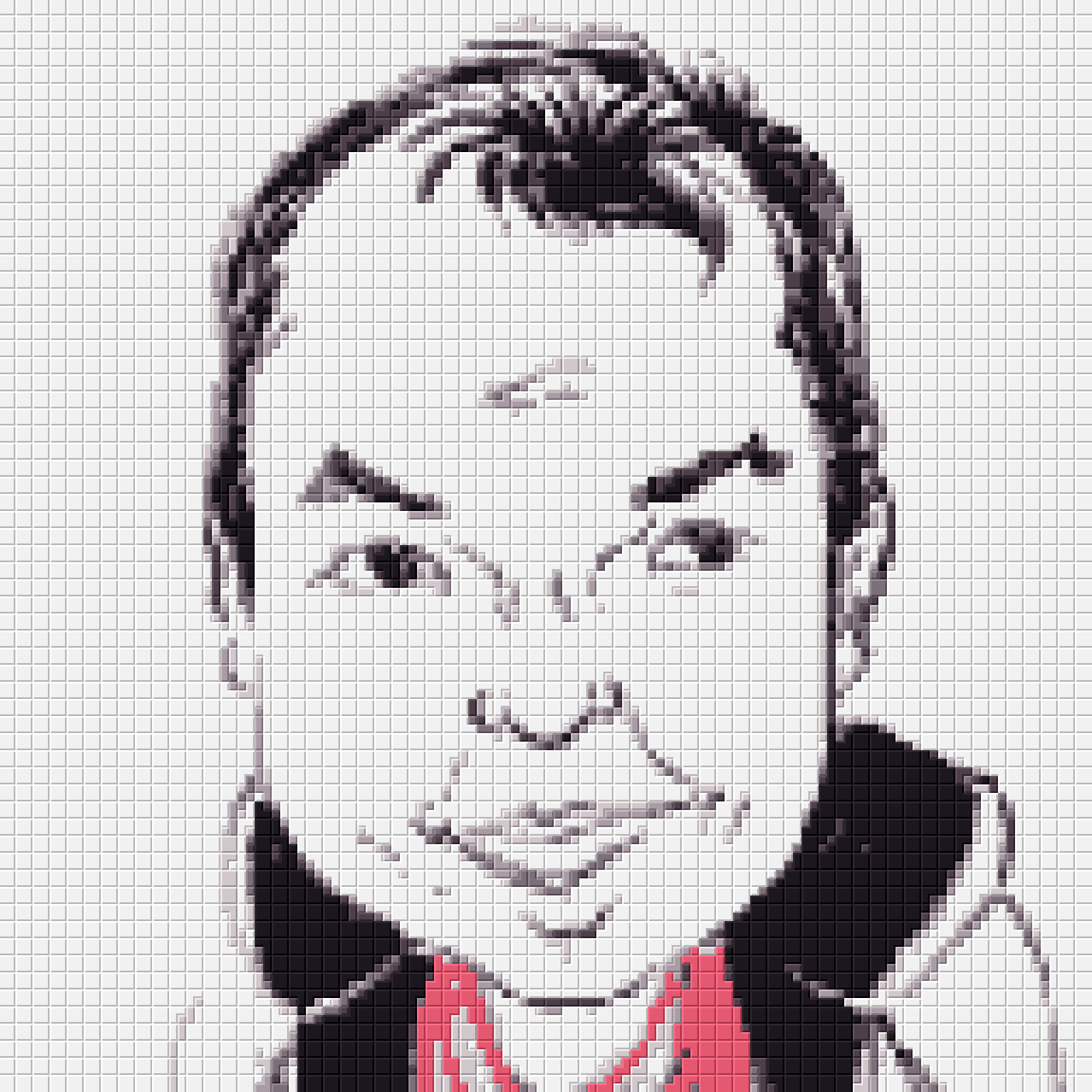
lyle-gmic-ministeck1.png [ 51.82 KiB | Viewed 2946 times ]
|
Last edited by Clouds on Sat Jan 10, 2015 9:49 am, edited 2 times in total.
|
|
 Login
Login Register
 Tweets
 FAQ
FAQ Advanced Search