It is currently Wed Oct 28, 2026 1:36 am


All times are UTC - 5 hours [ DST ]


Post new topic Reply to topic  [ 44 posts ]  Go to page Previous  1, 2, 3  Next
Author Message
 Post subject: Re: to fellow script coders.
PostPosted: Wed Sep 23, 2015 12:34 pm  (#21) 
Offline
GimpChat Member
User avatar

Joined: Feb 14, 2012
Posts: 426
Delete the layer and not the contents of the layer with the selection over it maybe. And step 9 is unselect all before doing the curves.

The last image after step 13 was a result of me using the airbrush tool to draw inside of the selection mask.


Top
 Post subject: Re: to fellow script coders.
PostPosted: Wed Sep 23, 2015 12:50 pm  (#22) 
Offline
Script Coder
User avatar

Joined: May 07, 2014
Posts: 4561
Location: Canada
PegLeg44 wrote:
Delete the layer and not the contents of the layer with the selection over it maybe. And step 9 is unselect all before doing the curves.

The last image after step 13 was a result of me using the airbrush tool to draw inside of the selection mask.


so you delete the layer and you're left with selection you want ..i get it.
One problem, there seems to be no way to stroke a path using line with antialiasing option like the gimp gui allows....
i only found gimp-edit-stroke-vectors which uses the brush instead of just simple line..and the result i am getting so far is different from a simple line with antialiasing.

maybe someone else can share their thoughts and help me out with this stroke path using simple line or find out what brush settings are to reproduce the simple line with antialiasing looks like.

_________________
Image
Visualize your and others dreams coming true.


Top
 Post subject: Re: to fellow script coders.
PostPosted: Wed Sep 23, 2015 1:49 pm  (#23) 
Offline
GimpChat Member
User avatar

Joined: Feb 14, 2012
Posts: 426
Actually you want a line without antialiasing.


Top
 Post subject: Re: to fellow script coders.
PostPosted: Wed Sep 23, 2015 2:32 pm  (#24) 
Offline
Script Coder
User avatar

Joined: Apr 23, 2010
Posts: 1553
Location: not from Guildford after all
trandoductin wrote:
One problem, there seems to be no way to stroke a path using line with antialiasing option like the gimp gui allows....
i only found gimp-edit-stroke-vectors which uses the brush instead of just simple line..and the result i am getting so far is different from a simple line with antialiasing.

The brush behavior of the PDB functions can be somewhat obtuse. The various painting features may be specified from one of the brush definition, the current context, or the current context's paint method. Furthermore whether the brush is generated or a bitmap brush can make a difference.

For example, to paint using a 1-pixel brush without antialiasing, you should do the following (or somesuch):
(gimp-context-push)
(gimp-context-set-defaults)
(define temp-brush (car (gimp-brush-new "1-pixel brush")))
(gimp-context-set-brush temp-brush)
(gimp-context-set-brush-size 1)
(gimp-context-set-paint-method "gimp-pencil")
(gimp-edit-stroke-vectors layer path)


Note that setting the paint method to "gimp-pencil" is what disables antialiasing -- the "gimp-brush" and "gimp-ink" paint methods are always antialiased. Also be aware that 'gimp-brush-set-hardness' has no effect[1] for "gimp-pencil", but if you were to use one of the other paint methods then you might need to change its value.


[1] Correction: hardness does have a slight effect on the size of the stroke when using the pencil paint method, but does not change the "density" of the stroke as with the other methods.

_________________
Any sufficiently primitive technology is indistinguishable from a rock.


Last edited by saulgoode on Wed Sep 23, 2015 2:41 pm, edited 1 time in total.

Top
 Post subject: Re: to fellow script coders.
PostPosted: Wed Sep 23, 2015 2:35 pm  (#25) 
Offline
Script Coder
User avatar

Joined: May 07, 2014
Posts: 4561
Location: Canada
give this one a try.
and let me know.
the only problem is you must draw a closed path, or it'll automatically close it when it makes the selection.
just close the path some where outside of your working area that way you don't draw over those parts...
here's the script. It'll be available under Script-Fu/Sharp Selection for Peglegg44...
Attachment:
sharp-selection-for-pegleg44.scm [3.45 KiB]
Downloaded 80 times

it'll select and work on your active path (whichever one is currently selected)
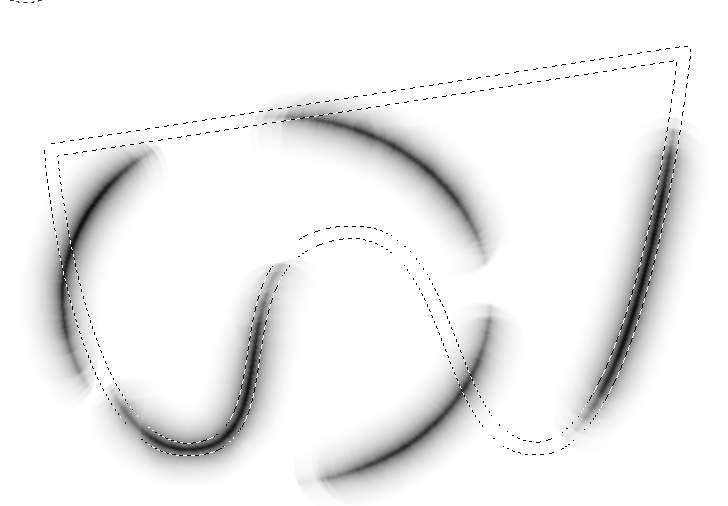
here's what it looks like when i tried it out painting over the selection with the airbrush tool.
Image

_________________
Image
Visualize your and others dreams coming true.


Top
 Post subject: Re: to fellow script coders.
PostPosted: Wed Sep 23, 2015 2:38 pm  (#26) 
Offline
Script Coder
User avatar

Joined: Oct 25, 2010
Posts: 4812
Looks like my neon script applied to a mask...

_________________
Image


Top
 Post subject: Re: to fellow script coders.
PostPosted: Wed Sep 23, 2015 3:42 pm  (#27) 
Offline
Script Coder
User avatar

Joined: May 07, 2014
Posts: 4561
Location: Canada
with saulgoode's post (to help me).
this version allows you to have an opened path.
Attachment:
sharp-selection-for-pegleg44.scm [4.11 KiB]
Downloaded 99 times

Image

_________________
Image
Visualize your and others dreams coming true.


Top
 Post subject: Re: to fellow script coders.
PostPosted: Wed Sep 23, 2015 5:06 pm  (#28) 
Offline
GimpChat Member
User avatar

Joined: Feb 14, 2012
Posts: 426
The first script made the edges real sharp and nice.
Attachment:
Crease3D.png
Crease3D.png [ 172.71 KiB | Viewed 1935 times ]


But the second one is giving a V shape.
Attachment:
NewScript.png
NewScript.png [ 103.11 KiB | Viewed 1935 times ]


Top
 Post subject: Re: to fellow script coders.
PostPosted: Wed Sep 23, 2015 5:07 pm  (#29) 
Offline
Script Coder
User avatar

Joined: May 07, 2014
Posts: 4561
Location: Canada
the first script doesn't even try to draw a line first,
it just selects border from path directly that's why you can't have an opened path.
it leaves behind a single invisible layer to be deleted.

The 2nd draws line like you describe, but leaves behind 2 invisible layers to be deleted.
I can't delete created layers from script for some reason.

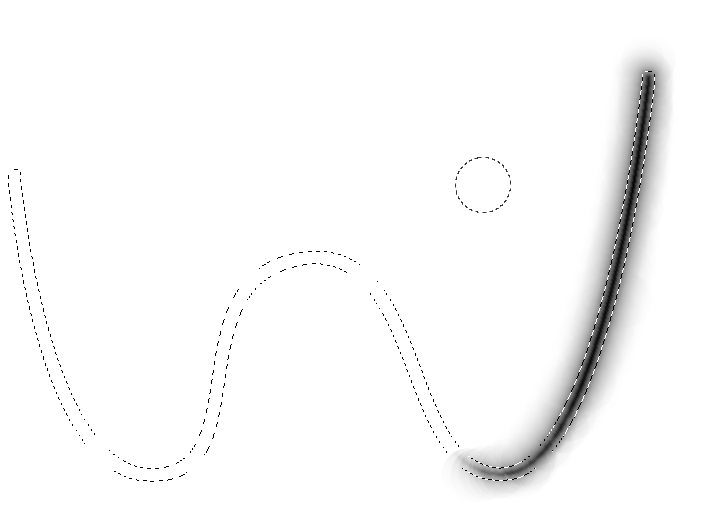
Not sure how you're getting a bright middle line like you're showing me though, i get this from using the 2nd script.
Image

_________________
Image
Visualize your and others dreams coming true.


Top
 Post subject: Re: to fellow script coders.
PostPosted: Wed Sep 23, 2015 6:09 pm  (#30) 
Offline
GimpChat Member
User avatar

Joined: Feb 14, 2012
Posts: 426
One of the two layers that are left show that the line that is drawn is 10 pixels thick. Maybe the line is made into a selection that is then bordered thus giving a little border to the inside and the outside. How can this line be made 1 pixel thick? The default brush size is 10 pixels isn't it.


Top
 Post subject: Re: to fellow script coders.
PostPosted: Wed Sep 23, 2015 6:22 pm  (#31) 
Offline
Script Coder
User avatar

Joined: May 07, 2014
Posts: 4561
Location: Canada
there is already a line that set the brush-size to 1
(gimp-context-set-brush-size 1)

_________________
Image
Visualize your and others dreams coming true.


Top
 Post subject: Re: to fellow script coders.
PostPosted: Wed Sep 23, 2015 6:33 pm  (#32) 
Offline
GimpChat Member
User avatar

Joined: Feb 14, 2012
Posts: 426
I've attache the xcf file. This is how it comes out on my computer.
Attachment:
ThickLine.xcf [70.2 KiB]
Downloaded 93 times


Top
 Post subject: Re: to fellow script coders.
PostPosted: Wed Sep 23, 2015 6:35 pm  (#33) 
Offline
Script Coder
User avatar

Joined: May 07, 2014
Posts: 4561
Location: Canada
that is really odd, i tried it on mine and tried to set my brush-size to something huge like 700 and something and then ran the script and it produced 1 pixel line.
Not sure why that is for you.

I need an expert to jump in here and help me. :oops:

_________________
Image
Visualize your and others dreams coming true.


Top
 Post subject: Re: to fellow script coders.
PostPosted: Thu Sep 24, 2015 1:53 am  (#34) 
Offline
Script Coder
User avatar

Joined: Apr 23, 2010
Posts: 1553
Location: not from Guildford after all
trandoductin, I think the problem you're seeing is that your curves spline needs to be below the diagonal (or else you should be inverting the colors/selection before and after applying your curves).

Here is a simplified version that does not create any layers, but instead paints directly on the selection mask. I do, however, create a temporary channel to perform the Levels operation, since you can't apply filters directly on the selection. I used Levels instead of Curves hoping the curve being applied was sufficiently close to being a gamma curve (close enough for government work, anyway).

The command is available by right-clicking on the path from which you generate the selection. You are prompted for two values: the radius and the gamma. The actual width of the selection will be twice the radius and the "tapering" of the selection is determined by the gamma (the lower the gamma, the more quickly the selection tapers away toward nothing).

It should be noted that I am not actually sure whether this script does what Pegleg44 is asking.

(define (script-fu-sg-create-selection-per-pegleg44 image path radius gamma)
  (gimp-image-undo-group-start image)
  (let ((brush (car (gimp-brush-new "1-pixel"))))
    (gimp-context-push)
    (gimp-context-set-defaults)
    (gimp-context-set-brush brush)
    (gimp-context-set-brush-size 1)
    (gimp-context-set-paint-method "gimp-pencil")
    (gimp-brush-set-hardness brush 1)
    (gimp-brush-set-spacing brush 0.5)
    (gimp-context-set-foreground '(255 255 255))
    (gimp-edit-stroke-vectors (car (gimp-image-get-selection image)) path)
    (gimp-brush-delete brush)
    (gimp-context-pop)
    (gimp-selection-border image radius)
    (let ((chan (car (gimp-selection-save image))))
      (gimp-selection-none image)
      (gimp-levels chan HISTOGRAM-VALUE 0 255 gamma 0 255)
      (gimp-image-select-item image CHANNEL-OP-REPLACE chan)
      (gimp-image-remove-channel image chan)))
  (let ((layer (car (gimp-image-get-active-layer image))))
    (unless (= layer -1)
      (gimp-image-set-active-layer image layer)))
  (gimp-image-undo-group-end image))
   
(script-fu-register
  "script-fu-sg-create-selection-per-pegleg44"
  "Gen Selection per Pegleg44..."
  "Create selection per Pegleg44"
  "Saul Goode"
  "saulgoode"
  "Sept 2015"
  "*"
  SF-IMAGE      "Image" 0                   
  SF-VECTORS    "Path" 0
  SF-ADJUSTMENT "Radius" '(20 0 500 1 10 0 0)
  SF-ADJUSTMENT "Gamma" '(0.5 0.1 3.0 0.1 2 1 0)
  )

(script-fu-menu-register
  "script-fu-sg-create-selection-per-pegleg44"
  "<Vectors>")

_________________
Any sufficiently primitive technology is indistinguishable from a rock.


Last edited by saulgoode on Thu Sep 24, 2015 9:28 am, edited 1 time in total.

Top
 Post subject: Re: to fellow script coders.
PostPosted: Thu Sep 24, 2015 8:29 am  (#35) 
Offline
GimpChat Member
User avatar

Joined: Feb 14, 2012
Posts: 426
soulgoode that script is good. I like the fact that the curve has interactive options from the gamma.

I still seem to be getting a larger stroke from the path though. I get a little dip through the center of the path.

Attachment:
LatestScriptResult.png
LatestScriptResult.png [ 237.41 KiB | Viewed 1983 times ]


Top
 Post subject: Re: to fellow script coders.
PostPosted: Thu Sep 24, 2015 9:19 am  (#36) 
Offline
Script Coder
User avatar

Joined: Apr 23, 2010
Posts: 1553
Location: not from Guildford after all
PegLeg44 wrote:
I still seem to be getting a larger stroke from the path though. I get a little dip through the center of the path.

I would ask how you go about producing that 3-D rendering of the selection.
Here is a visual representation of a selection produced (gamma=1). The values of the pixels from left-to-right is always a simple "hump" (black->white->black). There is no dip at the center "ridge" of the selection so I suspect your dip may be an artifact of your 3-D rendering methodology.

Attachment:
SS-selection.png
SS-selection.png [ 13.48 KiB | Viewed 1973 times ]

_________________
Any sufficiently primitive technology is indistinguishable from a rock.


Top
 Post subject: Re: to fellow script coders.
PostPosted: Thu Sep 24, 2015 9:28 am  (#37) 
Offline
GimpChat Member
User avatar

Joined: Feb 14, 2012
Posts: 426
I have a software called Carvewrite Designer that I can paste in a height map image and it gives a preview of it in 3D. I suspect the reason I'm getting that indentation is that somehow the script turns the path into a line and then the line into a selection and the selection is what is used to generate the border bevel and then the curves or levels arcs the bevel. And somehow the line that comes out of the path is 10 pixels wide. So it bevels the inside as well as the outside.

If you use this script with a selection on the canvas you can see that it bevels both sides.

The inside bevel that I'm experiencing is visible on the image as well as when I view it as a 3D. I just attached the 3D image to show it better.


Top
 Post subject: Re: to fellow script coders.
PostPosted: Thu Sep 24, 2015 9:41 am  (#38) 
Offline
GimpChat Member
User avatar

Joined: Feb 14, 2012
Posts: 426
I tried to run the script in gimp2.9 portable and it gave me this message:
Attachment:
SharpError0.png
SharpError0.png [ 22.26 KiB | Viewed 1964 times ]


And when I put in drawable it gave me these error messages:
Attachment:
SharpError1.png
SharpError1.png [ 50.14 KiB | Viewed 1964 times ]


Top
 Post subject: Re: to fellow script coders.
PostPosted: Thu Sep 24, 2015 9:48 am  (#39) 
Offline
Script Coder
User avatar

Joined: Apr 23, 2010
Posts: 1553
Location: not from Guildford after all
The first message is just a warning; the script should still run fine. If you do not wish to see deprecation warnings when running the development version of GIMP, use the "--pdb-compat-mode on" switch.

I still don't understand where the "dip" is coming from, but I have to get back to work now so will check back later.

_________________
Any sufficiently primitive technology is indistinguishable from a rock.


Top
 Post subject: Re: to fellow script coders.
PostPosted: Thu Sep 24, 2015 9:58 am  (#40) 
Offline
GimpChat Member
User avatar

Joined: Feb 14, 2012
Posts: 426
I had a message before the last one. I think the dip is coming from the brush that draws along the path. Maybe there's a way I can use a current brush setting and just set the pencil brush size myself before running the script.


Top
Post new topic Reply to topic  [ 44 posts ]  Go to page Previous  1, 2, 3  Next

All times are UTC - 5 hours [ DST ]


* Login  


Powered by phpBB3 © phpBB Group