It is currently Thu Jun 18, 2026 8:32 am


All times are UTC - 5 hours [ DST ]


Post new topic Reply to topic  [ 27 posts ]  Go to page 1, 2  Next
Author Message
 Post subject: Toolbox and Dialog Box for Layers/Paths/Channels, etc.
PostPosted: Sun Jul 31, 2022 9:16 pm  (#1) 
Offline
GimpChat Member

Joined: Mar 05, 2017
Posts: 19
Hi. I have been using GIMP for many years and have a reasonable degree of familiarity with the program. I recently bought a new laptop and so downloaded the newest version of GIMP for Windows 11, (GIMP 2.10.32 - revision 1).

My toolbox and dialog boxes are locked into place at the extreme left and right sides of the GIMP window. I am used to having these boxes unlocked or detached from the main GIMP window so that I can move them around anywhere freely depending on what I'm working on.

I can't figure out how to unlock the boxes. I've been trying to do this for like a week but am having trouble figuring this out.

Any help would be appreciated.

Thanks.


Share on Facebook Share on Twitter Share on Orkut Share on Digg Share on MySpace Share on Delicious Share on Technorati
Top
 Post subject: Re: Toolbox and Dialog Box for Layers/Paths/Channels, etc.
PostPosted: Sun Jul 31, 2022 9:26 pm  (#2) 
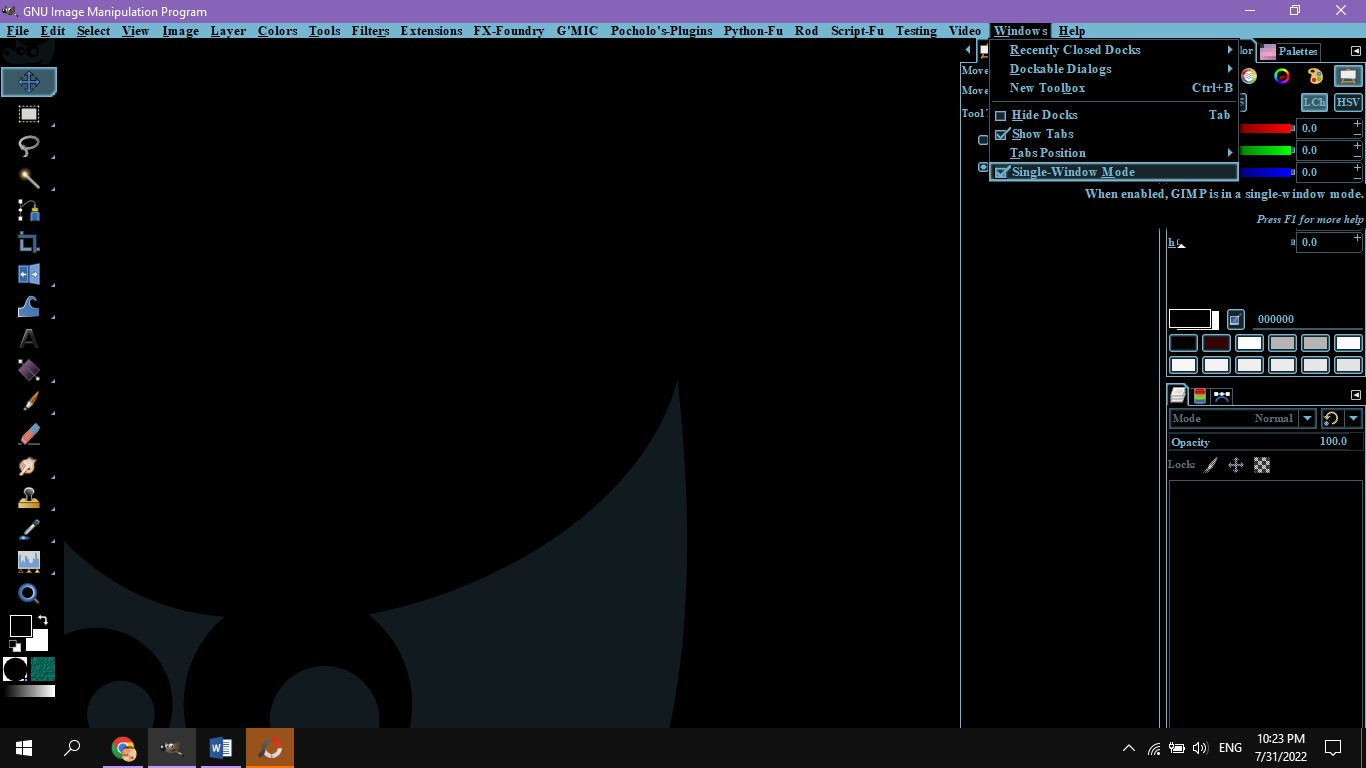
If it is the single window, you go to the Tab Windows and uncheck "Single Window".
Image


If it is the dialogs, go to the corner of the dialog box and uncheck "Lock Tab to Dock"
Image


Top
 Post subject: Re: Toolbox and Dialog Box for Layers/Paths/Channels, etc.
PostPosted: Sun Jul 31, 2022 9:36 pm  (#3) 
Offline
GimpChat Member

Joined: Mar 05, 2017
Posts: 19
I unchecked "single window" and this freed or unlocked my toolbox. Thanks.

My layers/paths/channels box is still locked. I then followed your advice with the "lock tab to dock". It should work. But I keep on toggling that and nothing happens whether it's on or off. That dialog box remains locked.


Top
 Post subject: Re: Toolbox and Dialog Box for Layers/Paths/Channels, etc.
PostPosted: Sun Jul 31, 2022 9:41 pm  (#4) 
Offline
GimpChat Member

Joined: Mar 05, 2017
Posts: 19
Thanks. I figured out what was happening. Thanks to you.

Thanks again.


Top
 Post subject: Re: Toolbox and Dialog Box for Layers/Paths/Channels, etc.
PostPosted: Sun Jul 31, 2022 10:42 pm  (#5) 
Offline
GimpChat Member

Joined: Mar 05, 2017
Posts: 19
Well this is screwy. I figured out, thanks to this forum, how to detach the boxes from the window. But they don't show up. So I go into the Windows ---> Toolbox drop down menu to click on toolbox and then the toolbox will appear. But as soon as I click anything in the GIMP window, the toolbox disappears. I can get the Layers/Paths/Channels dialog box to appear through this drop down menu (Windows ---> Dockable Dialogs) but the same thing happens -- the layers/paths/channel box disappears as soon as I click anything. And there's no way I can get both dialog boxes to show up and stay at the same time. When one box appears, the other one disappears.

What gives?


Top
 Post subject: Re: Toolbox and Dialog Box for Layers/Paths/Channels, etc.
PostPosted: Sun Jul 31, 2022 11:14 pm  (#6) 
Offline
GimpChat Member
User avatar

Joined: May 24, 2021
Posts: 859
Location: SEA - South East Asia
Put back your GIMP in single window mode, then on each tab click on it then drag it out and release it outside (on the canvas for example)
I did try this and all the dialog "Tool Options", "Layers", "Channels" and "Paths" stayed above (did not disappear) even if I clicked on the image or use a tool.
Attachment:
Screenshot_2022-08-01_12-08-01.png
Screenshot_2022-08-01_12-08-01.png [ 47.82 KiB | Viewed 6018 times ]

Tip, you can even group them on a floating window by dragging their tab's name on the other window and drop it just beside the other tab
Attachment:
ksnip_20220801-122113.png
ksnip_20220801-122113.png [ 26.13 KiB | Viewed 6014 times ]

_________________
Patrice


Top
 Post subject: Re: Toolbox and Dialog Box for Layers/Paths/Channels, etc.
PostPosted: Mon Aug 01, 2022 12:01 pm  (#7) 
Offline
GimpChat Member

Joined: Mar 05, 2017
Posts: 19
I logged off last night and shut down my laptop and came back today to try and fix it but now it's even worse. I took off the single widow mode but the boxes are still locked onto the GIMP window. I can get them back, but they disappear as soon as I click anything or type anything or take any action whatsoever. And to the extent I can even get them back, I can get them back only one at a time, because when I have one box showing, as soon as I take action to get the other box, the first one disappears.

Maybe the solution is somewhere in Edit ---> Preferences?


Top
 Post subject: Re: Toolbox and Dialog Box for Layers/Paths/Channels, etc.
PostPosted: Mon Aug 01, 2022 6:22 pm  (#8) 
Offline
Global Moderator
User avatar

Joined: Apr 01, 2012
Posts: 8377
Location: On the other side of your screen
After you have the dialogue where you want them and before you click on any thing else try this. Top right of where the dialogue is an arrow, click on it a d in the drop down menu click on lock tab. You can also go to edit preferences to keep everything as is when you close down

_________________
Image
Free Fun Photo Editing & resources
Poems from the Lord
Gimp Newby
Gimp version 3.2.0 and GMIC-Qt 3.7.5 OS :- Windows 10 Home 64


Top
 Post subject: Re: Toolbox and Dialog Box for Layers/Paths/Channels, etc.
PostPosted: Mon Aug 01, 2022 7:33 pm  (#9) 
Offline
GimpChat Member

Joined: Mar 05, 2017
Posts: 19
Doesn't work, but thanks. I think I'm going to uninstall GIMP and then re-install it. When I re-installed GIMP after getting a new laptop, I first went into Edit ---> Preferences to set up GIMP the way I like it. Maybe I accidentally touched some setting in there that is causing this.

So I will reinstall and then, the first thing I'll do before anything else is to set the single window mode to off. I'm hoping that should do it.


Top
 Post subject: Re: Toolbox and Dialog Box for Layers/Paths/Channels, etc.
PostPosted: Mon Aug 01, 2022 7:48 pm  (#10) 
Offline
GimpChat Member

Joined: Mar 05, 2017
Posts: 19
So I uninstalled and then re-installed GIMP. First thing I then did was to disable the single window mode. And as soon as I did that, the toolbox and dialog box disappeared. Same problem. I think what I'll do is uninstall again, and then re-install, but an earlier version, maybe one or two before the latest so-called stable version.


Top
 Post subject: Re: Toolbox and Dialog Box for Layers/Paths/Channels, etc.
PostPosted: Thu Aug 04, 2022 3:58 am  (#11) 
Offline
Global Moderator
User avatar

Joined: Apr 01, 2012
Posts: 8377
Location: On the other side of your screen
Usually you have to turn Single window mode on.
So you probably turned it on not off.

_________________
Image
Free Fun Photo Editing & resources
Poems from the Lord
Gimp Newby
Gimp version 3.2.0 and GMIC-Qt 3.7.5 OS :- Windows 10 Home 64


Top
 Post subject: Re: Toolbox and Dialog Box for Layers/Paths/Channels, etc.
PostPosted: Thu Aug 04, 2022 4:46 am  (#12) 
Offline
GimpChat Member
User avatar

Joined: Sep 27, 2016
Posts: 345
Location: Germany, BW
Usually uninstalling GIMP doesn't help.
Your userfiles are the ones that screw up:
C:\Users\USERNAME\Appdata\Roaming\GIMP\2.10
So, to have a fresh GIMP close it, rename that folder, start GIMP again.

_________________
Regards
nelo

(Gimp 2.10 on Linux Mint MATE 20.1)


Top
 Post subject: Re: Toolbox and Dialog Box for Layers/Paths/Channels, etc.
PostPosted: Thu Aug 04, 2022 6:18 am  (#13) 
Offline
Script Coder
User avatar

Joined: Oct 25, 2010
Posts: 4812
Much softer solution if this is just a problem with window positions/existence:

Edit > Preferences > Interface > Windows management > Window positions > Reset Saved Window Position To Default Values

_________________
Image


Top
 Post subject: Re: Toolbox and Dialog Box for Layers/Paths/Channels, etc.
PostPosted: Fri Aug 05, 2022 8:00 pm  (#14) 
Offline
GimpChat Member

Joined: Mar 05, 2017
Posts: 19
ofnuts wrote:
Much softer solution if this is just a problem with window positions/existence:

Edit > Preferences > Interface > Windows management > Window positions > Reset Saved Window Position To Default Values


I tried this. It didn't work. I'm at my wit's end because my GIMP is unusable. The toolbox and layers/paths/channels dialog box are behind the main GIMP window. I can bring them up on top of the GIMP window but as soon as I click anything, they disappear behind the main GIMP window. I can't believe I'm the only one who's had this problem. Because I figure that if it's happening to me, it should be happening to many others.


Top
 Post subject: Re: Toolbox and Dialog Box for Layers/Paths/Channels, etc.
PostPosted: Fri Aug 05, 2022 8:49 pm  (#15) 
OK. We have some expert here in GC and you said you have this odd problems. But you haven't provide us with any image so we can have a clue of what you're talking about. :hoh Please, provide some images of this GIMP condition in your PC, so we can help you better.


Top
 Post subject: Re: Toolbox and Dialog Box for Layers/Paths/Channels, etc.
PostPosted: Sat Aug 06, 2022 12:34 pm  (#16) 
Offline
GimpChat Member
User avatar

Joined: May 24, 2021
Posts: 859
Location: SEA - South East Asia
There is that person at post #6 which took time to do some screenshots and write some explanations to give you an alternative where the channel/layers/tool options and so, stay atop the canvas, did you tried it?

_________________
Patrice


Top
 Post subject: Re: Toolbox and Dialog Box for Layers/Paths/Channels, etc.
PostPosted: Sat Aug 06, 2022 9:10 pm  (#17) 
Offline
GimpChat Member

Joined: Mar 05, 2017
Posts: 19
Pocholo wrote:
OK. We have some expert here in GC and you said you have this odd problems. But you haven't provide us with any image so we can have a clue of what you're talking about. :hoh Please, provide some images of this GIMP condition in your PC, so we can help you better.


Good Idea.
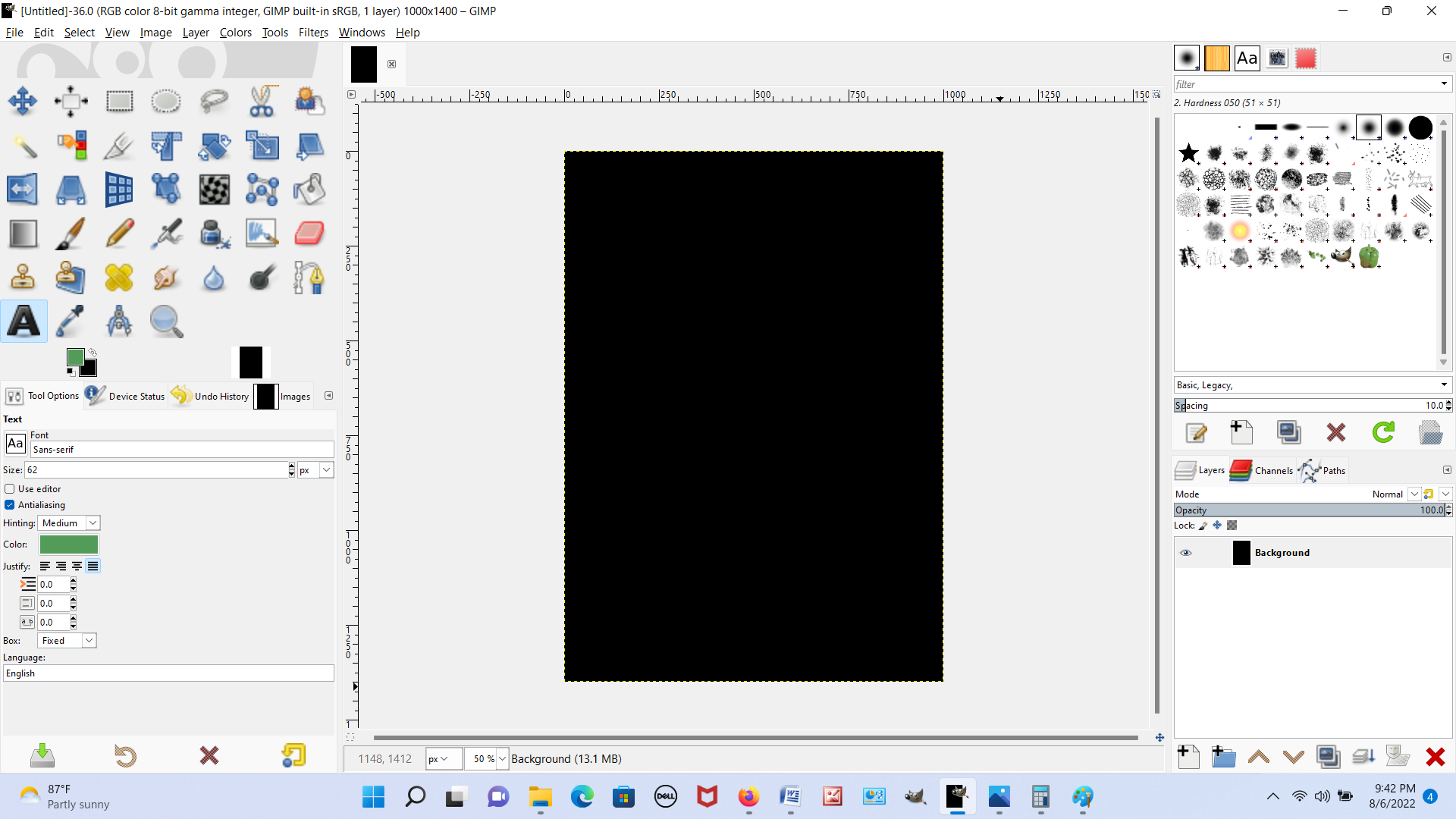
Picture #1. I open GIMP. I'm in single window mode. Both boxes are visible. The toolbox on the left and the layers/paths/channels dialog box on the right.
Image

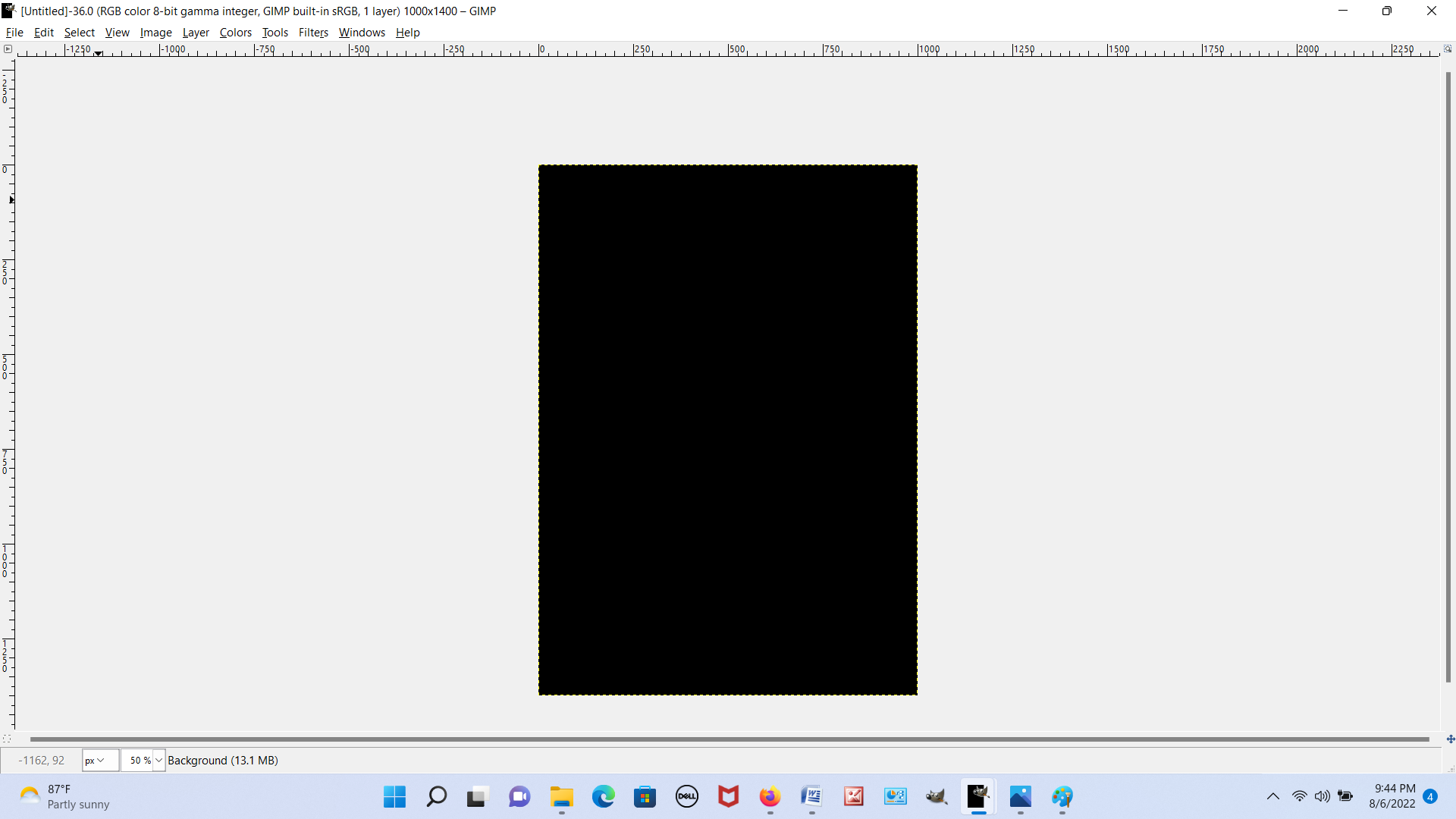
Picture #2. I click to disable single window mode. I expect the two boxes to still be there, only now, I should be able to move them around anywhere in the GIMP window. But instead, they're totally gone now, as you can see.
Image

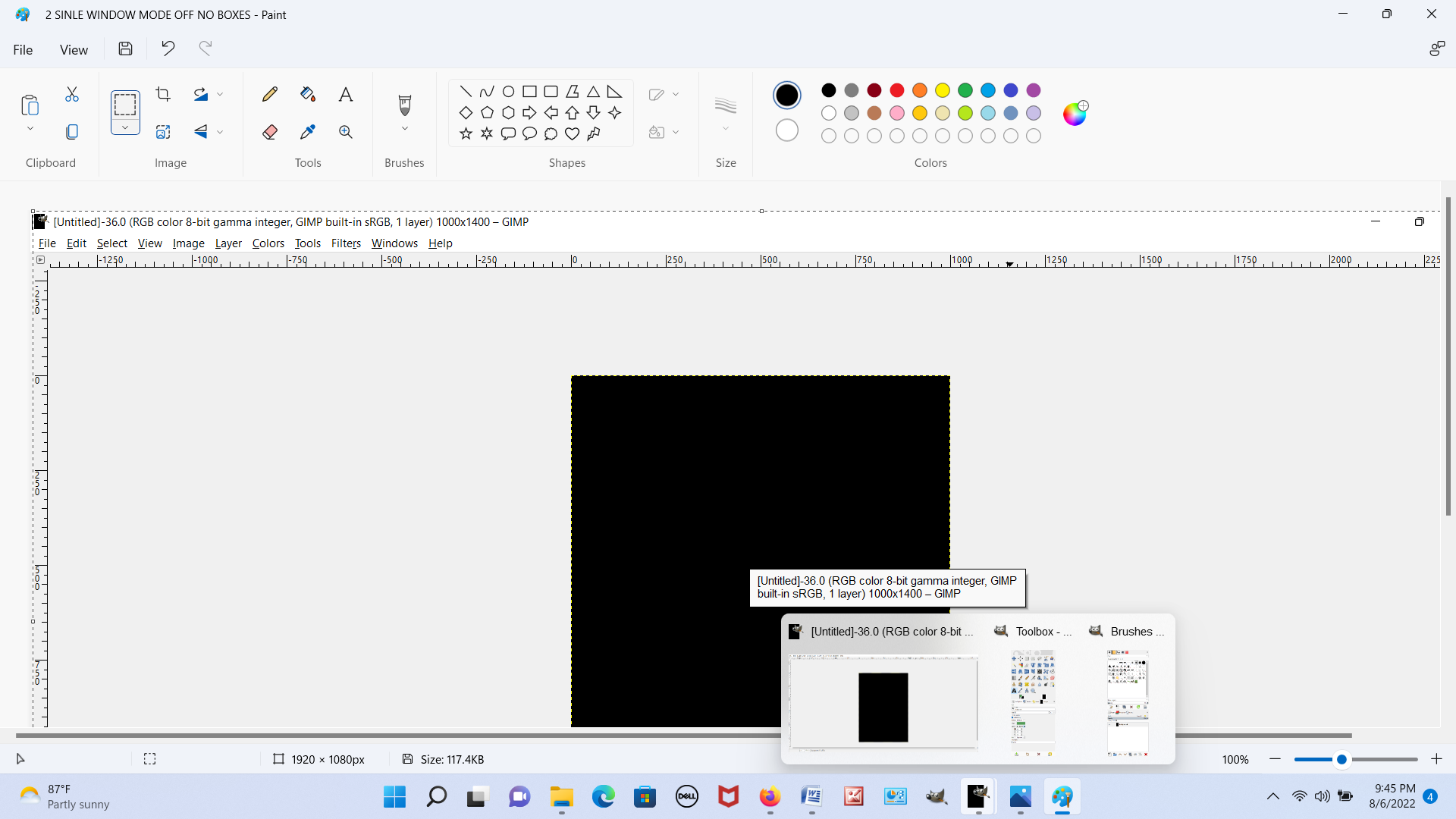
Picture #3. If I hover my cursor over the GIMP icon in my taskbar at the bottom of the screen, I can see the two boxes. So they are somewhere. Just not where I'd expect them to be. I can see the GIMP window on the left when I hover and the two boxes on the right.
Image


Picture #4. This picture is a little screwy because MS Paint appears at the top of the screenshot. But below that, you can see the main GIMP window, and behind the GIMP window, the two boxes. There is a rectangular blue box and to each of its sides, you can see the top of the boxes. They are behind the GIMP window.
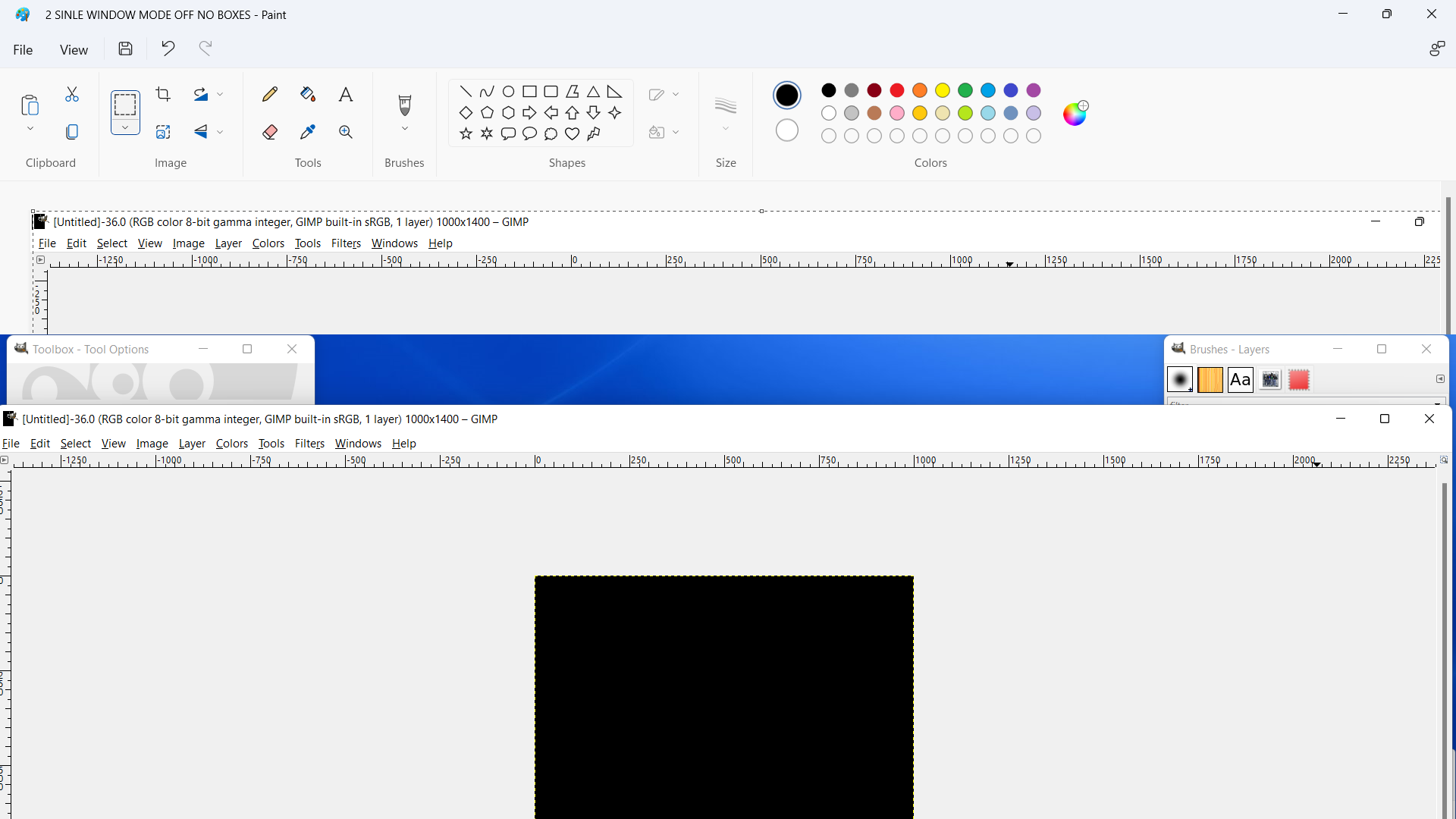
Image

Picture #5. I can click on each of the boxes to bring them in front of the GIMP window, where they should be.
Image

Picture #6. I can even move the boxes around anywhere in the GIMP window. Here I moved the boxes close to the center of the GIMP window and practically next to each other to show that I can move the boxes.
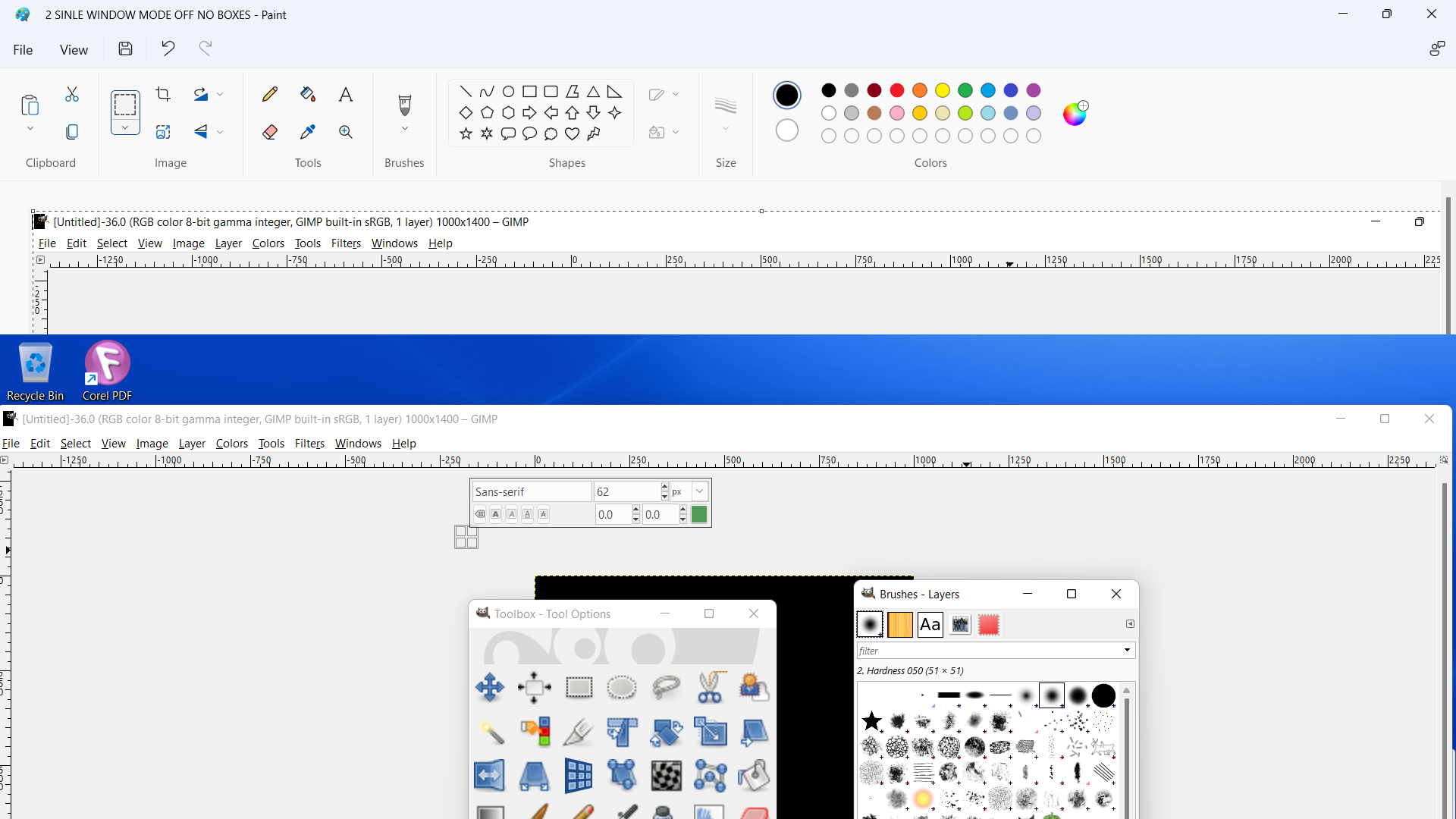
Image


Picture #7. But as soon as I try and do anything else, click on a drop down menu task, type something, do anything, the boxes disappear and go behind the GIMP window. This repeats endlessly. My GIMP is obviously unusable like this.
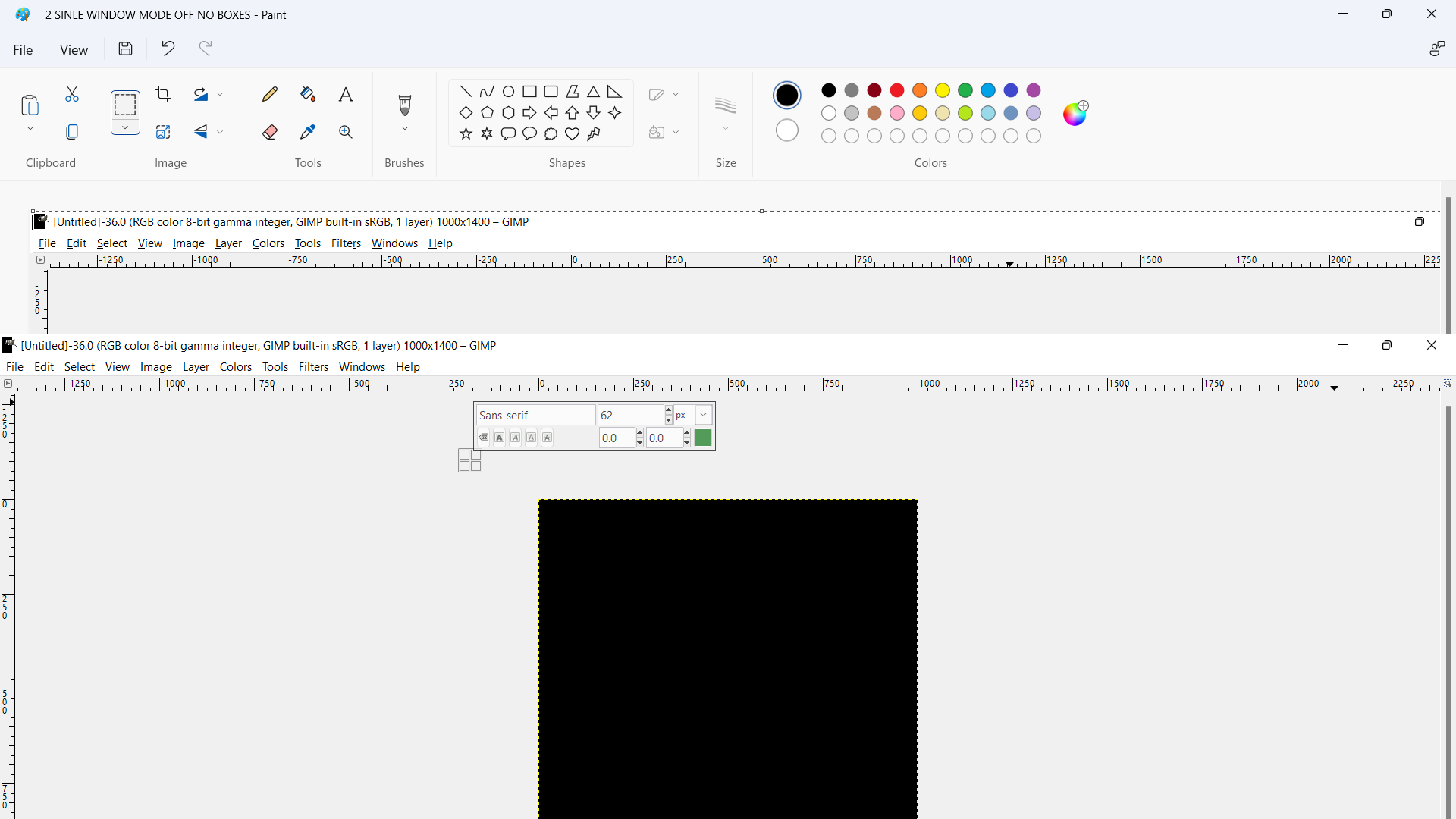
Image


Top
 Post subject: Re: Toolbox and Dialog Box for Layers/Paths/Channels, etc.
PostPosted: Sun Aug 07, 2022 3:57 am  (#18) 
Offline
GimpChat Member
User avatar

Joined: May 24, 2021
Posts: 859
Location: SEA - South East Asia
right click on the title bar of each tools/layers/channels/etc... windows then select "Always on top"
Attachment:
Untitled.png
Untitled.png [ 21.78 KiB | Viewed 6155 times ]

You can also go on your task bar/panel/whatever you call it on the Microsoft's Windows, and use your mouse wheel while hovering the GIMP's icon to make the underneath Gimp's windows appear, or you can read what's in the post #16 of this thread, but it looks like you're very selective about reading post...

_________________
Patrice


Top
 Post subject: Re: Toolbox and Dialog Box for Layers/Paths/Channels, etc.
PostPosted: Sun Aug 07, 2022 5:02 am  (#19) 
Offline
GimpChat Member

Joined: Mar 04, 2011
Posts: 2603
I think PixLab is showing a Linux solution. There is a Windows Utility to pin individual windows.

Looks like a real mess, my advice is go back to the default single window and start again.
In Gimp Edit -> Preferences -> Interface -> Window Management and click on Reset Saved Window Positions to Default Values Edit: You wrote earlier that this does not work. Try again it does work. Restart Gimp and if you want to go into multi-window mode, go do it, or detach docks, Set up Gimp the way you want. By default the last settings are saved.

Note, same place Edit -> Preferences -> Interface -> Window Management is a tick box for Save window positions on exit which is the cause of your woes. Untick that and then Save Window Positions Now then whenever you start Gimp the windows return to the saved position(s).

It might not be necessary if you want a maximised Gimp. Keep with single window mode. F11 toggles full screen and TAB toggles the docks on/off.

20 second animation of that https://i.imgur.com/SJm6SFS.mp4


Last edited by rich2005 on Sun Aug 07, 2022 5:30 am, edited 1 time in total.

Top
 Post subject: Re: Toolbox and Dialog Box for Layers/Paths/Channels, etc.
PostPosted: Sun Aug 07, 2022 5:14 am  (#20) 
Offline
Global Moderator
User avatar

Joined: Apr 01, 2012
Posts: 8377
Location: On the other side of your screen
Looks to me that your canvas window just needs to be made smaller - click on the box top right and minimise it.

_________________
Image
Free Fun Photo Editing & resources
Poems from the Lord
Gimp Newby
Gimp version 3.2.0 and GMIC-Qt 3.7.5 OS :- Windows 10 Home 64


Top
Post new topic Reply to topic  [ 27 posts ]  Go to page 1, 2  Next

All times are UTC - 5 hours [ DST ]


* Login  


Powered by phpBB3 © phpBB Group