It is currently Mon Jun 15, 2026 8:52 am


All times are UTC - 5 hours [ DST ]


Post new topic Reply to topic  [ 7 posts ] 
Author Message
 Post subject: Is this a bug in GIMP 3.0 RC2
PostPosted: Mon Jan 27, 2025 3:40 am  (#1) 
Offline
GimpChat Member
User avatar

Joined: Apr 25, 2011
Posts: 121
Location: Taiwan
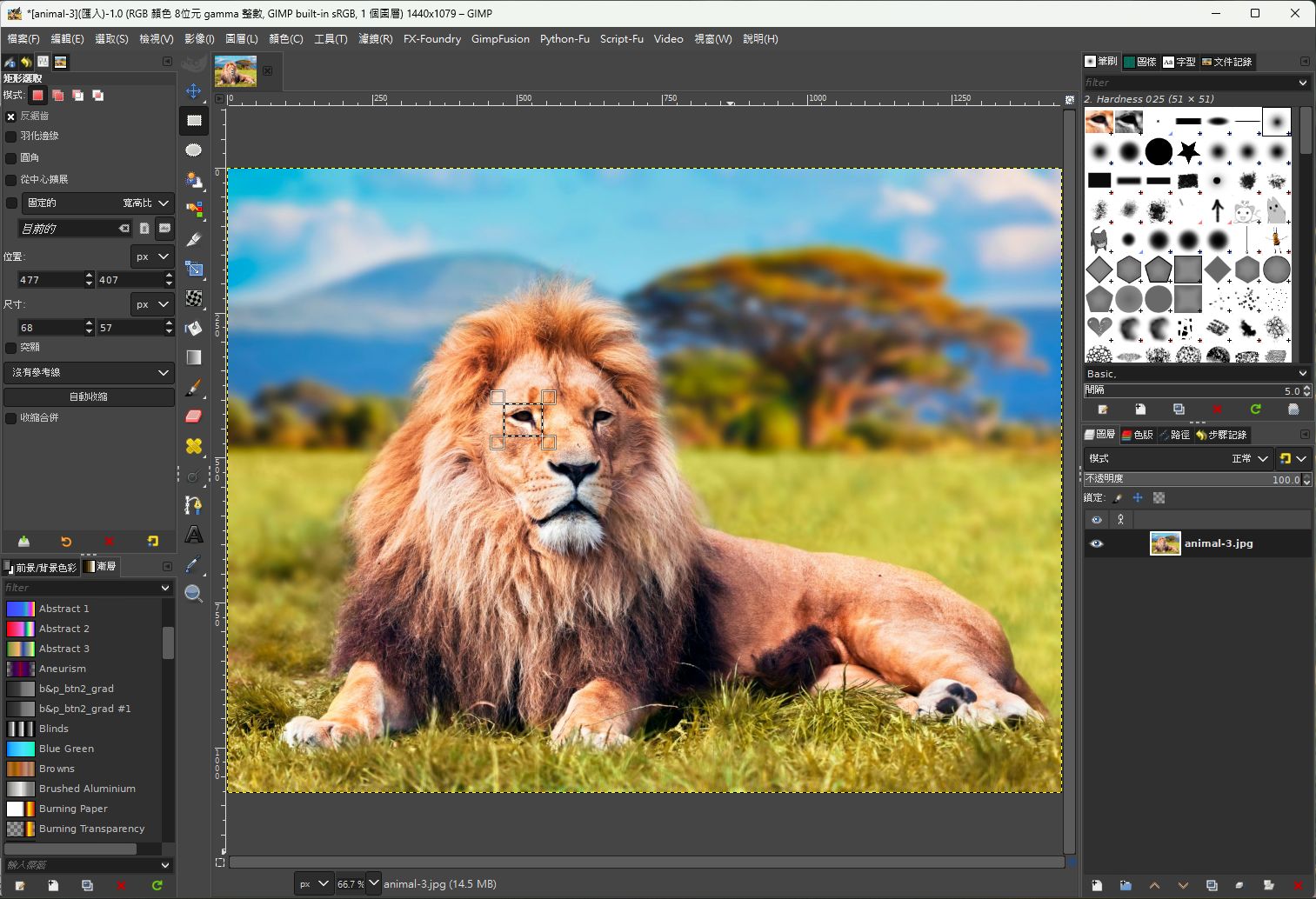
GIMP 2.10.38: When I select an area, and edit copy, the "Clipboard Image" pattern has the same size with the selection, as below image
Image

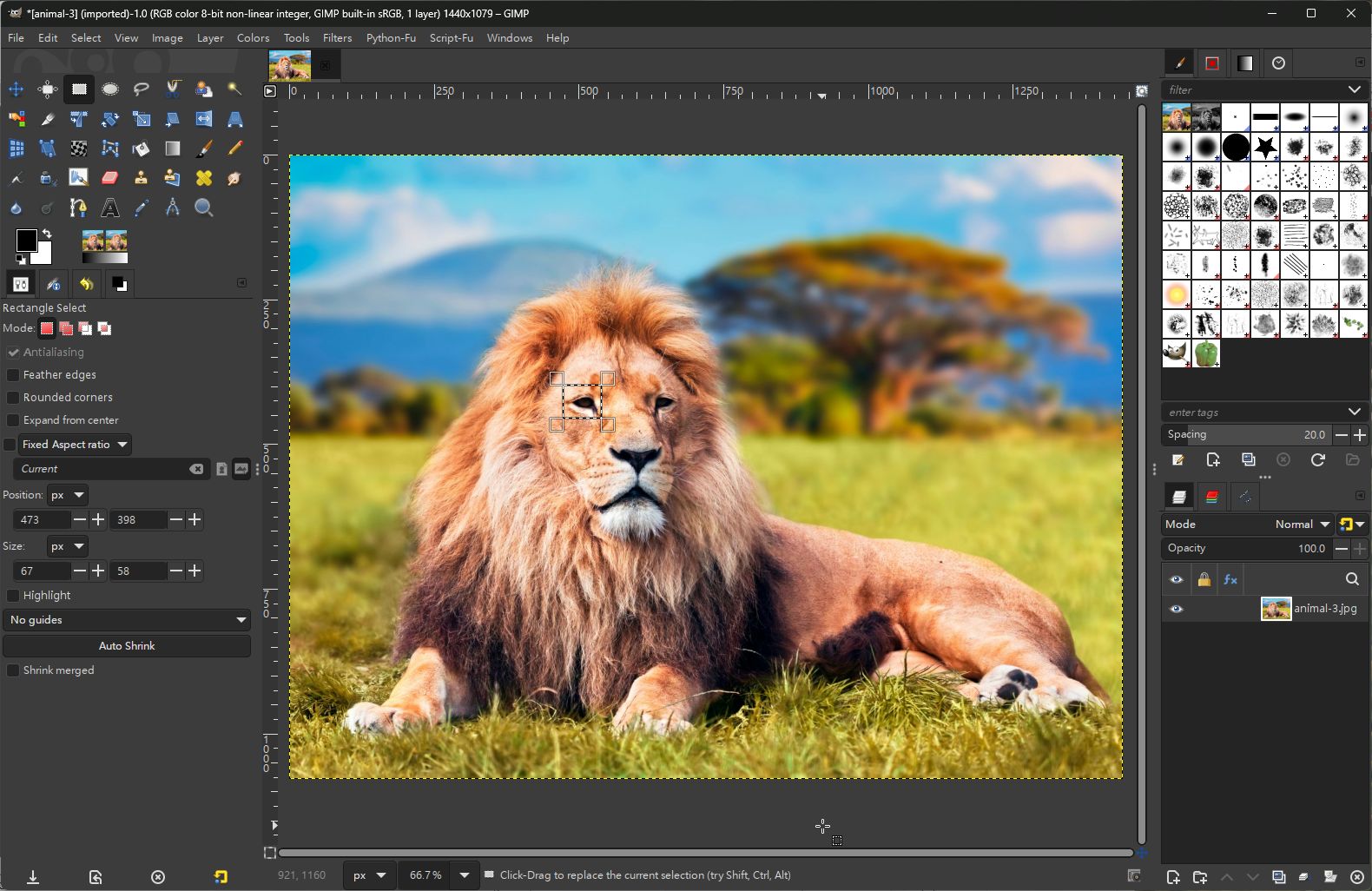
But in GIMP 3.0 RC2 as below image, the size of the "Clipboard Image" pattern is almost the entire picture.
Image

_________________
Sorry for my poor English, I use Google Translate.
There may be something wrong, Please understand.

GIMP 2.10.38 rev1 portable+GAP+G'MIC+nufraw+Beautify+MathMap+...


Share on Facebook Share on Twitter Share on Orkut Share on Digg Share on MySpace Share on Delicious Share on Technorati
Top
 Post subject: Re: Is this a bug in GIMP 3.0 RC2
PostPosted: Mon Jan 27, 2025 3:57 am  (#2) 
Offline
GimpChat Member

Joined: Apr 11, 2024
Posts: 298
... and if you press "ENTER" after dragging the rectangle before you copy?


Top
 Post subject: Re: Is this a bug in GIMP 3.0 RC2
PostPosted: Mon Jan 27, 2025 4:30 am  (#3) 
Offline
GimpChat Member

Joined: Mar 04, 2011
Posts: 2603
It has been reported
https://gitlab.gnome.org/GNOME/gimp/-/issues/10046
and
https://gitlab.gnome.org/GNOME/gimp/-/issues/1635

No fix so far.


Top
 Post subject: Re: Is this a bug in GIMP 3.0 RC2
PostPosted: Mon Jan 27, 2025 11:15 pm  (#4) 
Offline
GimpChat Member
User avatar

Joined: Apr 25, 2011
Posts: 121
Location: Taiwan
rich2005 wrote:


OK, Got it, Thanks for your info.

_________________
Sorry for my poor English, I use Google Translate.
There may be something wrong, Please understand.

GIMP 2.10.38 rev1 portable+GAP+G'MIC+nufraw+Beautify+MathMap+...


Top
 Post subject: Re: Is this a bug in GIMP 3.0 RC2
PostPosted: Tue Jan 28, 2025 12:50 am  (#5) 
Offline
Global Moderator
User avatar

Joined: May 16, 2010
Posts: 16028
Edit>Copy>Edit>Paste as brush works ( Tested in the newest Windows x64 installer commit).
Then you could just name the brush use it, and then just delete the brush if you didn't need it after one use. I know creating a selection and then Edit> copy should create the selection as a brush in the clipboard but this could be a work around for now.

Image

_________________
Image


Top
 Post subject: Re: Is this a bug in GIMP 3.0 RC2
PostPosted: Tue Jan 28, 2025 4:08 am  (#6) 
Offline
GimpChat Member

Joined: Mar 04, 2011
Posts: 2603
Rod wrote:
Edit>Copy>Edit>Paste as brush works ( Tested in the newest Windows x64 installer commit).
Then you could just name the brush use it, and then just delete the brush if you didn't need it after one use. I know creating a selection and then Edit> copy should create the selection as a brush in the clipboard but this could be a work around for now.


That is a work-around for a brush, Paste as -> New Brush is there in Gimp 2.10 as well.

For Gimp 3.0 and a clipboard brush pair, another work around is, Paste as -> New Image then copy that and back to original image.

This a 30 second example: https://i.imgur.com/tNVdoeO.mp4


Top
 Post subject: Re: Is this a bug in GIMP 3.0 RC2
PostPosted: Tue Jan 28, 2025 8:58 am  (#7) 
Offline
GimpChat Member
User avatar

Joined: Apr 25, 2011
Posts: 121
Location: Taiwan
Rod wrote:
Edit>Copy>Edit>Paste as brush works ( Tested in the newest Windows x64 installer commit).
Then you could just name the brush use it, and then just delete the brush if you didn't need it after one use. I know creating a selection and then Edit> copy should create the selection as a brush in the clipboard but this could be a work around for now.

[ Image ]


I'm not asking this because of the operation problem.
I'm asking this because beautify simple-border plugin requires this action
so I'll wait until this bug is fixed.

_________________
Sorry for my poor English, I use Google Translate.
There may be something wrong, Please understand.

GIMP 2.10.38 rev1 portable+GAP+G'MIC+nufraw+Beautify+MathMap+...


Top
Post new topic Reply to topic  [ 7 posts ] 

All times are UTC - 5 hours [ DST ]


* Login  


Powered by phpBB3 © phpBB Group